
Turn recordings into transcripts and summaries in minutes
Upload audio or video for multilingual transcription, AI notes, and action items
Top 5 AI Note-Taking Tools for College Students in 2026: Solve Fast Professors and Unfocused Review
In college classrooms, almost every student has experienced this anxiety: the professor talks too fast, PPT slides fly by, handwritten notes can't keep up, so you have to record with your phone, thinking "I'll organize it later." However, reality often hits before final exams: staring at dozens of hours of recordings on your phone, with no time to re-listen, leaving you completely lost during review.
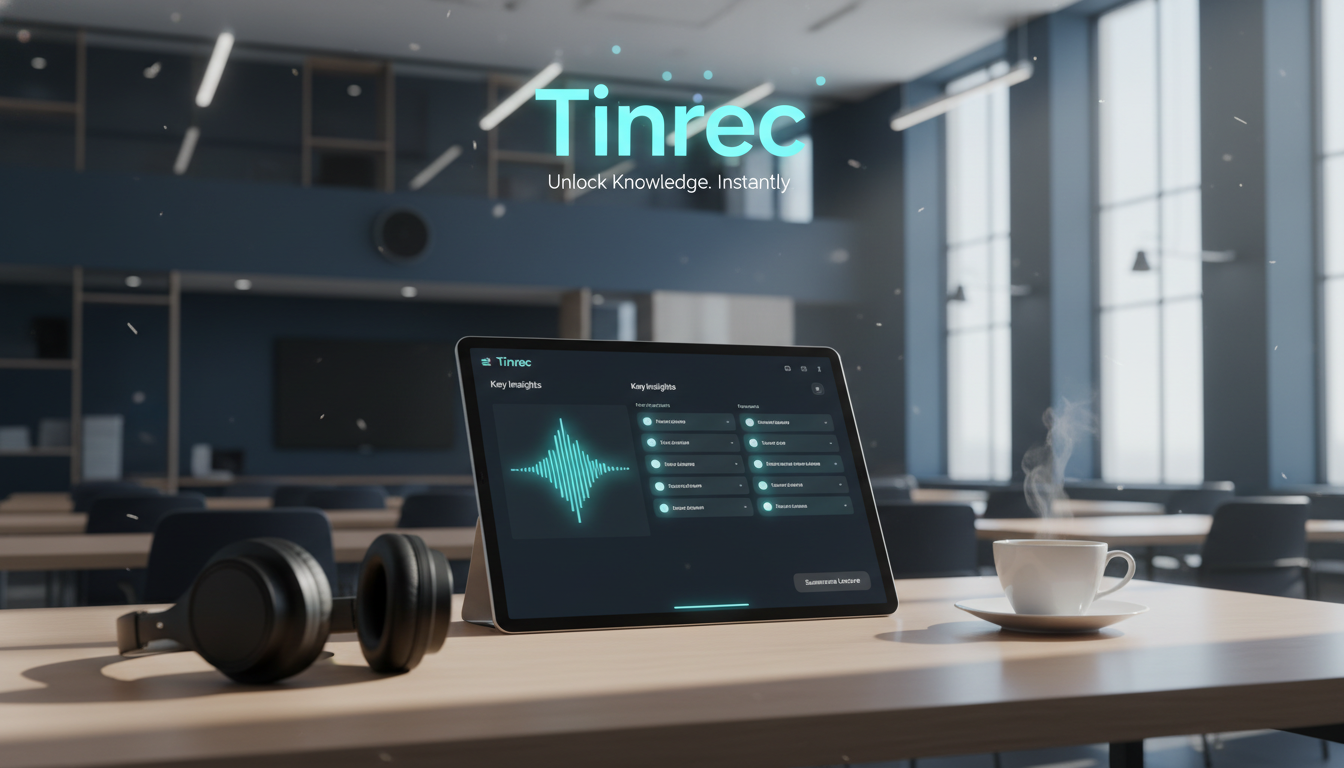
With the maturity of generative AI technology, in 2026, "speech-to-text" is just the basics; AI note-taking tools with "semantic understanding" and "key summarization" capabilities are the real study saviors. This article analyzes current note-taking solutions on the market and uses Tinrec (Quick Listen) as an example to demonstrate how AI can solve the pain points of classroom note-taking.
1. Current Pain Points: Why Traditional Voice Recorders and Recording Apps Can't Save Your Grades?
Many students rely on their phone's built-in voice recorder or buy professional recording devices, but these traditional methods have three fatal flaws in "learning scenarios," leading to information hoarding without converting it into knowledge:
High Cost of Re-listening (Low Information Density): In a 2-hour general education class, the professor might only spend 30 minutes covering exam-relevant content, while the rest is casual talk or examples. With a traditional recording, you must spend the same 2 hours searching for that critical 30 minutes, which is extremely inefficient.
Lack of Structured Organization (Too Tiring to Organize): Recordings are linear audio that can't be scanned or highlighted like text. Converting speech into bullet-point notes requires extensive manual transcription and summarization, which is often the step where college students give up.
Inability to Quickly Search (Pre-exam Anxiety): When you want to confirm, "Did the professor say the midterm covers Chapter 5?", facing files named "Recording_001.mp3", traditional tools force you to drag the progress bar like searching for a needle in a haystack, without the ability to directly "search" the content.
2. Tool Comparison: Common AI Note-Taking Tools vs. Tinrec
To select the best tool for college students and knowledge workers, we compared several common types on the market. Evaluation criteria focus on "Chinese recognition accuracy," "post-processing efficiency (summary/tasks)," and "interactivity (ability to ask questions about notes)."
| Comparison Dimension | Traditional Recording App / Recorder | Basic Transcription Tool (e.g., built-in dictation) | Tinrec (Quick Listen) |
|---|---|---|---|
| Core Function | Pure audio recording | Speech-to-text (transcript) | Recording + Transcription + AI Understanding + Action |
| Real-time Transcription | No | Partial support | Supported (real-time transcript display) |
| AI Summary & Conclusions | No | No (only plain text) | Auto-generates meeting minutes, key conclusions, to-do items |
| Content Search Method | Drag progress bar | Keyword search (Ctrl+F) | AI Chat Query (semantic search) |
| Multi-language Support | N/A | Depends on system language | Supports 10 languages including Chinese, English, Japanese, Korean, Cantonese, Taiwanese Hokkien |
| Cross-platform Support | Limited to one device | Depends on app | Web / iOS / Android data sync |
| Use Cases | Evidence preservation | Short voice memos | Long lectures, academic talks, meeting notes |
As seen above, traditional tools and basic transcription tools solve the "recording" problem, while advanced AI tools like Tinrec solve the "understanding" and "organizing" problem. For students who need to digest large amounts of knowledge, the latter provides significantly higher value.

3. In-depth Review: How Tinrec Turns "Recordings" into "Exam-Ready Notes"?
Tinrec (Quick Listen) stands out among many tools mainly because it's not just a transcription tool, but a complete "information processing workflow." Below is an in-depth analysis of the features most relevant to college students:
Stop organizing recordings by hand
Upload audio or video and automatically get a transcript, summary, and action items
1. Real-time Speech-to-Text: Never Miss a Detail
In class, open Tinrec and it will convert speech to text in real time, displaying it on the screen while recording. This is especially helpful for students with weaker listening skills (e.g., English-only lectures) or when the professor has an accent. Students can listen while reading the text to aid comprehension.
2. More Than Just a Transcript: AI Auto-generates "Structured Notes"
This is the biggest differentiator from traditional tools. After recording, Tinrec uses AI to analyze the entire content and automatically generate:
- Summary: Understand the gist of a 2-hour lecture in 3 minutes.
- Action Items: For students, this means "assignment requirements" or "exam focus." For example, the AI will extract "Submit group list by next Wednesday" or "Final exam covers Chapter 4."

3. AI Chat Query: Ask Your Notes Like a Top Student
This is the killer feature of note-taking tools in 2026. Traditional transcripts only allow keyword search (Ctrl+F), but what if you forget the exact keyword?
Tinrec's AI Chat Query lets you ask questions in natural language. For example, you can input: "What are the professor's views on AI ethics?" or "What reference books were mentioned in this lecture?" Tinrec will provide precise answers based on the recording content and context, like having a peer with a photographic memory ready to help.

4. Multi-language and Dialect Support: Works for General Ed and Foreign Language Classes
College classroom environments are diverse—sometimes English-only lectures, or professors mixing in Taiwanese Hokkien or Cantonese. Tinrec supports automatic recognition of 10 languages, including Traditional Chinese, English, Japanese, Korean, German, Taiwanese Hokkien, and Cantonese. This significantly reduces the barrier for cross-language learning or interview transcription for communications students.
4. Practical Tutorial: How to Use Tinrec to Organize a 2-Hour Lecture?
Here is a step-by-step workflow to go from download to perfect notes:
Step 1: Record in Class
Arrive at the classroom, open the Tinrec app or web version. It's recommended to sit closer to the podium for best audio capture.
- Feature entry: Real-time Speech to Text
- Click the red record button, and you'll see text appear line by line as the professor speaks. You can mark key points on the interface as needed.
Step 2: Process Online Courses (Non-live)
If you're watching Coursera, YouTube tutorials, or re-listening to previously recorded MP3 files, you don't need to record via your phone's speaker. Simply import the file or link.
- Audio file processing: Go to Audio File to Text, upload m4a, mp3, etc.
- Video link processing: Go to Podcast/Online Video to Text, paste a YouTube link, and the AI will automatically extract the audio track and analyze it.

Step 3: Quick 5-Minute Review After Class
After class, Tinrec will process in the cloud. Don't rush to re-listen; directly check the AI-generated summary and action items. Confirm if any assignment deadlines or exam ranges have been extracted.

Step 4: Targeted Deep Review
Before midterms, use the AI Chat Query feature.
- Example question: "What are the three theories the professor emphasized most this semester?"
- The AI will list key points with timestamps, and clicking the timestamp will jump directly to that part of the recording for verification.
Step 5: Export and Share
Export the organized transcript as Word, PDF, or TXT, and integrate it into your Notion or GoodNotes note system to build your knowledge base.

5. FAQ
Below are the most common questions college students ask when choosing AI note-taking tools:
Q1: Is Tinrec free? Is there a recording time limit? Tinrec offers both free and paid versions. Free users get up to 100 minutes of transcription per month, suitable for light users. For heavy course loads, the Basic plan ($4.9/month, 600 minutes) or Pro plan ($8.25/month, 1200 minutes) provide more hours and full features, making the cost per lecture very low.
Q2: Does it support iPhone and Android? Will recordings disappear? Tinrec supports iOS, Android apps, and web version. All data is synced to your cloud account, so recordings and notes are seamlessly accessible even if you switch phones or log in via computer, eliminating the hassle of file transfers from traditional recorders.
Q3: The professor mixes Chinese and English. Can the AI understand? Tinrec has a multi-language recognition engine with good accuracy for mixed Chinese-English academic settings. We recommend setting the primary language in the settings for best results.
Q4: Can it organize remote classes from Zoom or Google Meet? Yes. For computer classes, use the web version of Tinrec and ensure clear microphone capture; alternatively, upload the meeting recording file (e.g., MP4) to Tinrec for transcription, which gives the cleanest audio and highest accuracy.
Q5: What if the transcript is inaccurate? Although AI accuracy is high, proper nouns may be misinterpreted. Tinrec allows manual editing and correction of the transcript. Moreover, thanks to the "AI Chat Query" feature, even with minor typos, the AI usually understands the context and doesn't affect search results.
Q6: Can I turn online YouTube tutorial videos into notes? Yes, Tinrec supports parsing links from YouTube and other online videos. Just paste the URL to convert a one-hour lecture video into text and summary—a great tool for self-studying open courseware (OCW).
Conclusion
In the face of heavy college coursework and information overload, using the right tools is key to staying ahead. Instead of spending hours on mechanical transcription, leverage AI tools like Tinrec to focus time on "understanding knowledge" and "thinking." With transcription, AI summaries, and chat queries, classroom recordings become not digital clutter but your most powerful review database.
Turn every recording into actionable outcomes
Get 60 free transcription minutes when you sign in. No credit card required.
Related Reading
You might also like

5 Project Meeting Report Templates Compared for 2026: Which One Turns into an Action List Fastest?
We compare 5 project meeting report templates and tools—from manual Word templates to Tinrec, Notta, Otter, Fireflies, and TurboScribe—covering free limits, pricing, and best use cases to help you choose the fastest way to produce actionable meeting minutes.

2026 AI Meeting Recorder Comparison: Fathom vs Tinrec for Chinese Meeting Notes
We tested four AI meeting note tools—Tinrec, Fathom, Notta, and Otter.ai—in real meeting scenarios. From Chinese and mixed Chinese-English recognition to bot-free recording, post-meeting organization, and team data management, we explain why Fathom suits English sales teams and how Tinrec performs in Chinese meetings and team collaboration.
2026 Comparison of 4 Meeting Recording-to-Report Tools: How Fast Can You Get a Report After a Meeting?
Turning a meeting recording into a deliverable report isn't about transcription speed—it's about post-meeting output and team knowledge retention. This article tests Tinrec, Otter.ai, Granola, and TurboScribe from a mid-level manager's perspective, breaking down bot-free recording, summaries and action items, AI follow-up questions, audio retention, and team seat management, with scenario-based recommendations and three common pitfalls to avoid.

4 Meeting Minutes Tools Tested for 2026: Which One Turns Notes into a PPT Outline Fastest?
Still building a PPT outline after the meeting? We tested 4 meeting minutes tools, comparing transcription accuracy, structured output, AI Q&A, and team collaboration to find out which one turns meeting minutes into a PPT outline fastest.

6 AI Meeting Transcription Tools Compared for 2026: Fireflies.ai vs Tinrec — Which Should You Choose?
Based on hands-on experience, this comparison covers six AI meeting transcription tools — Tinrec, Fireflies.ai, Otter.ai, Notta, Granola, and TurboScribe — from bot and bot-free recording, Chinese recognition, post-meeting organization, to team data management, helping you choose the right solution for your work style.

2026 Team Meeting Tools Compared: The One Without a Meeting Bot Is the Easiest
From the perspective of a mid-level manager leading a 10-person team with 15 meetings a week, we tested and compared four team meeting tools: Tinrec, Granola, Otter.ai, and Notta. We examined five key points: how recordings are captured, post-meeting outputs, Chinese and mixed Chinese-English recognition, role and seat governance, and quota calculation. We also summarized the four most common purchasing mistakes to help you choose the one that truly preserves meeting assets.

2026 AI Meeting Minutes Tools Compared: Which One Generates a Word Report in One Click?
We tested 4 AI meeting minutes tools, comparing transcription, post-processing, Word export, and team data governance. Find out why Tinrec saves the most time for Chinese meetings and report output, plus 4 common buying mistakes to avoid.

Laxis vs Tinrec 2026: Which AI Meeting Tool Is Right for You? 5 Steps to Choose
Laxis and Tinrec both turn meetings into text, but they are built for different purposes. This article compares them across five dimensions—Chinese meeting handling, online meeting recording, post-meeting workflow, team data governance, and pricing—and provides a 5-step framework to help your team decide which one to choose.

2026 AI Meeting Note Tools Compared: Granola vs Tinrec for Chinese Meetings
We tested four AI meeting note tools including Granola and Tinrec, comparing Chinese and mixed Chinese-English recognition, audio retention and historical file import, post-meeting AI queries, and team data management. We also cover selection criteria and common pitfalls to help you choose the right tool for your meeting scenario.