
Turn recordings into transcripts and summaries in minutes
Upload audio or video for multilingual transcription, AI notes, and action items
Why Students Need a "Speech-to-Text" Note App: Solve the Pain of Never Finishing or Missing Key Points
In college lectures or online courses, professors often speak too fast and information overload is common. Many students record lectures on their phones but face these three frustrating scenarios:
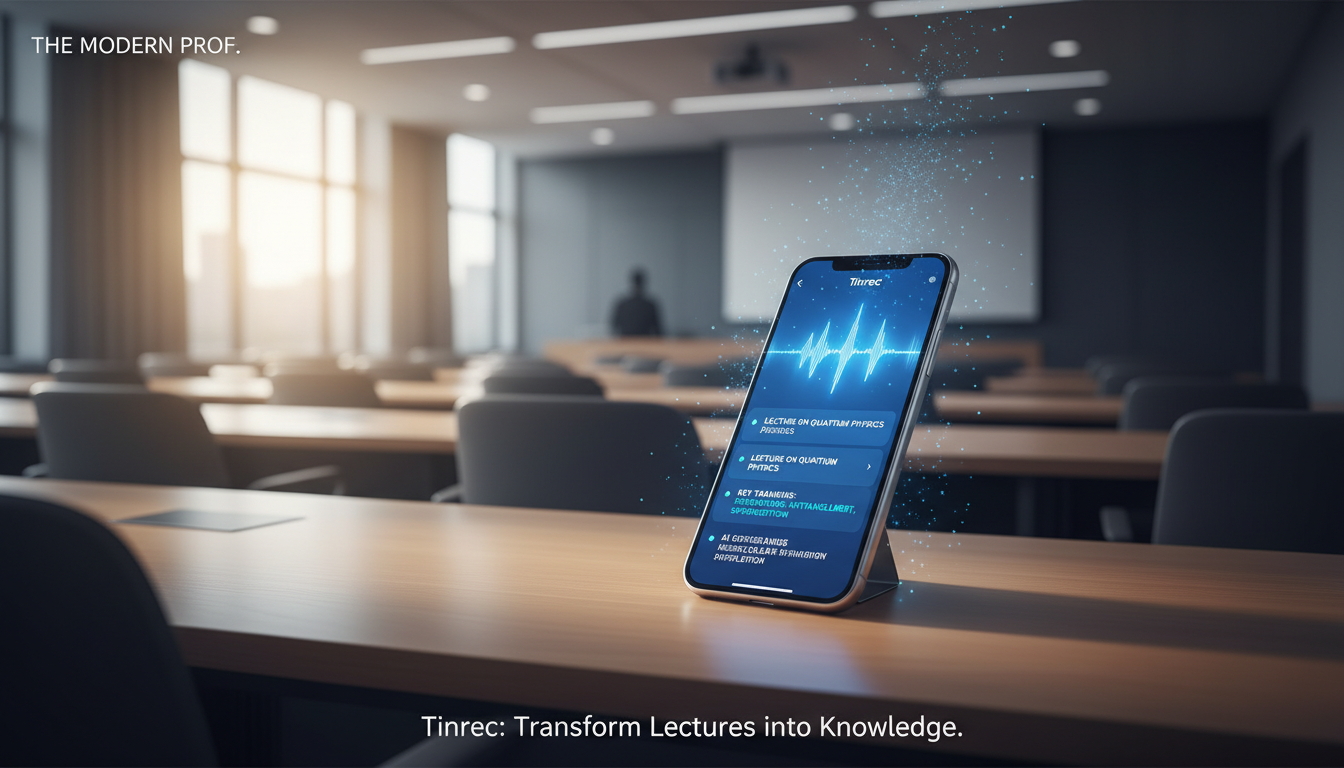
- High cost of re-listening: For a one-hour lecture, finding a key point might require 20 minutes of scrubbing back and forth.
- Disconnection between notes and audio: Traditional note apps (like Notes) can record audio but cannot link "sound" to "text"—during review, you don't know which part of the note corresponds to which part of the lecture.
- Lack of structured organization: Just a transcript is not enough; without summaries and action items (e.g., exam highlights, assignment deadlines), the recording just takes up phone storage and becomes "dead data."
More than just "recording" functionality, modern students need tools that can transcribe in real-time and leverage AI for comprehension. Based on the 2026 popular note app list, this article selects 5 tools with a focus on "speech-to-text" and provides an in-depth comparison.
2026 Top 5 Voice Note Apps Reviewed: Which Is Best—Tinrec, Notability, or OneNote?
We evaluated widely praised tools for students and professionals, focusing on core speech-to-text needs. The list includes veteran note-taking software and the AI-focused newcomer Tinrec.
Feature Comparison Table
| Dimension | Tinrec (秒聽錄音) | Notability | Microsoft OneNote | Apple Notes | Google Keep |
|---|---|---|---|---|---|
| Core Focus | AI Recording Note Assistant (Record+Transcribe+Understand) | Handwriting notes + audio sync | Digital notebook + basic recording | Quick notes | Sticky-note style notes |
| Real-time Speech-to-Text | Yes (high accuracy) | Partial (mainly audio playback synced with handwriting) | Yes (dictation, weak for long recordings) | Yes (short voice memos) | Yes (voice-to-text notes) |
| AI Summary / Key Points Extraction | Auto-generates meeting minutes, conclusions & to-dos | No (manual required) | Requires Copilot (paid) | No | No |
| AI Chat Query | Yes (ask questions about the recording) | No | No | No | No |
| Language Support | 10+ languages incl. English, Chinese, Japanese, Korean, Cantonese | Depends on system language | Multi-language | Depends on system language | Multi-language |
| Best for | Lecture transcripts, online course notes, exam prep | Handwriting enthusiasts, iPad classroom notes | Lecture handout integration, Microsoft ecosystem | Quick idea capture | Simple reminders |
| Price / Free Tier | Free: 100 minutes/month | Free with limited features / subscription | Free (some features require 365 subscription) | Free | Free |
Overall Assessment
- Notability: Great for iPad users who prefer handwriting with Apple Pencil. Its strength is "playback sync showing when notes were written," but it does not excel at converting an entire lecture into an editable transcript.
- Microsoft OneNote: Ideal for organizing large handouts and structured notes. Although it has dictation, stability and post-transcription organization are weak for 1–2 hour continuous lectures.
- Tinrec (秒聽錄音): If your main goal is "avoid re-listening" and you want AI to turn the professor's words into text and even summarize key points, Tinrec is currently the most efficient choice. It fills the gap in "voice understanding" that traditional note apps lack.
Stop organizing recordings by hand
Upload audio or video and automatically get a transcript, summary, and action items
In-depth Review: Why Tinrec Is a "Game-Changing" Note Tool for Students
Tinrec is more than just a recording app; its core value lies in turning "sound" into searchable, actionable knowledge. Here are its three solutions for student pain points:

1. Real-time Speech-to-Text: Never Miss a Detail in Class
Traditional recording apps give you a huge audio file after class. Tinrec transcribes speech to text in real time (or when you import a file). This is especially useful for fast-paced, jargon-heavy courses—you can stop frantic note-taking, listen attentively, and review the transcript later.

2. AI Smart Summary & Action Items: One-Click Exam Prep
This is the biggest difference between Tinrec and ordinary recording apps. AI analysis automatically generates:
- Full-text summary: Quickly grasp what the lecture covered.
- Action Items (To-Dos): AI automatically extracts what the professor said like "submit homework next week" or "this will be on the midterm," creating a checklist so you never miss deadlines.

3. AI Chat Query: Ask Questions About Your Notes
Faced with a two-hour lecture recording, you only want to know "What did the professor say about the final report?" Traditionally you'd Ctrl+F for keywords, but if the professor used different wording (e.g., "final project"), you might miss it.
Tinrec's AI Chat Query lets you ask natural language questions like "What are the three key theories mentioned in this lecture?" The AI answers based on the recording content—a lifesaver for exam review.

Practical Tutorial: How to Build an Efficient Study Workflow with Tinrec
Here are three common student scenarios to help you improve learning efficiency.
Scenario 1: In-Person Lecture / Seminar Recording
Steps:
- Open Tinrec on your phone, tap Real-time Speech-to-Text.
- Place your phone close to the speaker (or use an external microphone for better results).
- During recording, the app shows the transcript in real time; you can mark key points anytime.
- After class, tap "AI Summary" and copy the generated highlights into your main note app (like Notion or OneNote) for archiving.
Scenario 2: Online Courses / YouTube Self-Study
Many great teaching resources are on YouTube or podcasts, but watching videos takes time. Steps:
- Copy the video or podcast URL.
- Use Tinrec's Podcast/Online Video to Text feature and paste the link.
- The system quickly parses and generates a transcript. You can read 30 minutes of video content in 5 minutes and extract knowledge directly.


Scenario 3: Organizing Past Recordings
Before midterms, you find your phone full of lecture recordings you never had time to listen to? Steps:
- Go to the Audio File to Text page.
- Batch upload mp3 or m4a recordings.
- After AI transcription, use the "AI Chat" feature and input: "Please organize all exam points about [topic] from these three lectures" to quickly create a review handout.
FAQs
Q1: How accurate is speech-to-text? What about accents?
Most modern tools like Tinrec support multiple languages (Chinese, English, Japanese, etc.) and typically achieve over 90% accuracy for standard classroom lectures. Tinrec is optimized for mixed-language recognition, making it suitable for Taiwanese classrooms where English and Chinese are mixed.
Q2: Are these apps free?
Most apps recommended here offer free trials.
- Google Keep / Apple Notes: Completely free.
- Tinrec: Offers a free plan with 100 minutes of transcription per month, sufficient for students who only record key lectures weekly.
Q3: Can I export the transcribed text?
Yes. For easy organization, Tinrec supports exporting transcripts and summaries as Word, PDF, or TXT files, so you can integrate them into your own note system.

Q4: I already have an iPad + Apple Pencil. Do I still need Tinrec?
If you prefer handwriting, Notability or GoodNotes work well. But if you find yourself "writing too slowly" or "no time to re-listen", consider pairing Tinrec. Use your iPad for handwritten structure and Tinrec for detailed transcript content—they don't conflict.
Q5: What if the school Wi-Fi is bad? Can I use it offline?
Most AI transcription requires an internet connection for cloud processing to achieve high accuracy. We recommend using Tinrec to record in class (recording often works offline), then upload for transcription and AI analysis when you have internet.
Q6: Will using AI for notes make me lazy?
Tools free up your brainpower. When you no longer have to be a "typewriter" or "recorder," you can focus on understanding the professor's logic and thinking during class. Let AI handle repetitive recording, and keep your brain for thinking and asking questions—that's smart learning.
Turn every recording into actionable outcomes
Get 60 free transcription minutes when you sign in. No credit card required.
Related Reading
You might also like

2026 Free Meeting Notes to PRD Tools: Tinrec vs Otter.ai Compared
Spent a whole semester in group meetings, but still can't turn piles of transcripts into a PRD? This article starts from the real pain points of student projects and compares Tinrec and Otter.ai across 5 dimensions for generating PRDs from meeting notes, including Chinese meeting handling, bot-free recording, free tiers, and team collaboration, to help you decide which one fits you better.

Tinrec vs Granola 2026 Comparison: 5 Dimensions to See Which Generates Better Meeting Reports
How to choose an AI meeting report tool in 2026? This article compares Tinrec and Granola, two bot-free meeting tools, across 5 dimensions: audio retention and file import, Chinese transcription experience, post-meeting report generation, AI Q&A, and team collaboration and governance. Includes pricing and FAQ to help you decide which fits your meeting scenario.

How to Create Meeting Minutes Templates in 2026: 5 Steps from Field Design to AI Organization
How do you create meeting minutes templates? This article starts with common pitfalls and teaches you how to use Tinrec's AI meeting notes feature to automatically generate transcripts, summaries, action items, and tables in 5 steps, plus purchasing considerations and FAQs.

5 Meeting Minutes Template Formats Compared for 2026: Which One Tracks Action Items Fastest?
We compare 5 common meeting minutes template formats, from basic fields to action tracking to formal board records, and test how Tinrec uses AI to automatically generate transcripts, summaries, and action items, saving you time on manual form filling.

Best AI Meeting Notes Tools in 2026: We Tested 4 — This One Handles Chinese Meetings and Task Lists Best
After a meeting ends, the hardest part usually isn't the meeting itself — it's turning the discussion into a trackable task list. Starting from real meeting scenarios, this article breaks down four key factors for choosing a meeting notes tool, tests Tinrec, Otter.ai, Granola, and PLAUD Note, and includes copy-paste task list and follow-up email prompt templates, common pitfalls to avoid, and selection advice.

2026 Comparison of 3 Meeting Task Assignment Tools: Why Tinrec Beats Notta for Teams
Manually filling out meeting task assignment sheets is error-prone and hard to track. This hands-on comparison of Tinrec and Notta explains how Tinrec uses bot-free recording, automatic action item extraction, and team spaces to turn manual meeting task lists into an automated process.

6 AI Meeting Table Generators Tested in 2026: Which Can Turn Transcripts into Tables and To-Dos?
After a meeting, you have the transcript and summary, but the table you actually need to submit still has to be filled out yourself. This article reviews 6 AI meeting tools, covering bot-free recording, Chinese transcription, to-do extraction, and table and report generation, with a 'how to choose' guide to help you decide, and honestly lists free and paid quotas for each option.

2026 Comparison of 3 Meeting Minutes Tools: Word vs Excel vs Tinrec — Which Saves the Most Time?
Word or Excel for meeting minutes? This hands-on comparison tests Word, Excel, and Tinrec AI recording in the meeting documentation workflow, from transcription and AI summaries to action item tracking and team collaboration, helping you decide which tool fits different scenarios.

2026 Meeting Task List Tools: Auto-Extract Action Items + Team Tracking
How to choose a 2026 meeting task list tool? This guide starts from the decision point of 'where do tasks come from' and uses Tinrec as an example to demonstrate the complete workflow: real-time transcription, AI summary, action item extraction, AI Q&A, and team space tracking. It also covers 5 key considerations for purchasing and answers common questions.