
Turn recordings into transcripts and summaries in minutes
Upload audio or video for multilingual transcription, AI notes, and action items
For podcast creators, media interviewers, or those who enjoy learning through podcasts, "re-listening to recordings" is often the most time-consuming part. A one-hour show can take three to four hours to transcribe manually; if you're trying to extract key quotes or highlights, constantly scrubbing the timeline is a productivity killer.
The good news is that the AI transcription market in 2025 is very mature. This article will review 8 mainstream "audio-to-transcript tools," evaluating them on Chinese language support, AI summarization capabilities, pricing plans, and whether they support video links. We'll also provide a detailed comparison table and a step-by-step tutorial.
Quick Navigation Guide:
- If you need extreme accuracy and have a budget: Choose Rev (human proofreading).
- If you primarily use English for meetings or recordings: Otter.ai is a veteran choice.
- If you need mixed Chinese-English recognition and want to directly import YouTube/Podcast links: Try Tinrec.
- If you prioritize educational scenarios and security compliance: Caption.Ed performs well.
Why Do Podcasts Need Professional Transcription Software?
With the surge in remote work and digital content, a simple "audio file" no longer meets the need for information flow. According to Caption.Ed's market analysis, transcription software has become a standard tool for content creation and learning in 2025, addressing three main pain points:
- Content Repurposing: Turning podcast audio into text allows you to quickly rewrite it into blog posts, newsletters, or social media posts, maximizing content value.
- SEO Search Engine Optimization: Google cannot index sound, but it can index text. Providing a transcript makes your show easier to discover.
- Learning & Review: For long interviews or knowledge-based podcasts, AI-generated "key summaries" and "action items" help listeners absorb information quickly.
Top 8 Podcast Transcription Software Reviews for 2025
Here are 8 noteworthy tools selected based on features and use cases:
1. Caption.Ed: All-Rounder for Education and Business
Caption.Ed is rated as one of the best overall experiences in 2025, with a strong emphasis on accessibility. It supports both live captioning and pre-recorded files. Its advantage lies in ISO 27001 security certification, making it suitable for educational institutions and corporate users with high data security requirements. Features include AI summaries and action item integration, making it a very solid choice.
2. Rev: The Gold Standard for Human Transcription
If you produce content that needs publication or extreme accuracy (e.g., legal interviews, formal publications), Rev's "human transcription service" remains the industry benchmark, with accuracy up to 99%. While it also offers AI automatic transcription (at a lower price), its core strength lies in its large team of professional transcribers who can accurately handle various accents and background noise.
3. Tinrec (Miao Listen Recorder): Video Link Direct Transcription & AI Chat Assistant
Tinrec is a multi-platform AI recording assistant that integrates "recording, transcribing, summarizing, and chatting" into a complete workflow. For podcast creators, Tinrec supports pasting YouTube or online video links directly for transcription, saving the hassle of downloading and re-uploading files. Additionally, it supports recognition of 10 languages including Chinese, Japanese, English, and Korean, and features an "AI Chat Query" function that allows users to "ask" about recording content (e.g., "What were the three books mentioned by the guest?"), greatly reducing data organization time.
4. Otter.ai: Top Choice for English Meetings & Notes
Otter.ai has a very high market share in English-speaking countries, especially for real-time meeting notes. It automatically distinguishes speakers and generates summaries. However, Otter's Chinese language support is relatively weak, and the free plan has limitations on uploading pre-recorded files, making it better suited for English-dominated interviews or meetings.
5. Descript: Edit Audio Like Editing a Document
Descript is not just a transcription tool; it's an editing software that allows you to "edit audio through text." It's great for podcast creators—when you delete text in the transcript, the corresponding audio segment is also deleted. This is very helpful for post-production.
Stop organizing recordings by hand
Upload audio or video and automatically get a transcript, summary, and action items
6. HappyScribe: Multilingual Support Expert
HappyScribe supports over 120 languages, making it suitable for creators producing subtitles in multiple languages. It offers both AI automatic transcription and human proofreading options with an intuitive interface, but the accuracy in pure AI mode is around 85%, making it better for generating draft subtitles.
7. Castmagic: Built for Content Marketing
Castmagic specializes in turning a single long recording into multiple marketing assets (e.g., tweet threads, LinkedIn posts). Unlike traditional transcription tools that only provide transcripts, it directly gives “post drafts,” which is great for creators who need to publish social content frequently.
8. GoTranscript: Affordable Human Service
Similar to Rev, but GoTranscript offers more flexible pricing and multilingual human service. If you need high-accuracy transcription for a less common non-English language, this is a good outsourcing option.
Tool Comparison Table: Features and Pricing at a Glance
To help you decide quickly, we compared 5 representative tools side by side:
| Dimension | Tinrec (Miao Listen) | Caption.Ed | Otter.ai | Rev (AI Version) | Descript |
|---|---|---|---|---|---|
| Primary Use | Multi-platform AI audio/video-to-text assistant | All-in-one transcription for education & enterprise | English meeting & real-time notes | Professional high-accuracy transcription | Audio editing & creation |
| Chinese Support | Supports (including mixed Taiwanese/Hokkien/Cantonese recognition) | Supports | Weak | Supports | Supports |
| Input Methods | Record, upload, video link | Record, upload | Record, upload (limited) | Upload | Record, upload |
| AI Features | AI chat query, action item summary | AI summary, live captions | Meeting summary, keyword extraction | Basic summary | Text-based audio editing |
| Free Tier | 100 minutes per month | Free trial available | 300 minutes per month (live recording only) | 14-day trial | 1 hour of transcription per month |
| Best For | Students, multi-lingual meetings, podcast listeners | Schools, large enterprises | English-speaking professionals | Those needing high accuracy | Creators/editors |
Practical Tutorial: How to Quickly Turn a Podcast Audio File into an Article
Once you've chosen a tool, the next step is to turn audio into valuable text content. Below is a standard workflow using Tinrec as an example, from "listening" to "output":
Step 1: Import the Audio Source
You can import content in two ways:
- File Upload: If you're a creator with an MP3/WAV file, use the "audio file to text" feature to upload.
- Link Import: If you're a listener or want to transcribe a YouTube podcast, use the "podcast/online video to text" feature and paste the URL—no need to download large files.
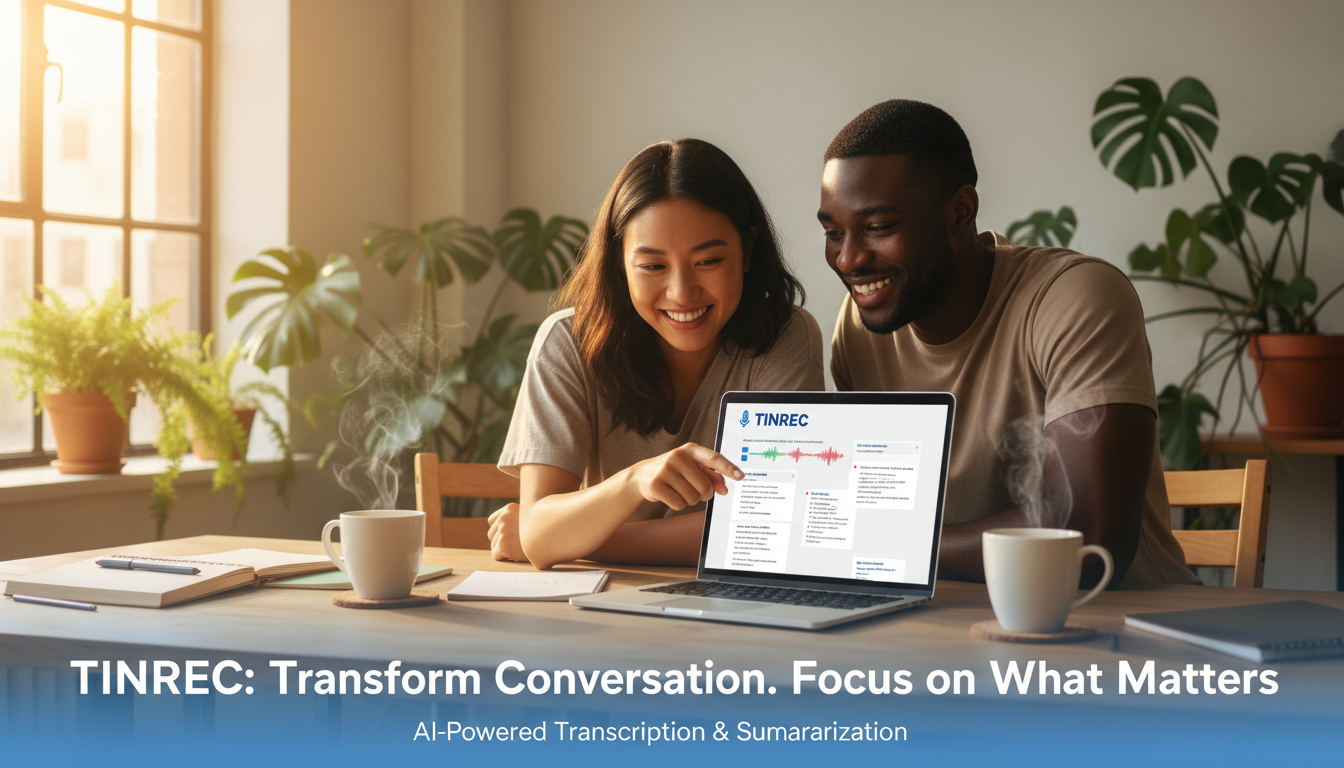
Step 2: Run AI Transcription and Speaker Diarization
The system will automatically detect the language (supports mixed scenarios like Chinese, English, Japanese, Korean, etc.) and start transcribing. Tinrec automatically distinguishes different speakers (Speaker Diarization), which is especially important for interview-style podcasts, allowing you to clearly see what the host and guest said.
Step 3: Use AI Chat to Extract Key Points
Traditional tools output tens of thousands of words in transcripts, which still takes a lot of time to read. Here you can use the "AI Chat Query" feature:
- Example command: "Summarize the 5 marketing strategies mentioned in this episode."
- Example command: "What are the guest's views on 'AI trends'? List them out." This gives you structured notes directly instead of a stream-of-consciousness transcript.
Step 4: Export and Edit
After confirming the content is correct, you can export the transcript as TXT, Word, or PDF, or simply copy the AI-generated "action items" into your note-taking app (like Notion) to complete content repurposing and archiving.
Frequently Asked Questions (FAQ)
Q1: Are free transcription tools enough?
Free tools (like Otter free or Tinrec free) usually have time limits (e.g., 100-300 minutes per month) or feature limitations (e.g., cannot export certain formats). They are typically sufficient for personal users who occasionally record ideas. However, if you are a professional who needs to process multiple interviews daily, paid versions offer higher accuracy, longer recording quotas, and more advanced AI analysis.
Q2: Can iPhone recordings be directly transcribed?
iPhone's built-in Voice Memos app does not have transcription capability. You need a third-party app. Many tools like Tinrec and Otter provide iOS apps that allow you to record directly on your phone and upload to the cloud for transcription, solving the pain point of organizing iPhone recordings.
Q3: How accurate is AI transcription for Chinese?
Current mainstream AI models (like Whisper) have fairly high Chinese recognition rates, but they still vary when handling "mixed Chinese-English," "proper nouns," or "dialects" (e.g., Taiwanese). We recommend choosing tools that advertise mixed-language recognition (like Tinrec, HappyScribe) for better results than tools optimized only for English.
Q4: Can I transcribe Teams or Google Meet meetings?
Yes. Some tools (like Otter, Caption.Ed) provide "meeting bot" features that can join meeting links. With Tinrec, you can record system audio on your computer, or upload the recording/file after the meeting.
Q5: How do I transcribe a YouTube video?
Traditionally, you would need to download the MP3 via a converter site and then upload it to a transcription tool. Newer tools like Tinrec support "paste link to transcribe," directly parsing the YouTube video URL and generating the transcript, saving download and conversion time.
Q6: Are my transcripts secure?
If you are handling sensitive business secrets or interviews, be sure to check the tool's privacy policy. Enterprise-grade tools like Caption.Ed have ISO 27001 certification; general tools like Tinrec also provide encrypted transmission and privacy protection. Avoid using unknown free online converter sites for confidential material.
Turn every recording into actionable outcomes
Get 60 free transcription minutes when you sign in. No credit card required.
Related Reading
You might also like

How to Automatically Extract Meeting Action Items in 2026: AI Summaries + To-Dos in One Go
After a meeting, action items are scattered in the conversation and no one follows up? This article compiles 6 solutions that can automatically extract meeting action items, from Tinrec's bot-free recording, AI summaries, and action item extraction, to the positioning and pricing of Otter.ai, Fireflies.ai, Notta, Granola, and TurboScribe. It also uses scenario comparisons to tell you which one to choose for different budgets and needs.

2026 Meeting Notes Tools Buying Guide: 6 Tested Picks and Action Item Tracking Tips
When meetings end and nothing gets done, the problem is usually the lack of an owner-plus-deadline table. This guide shares hands-on reviews, pricing, and use cases for 6 meeting notes and transcription tools, and compares which ones automatically extract action items and owners, so you can choose the right tool in one go.

2026 AI Meeting To-Do Tools Compared: Tinrec, Notta, and Fireflies — Which One Actually Follows Through?
A hands-on comparison of Tinrec and Notta across six dimensions: meeting capture, post-meeting outputs, historical data queries, team governance, Chinese and mixed-language support, and pricing. Also covers where Fireflies.ai fits among meeting automation tools, helping you decide which AI meeting to-do tool truly turns meetings into action.

The Complete Guide to Customer Meeting Follow-Up Emails in 2026: From Meeting Notes to Follow-Up Letter
Struggling to write a follow-up email after a customer meeting? This article breaks down the complete workflow from meeting notes, summaries, and action items to sending the follow-up email, and compares Tinrec and PLAUD Note in post-meeting organization and team tracking to help you choose the right approach.

How to Organize Meeting Action Items in 2026: A Complete 5-Step Guide
After a meeting ends, action items often get scattered across notes, chat threads, and memory, making it hard to track progress the following week. This guide breaks down a 5-step process for organizing meeting action items and compares Tinrec and Otter.ai within the same workflow, covering everything from capturing tasks and tracing context to handling Chinese-language meetings, exporting to your workflow, and team handoffs.

4 AI Meeting Notes Tools Tested for 2026: Which One Captures Action Items Best?
After a meeting, does everyone forget what to do next? This article focuses on action item capture, outlining 4 key criteria for choosing a meeting notes tool. It compares Tinrec, Otter.ai, Notta, and Granola, and highlights 4 common pitfalls to help you find the tool that turns decisions into action.

Best Meeting Action Item Extraction Tools in 2026: Auto-Organize To-Dos, Owners, and Deadlines
The hardest part of a meeting isn't the meeting itself—it's when action items never get written down. This guide covers 6 tools that automatically extract meeting to-dos, owners, and deadlines, including Tinrec, Otter.ai, Fireflies.ai, Granola, Notta, and TurboScribe. We list free and paid plan pricing honestly to help you pick the right one for Chinese-language meetings, team collaboration, or pure file transcription needs.

2026 Meeting Action Plan Tools: Bot-Free Recording to To-Dos + AI Q&A Summarization
Recording meetings without following up on action items is a common pain point for many teams. This guide reviews 6 meeting action plan tools for 2026—Tinrec, Otter, Fireflies, Notta, Granola, and TurboScribe—covering their positioning, pricing, and ideal users, and shows how to use AI Q&A and to-do extraction to turn meeting notes into actionable checklists.

6 Free Meeting To-Do Tools Compared in 2026: Which Free Version Actually Extracts Action Items Automatically?
Missing meeting action items usually isn't a problem with the meeting itself—it's the lack of a process for turning conversation into action afterward. This guide reviews 6 meeting to-do tools with free plans, from AI meeting assistants that automatically transcribe, summarize, and extract action items to completely free to-do lists, with honest details on each tool's free limits and paid pricing to help you pick the right one for your meeting style and budget.