
Turn recordings into transcripts and summaries in minutes
Upload audio or video for multilingual transcription, AI notes, and action items
Say Goodbye to Manual Transcription: Why You Need AI Speech Recognition Tools
As a busy content creator, student, or professional, have you ever spent 3 to 4 hours repeatedly listening and typing to transcribe a 1-hour Cantonese recording?
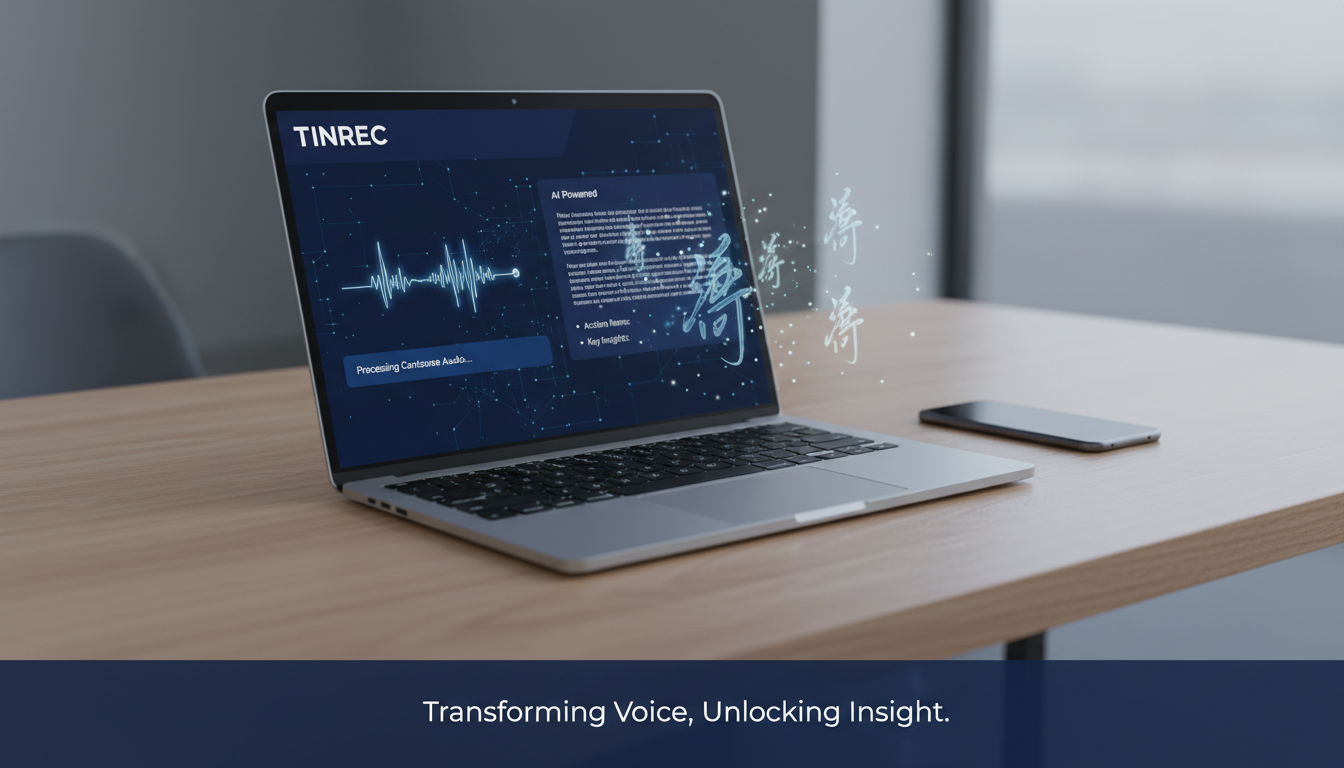
"Cantonese speech recognition" has always been a technical challenge, involving not only the complex context of code-switching (Chinglish) but also the pain point of converting "colloquial speech" to "written language." However, with the maturation of AI technology in 2025, automatic speech recognition (ASR) is no longer just "dictation" but can also "understand" and "summarize."
With many tools on the market, from Subanana and Adobe Premiere Pro for video subtitles to Tinrec for meeting efficiency and note management, which one best suits your needs? This article uses real data and scenario analysis to help you find the solution.
6 Mainstream Cantonese AI Speech-to-Text Tools Face Off
We've compiled the latest test data, selecting 6 representative tools for a side-by-side comparison covering two major use cases: "video subtitle creation" and "meeting/study notes."
Contestant Overview
- Tinrec (MiaoTing Recorder): All-in-one AI recording assistant, featuring "real-time transcription" and "AI conversation search," ideal for meetings and studying.
- Subanana: Developed by a Hong Kong team, specializing in Cantonese video subtitles with exclusive "colloquial-to-written conversion."
- Adobe Premiere Pro: Built-in feature of professional editing software, suitable for Adobe ecosystem users.
- ArcTime: Cross-platform subtitle software, suitable for users who need fine timeline adjustments.
- Taption: Online tool developed in Taiwan, simple interface.
- pyTranscriber: Open-source free software based on Google API.
Detailed Specification Comparison Table
For a quick overview, we compare accuracy, functionality, and use cases:
| Dimension | Tinrec (MiaoTing Recorder) | Subanana | Adobe Premiere Pro | pyTranscriber | Taption |
|---|---|---|---|---|---|
| Core Positioning | Meeting Notes & Note-Taking Assistant | Video Subtitle Creation | Professional Video Post-Production | Free Open-Source Tool | Online Subtitle Tool |
| Cantonese Accuracy | Excellent (supports multilingual mixing) | Excellent (97.5%) | Average (approx. 89.4%) | Average (approx. 89.8%) | Lower (approx. 85.3%) |
| Real-Time Transcription | Supported (transcribes while recording) | Not supported (requires file upload) | Not supported | Not supported | Not supported |
| Colloquial-to-Written Conversion | AI summary can assist | Supported (exclusive feature) | Not supported | Not supported | Not supported |
| AI Smart Features | AI Conversation Search, Meeting Summaries | None | None | None | None |
| System Requirements | iOS/Android/Web | Web (browser) | High (needs powerful computer) | Medium (requires installation) | Web (browser) |
| Pricing Model | Free/Subscription | Basic free / Paid upgrade | Subscription | Completely free | Free tier / Paid |
Data Source Note: Accuracy data for Subanana, Premiere Pro, etc., are based on Subanana's 2025 test report (test scenario: a tech press conference with mixed Chinese and English).
Recommendation for "Meeting Notes & Study": Tinrec (MiaoTing Recorder)
If your goal is not video subtitles but "recording meeting content," "organizing class notes," or "transcribing interviews," traditional subtitle tools (like Subanana or Premiere Pro) may not meet your needs because they lack "real-time" and "action-oriented" features.
Tinrec solves the pain points of traditional voice recorders—"high cost of replay" and "difficulty in retrieving information"—upgrading the workflow from simple "transcription" to "Record → Understand → Act."
Key Advantages of Tinrec
Real-time Transcription Unlike subtitle software that requires recording first and then uploading, Tinrec supports transcribing while recording on iOS/Android phones. This means your transcript is ready when the meeting ends—no waiting.

Stop organizing recordings by hand
Upload audio or video and automatically get a transcript, summary, and action items
AI Conversation Search (Chat with Audio)
This is the biggest difference from traditional tools. For a 2-hour Cantonese meeting recording, you don't need to use Ctrl+F to search keywords—you can directly ask the AI: "What was John's conclusion on the budget allocation?" Tinrec answers based on the recording content, saving you hours of replay time.

Auto-Generated Meeting Summaries & Action Items
Tinrec automatically analyzes recording content, distinguishes speakers, and extracts summaries, conclusions, and to-do items. For enterprise users, this directly converts recordings into actionable task lists.

Multi-Device Sync & Multilingual Support Besides Cantonese, it supports 10 languages including Chinese, English, Japanese, Korean, German, etc., and seamlessly switches between mobile and web.
Recommendation for "Video Subtitle Creation": Subanana and Premiere Pro
If your goal is to create subtitles (SRT files) for YouTube or commercial videos, you need to focus on "timeline accuracy" and "colloquial editing."
1. Subanana: The Cantonese Subtitle Champion
According to tests, Subanana achieves an accuracy rate of 97.5% in the dreaded "mixed Chinese and English" scenario, outperforming competitors by 10%–20%.
- Strongest Feature: It is currently the only tool that supports direct conversion from Cantonese colloquial to written Chinese (95.3% accuracy). For creators looking to expand Hong Kong content to Taiwan or the broader Chinese market, this saves a huge amount of translation and polishing time.
- Best For: YouTubers, post-production staff needing precise Cantonese subtitles.
2. Adobe Premiere Pro: The Editor's Standard Tool
If you are already an Adobe Creative Cloud subscriber, the built-in "speech to text" feature in Premiere Pro is the most convenient option.
- Current Assessment: While its accuracy (approx. 89.4%) lags behind Subanana when handling background noise and mixed Chinese-English, and can drop to 75.6% with noise, its advantage lies in "workflow integration." You don't need to leave the editing software to add subtitles, which is very helpful for time-sensitive news editing.
Practical Tutorial: How to Use AI Tools to Turn Cantonese Recordings into High-Value Notes
Below, we use Tinrec as an example to demonstrate how to quickly turn a Cantonese meeting into an action list:
Step 1: Start Recording or Import a File
- Scenario A (Live Meeting): Open the Tinrec app, tap "Real-time Transcription" on the home screen. The system will start recognizing Cantonese and display text in real time.
- Scenario B (Existing File): If you have a file from a voice recorder or a YouTube video link, use the "Audio File to Text" or "Online Video to Text" feature to import.


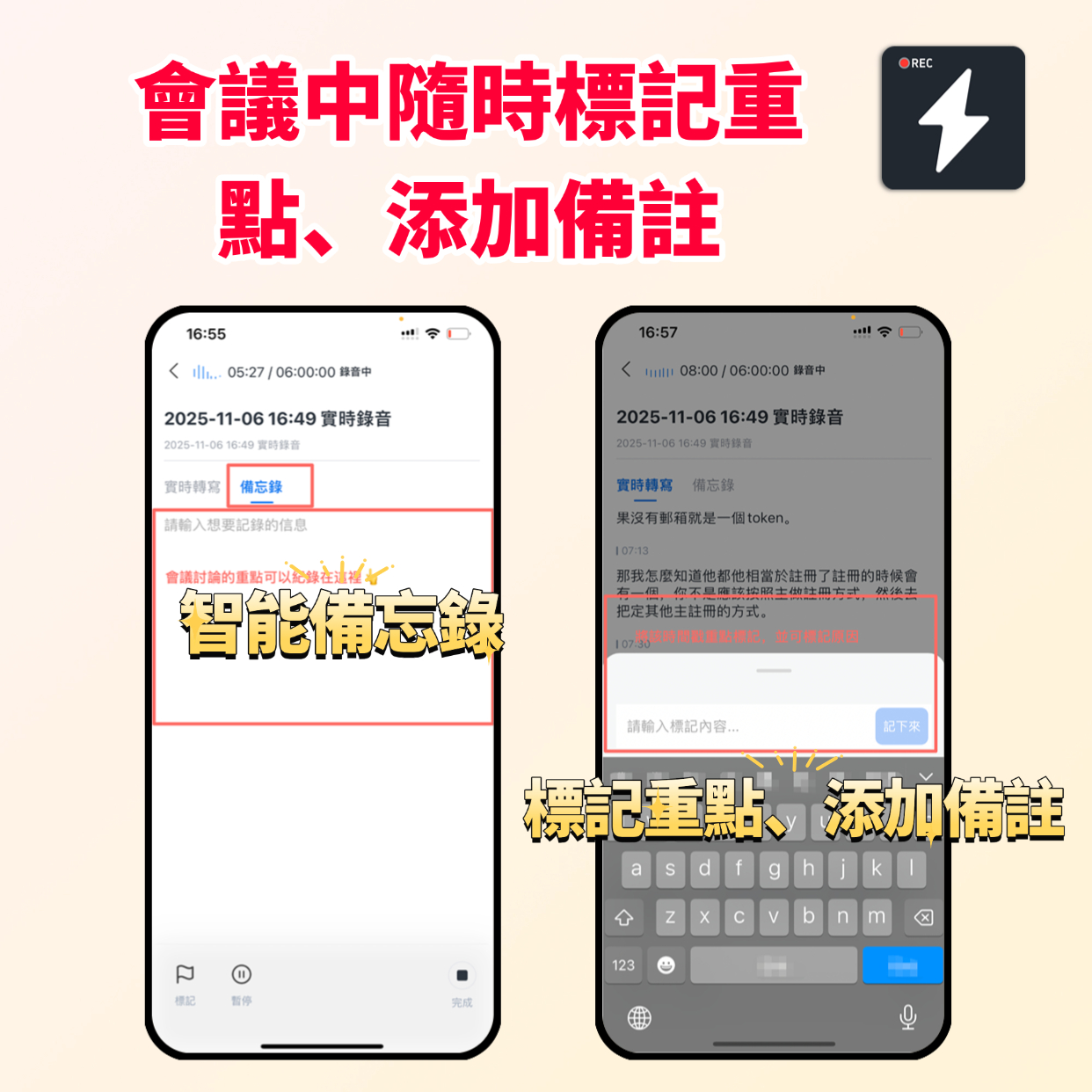
Step 2: Mark Key Points in Real Time
During recording, if you hear an important decision, tap the "Mark Key Point" button on the interface. This helps the AI capture core content more accurately when generating summaries later.
Step 3: Use "Conversational Search" with AI
After the meeting, you don't need to read the entire transcript. Enter the "AI Conversation Search" feature and ask a question, such as: "What was the decision on the marketing budget in this meeting?" The AI will immediately summarize the relevant sections for you.
Step 4: Export and Share
Review the automatically generated "Action Items," confirm they are correct, then copy or export as TXT, PDF, or Word format with one click to share with your team.

Frequently Asked Questions (FAQ)
Q1: Which tool handles "Cantonese mixed with English" best? For video subtitles, Subanana performs best, automatically translating some brand names with 97.5% accuracy. For meeting notes and transcripts, Tinrec also supports multilingual mixed recognition, smoothly handling code-switching in workplace communication.
Q2: Can I record with my phone and get text directly? Yes. Tinrec supports both iOS and Android, plus a web version. It is one of the few tools that offer "real-time transcription" on mobile, ideal for field interviews or meetings.
Q3: Do these tools cost money? Is there a free version?
- Completely Free: pyTranscriber (open source).
- Free Tier Available: Tinrec (monthly free minutes), Subanana (basic free), Taption (first 15 minutes free).
- Paid Subscription: Adobe Premiere Pro.
Q4: What is Tinrec's "AI Conversation Search" feature? It's an advanced semantic understanding feature. Traditional tools only let you search for keywords (Ctrl+F), but Tinrec allows you to "ask questions" in natural language. The AI understands the full context of the recording and answers you, just like asking a secretary who attended the meeting.
Q5: If I need to convert Cantonese colloquial speech into written subtitles, which one do you recommend? Top recommendation is Subanana, as it's their exclusive strength. It automatically converts "hai m hai" to "is it or not," greatly reducing subtitle editing time.
Q6: Do these tools support importing YouTube video links? Yes, Tinrec and Subanana both support pasting YouTube links directly for transcription without downloading the video file first, which is very convenient for content organization.
Summary: How to Choose the Right Tool for You?
- If you are a YouTuber/editor seeking the ultimate accuracy for Cantonese subtitles and written Chinese conversion, Subanana is your top choice. If you rely on the Adobe ecosystem, use Premiere Pro.
- If you are a student, office worker, or project manager needing "efficiency," "note organization," and "meeting conclusions," then Tinrec (MiaoTing Recorder) is the better solution. It turns recordings into searchable, actionable assets so you no longer drown in transcripts.
Turn every recording into actionable outcomes
Get 60 free transcription minutes when you sign in. No credit card required.
Related Reading
You might also like

iPhone Voice Memos Stuck on 'Downloading' in 2026: 6 Steps to Fix + Alternatives
Voice Memos stuck on 'Downloading'? This guide breaks down common causes of iCloud sync issues, offers 6 practical troubleshooting steps and backup tips, and compares transcription tools like Tinrec, Notta, and Otter.ai to help you find a recording workflow that doesn't wait for sync.

3 iPhone Recording Download Tools Tested: Export, Transcription, and Organization Compared (2026)
After recording a voice memo on iPhone, the real hassle begins: how to download it to a computer and turn it into usable transcripts and meeting notes. This hands-on comparison of Tinrec, Notta, and TurboScribe covers their differences in exporting, transcription, and post-meeting organization, plus the three most common mistakes to avoid.

Voice Memos vs Tinrec in 2026: 5-Dimension Comparison — Which Is Better After Downloading iPhone Recordings?
iPhone recordings stuck on "Downloading," files you can't find, and an hour of listening before you can write notes — this article first explains where Voice Memos recordings are stored and why they get stuck downloading, then compares Apple's built-in Voice Memos with Tinrec across 5 dimensions. It also covers how Notta and PLAUD differ, key pitfalls to avoid, and recommendations for choosing the right tool.

3 iPhone Recording Shortcuts Tested for 2026: After One-Tap Recording, Which One Actually Saves You Time?
Many people search for iPhone recording shortcuts to download, but even more get stuck—scripts won't install, they can't find the recording afterward, let alone turn it into a transcript. This article walks through three common iPhone recording shortcut approaches, comparing launch speed, file location, and post-recording organization capabilities. It also explains why 'recording it' is just the first step, and why tools like Tinrec are key to turning recordings into usable data.

4 iPhone Recording Download & Organization Tools Compared for 2026: Export, Convert, and Transcribe
Downloading iPhone recordings isn't just about saving files. This article explains how to export Voice Memos to the Files app and the limitations of the m4a format, then compares four common approaches from a 'what to do next' perspective: built-in iPhone options, Notta, TurboScribe, and Tinrec. It covers export workflows, transcription quality, post-meeting organization, and team collaboration to help you decide which fits your meeting and interview needs.

5 Tested Ways to Download iPhone Voice Memos in 2026: Which Is Fastest and Won't Get Stuck on Large Files?
Can't find a download button after recording a voice memo? This article tests 5 ways to get iPhone recordings out—saving to Files, AirDrop, email, and iCloud web—comparing speed, limitations, and pitfalls. It also explains how to use Tinrec to turn recordings into searchable, queryable transcripts and meeting materials.

5 iPhone Recording Tools Tested and Compared in 2026: What Happens After Recording Is What Matters
Most people choose an iPhone recording tool based only on whether it captures audio when you press record, but the real pain comes after recording. This article starts from the pain points of post-meeting organization and compares five options: Tinrec, Recorder Pro, Recording Tool, Voice Recorder, and the built-in Voice Memos, including costs, suitable users, and selection advice.

How to Download iPhone Voice Memos in 2026: A Complete 5-Step Guide
Recorded a voice memo but can't get it off your iPhone? This guide starts with the most common download mistakes, then walks through 5 steps to export iPhone recordings to a computer. It also explains how to turn audio files into transcripts, summaries, and action items after downloading. Includes practical limits of Apple's built-in methods, iCloud, AirDrop, and email, plus hands-on experience with Tinrec for organizing recordings and plan details.

2026 iPhone Recording App Comparison: Is the Built-in Voice Memos Enough?
The built-in Voice Memos app on iPhone is actually more useful than you might think, but it falls short when you need to write meeting minutes, find key points, or share with a team. This article starts with the built-in features and compares four options: Voice Memos, GarageBand, Notta, and Tinrec. We cover key buying factors, common pitfalls, and scenario recommendations to help you decide which recording method truly meets your needs.