
Turn recordings into transcripts and summaries in minutes
Upload audio or video for multilingual transcription, AI notes, and action items
Facing fast-paced international meetings or all-English lectures, do you often find yourself in the anxiety of "understanding but unable to write it down" or "recorded but no time to relisten"? Traditional voice recorders can only save audio, not extract information in real-time, leading to spending several times the meeting length just to produce transcripts afterwards.
This article focuses on the core need of "converting English meeting recordings to Chinese transcripts" and reviews 5 noteworthy AI tools in 2025. We objectively evaluate them from dimensions like language recognition accuracy, translation capability, AI summarization features, and free tiers, complete with a detailed comparison table and practical guide.
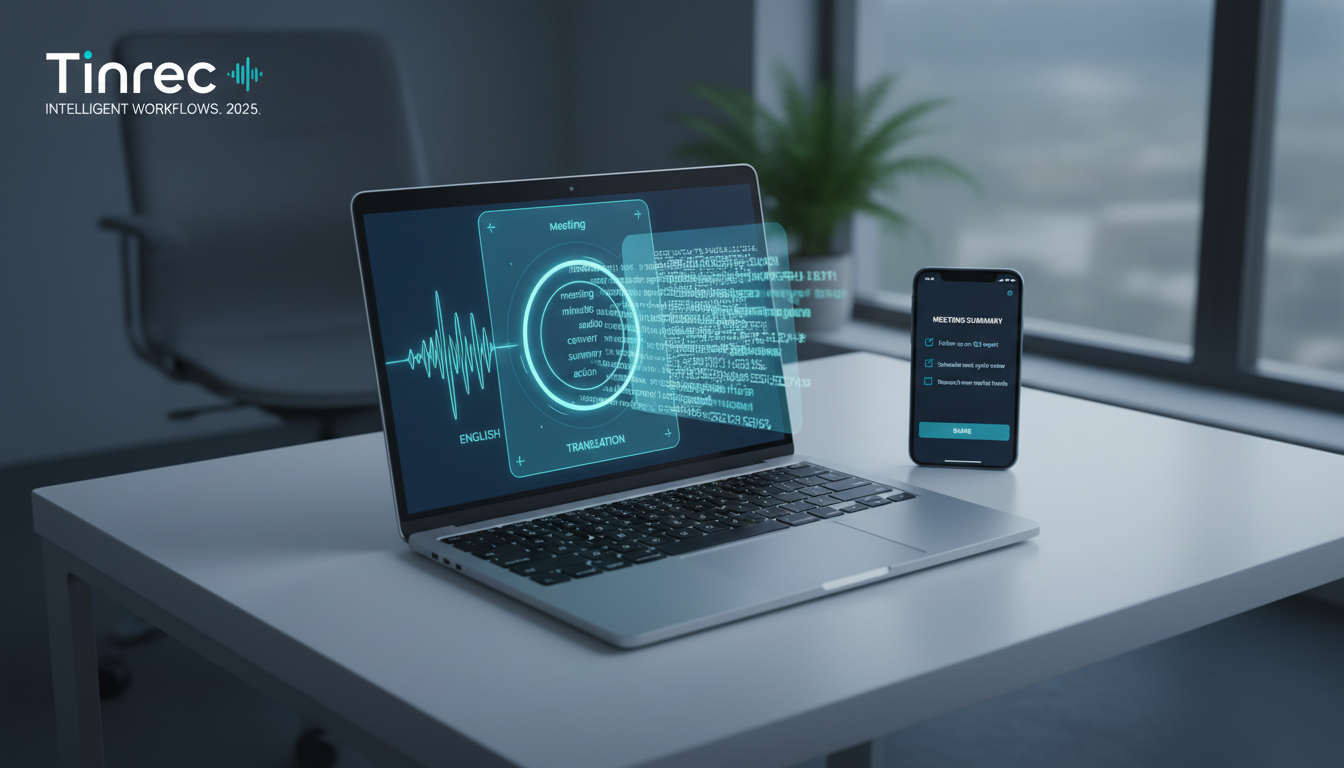
Quick Picks:
- Budget-limited, basic recording only: Prioritize Google built-in tools.
- Tech-savvy, privacy-conscious & offline: Recommend OpenAI Whisper.
- Need mixed Chinese-English recognition, meeting summaries & action items: Consider integrated AI assistants like Tinrec.
In-Depth Analysis of 5 Mainstream Speech-to-Text Tools in 2025
There are many tools on the market, but not all are suitable for "cross-language" scenarios. Below, we selected 5 representative solutions based on different user needs:
1. Google Live Transcribe / Docs Voice Typing
Best for: Student lectures, temporary and short recording needs. Google's free tools are the easiest entry point. Android users can use "Live Transcribe," supporting over 80 languages and environmental sound recognition; on desktop, Google Docs' Voice Typing works. Pros are completely free and no installation needed, but cons include no support for uploading audio files to transcribe (only real-time dictation) and lack of AI summarization or action item features, making it less efficient for long meetings.
2. Otter.ai
Best for: Professional meetings in English-only environments. Otter.ai is a globally renowned meeting transcription powerhouse with strong speaker identification and real-time note-taking. However, for Chinese users, it has a clear downside: it does not support Chinese recognition. If your meetings are entirely in English and don't require translation to Chinese, it's an excellent choice; but if you need mixed language or Chinese transcripts, you'll need alternatives.
3. OpenAI Whisper (and its derivatives)
Best for: Engineers, advanced users who value privacy highly. Whisper is currently the most powerful open-source speech recognition model, supporting multiple languages and high noise resistance. Through third-party clients like Whisper Desktop or MacWhisper, users can transcribe offline locally without uploading data to the cloud. While free and accurate, it requires decent hardware (especially GPU) and lacks business features like meeting management (e.g., automatic action item generation).
4. Tinrec (Second Listening Recorder)
Best for: Professionals needing multilingual recognition, AI-powered summaries, and team collaboration. Tinrec positions itself between simple transcription tools and AI assistants. It solves the traditional tool's problem of "only providing transcripts" by using AI to convert recordings into "meeting minutes" and "action items." For cross-language needs, Tinrec supports 10 languages including Chinese, English, Japanese, Korean, etc., making it suitable for processing English meeting recordings and leveraging AI to aid understanding. Its multi-device sync (iOS/Android/Web) allows seamless editing on desktop after recording on phone.
5. MyEdit
Best for: Content creators, short audio editing. An online tool by Taiwan's CyberLink, mainly for media editing needs. Pros are user-friendly interface, support for Traditional Chinese, and browser-based operation. However, its free tier is usually offered as "daily limited" (e.g., 3 minutes per day), making it more suitable for short video subtitles or brief voice memos rather than hour-long meeting minutes.
Stop organizing recordings by hand
Upload audio or video and automatically get a transcript, summary, and action items
Tool Specifications & Feature Comparison Table
To help you choose intuitively, we compiled a comparison table across 5 key dimensions:
| Dimension | Google Built-in | Otter.ai | OpenAI Whisper | Tinrec | MyEdit |
|---|---|---|---|---|---|
| Chinese/Multilingual Support | Excellent (but no translation) | No Chinese | Excellent (multilingual) | Excellent (supports Chinese, English, Japanese, Korean, etc.) | Good |
| Real-time Transcription | Yes | Yes | No (post-processing only) | Yes | No |
| File Upload Transcription | No | Yes | Yes | Yes (audio/video) | Yes |
| AI Summary/Action Items | No | Yes (English only) | No (text only) | Yes (auto-generates minutes) | No |
| Free Tier / Price | Fully free | 300 min/month | Free (need own hardware) | 100 min/month | Small daily quota |
Hands-On Tutorial: How to Convert English Meeting Recordings into Actionable Chinese Notes
Getting the transcript is only the first step; the real value lies in "understanding" and "action." Below, using Tinrec as an example, we demonstrate an efficient workflow from recording to decision-making:
Step 1: Import or Record the Meeting in Real-Time
- Live Meeting: Open the mobile app or web version, use the live recording to text feature. The system generates text in real-time as you record. Place your phone close to the speaker for clear audio.
- Existing Recording: If you have a file from a voice recorder or Zoom/Teams download, use the audio file to text feature to upload. Tinrec supports MP3, WAV, M4A and other common formats.
- Online Video: For English lectures or podcasts on YouTube, directly use the podcast/video to text feature by pasting the URL.
Step 2: Speaker Diarization & Proofreading
After AI transcription, the system automatically differentiates speakers (Speaker A, Speaker B). For specialized terms in English meetings, quickly browse and tweak the transcript. Tinrec supports "audio sync playback"—click on text to jump to the corresponding audio segment for easy confirmation.

Step 3: Get AI-Powered Summaries
Traditional transcripts can be tens of thousands of words, hard to read. Use the built-in AI analysis feature to generate "meeting conclusions" and "action items" with one click. This filters out small talk and filler, directly extracting who needs to do what by when.
Step 4: Query Details with AI Chat
If the meeting is long and you forget a detail (e.g., "What exactly did the CEO say about Q3 budget?"), no need to relisten. Use the AI chat query feature to ask as if talking to a person. The AI answers directly based on the recording content—especially helpful for sorting English meeting notes, reducing language barriers.
FAQ
Q1: Are free speech-to-text tools accurate? In quiet environments with standard pronunciation, modern AI tools (like Whisper or Tinrec) usually achieve 90-95% accuracy. However, in noisy, distant, or heavy accent scenarios, accuracy drops. We recommend pairing with "click to play audio" for manual proofreading.
Q2: Can I record phone conference calls directly on iPhone and transcribe? Due to iOS privacy restrictions, apps typically cannot record internal phone call audio (e.g., regular phone lines). We suggest using a computer tool to record during video conferencing (Teams/Meet) or use speakerphone with another device to record.
Q3: Does Otter.ai really not support Chinese at all? Yes, as of now Otter.ai focuses on English. Speaking Chinese into it produces gibberish or meaningless pinyin. If your meeting includes Chinese speech, strongly recommend choosing a multilingual tool like Tinrec or Whisper.
Q4: Can English recordings be directly translated into Chinese transcripts? Most tools do "dictation" (transcribe the original language). Some advanced tools (like Tinrec's AI assistant) can, after transcription, help summarize English content into Chinese key points via AI queries or summaries, which is more readable than a raw machine translation of the transcript.
Q5: What if my audio file is very large—will upload fail? Free tools usually limit file size or length (e.g., MyEdit restricts very short durations). Tinrec's audio file to text supports larger files with no length limit per file (subject to plan quota), ideal for long lectures or meetings.
Q6: Can these tools differentiate who is speaking? Yes, tools with "speaker diarization" can. Otter.ai and Tinrec both have this feature, automatically labeling content as "Speaker 1," "Speaker 2," which is crucial for meeting minutes.
Turn every recording into actionable outcomes
Get 60 free transcription minutes when you sign in. No credit card required.
Related Reading
You might also like

2026 Speech-to-Text Tools Compared: Which Is Best for Cantonese Meeting Notes and AI Q&A?
Two-hour meeting, another two hours to write up the minutes? This article compares four speech-to-text tools—Tinrec, Notta, Otter.ai, and PLAUD Note—in real meeting scenarios, covering capture methods, Chinese and Cantonese performance, post-meeting organization, and team collaboration. It also highlights four commonly overlooked buying pitfalls to help you save time replaying recordings.

6 AI Meeting Assistants Tested for 2026: From Recording to Minutes, How to Really Save Time
Many people think that once they hit record on an AI meeting assistant, they're done—only to end up with a transcript full of filler words and still have to retype everything themselves. This article reviews 6 practical AI meeting assistants and breaks down how to save time across the three steps of recording, transcription, and post-meeting processing, including the real limitations of free and paid plans.

2026 AI Meeting Assistant Comparison: Download Methods, Chinese Recognition, and Post-Meeting Organization—Which Saves the Most Time?
How do you download an AI meeting assistant? This article compares Tinrec, Otter.ai, Notta, and PLAUD Note based on real-world usage scenarios, covering availability, platform coverage, Chinese recognition, and post-meeting organization capabilities. It also highlights the four most common pitfalls before downloading, helping you choose the right tool once and avoid repeated trial and error.

4 AI Meeting Assistants Compared in 2026: Transcripts, Summaries, and Action Items—What's the Difference?
Still trying to remember who said what after a meeting? This article starts from real-world use cases, breaks down 5 key factors for choosing an AI meeting assistant, and compares Tinrec, Otter.ai, Granola, and Notta across meeting capture methods, Chinese transcription, post-meeting organization, audio retention, and team management. It also includes pricing and pitfalls to help you pick the one that truly fits your workflow.

2026 Comparison of 4 Sales Meeting Note Tools: From Transcripts to Deal Follow-Up, Which Saves the Most Time?
2026 hands-on comparison of sales meeting note tools, starting from common pitfalls, analyzing key purchasing factors, and deeply reviewing Tinrec's bot-free recording, AI Q&A, and team collaboration capabilities to help sales teams turn meeting content into actionable deal data.

2026 Best 4 Sales Meeting Note Apps Compared: Chinese Transcription, Post-Meeting Action Items, and Team Knowledge—Which One Works Best?
Sales meetings need more than just recording. This article compares Tinrec, Granola, TurboScribe, and PLAUD from four angles: bot-free recording, Chinese and sales terminology, post-meeting action items, and team data ownership. It covers pricing, limitations, and buying tips to help you choose a meeting note app that truly helps you follow up with clients.

2026 Comparison of 4 Sales Meeting Note Tools: Which Is Less Work for Chinese Meetings and Follow-Ups?
Starting from customer needs, objections, and action-item tracking in sales meetings, this hands-on comparison tests Tinrec, Otter.ai, Fireflies.ai, and Notta on Chinese transcription, post-meeting organization, and team collaboration to help you choose a meeting note tool suited to sales scenarios.

2026 Comparison of 4 Sales Meeting Note Tools: Which One Turns Customer Needs into Action Items?
Starting from the most common inefficiencies in sales meetings, this comparison examines Tinrec, Fireflies.ai, Granola, and TurboScribe across Chinese-language meetings, bot-free recording, post-meeting Q&A, action items, and team knowledge retention, helping you choose the right meeting note tool for your sales team.

Tinrec vs Notta 2026: 5-Dimension Comparison — Which Is Better for Chinese Sales Meeting Notes and Recommendation Letter Material?
From sales meeting notes to recommendation letters, the real key is whether you can extract citable concrete examples after the meeting — transcription speed is not the point. This article compares Tinrec and Notta across 5 dimensions, explains who Otter.ai and Granola are each suited for, and includes pricing, limitations, and a guide to avoiding pitfalls.