
Turn recordings into transcripts and summaries in minutes
Upload audio or video for multilingual transcription, AI notes, and action items
The Struggle of YouTube Note-Taking: Still Typing Manually?
In this era of video explosion, plenty of high-quality knowledge is hidden in long YouTube videos. But have you ever found yourself pausing, replaying, and typing for 30 minutes just to capture the key points of a 10-minute video? Or struggling with foreign videos without Chinese (CC) subtitles, only to end up exhausted and unsure what action to take?
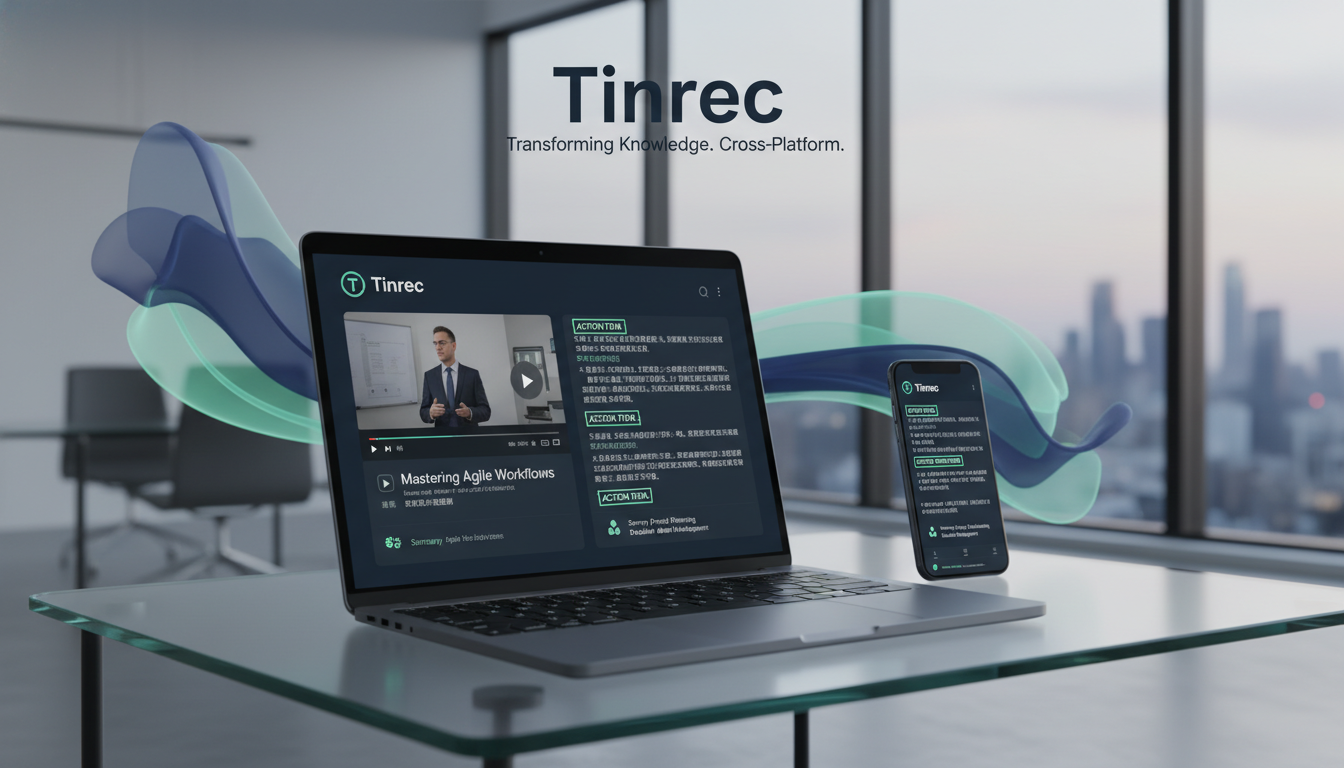
This article reviews and compares 5 popular YouTube video-to-text tools in 2026. We evaluate them based on "Mandarin accuracy," "dependency on CC subtitles," "cross-device convenience," and "AI summarization capabilities." Whether you're a student doing deep research or an office worker who needs to quickly capture meeting/video highlights, you'll be able to make a decision after reading this.
Quick Navigation Conclusions:
- Google ecosystem heavy user / free first → Choose NotebookLM.
- Mac user valuing privacy and high accuracy → Choose MacWhisper.
- Need cross-device (phone/web) and value action items & AI chat → Check out Tinrec (Miao Ting Lu Yin).
- Prefer to save highlights while browsing in browser → Choose Glasp.
In-Depth Analysis of 5 YouTube Transcript Tools
1. NotebookLM: Google's Powerful Knowledge Base
Best for: Managing large amounts of data, academic research, mind mapping
NotebookLM is a free AI note-taking tool from Google. Its core logic is not just "transcription" but treating YouTube videos as "sources."
- Pros: Extremely fast (8-min video in about 1 min), completely free, no software installation needed. Importantly, even if the video has no CC subtitles, it can recognize speech using Google's model.
- Cons: Occasionally fails for very long videos; its main function is "understanding" rather than precise word-for-word proofreading.
2. MacWhisper: A Local Performance Beast for Mac Users
Best for: High privacy needs, needing SRT subtitle output, video creators
This is an app designed for macOS that leverages the Mac's local chip (Apple Silicon) for processing.
- Pros: Supports multiple languages (including Mandarin) with high recognition accuracy, can differentiate speakers. Since it runs locally, privacy is excellent, and it supports exporting to srt, pdf, docx, and more.
- Cons: Mac only (no Windows/mobile); high-quality models take up significant disk space; Pro advanced features require payment.
3. Tinrec (Miao Ting Lu Yin): From "Transcription" to "Action" Cross-Platform Assistant
Best for: Workplace meetings, cross-language learning, phone/web cross-device work, extracting to-do items
Tinrec is an AI recording assistant emphasizing "understanding and action." Besides basic recording-to-text, it offers a dedicated entry for online videos and doesn't rely on original subtitles.
- Differentiating Features: Many tools only provide transcripts, requiring readers to still extract key points. Tinrec's core is automatically generating "meeting/content summaries" and "action items," plus AI chat queries (e.g., ask AI: "What are the three conclusions mentioned in the video?").
- Support: Works on iOS, Android, and Web, suitable for users who process YouTube content on their phone during commutes and edit on their computer back at the office.

4. Glasp: Real-Time Note-Taking Browser Extension
Best for: Lightweight users, those who like to copy text while watching videos
Glasp is a browser extension (Chrome/Safari) that embeds directly next to the YouTube player.
- Pros: No need to switch windows; transcript appears on the right as you watch, and you can copy sentences directly.
- Cons: Highly dependent on CC subtitles. If the video has no subtitles or auto-generated captions, Glasp won't work; support for non-English auto-captions can be unstable.
Stop organizing recordings by hand
Upload audio or video and automatically get a transcript, summary, and action items
5. tactiq.io: Online Extension for Meetings and Videos
Best for: Online meeting notes, simple video summaries
This tool is mainly for Meet/Zoom meetings but also supports YouTube page capture.
- Pros: Works directly in the browser; free to try without registration.
- Limitations: Based on testing and user feedback, its support for Chinese subtitles/speech is weak, and it strictly requires the video to have CC subtitles to function, making it more suitable for English content.
Comparison: Which Tool is Right for You?
To help you decide quickly, we've compiled a comparison table scoring dimensions important for Mandarin users.
| Dimension | NotebookLM | MacWhisper | Tinrec (Miao Ting Lu Yin) | Glasp | tactiq.io |
|---|---|---|---|---|---|
| Platform Support | Web | macOS (App) | iOS / Android / Web | Browser Extension | Browser Extension |
| Mandarin Speech Recognition | Excellent | Excellent (Pro better) | Excellent (supports dialects) | Depends on video subtitles | Weak |
| Support for Videos Without Subtitles | ✅ Yes | ✅ Yes | ✅ Yes | ❌ No | ❌ No |
| Core Advantage | Knowledge base integration | Privacy & SRT output | Action item extraction & cross-device sync | Embedded interface integration | Meeting integration |
| AI Interaction Features | Q&A, mind maps | Requires API integration | Built-in AI chat queries | Summary generation | Summary generation |
| Free Tier | Completely free | Free version / Pro paid | Free credits / subscription | Free | Free trial / paid |
Hands-On Tutorial: How to Turn a YouTube Video into Actionable Notes
Here, we use Tinrec (Miao Ting Lu Yin)'s web version as an example to demonstrate how to process a Chinese video "without subtitles" and quickly extract key points using AI. This workflow is suitable for turning video content into to-do lists or study notes.
Step 1: Get the Video Link
Go to YouTube and copy the URL of the video you want to convert.
Step 2: Use the "Podcast/Online Video to Text" Feature
- Log in to Tinrec web version or open the app.
- Click the Podcast/Online Video to Text entry in the menu.
- Paste the YouTube link you copied. The system will automatically start parsing the audio.



Step 3: Wait for Transcription & AI Analysis
The system will perform speech recognition (ASR). Even if the video originally had no subtitles, Tinrec will generate a traditional Chinese transcript. At the same time, AI will automatically produce:
- Full Summary: Get the core of the video in one minute.
- Chapter Breakdown: Auto-segmentation by topic.
- Action Items: If the video is a tutorial or meeting, it lists to-do items directly.

Step 4: Use AI Chat to Query Details
If the transcript is too long and you don't want to read it all, use the AI Chat Query feature at the bottom right.
- Example command: "Please list the three marketing strategies mentioned by the speaker."
- Example command: "What does this video say about the iPhone 16's battery life?"
This way, you don't have to search with Ctrl+F in the long text; you get direct answers as if asking a teaching assistant.
Frequently Asked Questions (FAQ)
Q1: Why can't some tools convert YouTube videos?
Usually two reasons: the video is too long (e.g., over 2-3 hours) exceeding the tool's processing limit; or the tool (e.g., Glasp, tactiq.io) relies on the video's built-in CC subtitles. If the creator didn't provide subtitles and YouTube's auto-generation fails, the tool won't work. It's recommended to choose tools with independent ASR engines like MacWhisper or Tinrec.
Q2: Is there a YouTube-to-transcript tool available on iPhone?
Yes. You can use Safari to access NotebookLM or Tinrec's web version. Additionally, Tinrec offers an iOS app for a smoother experience and background processing support.
Q3: Can these tools export SRT subtitle files for editing software?
MacWhisper excels at exporting SRT files with timestamps. Tinrec also supports multiple export formats, making it easy for creators to use generated transcripts in video editing.
Q4: What if the video contains multiple languages (e.g., mixed Chinese and English)?
Current AI models (like OpenAI's Whisper or Tinrec's model) handle mixed Chinese-English speech quite well. However, if the tool has a "primary language" setting, choose the language that dominates the video for better accuracy.
Q5: What are the common limitations of free versions?
Most free versions have time or feature limits. For example, NotebookLM is currently free but has a document count limit; Tinrec's free plan offers 100 minutes of recording per month; MacWhisper's free version only uses a lightweight model (lower accuracy), while Pro unlocks the best model.
Q6: Which tool should I choose for handling private or confidential meeting videos?
If the video content is highly confidential, prioritize MacWhisper because its processing is entirely local on your computer—no data uploaded to the cloud. For general public YouTube learning videos, cloud services (NotebookLM, Tinrec) offer greater convenience and cross-device accessibility.
Turn every recording into actionable outcomes
Get 60 free transcription minutes when you sign in. No credit card required.
Related Reading
You might also like

2026 Top 5 Real-Time AI Meeting Notes Compared: Tinrec vs Notta vs Plaud — Which One Should You Choose?
The real pain point of meeting notes isn't whether they can be transcribed, but how to use them after transcription. This article starts with common misconceptions, outlines the positioning of 5 highly discussed real-time AI meeting note tools, and focuses on the differences between Tinrec, Notta, and Plaud. It compares meeting capture methods, post-meeting outputs, audio retention, team governance, and pricing plans to help you decide which one fits your meeting scenario.

2026 AI Meeting Notes Guide: Tinrec's Bot-Free Recording & Auto-Generated To-Dos
How do you choose an AI meeting notes tool? This article examines Chinese recognition, recording methods, post-meeting organization, and team data ownership, comparing Tinrec, Notta, Otter.ai, and Granola, plus four common pitfalls to help you find a solution that truly saves time after meetings.

5 Best Meeting Notes Apps of 2026: Which Free Version Is Actually Enough?
Still spending an hour after every meeting writing up notes? This comparison puts five common meeting notes app approaches side by side—covering Chinese recognition, how meetings are captured, post-meeting organization, team permissions, and pricing—and explains how Tinrec handles recording, transcription, summaries, action items, and AI Q&A within its free tier.

2026 Meeting Recording Tools: Bot-Free Recording + AI Action Item Management
A mid-level manager who attends 15 meetings a week shares hands-on insights: starting from the decision point of whether to let a meeting bot join, this article breaks down 4 key factors for choosing a meeting recording tool, and explains the real-world experience, limitations, and use cases of Tinrec's desktop bot-free recording, AI summary and action items, Q&A, and team plan roles and seat management.

Tinrec vs Otter.ai: Which AI Transcription Tool Is Right for You in 2026?
Choosing an AI transcription tool isn't just about speed—it's about language support, meeting capture methods, post-meeting organization, and team data governance. This comparison of Tinrec and Otter.ai breaks down key dimensions to help you decide which tool fits your meeting needs.

What Is Real-Time Transcription in 2026: Definition, 4 Key Factors, and Tool Comparison
What is real-time transcription and how does it differ from transcribing recordings? This article explains the definition and how it works in plain language, outlines 4 key factors to consider, and compares Google Live Transcribe, Yating, Notta, and Tinrec in Chinese meetings, post-meeting organization, and team collaboration, with scenario-based recommendations.

4 Meeting Transcription Tools Tested: Which AI Saves the Most Time on Chinese Transcripts and Summaries?
After a meeting, do you spend another two hours organizing the audio recording? This article compares four meeting transcription tools—Tinrec, Notta, Otter.ai, and Granola—on Chinese transcription, AI summaries and action items, bot-free recording, team collaboration, and pricing to help you find the most time-saving solution.

3 iPhone Audio-to-Text Apps Tested in 2026: How Long Can You Record and Which Saves the Most Time After Meetings?
How long can an iPhone actually record? This article first breaks down the storage, battery, and file interruption risks of the built-in Voice Memos app, then compares 3 audio-to-text tools from a student's perspective—covering free quotas, single-recording limits, post-meeting organization, and AI Q&A capabilities—to help you decide whether the built-in recorder is enough or if you need an AI recording assistant that delivers key points right after recording.

Google Live Transcribe vs Tinrec in 2026: 5-Dimension Comparison — Which Is Better for Meeting Notes?
Google Live Transcribe & Sound Notifications is an Android accessibility tool known for being free, providing real-time transcripts, and sending environmental sound alerts. Tinrec focuses on meeting notes and team collaboration. This article compares them across 5 dimensions—transcription and organization, online meeting recording, AI Q&A, audio file import, and team management—to help you decide which one to use for meeting notes.