

Turn recordings into transcripts and summaries in minutes
Upload audio or video for multilingual transcription, AI notes, and action items
7 Strategies for Using Online Collaboration Tools to Boost Team Efficiency
In today's world where remote work and cross-timezone collaboration have become the norm, keeping teams synchronized and efficient is a challenge every organization faces. Leveraging online collaboration tools not only improves communication quality but also significantly enhances productivity and creativity. This article introduces the 9 most popular collaboration tools of 2026 and provides 7 practical tips to help you maximize the potential of AI tools like TinRec.
2026's 9 Hottest Online Collaboration Tools
Below are the most widely used collaboration platforms and their applications to optimize your team's performance:
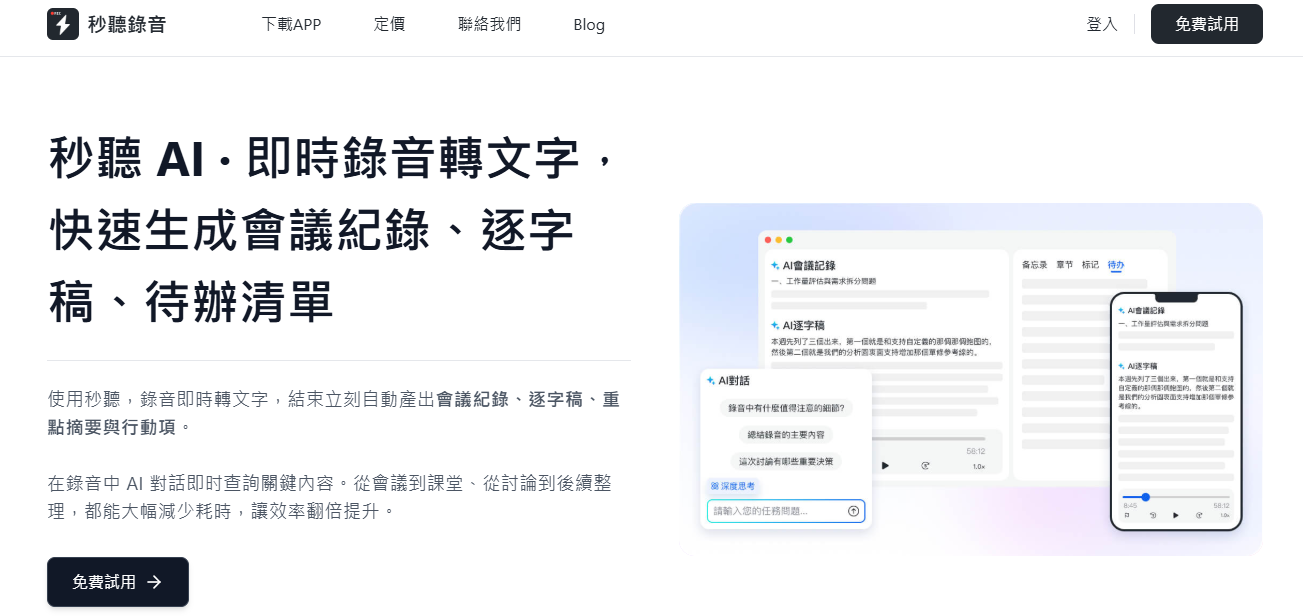
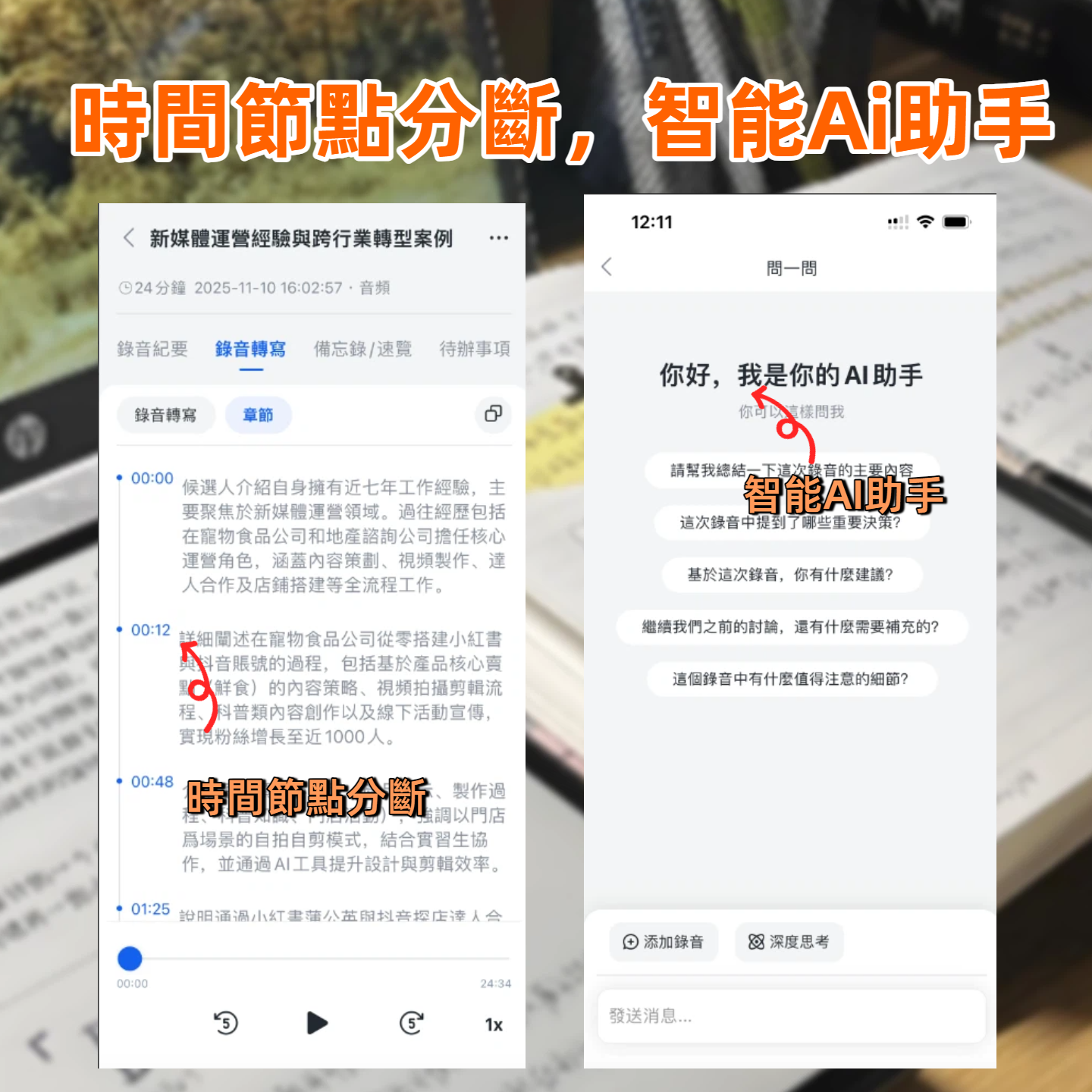
- TinRec: The go-to tool for meeting collaboration. It can record audio in real time, transcribe speech to text, and automatically organize meeting highlights, allowing you to focus on the conversation rather than note-taking. It supports multilingual recognition including Chinese, English, Japanese, Cantonese, and Taiwanese, and can generate AI summaries and to-do lists. With the TinRec Assistant, you can quickly search meeting content and access organization-specific information. The free plan includes 300 minutes of transcription per month, suitable for a team of five; advanced needs can upgrade to Pro or Enterprise plans.
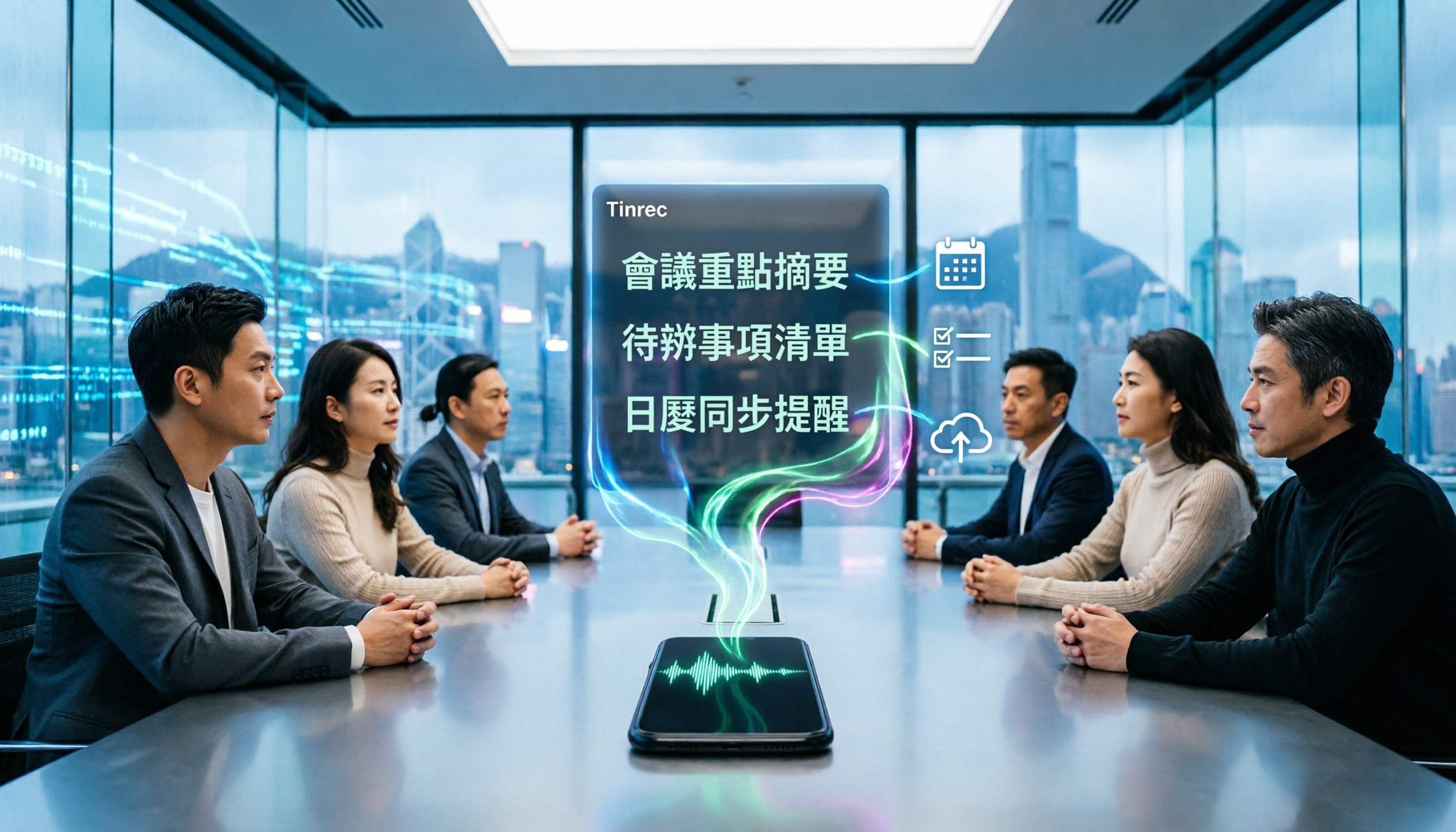
- Slack: The top choice for remote team messaging and file sharing. Channel-based categorization keeps projects, teams, or topics organized, and all content is searchable. Slack offers a free version, with paid plans starting at $8.75 per user per month. When integrated with TinRec, you can automatically receive meeting reminders, assign action items, and sync meeting notes in real time, ensuring no information is missed.
- Microsoft Teams: An all-in-one solution integrating chat, video conferencing, and file storage, especially suitable for enterprises already using Office 365. Deeply integrated with Word, Excel, and PowerPoint, supporting real-time document collaboration. TinRec can automatically join Teams meetings, record them fully, summarize key points, and share conclusions, ensuring every meeting yields results.
- Zoom: The benchmark for high-quality video conferencing, supporting breakout rooms, screen sharing, and webinars. While Zoom lacks post-meeting collaboration features, pairing it with TinRec automatically generates meeting notes, AI summaries, and to-do lists, extending the value of meetings and boosting post-meeting execution.
- Asana: A powerful project management tool that helps teams plan tasks, track deadlines, and visualize workflows. With Kanban boards and timeline views, easily monitor progress and automate repetitive tasks.
- Monday.com: Similar to Asana but more flexible. Its customizable workflows, visual timelines, and dashboards allow cross-departmental teams to stay on top of tasks and deadlines, ensuring transparency and accountability.
- Trello: Manages tasks with boards, lists, and cards. Its drag-and-drop interface is intuitive and easy to use, suitable for personal to-dos or large project collaboration. Offers a free basic plan, and upgrade plans are affordable, making it an ideal choice for budget-constrained teams.
- Figma: The top collaboration tool for design teams, perfect for UI/UX design, illustrations, and prototyping. Supports real-time multi-user editing and cloud collaboration, greatly enhancing design efficiency and interactivity.
- Google Docs: The standard tool for collaborative document writing, featuring comment tracking, version history, and easy sharing. Did you know? TinRec is fully compatible with Google Workspace! Just enable auto-join settings, and TinRec will automatically join Google Meet meetings based on Google Calendar, recording every conversation in full.
7 Best Practices for Using Collaboration Tools
There are hundreds of tools, but only proper usage can maximize their benefits. Follow these 7 principles to fully unleash the potential of collaboration tools:
- Choose the right tools for your team: More features are not always better. Evaluate five key factors:
- Integration: Choose tools that can connect with each other to reduce switching costs and enable data synchronization and cross-platform collaboration.
- Budget: Many tools offer free or affordable plans. Start with basic needs and upgrade as your team grows.
- Accessibility: Tools should be intuitive and easy to use, supporting multiple devices and operating systems to ensure every team member can use them smoothly.
- Security: Choose platforms that prioritize data protection, such as those offering two-factor authentication, to safeguard confidential information.
- Ensure tools are easily accessible: Simplify login processes, provide clear links, and offer necessary training to avoid reducing willingness to use due to technical barriers.
- Establish clear communication channels: Set guidelines so the team knows when, where, and how to share information, avoiding scattered and missed messages.
- Design workflows based on tool features: Understand tool capabilities deeply. For example, if a project management tool supports task automation, set it up immediately to save time.
- Keep software updated: Developers continuously release new features, fix bugs, and enhance security. Stay updated to ensure you are using the latest and most stable versions.
- Review regularly with the team: Through regular feedback, understand tool usage, adjust strategies for pain points, and maintain team efficiency and satisfaction.
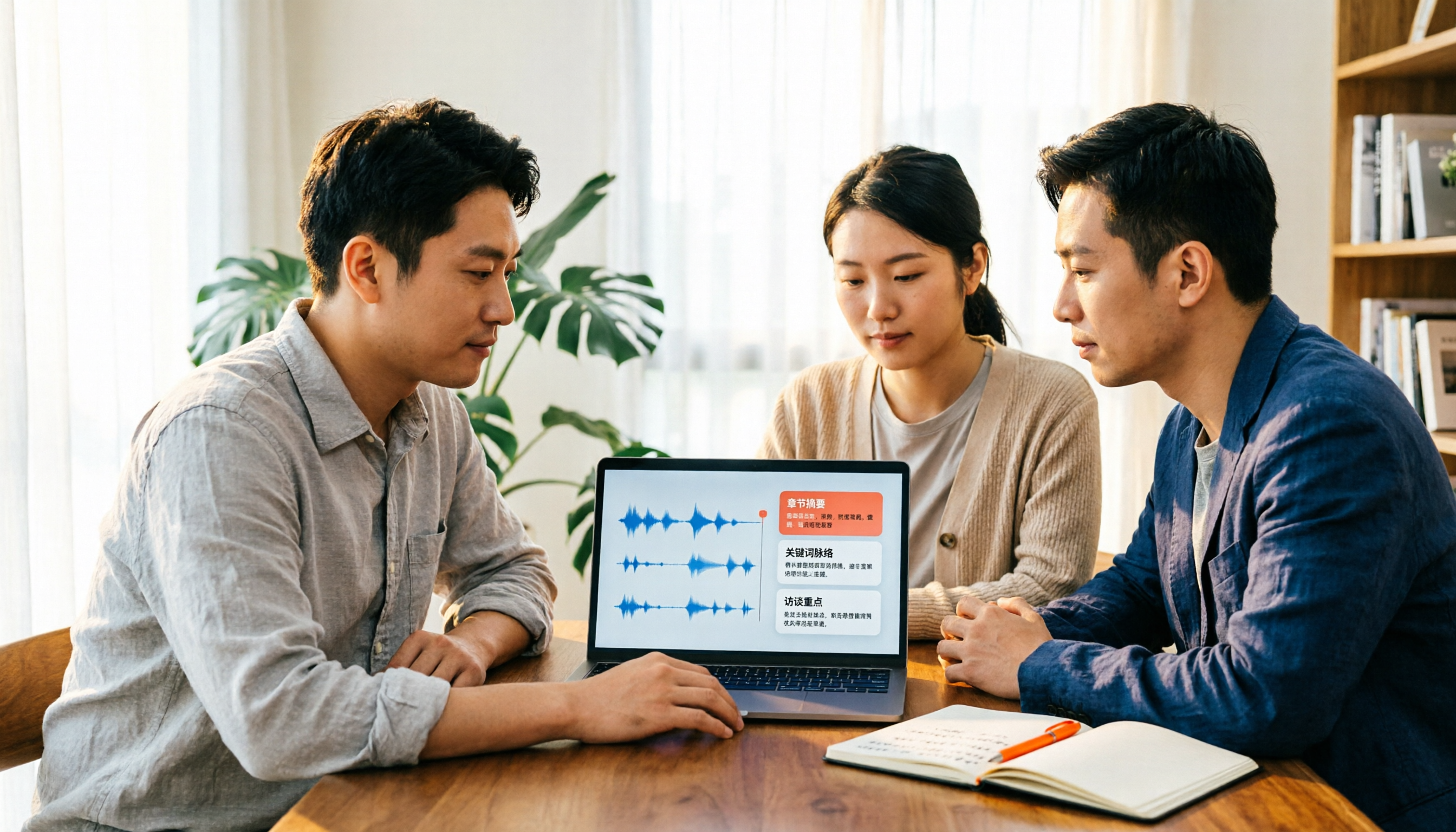
- Break the mold, integrate creatively: Try unused features or combinations. For example, TinRec works perfectly with Slack and Google Docs: Slack for daily communication, Google Docs for collaborative documents, and TinRec for capturing meeting highlights, generating summaries, and tracking action items, creating a seamless collaboration experience.
Collaboration Starts with TinRec
TinRec helps your team work smarter. With real-time speech-to-text, AI-powered summaries, and multilingual support, combined with seamless integration with dozens of mainstream tools, TinRec is your best partner for efficient collaboration.
Ready to boost your team's productivity? Try TinRec for free now and step into a new realm of higher efficiency!
Turn every recording into actionable outcomes
Get 60 free transcription minutes when you sign in. No credit card required.
Related Reading
You might also like
4 Best iPhone Cantonese Transcription Tools in 2026: Is Apple's Built-in Transcript Enough?
Apple's Voice Memos on iOS 18.4 and later can transcribe Cantonese recordings, but a raw transcript isn't the same as meeting-ready notes. This comparison breaks down four iPhone-compatible options—Tinrec, Apple Voice Memos, Notta, and PLAUD Note—covering Cantonese recognition accuracy, post-meeting organization, cross-platform export, and free-tier limits. We also flag the four most common mistakes buyers make, so you can tell when the built-in tool is enough and when you need something more.
2026 Video Summarizer Comparison: Is Tinrec Better for Chinese Long Videos Than Monica and NoteGPT?
Before choosing a video summarizer, clarify whether you're summarizing public videos or your own meeting and interview recordings. This article compares Tinrec, Monica, NoteGPT, and others across five dimensions: source material, output depth, Chinese language performance, audio retention, and team governance. It also covers Tinrec's core features, practical use cases, team pricing, and FAQs to help you decide if the free version is enough.

Tinrec vs Notta 2026: 5-Dimension Comparison of AI Meeting Summary Generators — Which Is Better for Chinese-Language Scenarios?
Compare Tinrec and Notta across five dimensions, and see how Otter.ai and Granola differ. This article explains how to choose a meeting summary generator—meeting capture method, Chinese recognition experience, post-meeting output, team collaboration governance, and pricing—to help you decide which tool truly saves time on post-meeting organization.

2026 Comparison of 4 Meeting Speaker Organization Tools: Can Transcripts Be Traced Back to Speakers and Topics?
After a meeting, you have dozens of pages of transcripts but can't trace who said what or which topic was finalized? Starting from the real pain points of 'meeting speaker organization,' this article outlines 4 key points for choosing a tool and compares Tinrec, Otter.ai, Notta, and Granola in terms of transcript review and positioning, post-meeting output, and team collaboration. It also includes a pitfalls guide and selection advice.

Tinrec vs Otter.ai: Which AI Meeting Recorder Is Better for Chinese Meetings in 2026?
After a meeting, you're left with a recording and messy notes. This article compares Tinrec and Otter.ai across five dimensions—Chinese and mixed-language transcription, bot-free meeting recording, post-meeting summaries and action items, team roles and seat management, and free tiers and pricing—to help you decide which tool fits your workflow.

2026 Audio Summarizer Guide: Auto Summaries + AI Q&A to Find Key Points
How do you choose an audio summarizer? This guide covers common pitfalls and key factors like summary quality, AI Q&A, and cross-platform export. We recommend Tinrec, which supports bot-free online meeting recording, automatic summaries, action item extraction, and team spaces. Also includes alternatives like Granola and PLAUD, plus tips to avoid mistakes.

5 Best AI Transcription Tools in 2026: Which One Saves the Most Time?
We tested 5 recording-to-transcript tools, comparing Chinese recognition, post-meeting organization, AI Q&A, and team collaboration. See how Tinrec stacks up against Otter.ai, Notta, and TurboScribe, plus key buying tips and pitfalls to avoid.

Tinrec vs Otter.ai: Which AI Meeting Summary Tool Is Better for Chinese-Speaking Teams in 2026?
Many people think a transcript means the meeting notes are done, but the real time sink is post-meeting organization. This hands-on comparison of Tinrec and Otter.ai—two tools that automatically generate meeting summaries from recordings—evaluates them across six dimensions: Chinese-language meeting experience, recording method, post-meeting outputs, audio retention, team governance, and pricing/quotas, helping Chinese-speaking teams decide which tool better fits their workflow.

4 Best Meeting Transcription Tools in 2026: Free Tiers, Chinese Accuracy, and Post-Meeting Efficiency Compared
Tired of spending hours writing meeting minutes? This article compares Tinrec, Notta, Granola, and PLAUD Note across four key areas: how they record online meetings, Chinese and mixed-language transcription accuracy, post-transcription summarization and AI Q&A, and team data ownership. It also includes a pitfalls guide and selection advice.