

Turn recordings into transcripts and summaries in minutes
Upload audio or video for multilingual transcription, AI notes, and action items
After the meeting, you realize the hardest part isn't recording—it's mapping speakers back to people and topics
In last week's project meeting, the client said, 'The acceptance criteria need to change.' Today your manager asks: Who said that? When? Was there a conclusion?
You open that 40-page transcript, Ctrl+F for 'acceptance,' and get 12 identical-looking results.
Another scenario: an online meeting where six people are talking over each other. You're listening and typing at the same time. Afterward, you spend 90 minutes replaying the recording, and just confirming 'who proposed this conclusion and when it was finalized' takes half an hour.
It's not that you don't know how to take notes. The information density is too high; human effort simply can't keep up.
The real challenge of meeting speaker organization is making every utterance findable, understandable, and usable after the meeting. Choosing the right tool makes this much easier.
Before Choosing a Meeting Speaker Organization Tool, Understand These 4 Key Points
1. Can the transcript 'review and locate'?
The value of a transcript isn't in its length, but in whether you can return to the relevant section. Some tools provide plain text transcripts that are gone once you finish reading; others preserve the correspondence between utterances and recording timestamps, so when you search for a keyword, you can jump back to that conversation to reconfirm. The latter is suitable for meeting speaker organization.
2. Can it produce 'actionable items' after the meeting?
The essence of writing meeting notes is 'to make things move forward.' If all you have after organizing is a record sitting in a shared folder, it's as good as not done. Summaries, chapters, and action items are the three most basic post-meeting outputs.
3. Is the range of recording sources broad enough?
Online meetings, offline meetings, existing recording files, impromptu phone recordings—if a tool can only handle one type, you'll be forced to move files between different tools. Whether the desktop version can directly process audio from Zoom, Google Meet, and Microsoft Teams makes a practical difference.
4. How should the team share and manage?
Meeting data usually shouldn't remain only in personal accounts. Team spaces, member roles, seats, usage, and activity logs determine whether this data can ultimately become a team asset.
Tinrec — Our Top Pick After Testing
Tinrec is an AI meeting notes and collaboration tool for individuals and teams, supporting iOS, Android, and web versions. The desktop version can process online meeting audio played on a computer.
Its positioning is not just recording-to-text, but turning meetings into searchable, collaborative, and actionable team data.
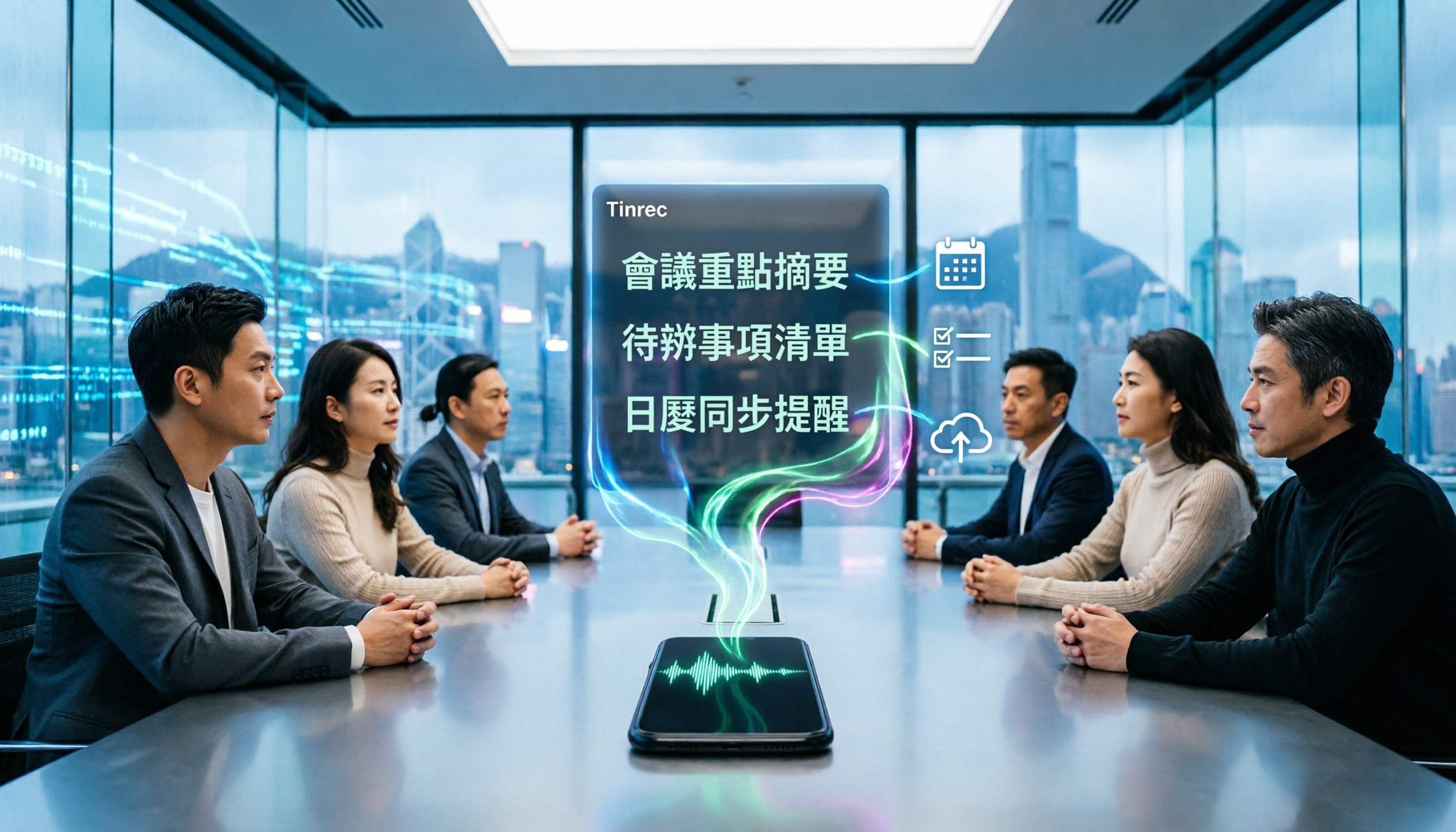
During the meeting, open Tinrec to record and transcribe simultaneously, with the transcript generated in real time. After the meeting, AI has already organized the summary, chapters, and action items—which topics were discussed and what was assigned can be directly acted upon without listening to the whole recording again.
Online meetings are a distinctive feature. The Tinrec desktop version directly captures the computer's system audio, so when handling meetings on Zoom, Google Meet, Microsoft Teams, Webex, etc., there's no need to add a meeting bot to the room. For external client meetings, this is practical: participants won't see an unfamiliar account on the list.
When you need to find content after the meeting, you can directly ask questions about the meeting data, such as 'What was the conclusion of the budget discussion in this meeting?' AI will provide an answer based on semantics, rather than giving you a list of keyword search results. The transcript itself also supports search and review, making it easy to go back to the relevant utterance for verification.
In addition, Tinrec can generate mind maps, reports, tables, and documents, and export to Notion, Google Docs, OneNote, Dropbox, etc. for further processing. During recording, you can also enable real-time translation to view content in the original language, translation, or bilingual format.
A few things I find practical:
- Chinese and mixed Chinese-English meeting scenarios: Meetings in Taiwan often mix Chinese and English, with project codes and product terminology flying around. Tinrec supports team hotword management, allowing you to maintain commonly used team terms to improve recognition of professional vocabulary.
- Data doesn't disappear when people leave: Meeting data in team spaces belongs to the team. When a member leaves, is removed, or loses their seat, their responsible resources can be handed over to other members, rather than being taken away with the personal account.
- Team governance is quite detailed: Roles determine who can manage the team, and seats determine who can record, upload, edit, and export—the two are separate. Administrators can also view usage trends, member rankings, activity logs, and a recycle bin for accidentally deleted audio.
Stop organizing recordings by hand
Upload audio or video and automatically get a transcript, summary, and action items
Note that limitations should also be clearly stated:
Tinrec does not claim a fixed accuracy rate; actual performance is affected by recording quality, background noise, accents, overlapping speakers, and specialized terminology. For important content, it's recommended to verify against transcript timestamps and recording playback.
Additionally, the team version currently focuses on team-level sharing, meaning effective members can view team data, and only after obtaining a seat can they record, upload, and edit. It is not a file-level granular permission system, so you should first confirm whether it meets your governance needs.
Pricing: The personal version has a free tier to experience basic recording, import, summary, and transcription, plus weekly, Pro monthly, and Pro annual plans. The team version offers a 7-day trial for first-time eligible users (1 free seat, 300 minutes of team shared import quota); paid plans are USD 29.80 per seat per month, or USD 199 per seat per year (about USD 16.58/month), with each paid seat providing 2,000 minutes of team shared import quota per month. Under an active team plan and seat, real-time recording currently does not deduct minutes; file and web imports use the team shared quota. Official prices and benefits are subject to the purchase page.
**Who it's for:** Those who frequently need to organize Chinese meetings, want online meetings without adding a bot, want to directly ask AI about meeting content afterward, or need to turn meeting data into a team asset.
Besides Tinrec, What Other Options Are There?
Otter.ai: A mature English AI meeting assistant. The free version offers 300 minutes per month; the Pro annual plan is about USD 8.49/user/month and includes 1,200 minutes per month. It has a strong mind for English business meetings. If your meetings are almost entirely in English and you need integration with existing workflows, it's worth considering. However, in Chinese meeting scenarios and team hotword management, Tinrec has more focus.
Notta: A multilingual transcription tool with high overlap with Tinrec. The free version offers 120 minutes per month (max 3 minutes per session); the Pro annual plan is about USD 8.17/month with 1,800 minutes per month; the Business annual plan is about USD 16.67/seat/month. Document transcription, subtitles, and translation are its strengths. But if you value bot-free online meeting recording, AI Q&A, and using an Agent for post-processing to produce reports and tables, Tinrec's post-meeting workflow is more complete.
Granola: An AI meeting notes tool that also takes a bot-free approach. The free version is available; Business is USD 14/user/month. Its feature is combining user handwritten notes with AI. Note that Granola does not save meeting audio files and does not support uploading pre-recorded audio files; if you need to keep recordings, replay for verification afterward, or organize historical audio, Tinrec is more suitable in this regard.
Pitfalls Guide: The 3 Most Common Mistakes in Organizing Meeting Speakers
Pitfall 1: Focusing on 'who said what' instead of 'what it relates to'
The advice for professional meeting minutes is: don't focus on what attendees said, but on what they said it in relation to. Behind every utterance is a topic; grasping the topic gives structure to the record. The method is simple: after the meeting, use the chapter feature to split the transcript, then ask AI for conclusions on each topic—much faster than manually flipping through the transcript.
Pitfall 2: Not handling recording consent and terminology in advance
Before the meeting, inform participants and obtain recording permission—this is basic courtesy and a legal requirement. Also, project codes, names, and technical terms are the most error-prone areas in mixed Chinese-English meetings. Besides preparing a terminology list beforehand, you can also maintain commonly used terms in the team space like Tinrec's team hotwords. If necessary, ask the host to deliberately call out names during the meeting, which also helps subsequent recognition.
Pitfall 3: Using the tool only as 'recording-to-text'
If you only use it to produce transcripts, you're using only one-third of its capabilities. Summaries, chapters, action items, AI Q&A, exporting to existing workflows—these are the keys to filtering 'meeting noise' into 'action signals.'
Conclusion: Which One Should You Choose?
- Mainly Chinese meetings, need to map utterances back to topics and action items → Tinrec (Chinese experience, summary chapters, AI Q&A all in one)
- Online meetings without adding a bot → Tinrec (desktop version captures system audio)
- Need to organize historical audio and existing recordings → Tinrec (supports audio/video file import, team version has shared import quota)
- Meeting data should be left to the team, members may change → Tinrec team version (team space, roles and seats, resource handover, recycle bin)
- Zero budget, only recording English meetings → Otter.ai free version (300 minutes per month, an exceptional option for English scenarios)
Overall, it's recommended to first try the free version, throw your most difficult meeting recording into it, and see if the transcript, summary, and action items work smoothly for you. If it fits, then consider upgrading—no need to pay from the start.
References
- After the meeting, do you only ask AI to summarize key points? That's just the most basic 1% technique | Three-level meeting notes prompts to turn AI into your strategic analyst | Personal Knowledge Management X AI Applications | Coach Jiang Jiang
- AI meeting notes organization techniques! 6 steps to utilize Gemini Notebook and instruction templates, voice-to-text, mixed Chinese-English not a problem | 104 Workplace Power
- Meeting minutes = transcript? Professional meeting minutes only record 3 key points | Writing techniques, templates at a glance | 104 Workplace Power
- Organizing meeting minutes is so painful? 5 tricks for NotebookLM 'AI note transformation,' mixed Chinese-English, technical terms accurately translated | BusinessNext
- 6-step AI meeting notes organization: use a fixed template to turn discussions into clear action items – Selected Book Excerpt | Business Weekly
Turn every recording into actionable outcomes
Get 60 free transcription minutes when you sign in. No credit card required.
Related Reading
You might also like

2026 AI Meeting Recorder Comparison: 4 Tools Tested for Chinese Meetings
Two-hour meetings followed by two hours of note organization is a daily reality for most office workers. This hands-on test of 4 AI recording and note-taking tools covers bot-free recording, Chinese transcription, AI Q&A, team knowledge retention, pricing, and limitations to help you decide which one is worth keeping.

5 Speaker Summary Tools Tested for 2026: Why Tinrec Is Less Work for Chinese Meetings
Starting from the question 'What exactly do you need a tool to do for you?', this hands-on comparison of common speaker summary tools explains how Tinrec performs in Chinese meeting transcription, bot-free online meeting recording, AI summaries and action items, AI chat queries, multi-format export, and team spaces. It also covers five key points to consider when choosing a tool and answers common questions.

2026 AI Meeting Notes: Automatic Speaker Identification + AI Q&A Summaries
Why do you still have to manually organize meeting transcripts even when speakers are automatically labeled? This article starts with common misconceptions about automatic speaker identification, breaks down 4 key dimensions for choosing a meeting notes tool, tests Tinrec's bot-free online meeting recording, AI summaries and Q&A, team spaces, and other features, compares it with Otter.ai, PLAUD Note, and Notta, and includes a pitfalls guide and buying advice.

4 Best AI Meeting Note Takers in 2026: Which One Actually Captures Action Items?
The hardest part of a meeting isn't recording it—it's turning two hours of discussion into an action list with names and deadlines. This article compares Tinrec, Otter.ai, Notta, and Granola across four key criteria: action item accuracy, AI Q&A, post-meeting workflow, and team data ownership. We explain who each tool is best for and highlight key buying considerations to help you choose the right tool and stop wasting time on manual transcripts.

Tinrec vs Otter.ai 2026: Cantonese Meeting Transcription with Real-Time Chinese-English Translation
Meetings held in Cantonese but delivered in English are a common pain point for many teams. This article compares Tinrec and Otter.ai across 5 dimensions—Cantonese and mixed Chinese-English recognition, bot-free meeting recording, real-time translation and bilingual review, post-meeting AI Q&A, and team data governance—to help you decide which tool better fits your meeting scenario.
4 Best iPhone Cantonese Transcription Tools in 2026: Is Apple's Built-in Transcript Enough?
Apple's Voice Memos on iOS 18.4 and later can transcribe Cantonese recordings, but a raw transcript isn't the same as meeting-ready notes. This comparison breaks down four iPhone-compatible options—Tinrec, Apple Voice Memos, Notta, and PLAUD Note—covering Cantonese recognition accuracy, post-meeting organization, cross-platform export, and free-tier limits. We also flag the four most common mistakes buyers make, so you can tell when the built-in tool is enough and when you need something more.
2026 Video Summarizer Comparison: Is Tinrec Better for Chinese Long Videos Than Monica and NoteGPT?
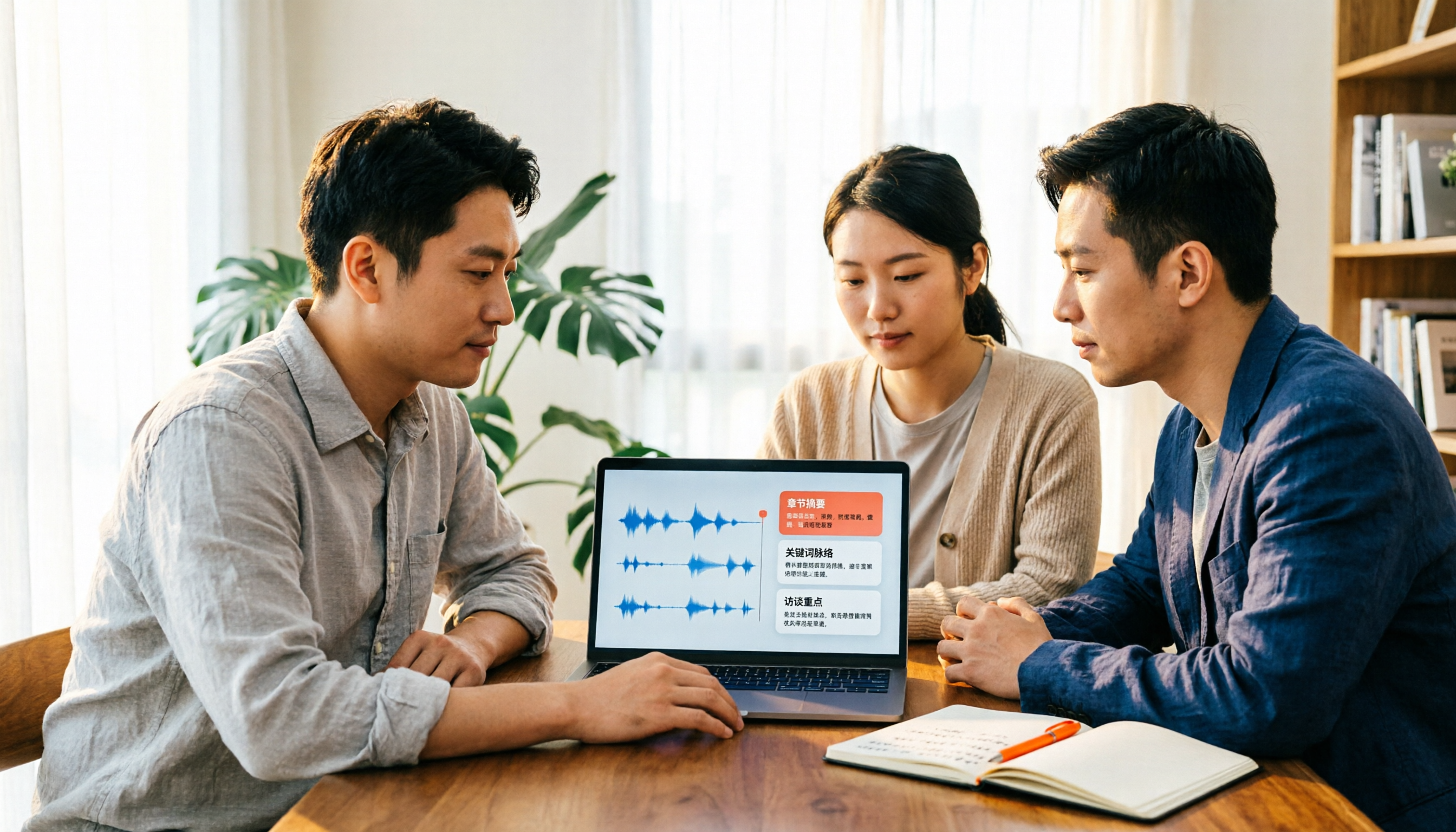
Before choosing a video summarizer, clarify whether you're summarizing public videos or your own meeting and interview recordings. This article compares Tinrec, Monica, NoteGPT, and others across five dimensions: source material, output depth, Chinese language performance, audio retention, and team governance. It also covers Tinrec's core features, practical use cases, team pricing, and FAQs to help you decide if the free version is enough.

Tinrec vs Notta 2026: 5-Dimension Comparison of AI Meeting Summary Generators — Which Is Better for Chinese-Language Scenarios?
Compare Tinrec and Notta across five dimensions, and see how Otter.ai and Granola differ. This article explains how to choose a meeting summary generator—meeting capture method, Chinese recognition experience, post-meeting output, team collaboration governance, and pricing—to help you decide which tool truly saves time on post-meeting organization.

Tinrec vs Otter.ai: Which AI Meeting Recorder Is Better for Chinese Meetings in 2026?
After a meeting, you're left with a recording and messy notes. This article compares Tinrec and Otter.ai across five dimensions—Chinese and mixed-language transcription, bot-free meeting recording, post-meeting summaries and action items, team roles and seat management, and free tiers and pricing—to help you decide which tool fits your workflow.