
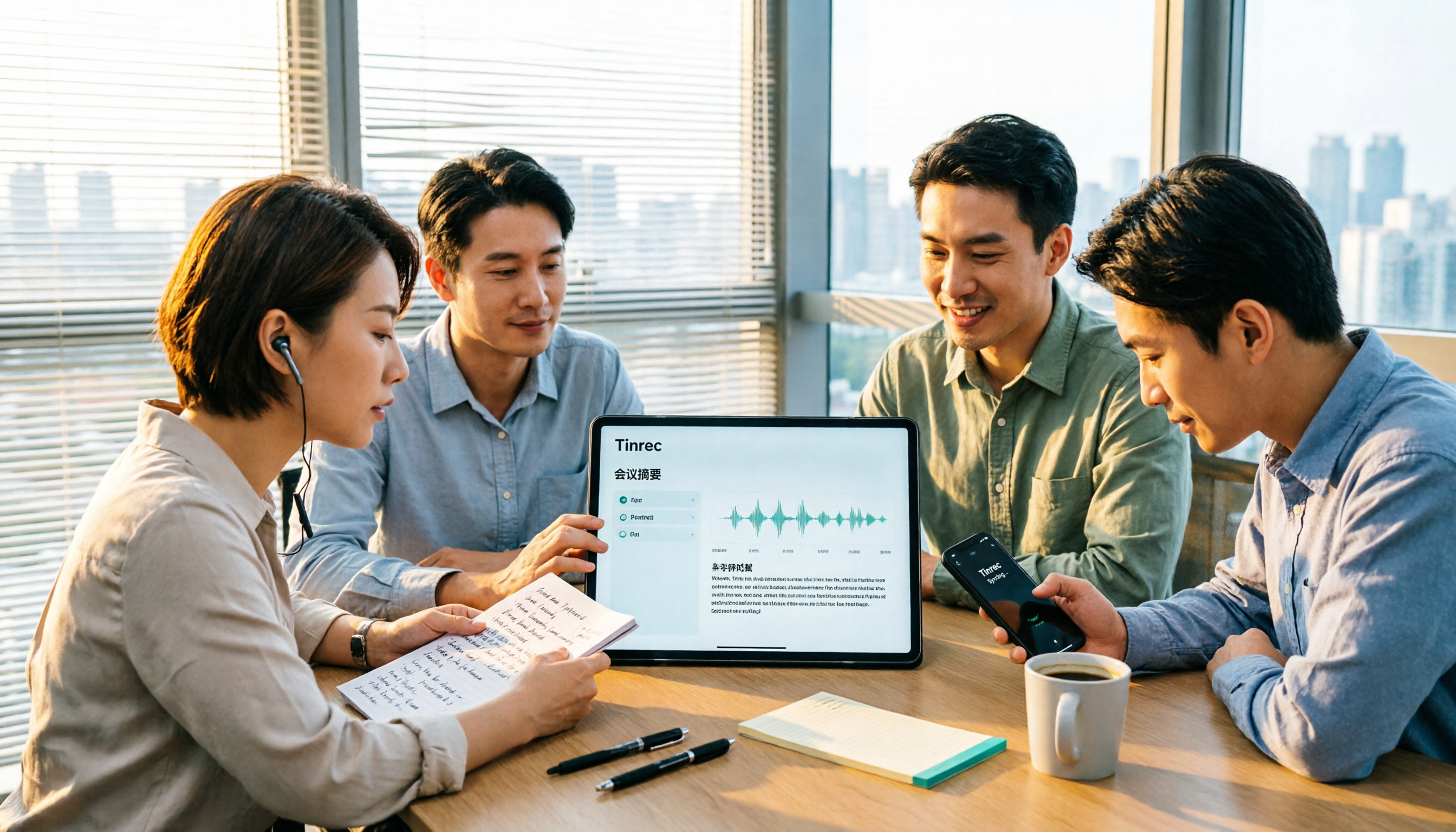
Turn recordings into transcripts and summaries in minutes
Upload audio or video for multilingual transcription, AI notes, and action items
It's 4 PM on Friday, and your department meeting just ended. You're left with a 50-minute recording and pages of scribbled notes. Your boss asks, "Which version of the timeline did we agree on last time?" You have to listen to the entire recording from the beginning—and if this happens three times a month, it eats up your whole afternoon.
This is why "AI meeting recorder" tools have become so popular in recent years: people don't just want to save audio; they want to get key points, action items, and the ability to search back when needed. In this article, I've chosen two tools that are often compared: Tinrec and Otter.ai. I'll compare them across five dimensions to help you determine which one better fits your work situation.
Tinrec vs Otter.ai: Quick Overview
Tinrec is an AI meeting notes and collaboration tool for individuals and teams, focusing on turning meeting recordings into searchable, summarizable, queryable, and exportable team data.
Otter.ai is a mature AI meeting assistant with a long history in English business meetings, meeting automation, and workflow integration.
| Item | Tinrec | Otter.ai |
|---|---|---|
| Core positioning | AI meeting notes and team collaboration | AI meeting assistant and meeting automation |
| Meeting capture | Desktop app captures system audio without a bot | Meeting bot, desktop app, and other methods |
| Pricing | Free personal version / weekly pass / Pro; team version priced per paid seat | Basic free, Pro annual equivalent USD 8.49/user/month, Business custom |
Below, we compare five dimensions: Chinese transcription experience, meeting recording methods, post-meeting outputs, team collaboration governance, and free tier and pricing.
Dimension 1: Transcription Experience for Chinese and Mixed-Language Meetings
Otter.ai has long focused on English business meetings, with product design, templates, and integrations centered around English meeting workflows. Chinese meeting terminology and proper nouns are not its main focus.
Tinrec, on the other hand, prioritizes Chinese, Traditional Chinese, and multilingual meetings. It supports mixed Chinese-English content, making it relatively easy to handle meetings where two or three people switch between Chinese and English. It also offers team hotwords, allowing you to add your company's product names and project codes to improve recognition of specialized terms.
Note that neither tool should promise a fixed accuracy rate. Actual performance is affected by recording quality, background noise, accents, and overlapping speech.
→ For this dimension: For users whose meetings are primarily in Chinese, Tinrec is clearly more suitable.
Dimension 2: Recording Methods for Online Meetings
Otter.ai made its name early on with meeting bots, and now also offers desktop capabilities, so it supports multiple capture methods.
Tinrec's desktop version directly captures your computer's system audio, used for Zoom, Google Meet, Microsoft Teams, Webex, and other online meetings, without inviting a bot as a participant. In practice, you open Tinrec yourself to start recording; it doesn't automatically join all calendar meetings.
If your meetings often include external clients, having an extra "participant" can sometimes raise concerns. Conversely, if you prefer a tool to automatically appear in every meeting, the bot mode is more convenient.
→ For this dimension: It's a tie; the difference is in workflow preference.
Dimension 3: Post-Meeting Organization: Summaries, Action Items, and Further Processing
Otter.ai performs maturely here, generating summaries and action items, and also offers AI Chat, workflows, and integrations.
Tinrec offers more output formats: transcripts, AI summaries, chapters and highlights, action items, mind maps, AI Q&A, and even Agent post-processing to generate reports, tables, and documents from meetings. It supports export to Notion, Google Docs, OneNote, Dropbox for further processing. It also provides real-time translation during recording, viewable in original, translated, or bilingual mode.
The difference: Otter.ai helps you organize a meeting; Tinrec is more like helping you turn the meeting into a semi-finished product that you can use to write reports and create tables.
→ For this dimension: For those who need multiple post-meeting outputs and export workflows, Tinrec has an advantage.
Dimension 4: Team Collaboration and Data Governance
Otter.ai's Business plan offers unlimited meetings and in-app recording, more import and management capabilities, and extensive enterprise experience.
Stop organizing recordings by hand
Upload audio or video and automatically get a transcript, summary, and action items
Tinrec's team version uses independent team spaces: you can create multiple teams, invite members via join links, set owners, admins, and regular members, and assign, revoke, or transfer seats. The admin side shows team usage trends, member rankings, and details, as well as team hotwords, audit log queries and exports, and an audio recycle bin.
One easily misunderstood point: Tinrec's team version distinguishes between "roles" and "seats." Roles determine who can manage the team and members; seats determine who can record, upload, edit, and import/export. Active members without a seat can still view, play, and read team data, but cannot edit. Currently, sharing is team-level, not document-level granular permissions.
→ For this dimension: For teams that need to manage seats, usage, and operation logs, Tinrec's governance granularity is clearer.
Dimension 5: Free Tier and Pricing
Otter.ai's official pricing page shows: Basic free, 300 minutes per month; Pro annual equivalent USD 8.49/user/month, including 1,200 minutes of in-app recording per month and 10 file imports; Business offers unlimited meetings and in-app recording, more imports and management capabilities. Actual prices may be affected by promotions; refer to the official page.
Tinrec's personal version is tiered by task: the free version offers basic quota for trial; a weekly pass for short-term intensive use; Pro monthly and Pro annual for steady use. Prices are subject to the official website. The team version's first eligible trial is 7 days, 1 free seat, 300 minutes of team shared import quota; paid seats are USD 29.80/month or USD 199/year (about USD 16.58/month), each paid seat provides 2,000 minutes of team shared import quota per month. Under an active team plan and active seat, real-time recording is currently not deducted by minutes; file and web imports use the team shared quota.
Honestly, there's no absolute winner here. If you only need English meetings and low monthly usage, Otter.ai's free 300 minutes is enough. If your meetings are mainly in Chinese and you need a whole team to share quota, Tinrec's team version is easier to manage.
→ For this dimension: It's a tie, depending on which account you're calculating.
What Are the Unique Advantages of Each?
Tinrec's advantages:
- Bot-free desktop recording: no extra participant needed, and audio files are retained for later verification.
- Many post-meeting outputs: summaries, chapters, action items, mind maps, AI Q&A, and Agent-generated reports and tables, with export to common tools.
- Chinese, Traditional Chinese, and multilingual meetings are the focus, plus real-time translation and team hotwords, making mixed Chinese-English meetings relatively friendly.
- Complete team governance: team spaces, roles, seats, usage analytics, audit logs, and audio recycle bin; data remains with the team when members leave.
Otter.ai's advantages:
- Mature English business meeting ecosystem with many workflow and integration options.
- Free plan with 300 minutes per month, low entry barrier.
Conclusion: Which One Should You Choose?
- Your meetings are mainly in Chinese or mixed Chinese-English → Tinrec, as Chinese experience is its focus.
- You don't want to invite another bot to meetings and want to keep recordings → Tinrec, desktop version captures system audio directly.
- You need more than transcripts—you want to write reports and create tables → Tinrec, with Agent post-processing and multi-format export.
- You need to manage multiple seats, usage, and operation logs → Tinrec team version, with separate role and seat management.
- You mainly have English meetings, low monthly usage, and just want to start free → Otter.ai's free plan is enough to get started.
In one sentence: For most users with Chinese meeting needs, Tinrec is a more complete choice. I suggest trying the free version with one of your own meeting recordings before deciding whether to upgrade.
A reminder: Recording and transcription involve others' conversations. Please ensure compliance with local regulations before use, and obtain participants' consent when necessary.
FAQ
Q1: Is Tinrec's free version enough?
The free version provides basic quota, suitable for occasional transcription of a recording. If you have regular meetings every week, Pro will be smoother; for short-term intensive interviews or courses, consider a weekly pass.
Q2: Do I have to invite a meeting bot?
No. Tinrec's desktop version directly captures computer system audio to record Zoom, Google Meet, Teams, Webex meetings. But remember, you actively open Tinrec to start recording; it won't automatically join all your calendar meetings.
Q3: Can team members without a seat see meeting data?
Yes. Active members without a seat can still view, play, and read team data; only after obtaining a seat can they record, upload, edit, and import/export.
Q4: Can deleted team audio be recovered?
After audio enters the team recycle bin, it can be restored before permanent deletion begins. The current retention period is 30 days. Note that action items are not covered by the recycle bin.
Q5: Can you guarantee 100% accuracy?
It's not recommended to expect that. Transcription quality is affected by recording quality, noise, accents, overlapping speech, and specialized terminology. A more practical approach is to treat it as a tool that saves a lot of organization time, and verify important content against the transcript and recording.
Q6: How is Tinrec different from a regular recording app?
A regular recording app only records. Tinrec converts recordings to text, organizes summaries, chapters, highlights, and action items, and also offers AI Q&A, translation, export, and accumulates searchable data in team spaces.
References
- ChatGPT錄音模式上線!2小時會議一鍵生成「重點摘要+待辦清單」:4步驟教學一次看|數位時代 BusinessNext
- 【AI語音筆記】超推薦5個AI轉文字工具!幫你生成逐字稿與會議記錄重點,免費vs訂閱、優缺點評比|104職場力
- Meeting Ink - 2026 AI 會議紀錄工具實測|7 款語音轉文字與摘要速度大比拚 | Meeting Ink - AI 會議紀錄助手 自動轉錄逐字稿總結會議摘要
- 不限時間!3個免費AI逐字稿工具,好用推薦!AI語音筆記生成會議記錄、簡報、心智圖|104職場力
- SoundType AI 超精準逐字稿、語音轉文字、AI聽寫 - Google Play 應用程式
Turn every recording into actionable outcomes
Get 60 free transcription minutes when you sign in. No credit card required.
Related Reading
You might also like

2026 AI Meeting Recorder Comparison: 4 Tools Tested for Chinese Meetings
Two-hour meetings followed by two hours of note organization is a daily reality for most office workers. This hands-on test of 4 AI recording and note-taking tools covers bot-free recording, Chinese transcription, AI Q&A, team knowledge retention, pricing, and limitations to help you decide which one is worth keeping.

5 Speaker Summary Tools Tested for 2026: Why Tinrec Is Less Work for Chinese Meetings
Starting from the question 'What exactly do you need a tool to do for you?', this hands-on comparison of common speaker summary tools explains how Tinrec performs in Chinese meeting transcription, bot-free online meeting recording, AI summaries and action items, AI chat queries, multi-format export, and team spaces. It also covers five key points to consider when choosing a tool and answers common questions.

2026 AI Meeting Notes: Automatic Speaker Identification + AI Q&A Summaries
Why do you still have to manually organize meeting transcripts even when speakers are automatically labeled? This article starts with common misconceptions about automatic speaker identification, breaks down 4 key dimensions for choosing a meeting notes tool, tests Tinrec's bot-free online meeting recording, AI summaries and Q&A, team spaces, and other features, compares it with Otter.ai, PLAUD Note, and Notta, and includes a pitfalls guide and buying advice.

4 Best AI Meeting Note Takers in 2026: Which One Actually Captures Action Items?
The hardest part of a meeting isn't recording it—it's turning two hours of discussion into an action list with names and deadlines. This article compares Tinrec, Otter.ai, Notta, and Granola across four key criteria: action item accuracy, AI Q&A, post-meeting workflow, and team data ownership. We explain who each tool is best for and highlight key buying considerations to help you choose the right tool and stop wasting time on manual transcripts.

Tinrec vs Otter.ai 2026: Cantonese Meeting Transcription with Real-Time Chinese-English Translation
Meetings held in Cantonese but delivered in English are a common pain point for many teams. This article compares Tinrec and Otter.ai across 5 dimensions—Cantonese and mixed Chinese-English recognition, bot-free meeting recording, real-time translation and bilingual review, post-meeting AI Q&A, and team data governance—to help you decide which tool better fits your meeting scenario.
4 Best iPhone Cantonese Transcription Tools in 2026: Is Apple's Built-in Transcript Enough?
Apple's Voice Memos on iOS 18.4 and later can transcribe Cantonese recordings, but a raw transcript isn't the same as meeting-ready notes. This comparison breaks down four iPhone-compatible options—Tinrec, Apple Voice Memos, Notta, and PLAUD Note—covering Cantonese recognition accuracy, post-meeting organization, cross-platform export, and free-tier limits. We also flag the four most common mistakes buyers make, so you can tell when the built-in tool is enough and when you need something more.
2026 Video Summarizer Comparison: Is Tinrec Better for Chinese Long Videos Than Monica and NoteGPT?
Before choosing a video summarizer, clarify whether you're summarizing public videos or your own meeting and interview recordings. This article compares Tinrec, Monica, NoteGPT, and others across five dimensions: source material, output depth, Chinese language performance, audio retention, and team governance. It also covers Tinrec's core features, practical use cases, team pricing, and FAQs to help you decide if the free version is enough.

Tinrec vs Notta 2026: 5-Dimension Comparison of AI Meeting Summary Generators — Which Is Better for Chinese-Language Scenarios?
Compare Tinrec and Notta across five dimensions, and see how Otter.ai and Granola differ. This article explains how to choose a meeting summary generator—meeting capture method, Chinese recognition experience, post-meeting output, team collaboration governance, and pricing—to help you decide which tool truly saves time on post-meeting organization.

2026 Comparison of 4 Meeting Speaker Organization Tools: Can Transcripts Be Traced Back to Speakers and Topics?
After a meeting, you have dozens of pages of transcripts but can't trace who said what or which topic was finalized? Starting from the real pain points of 'meeting speaker organization,' this article outlines 4 key points for choosing a tool and compares Tinrec, Otter.ai, Notta, and Granola in terms of transcript review and positioning, post-meeting output, and team collaboration. It also includes a pitfalls guide and selection advice.