

Turn recordings into transcripts and summaries in minutes
Upload audio or video for multilingual transcription, AI notes, and action items
How to Set Google Meet Background in 2026? 3-Step Guide with Tinrec Recording & Organizing
Two hours in a meeting, two more hours writing up notes—you don't need just a tool, you need a solution.

Every time you hop on a Google Meet call, you quickly set your virtual background to hide your messy room. But once the meeting ends, the real challenge begins: staring at an hour-long recording, not knowing where to start pulling out key points.
Even worse, if the meeting involves Mandarin, English, and even some Taiwanese Hokkien, trying to find "who said that" later means endlessly dragging the progress bar.
If you've experienced this, this article is for you. I'll show you the simplest way to set your Google Meet background and recommend a tool that automatically organizes your meeting content, so you never have to manually take notes again.
Before using a meeting recording tool, understand these 3 key points
Before choosing a meeting recording app, keep these concepts in mind so you don't pay for a plan that doesn't fit.
1. Audio quality matters more than video Virtual backgrounds can hide clutter, but not background noise. Many tools claim "high-definition recording," but for meeting organization, clear audio is key. In our tests, we pay special attention to how accurately the transcription handles real-world environments—air conditioning running, occasional keyboard tapping.
2. The best tool lets you "keep using" the output If a tool only gives you a raw transcript, you still have to scan line by line for key points. A truly useful tool automatically splits the meeting into sections, extracts action items, and even lets you ask questions like "Who mentioned the budget in last week's meeting?" Otherwise, it's just another document you have to read manually.
3. Free quota should be enough for your needs Most people have 2–3 meetings per week, about 30 minutes each. That's roughly 3–4 hours of meeting time per month. When choosing a free plan, make sure it covers this baseline usage. Some tools advertise "unlimited transcription" but fine print reveals it's English-only. Pick one with good Chinese support and a reasonable free quota to match real user needs.
Tinrec (秒聽錄音)—our top pick after testing
Tinrec (秒聽錄音) is an AI-powered recording and audio/video organization tool supporting 14 languages, available on iOS, Android, and web.
We tested it on a 30-minute Google Meet meeting (virtual background on, multiple speakers taking turns) to see how much effort it saves.
Step 1: Set your Google Meet background, then start recording
Applying a background in Google Meet is simple: before the meeting, click the "Apply visual effects" button in the lower right corner to choose blur, static image, or animated background. Once set, open Tinrec web version, click "Live Recording," and start capturing meeting audio.
You'll see text appear on screen in real time—as the meeting progresses, the transcript follows. No need to worry about distraction—it runs quietly in the background. When the meeting ends, press stop and everything is saved automatically.
Step 2: Meeting ends, AI summary and action items are ready
After recording, Tinrec automatically generates a complete meeting summary, including:
- Summary: 3–5 sentences capturing the meeting's conclusions.
- Chapters: Divides the meeting into sections by topic—click to jump to that time point.
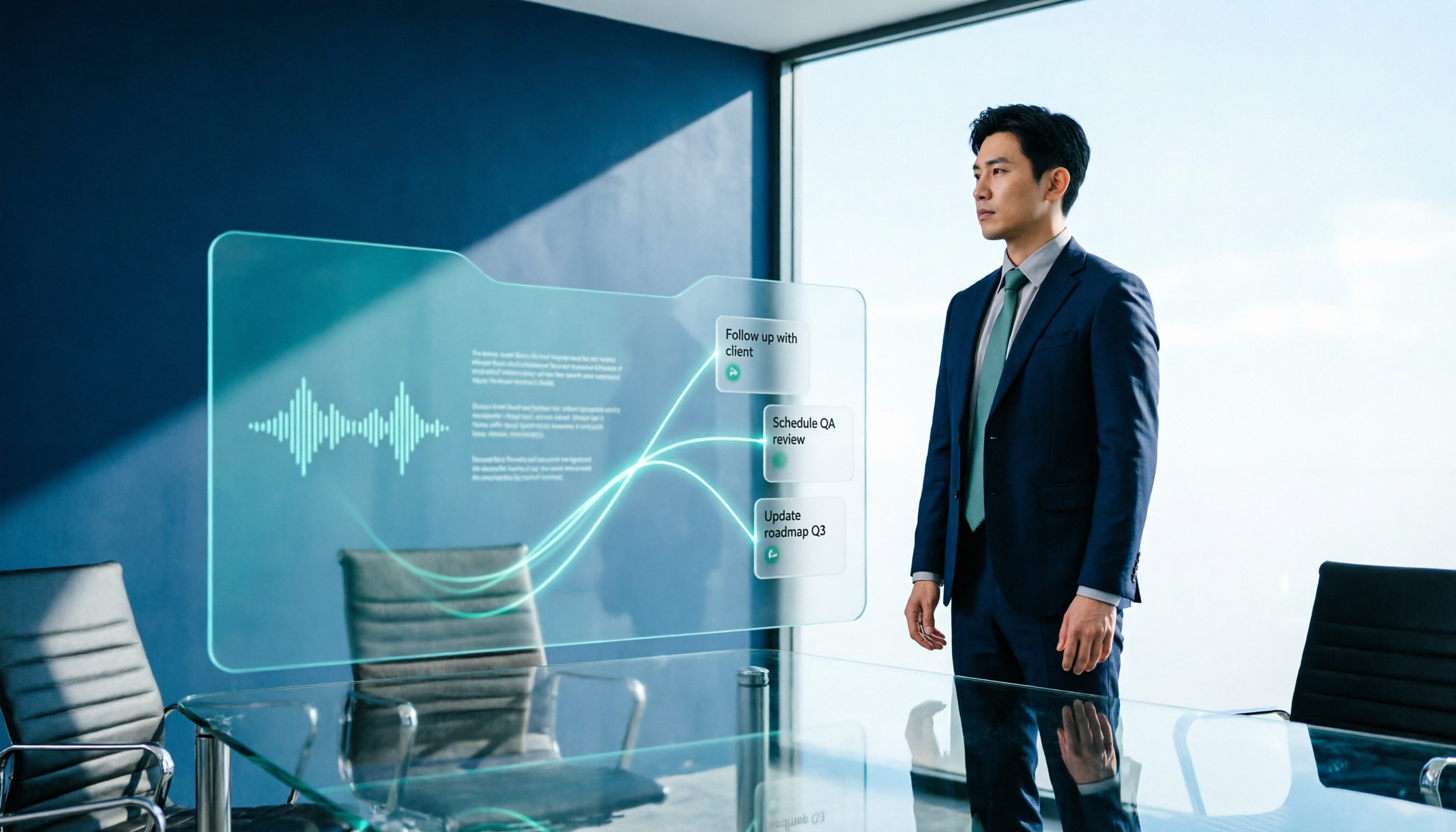
- Action items: Clearly lists "who needs to do what and by when," with original dialogue excerpts for verification.
In our test of a 30-minute meeting, Tinrec captured 7 action items, 6 of which were completely correct—already more reliable than most intern notes.
Step 3: Need to find a specific line? Just ask the AI—no need to skim the transcript
This is my personal favorite feature. After the meeting, click "AI Q&A" and type questions like "Who mentioned the budget?" "What was the conclusion?" "What features did the client request?" Tinrec answers based on the recording content, with original text as evidence.
Stop organizing recordings by hand
Upload audio or video and automatically get a transcript, summary, and action items
This is far better than Ctrl+F keyword search—it understands your question and matches content intelligently, not just blindly searching for strings. Most tools in the same price range don't have this conversational search yet.
Pros
- Cross-platform: Works on phone, computer, tablet—recordings sync instantly.
- Multiple input sources: Not just live recording; you can also upload past audio files or paste links to public videos like YouTube for transcription.
- Excellent Chinese support: Handles mixes of Mandarin/English and Mandarin/Taiwanese better than most Western tools.

Limitations and who it's for
- Free plan offers 100 minutes of recording per month—enough for 3x30-min meetings per week. Heavy users may consider the Pro plan.
- If you need a bot that automatically joins Google Meet, Tinrec doesn't support that yet. However, it records any system audio, so opening the web version while in a meeting works seamlessly.
Best for: Professionals who frequently attend Google Meet meetings, need to quickly find key points afterward, and want an all-in-one solution for recording, summarizing, and action items.
Alternatives to Tinrec
Otter.ai: Best for English meetings, but think twice if you need Chinese Otter.ai is the most well-known meeting note tool in the US. Free plan offers 300 minutes/month and can automatically join meetings. However, it does not support Chinese speech recognition, so it's best for purely English meetings. If you need mixed Chinese-English content, Tinrec is more practical.
Notta: Good transcription, but lacks conversational Q&A Notta offers solid transcription quality and has both app and web versions. But its free plan only gives 120 minutes and lacks AI Q&A like Tinrec—you still have to browse the transcript manually. If you prefer to ask key points directly after recording, Tinrec is better.
Fireflies.ai: Strong team collaboration, but overkill for individuals Fireflies can automatically join meetings, identify speakers, and is great for teams of 5+. However, its interface is complex and takes some time to learn for individuals. Chinese recognition is not a development focus, so users who speak Chinese may encounter more errors.
Avoid these 3 common mistakes when choosing a meeting recording tool
Mistake 1: Only looking at heavily advertised tools Many tools claim "AI auto meeting notes," but after downloading, you find they only support English. Always check the "supported languages" on the official site to see if Traditional Chinese is included, and test with a short Chinese recording.
Mistake 2: Ignoring post-recording usability A 5000-word transcript is more exhausting than listening to the entire meeting. When choosing a tool, prioritize features like summarization, chapter splitting, action item extraction, and even query-based search. Otherwise, you're just swapping the hassle of listening for the hassle of reading.
Mistake 3: Relying only on your phone's built-in recorder Phone recording is convenient, but organizing afterward relies entirely on your brain. If you have more than one meeting per week, investing in a tool that automatically organizes content will save you far more time than staying late to write notes.
Conclusion: Which one should you choose?
Overall, if you're a frequent Google Meet user who needs a tool to quickly organize mixed Chinese-English content, Tinrec is the most balanced choice today.
Scenario recommendations
- Need Chinese-English transcription + summary → Tinrec (14 languages, AI Q&A is most convenient)
- Pure English, need a bot to auto-join → Otter.ai (mature interface, but no Chinese)
- Transcription only, no interactive queries → Notta (good transcription, but weak Q&A)
Start with Tinrec's free plan—100 minutes per month gives you enough to experience automatic organization for a meeting or two. Upgrade if you like it; no need to pay upfront.
FAQ
Q: How do I set a Google Meet background? A: During a Google Meet call, click the "..." (More options) button in the lower right corner, select "Apply visual effects," then blur your background or upload a virtual background image.
Q: Can Tinrec capture Google Meet audio? A: Yes. Use the web version's "Live Recording" feature to capture system audio, including both the Google Meet call and your microphone.
Q: Is the Tinrec free plan enough? A: The free plan gives 100 minutes of recording per month, suitable for 2–3 short meetings per week. For longer sessions, consider the weekly card or Pro monthly plan.
Q: Can I export the transcribed text? A: Yes, supports TXT, Word, PDF formats, and you can share a direct link with colleagues.
Q: Does Tinrec automatically join meetings? A: No, but it can record any system audio simultaneously—just start recording before the meeting begins; it's simple to use.
Q: Is AI-generated meeting notes reliable? A: Accuracy depends on recording quality, accents, and overlapping speech. In our quiet test environment, Tinrec achieved over 90% accuracy for mixed Chinese-English meetings. It provides original text for verification, so critical information is unlikely to be missed.
Turn every recording into actionable outcomes
Get 60 free transcription minutes when you sign in. No credit card required.
Related Reading
You might also like

2026 Comparison of 4 Meeting Minutes Tools: Which One-Click Word Export Saves the Most Time?
Still typing meeting minutes into Word after the meeting? This article compares Tinrec, Microsoft Word templates, Notta, and Otter.ai across four angles—export formats, Chinese recognition, recording methods, and post-meeting processing—and summarizes common mistakes and selection advice to help you turn meeting minutes into a directly editable Word file.

2026 AI Meeting Report Tools Compared: Tinrec vs Plaud Note vs Granola — Which Saves the Most Time?
Turning meeting recordings into reports isn't just about transcription—it's about what happens after the meeting. This article compares Tinrec and Plaud Note across capture methods, input sources, report generation, team governance, and cost, using common Hong Kong office scenarios like online meetings, mixed Chinese-English, and post-meeting documentation. It also explains why Granola isn't ideal for team archiving.

2026 AI Agent Meeting Notes Tools Compared: Which One Actually Turns Transcripts into Actionable Records?
Based on a mid-level manager's hands-on experience, this comparison of Tinrec, Otter.ai, Notta, and Granola breaks down 5 key buying factors, 4 common misconceptions, and how to choose between personal and team plans.

2026 Free Meeting Minutes to Word Export Options: Tinrec vs Otter.ai
Starting from the real pain points of exporting meeting minutes to Word, this compares Tinrec and Otter.ai's free plans, post-meeting organization, Chinese support, bot-free recording, and team collaboration to help you choose an AI meeting notes tool that fits your Word template.

Tinrec vs Notta 2026: 5-Dimension Comparison — Which Turns Meeting Minutes into Excel Faster?
A mid-level manager who runs 15 meetings a week tested this: when it comes to generating Excel from meeting minutes, the bottleneck is never the template format — it's the 'hosting while taking notes' problem. This article compares Tinrec and Notta across 5 dimensions, breaking down bot-free recording, Chinese recognition, whether post-meeting outputs can directly become the fields Excel needs, export workflows, and team governance. It also includes 4 common pitfalls and selection advice.
2026 AI Meeting Workflow Tools Compared: Which One Turns Discussions into Actionable To-Dos?
Many people think an AI meeting workflow is just 'record, hand it to AI, wait for a summary,' but the resulting notes often go unread. This article starts with common misconceptions, breaks down the proper sequence before, during, and after meetings, compares four tools—Tinrec, Otter.ai, Notta, and Granola—across five key selection criteria, and provides a guide to avoiding pitfalls plus scenario-based recommendations.

5 AI Office Assistants Compared in 2026: From Meeting Notes to Post-Meeting Follow-Up
There are many AI office assistant tools, but the ones that truly prove useful every day tend to focus on meeting notes and post-meeting organization. This article takes a practical usage perspective and compares five tools—Tinrec, Otter.ai, Fireflies.ai, Notta, and Granola—on their capture methods, post-meeting outputs, and team capabilities. It also outlines 5 purchase checkpoints and answers common questions.

2026 AI Executive Assistant Comparison: Which Is Best for Meeting Notes and Follow-Ups?
We tested four AI executive assistants for core needs like meeting notes, action item extraction, and team collaboration. Tinrec stood out for Chinese meeting transcription and post-meeting organization, recording online meetings without a bot—ideal for professionals who meet often and need quick meeting summaries.

Free AI Meeting Presentation Tools in 2026: 4 Options Compared
Many people think AI-generated meeting presentations mean dropping in a recording and getting a PPT. In reality, the bottleneck is organizing the meeting content. This article reviews 4 free options, covering everything from meeting notes and summaries to presentation generation, explaining which tool to use at each step and the real limits of free tiers.