
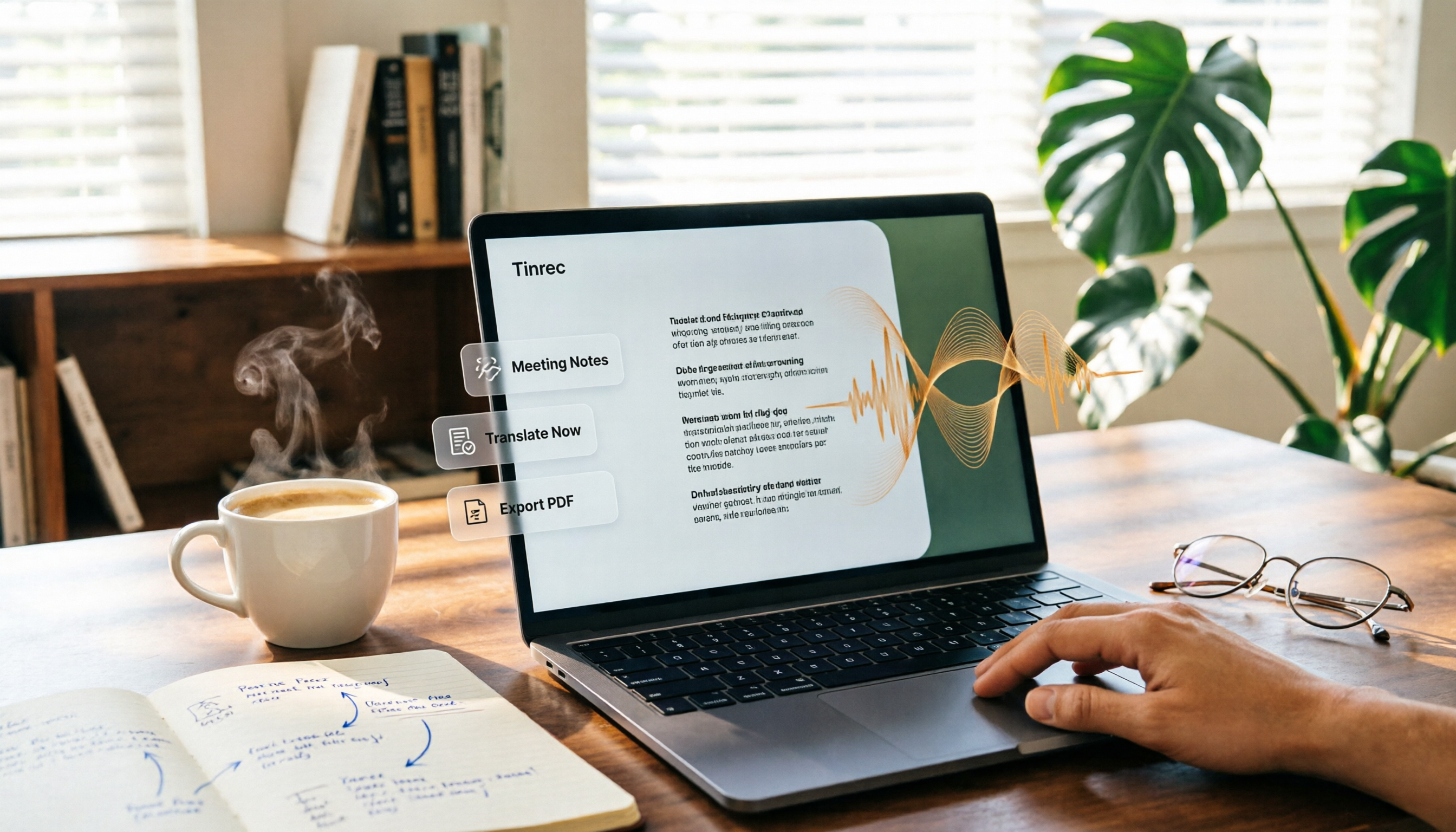
Turn recordings into transcripts and summaries in minutes
Upload audio or video for multilingual transcription, AI notes, and action items
If you frequently hold Google Meet meetings and spend hours afterward re-listening to recordings, typing transcripts, and organizing key points—Tinrec can be a game-changer for your workflow. It’s an AI-powered recording and audio/video organization tool that supports live recording, file imports, web link parsing, and automatically generates summaries, chapters, action items, and even lets you ask questions about the content. The free plan provides a monthly transcription allowance, and it works on mobile, desktop, and web—perfect for meetings, classes, interviews, and content creation.
Why Are People Looking for Google Meet Alternatives?

Google Meet’s built-in recording and transcription are certainly convenient—one click during the meeting and you’re set. But if you’ve used them, you’ve probably encountered these issues: transcription only supports a limited set of languages, with Chinese recognition being less accurate; after the meeting ends, you’re left with just a video file that you have to scrub through manually to find important parts; the transcript can’t be edited or searched, let alone auto-summarized or exported to other tools for further processing.
If you want your meeting recordings to become immediately usable data rather than just archived files—Tinrec is designed exactly for that.
Tinrec vs Google Meet: What’s Different in Core Experience?
Meetings Are Just the Starting Point
Google Meet’s transcription is confined to that specific meeting and is hard to reuse outside the platform. Tinrec centralizes your meeting recordings and other audio data (classes, interviews, videos), allowing you to search and ask questions across platforms and time.
The "Next Step" After Transcription Is Key
Built-in transcription usually gives you plain text, maybe with bold highlights. Tinrec automatically generates summaries, chapters, and action items, and you can also ask AI questions like: "What decisions were made in this meeting?" or "Who is responsible for what?"—much faster than reading through the entire transcript.
Chinese Content Nuance
Google Meet’s transcription excels in English, but with Chinese, Cantonese, or mixed language scenarios, it often misses or misrecognizes words. Tinrec is specifically optimized for Chinese meetings, classes, and interviews, delivering noticeably better recognition quality in clear recordings—you’ll feel the difference in real use.
Export and Integrate with Your Workflow
Google Meet meeting notes can only be edited within the Google ecosystem. Tinrec supports export to Word, PDF, TXT, subtitle files, and can sync to tools like Notion, Google Docs, OneNote, and Dropbox, letting your data flow directly into your existing workflow.
Tinrec Core Features at a Glance
Live Recording to Text: Open Tinrec, and text appears as you record with almost no delay. By the time the meeting ends, the transcript is ready, and you can start organizing highlights immediately.
Audio/Video File Transcription: Import last month’s course recording or interview file into Tinrec, and within minutes you’ll get a transcript, summary, and chapters. No more manual transcription.
Web Video Link Parsing: Paste a public video link from YouTube, Bilibili, or TikTok, and Tinrec automatically extracts the audio, transcribes it, and generates a summary. Great for research or video note-taking.
AI Q&A: This is my most-used feature. After recording a one-hour meeting, just type a question like: "What’s the conclusion?" or "What are each department’s action items?" Tinrec acts like an assistant that has watched the entire meeting and can answer based on the content.
Stop organizing recordings by hand
Upload audio or video and automatically get a transcript, summary, and action items
Real-World Use Cases
Weekly Meeting Notes and Action Item Tracking
I use Tinrec to record every weekly meeting. After the meeting, I open the AI summary to quickly review key points and export action items to Notion with one click. When following up with colleagues, instead of flipping through meeting notes, I just ask Tinrec what was discussed last time.
Online Courses and Lecture Notes
After a two-hour online class, I upload the recording file to Tinrec. It automatically splits into chapters, highlights key points, and I can even ask AI to explain a concept. Much more efficient than listening to the whole thing again.
User Interviews and Research Data Organization
When doing user research, I record interviews with Tinrec, get them transcribed, mark important sections, and ask AI to summarize common pain points. It saves at least half the time compared to manual processing.
How to Use Tinrec to Record Google Meet Meetings: 5-Step Tutorial
Step 1: Download and Install Tinrec
Search for "Tinrec" in the App Store or Google Play, or use the web version directly on the official website. Log in and you’re ready to start. (See Figure 1)

Step 2: Start Recording
Tap the "Record" button on the main screen, and Tinrec will start capturing audio immediately. You can leave it running in the background while you continue your Google Meet meeting. (See Figure 2)
Step 3: Record Google Meet Audio
If you’re using a phone or tablet, you can simply play the meeting through the device speaker, and Tinrec will clearly capture all speech. If you’re on a computer, it’s recommended to use the Tinrec app on your phone placed near the computer speakers for the most stable results. When the meeting ends, press stop, and the recording is automatically saved. (See Figure 3)
Step 4: Use AI Summary and Q&A
Go back to the Tinrec main page and tap the recording you just made. The system will automatically generate a summary, chapters, and action items. If you need to quickly find a specific decision, tap "AI Q&A" at the bottom and type your question. For example: "Summarize the three conclusions of this meeting." It will provide an answer instantly. (See Figure 4)
Step 5: Export and Share
After organizing, tap "Export" to choose Word, PDF, TXT, or even subtitle files. You can also sync directly to Notion, Google Docs, and other tools. Share the meeting notes with your team, and the whole process is complete. (See Figure 5)
What to Consider When Choosing a Transcription Tool
Post-Transcription Organization: Don’t just look at transcription speed or per-minute rates. The ability to auto-summarize, extract action items, and use AI Q&A is what saves you time. Tinrec excels in this area.
Cross-Platform and Export Options: Does the tool work on all your devices? Can you export results to your daily work software? Tinrec supports iOS, Android, and web, and offers multiple export formats, so your data isn’t locked into a single app.
Chinese and Mixed-Language Performance: If your meetings often involve Chinese or mixed English-Chinese content, test the recognition quality first. Tinrec has been specifically tuned for Chinese content and performs better than generic engines.
Free Plan Value: Some tools have very restrictive free plans that barely let you test the experience. Tinrec’s free plan provides a monthly transcription allowance, letting you run a few meetings end-to-end before deciding to upgrade.
Final Verdict: Is Tinrec Worth Trying?
If you want to turn your Google Meet meeting notes from passive archives into actionable data, Tinrec is a strong contender. It doesn’t just convert speech to text—it helps you extract key points, action items, and a searchable knowledge base. Plus, it’s cross-platform and supports exports, making it ideal for users who don’t want to be tied to a single ecosystem. Try the free plan with a few meetings to see the difference—that’s more effective than any review.
Frequently Asked Questions
How long can I use the free version of Tinrec?
The free version has no time limit. It provides a fixed amount of transcription minutes each month (see the product page for the latest number). Once used up, you can wait for a reset next month or upgrade your plan.
Do I need others' consent to record a Google Meet meeting?
Please obtain consent from participants in accordance with local laws and meeting etiquette. Tinrec is a recording tool and cannot automatically join meetings.
How accurate is the transcription?
Under clear recording conditions (standard accent, quiet background), Chinese transcription quality is quite good. If multiple people talk simultaneously, there is background noise, or accents are strong, it’s advisable to review key points after the meeting.
Can I record both phone and computer audio simultaneously?
Currently, Tinrec records ambient sound around the device. To capture computer audio, place the phone near the computer speakers or use a wired earpiece.
How long are files stored?
Both free and paid plans allow continuous access to recordings and transcripts as long as your account remains active. Data will not be deleted.
What’s the difference between Tinrec and Otter or Notta?
Otter focuses on English meetings and team collaboration; Notta excels in transcription and translation. Tinrec is more dedicated to turning all audio/video content into usable knowledge, particularly with Chinese accuracy and post-processing (summaries, Q&A, exports) being more comprehensive.
Turn every recording into actionable outcomes
Get 60 free transcription minutes when you sign in. No credit card required.
Related Reading
You might also like

How to Use Online Speech-to-Text in 2026: 5 Steps from Recording to Transcript
How to choose and use online speech-to-text tools in 2026? Starting from real meeting pain points, this article covers 5 key selection criteria, Tinrec's 5-step workflow, brief reviews of 3 online transcription tools, and a guide to avoiding pitfalls—helping you go from recording to a searchable, collaborative transcript.

2026 Speech-to-Text Showdown: 3 Tools Tested for Chinese Accuracy and Post-Meeting Efficiency
How do you really measure speech-to-text accuracy? This article breaks down the WER (Word Error Rate) calculation logic and key factors affecting accuracy, then compares Tinrec and Notta across Chinese recognition, accent tolerance, technical terminology, post-meeting organization, and pricing/quotas. Otter.ai is included as a reference for Chinese scenarios, helping you decide which tool best fits your meeting and transcription needs.

Best Free iPhone Speech-to-Text Solutions in 2026: 5 Options Compared
Your iPhone's built-in Voice Memos already offers transcription, so why look elsewhere? Based on real student use cases, this guide covers five free ways to transcribe speech to text on iPhone in 2026—from the completely free built-in feature to Otter.ai, Notta, and TurboScribe with generous free tiers, plus Tinrec for automatic summaries, to-dos, and AI Q&A. We explain each option's free limits and the classroom or group discussion scenarios they suit best.
2026 Comparison of 6 Audio-to-Transcript Tools: Free Tiers and Chinese Recognition—Which Saves the Most Time?
A review of the free tiers, Chinese recognition, and post-meeting organization capabilities of 6 audio-to-transcript tools—Tinrec, cSubtitle, MyEdit, Canva, Google AI Studio, and ChatGPT Work—to help you choose the right solution for meetings, interviews, courses, and subtitles.

How to Transcribe Audio to Text on Android in 2026: A Complete 5-Step Guide
Transcribing audio files on Android often gets stuck on recording quality, Chinese recognition, and post-meeting organization. Using Tinrec as an example, this guide walks you through 5 steps—recording, importing, proofreading, AI summarization, and exporting—plus common FAQs, advanced tips, and alternatives.

4 Speech-to-Text Tools Tested: Which Saves the Most Time for Meeting Notes, Transcripts, and AI Q&A?
Many people compare speech-to-text tools by looking only at marketing numbers like '98% accuracy,' but overlook the real bottlenecks. This article starts with common pitfalls, explains how to judge whether a tool is worth using, then tests and compares Tinrec, Otter.ai, Notta, and Granola on meeting notes, transcripts, post-meeting organization, and team collaboration. It includes actual pricing and tips to avoid pitfalls, helping you choose the one that truly saves time.

2026 Comparison of 4 Speech-to-Text Tools: Which Turns Recordings into Actionable Meeting Data?
Starting from real pain points in interviews and meeting notes, this hands-on comparison tests Tinrec, Yating Transcription, Notta, and Otter.ai, covering selection criteria, common pitfalls, and scenario-based recommendations to help you find the tool that truly makes transcripts work-ready.
2026 Comparison of 4 Audio-to-Text Windows Tools: Is the Free Tier Enough?
When converting audio files to transcripts on Windows, most people choose the wrong approach from the start. This article uses real meeting recordings to test four tools—Tinrec, Notta, Otter.ai, and TurboScribe—comparing file support, post-meeting organization, online meeting audio capture, and free tier limits. It also outlines four common pitfalls to help you pick the one that fits your workflow.

How to Use Tinrec for Real-Time Speech-to-Text in 2026: Record Meetings Without Bots + Automatic Summaries and Action Items
How do you choose a real-time speech-to-text tool? First, determine your meeting format, whether you need a bot to join, and whether you want summaries and action items after the meeting. Using Tinrec as an example, this article covers real-time transcription, bot-free recording of online meetings, AI summaries, Q&A, translation, and team collaboration, along with buying considerations and FAQs.