

Turn recordings into transcripts and summaries in minutes
Upload audio or video for multilingual transcription, AI notes, and action items
You Don't Need a Tool, You Need a Solution—Two Hours in a Meeting, Another Two on Notes
Two hours in a meeting, two more hours writing up the minutes—that's the daily grind for most office workers. What makes it even more painful is when conversations mix Chinese and English, someone talks fast, and someone else speaks softly. Just replaying the audio to type out a transcript can make you want to give up.
And then there's this: after the meeting ends, your manager suddenly asks, "What was the budget decision for that project last time?" You have the recording, but you have to drag the timeline and hunt for it.
If these moments sound all too familiar, this article is for you. We put five AI meeting notes tools to the test—covering voice-to-text, automatic meeting minutes, AI Q&A, and cross-platform use—to help you find the most hassle-free option.
Before Buying an AI Meeting Notes Tool, Understand These 5 Key Points
There are countless AI meeting notes tools on the market, with prices ranging from free to over a dozen dollars a month. If you make a decision based only on the "98% accuracy" claim in the marketing materials, you're likely to get burned. Here are five key buying points we've compiled from hands-on testing:
1. It should do more than transcribe—it should automatically organize the minutes
Many tools can turn audio into a transcript, but you still have to dig through thousands of words to find the key points. What actually saves you time is whether the tool can automatically produce meeting summaries, to-do items, and even split long content into sections. Tinrec does this most comprehensively—you can almost get a structured meeting summary as soon as the recording ends.
2. Chinese speech recognition accuracy is a hidden cost
If you frequently have meetings in Chinese, you must test the tool yourself. Some tools are great with English, but their accuracy plummets when conversations mix Chinese and English. Tinrec and Notta both handle Chinese well, but Tinrec is more stable in Chinese-English mixed scenarios, and it also supports directly pasting links from YouTube, Bilibili, and other Chinese video platforms for transcription.
3. Strong cross-platform support and multiple input sources
Not every meeting happens online—sometimes it's a face-to-face discussion, and sometimes you only get the audio file afterward. A good tool should support live recording, uploading audio or video files, and even parsing direct web video links. Tinrec is one of the few that supports iOS, Android, and web, and it covers all three input methods.
4. Is the free tier enough for you?
Most tools offer a free version, but the limits differ. If you hold 2–3 meetings per week at 30 minutes each, you'll need roughly 300–400 minutes of transcription per month. Otter.ai's free tier is generous with 300 minutes, but it's only suitable for purely English meetings. Tinrec's free version gives you a basic quota, letting you try the full feature set before deciding whether to pay.
5. AI Q&A determines how easily you can find information later
Once meeting notes are saved, the biggest fear is never being able to find them again. Top-tier tools go beyond keyword search and support natural-language questions like, "Who brought up the marketing budget last time?" Tinrec's AI Q&A feature is the most intuitive we've used—it can pull answers directly from the recording content instead of just handing you a bunch of related paragraphs.
Tinrec (Instant Listening Recorder)—Our Top Pick After Testing
Let's start with the conclusion: if you want to turn meetings, classes, interviews, and even online videos into usable text, Tinrec is currently the most integrated option and the best choice for Chinese speakers.
Tinrec's one-line positioning is turning audio content into actionable knowledge. It's not just a voice-to-text tool—it's a workbench for processing audio material.
Core features are built around real-world scenarios
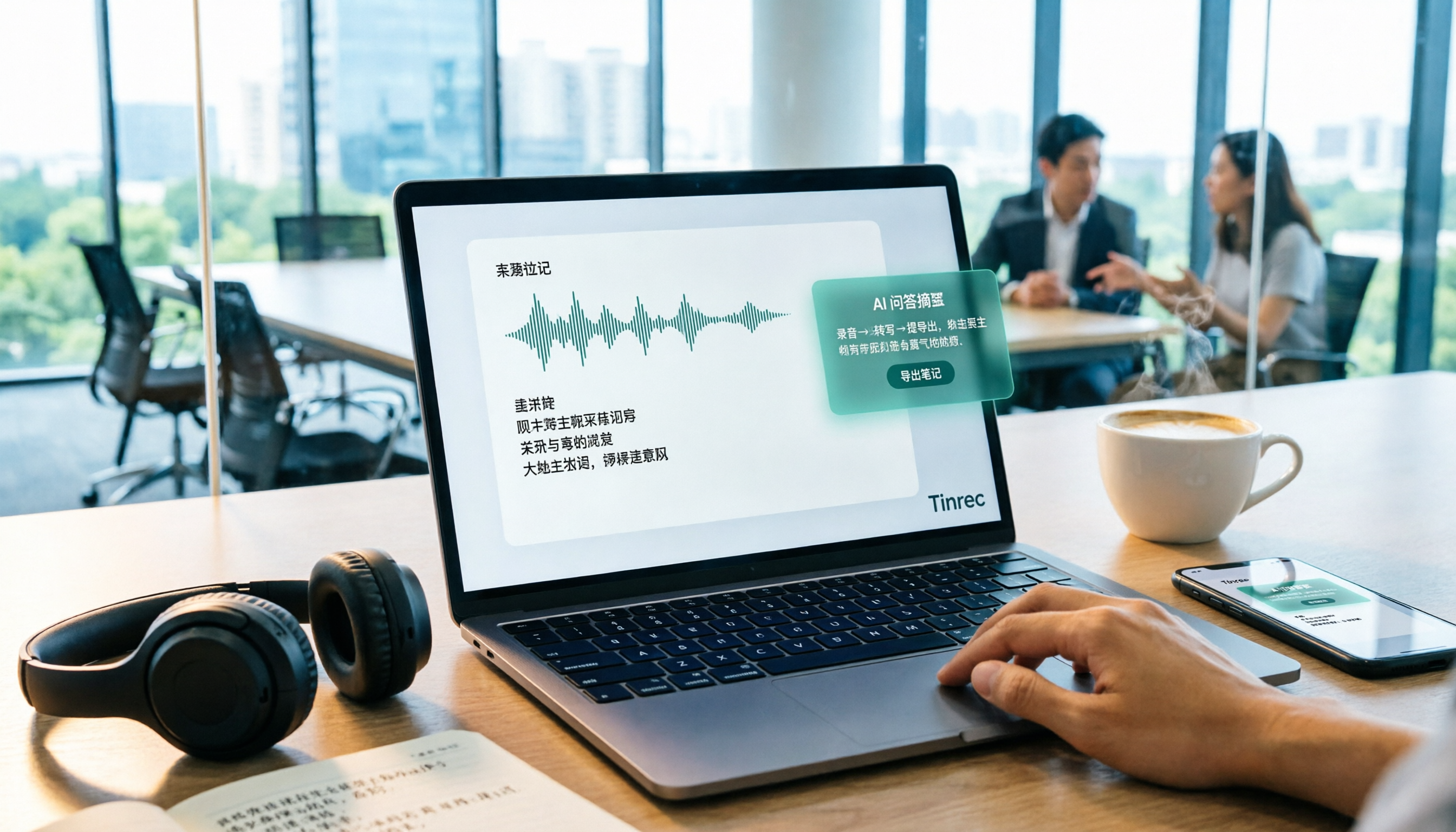
When you're in a meeting, just open Tinrec to get a live transcript as you record. When the meeting ends, the AI has already generated a summary and action items—who should do what and the deadlines are all clear at a glance. We use it most often to organize departmental weekly meetings. What used to require manual transcription and note-taking now takes about five minutes.
If you have interview recordings or course audio, you can upload them directly to Tinrec. Not only does it transcribe the audio, but it also automatically splits content into chapters, extracts key points, and even condenses long recordings into bullet-point notes. Even better is the AI Q&A feature: after recording, you can simply ask, "Which books did the speaker recommend in this class?" It uses semantic understanding to give you the answer directly—no need to dig through the transcript yourself.
Another feature we find really useful is turning online video links into text. Just paste a video URL from YouTube, Bilibili, or Xiaohongshu (Little Red Book), and Tinrec will convert the content into a transcript and summary. This is a huge timesaver for anyone who needs to organize competitor videos or market analysis materials.
Stop organizing recordings by hand
Upload audio or video and automatically get a transcript, summary, and action items
Pros at a glance
- Multiple input sources, no content bias: live recording, audio upload, and online video links can all be transcribed and organized in one workflow.
- Stable performance in Chinese and mixed Chinese-English: We tested it with a 10-minute bilingual meeting recording, and Tinrec's transcript accuracy was noticeably higher than most tools, especially for names and proper nouns.
- More than a transcript—it's usable data: summaries, chapters, action items, and AI Q&A are all built in, and you can export directly to Notion, Google Docs, and other tools after transcription.
- Seamless cross-platform use: sync across mobile (iOS/Android) and web. Record an online meeting on your computer, then review it on your phone during your commute—everything flows smoothly.
Limitations to keep in mind
The free plan gives you a monthly base transcription quota; for heavy users who have meetings every day, you may need to upgrade to the Pro monthly or annual plan. However, if you only have 2–3 meetings per week, the free tier's quota is more than enough. We recommend starting with the free version to try it out, and only upgrade to a paid plan if you find it useful—there's no need to spend money upfront.
Who is it best for?
- People who frequently need to organize recordings of meetings, classes, and interviews
- Those who want to use AI to quickly extract key points from audio rather than just getting a transcript
- People who often watch YouTube, Bilibili, and similar videos and need to capture the content
- Users who switch between iPhone, Android, and computer
In short, Tinrec doesn't just save you time on manual transcription—it turns your audio recordings into a knowledge base you can search and ask questions about at any time.
What Are the Other Options Besides Tinrec?
Of course, Tinrec isn't the only AI meeting notes tool out there. If your usage is simpler, the two below are solid alternatives.
Notta
Notta is a popular transcription tool both locally and internationally, supporting 58 languages with a clean interface. It allows live recording, file uploads, and online meeting recording. Its strength lies in transcription and translation, but it's a bit weaker when it comes to post-transcription organization. Notta doesn't have Tinrec's AI Q&A feature, nor can it export to mind maps or auto-generate action items. If you only need a plain transcript, Notta is worth considering; but if you want to do more after the recording, Tinrec's all-in-one approach is better.
Otter.ai
Otter.ai is the king of English meeting notes. Its free plan gives you 300 minutes per month, which is very generous for English speakers. Its meeting summaries and speaker identification are mature. However, Otter.ai doesn't support Chinese (especially Cantonese), nor does it offer transcription from online video links. If 90% of your meetings are in English, Otter is a more cost-effective option than Tinrec. But once you venture into mixed Chinese-English or need to process Chinese video content, Tinrec is the only solution.
Pitfall Guide: 4 Common Mistakes When Choosing AI Meeting Notes Tools
After stepping on quite a few traps, we've compiled the most commonly overlooked pitfalls to save you time.
1. Only looking at the official accuracy claims
Many tools claim "98% accuracy," but that's usually tested in a quiet recording studio. Real meetings have background noise, people talking over each other, accents, and jargon—which all drag down accuracy. We recommend trying the free versions with your own audio files instead of just trusting the ads.
2. Overlooking cross-platform and multi-source needs
Today you record an online meeting on your laptop, and tomorrow you want to capture a conversation on your phone. If the tool doesn't sync across platforms, your data ends up fragmented. Also, some tools only support live recording and can't upload old files or parse online videos, which limits your scenarios. Choosing a multi-source tool like Tinrec lets you centralize all your information.
3. Treating a transcription tool as just a transcript generator
Many people pay for an AI meeting notes tool but only use it to transcribe audio, without daring to try or even knowing about the other features. It's like buying a smartphone and only using it to make calls. Features like Tinrec's AI Q&A and action-item extraction can multiply your productivity—you should definitely give them a try.
4. Discovering privacy or security concerns after you've paid
Company meetings often contain confidential information, so before choosing a tool, you should read its privacy policy to confirm how your recordings and text files are stored and transmitted. Tinrec's process is transparent, but if you have strict corporate security policies, we suggest checking with your IT department first.
Final Verdict: Which One Should You Choose?
Getting back to the core need: if you want to get a ready-to-use meeting summary right after the recording, and you frequently work with Chinese content, online videos, or multi-source audio files, Tinrec is the most seamless option we've tested so far.
Here's a quick guide to match your situation:
- Chinese meetings, mixed Chinese-English, course or interview recordings → Tinrec (start with the free version, upgrade only if you need more)
- Pure English meetings with zero budget → Otter.ai (free, 300 minutes/month)
- Only need a transcript and no post-processing → Notta (but remember Tinrec also offers multiple output options)
We suggest giving the Tinrec free version a try first—the monthly quota is enough to record two or three meetings and experience the features. Once you've gotten comfortable, you can choose the Pro plan based on your usage, which is the most cost-effective approach.
References
- Meeting Ink – 2026 AI Meeting Notes Tools Tested: 8 Voice-to-Text and Summary Speed Showdown | Meeting Ink – AI Meeting Notes Assistant: Automatic Transcription and Meeting Summaries
- Meeting minutes a hassle? ChatGPT & Whisper does it all at once! Automatic transcription, summaries, and sending — BusinessNext
- The Most Recommended AI Meeting Minutes Tool of 2026 – A Time-Saving, Effortless Must-Have for Meetings!
- How to Use AI for Meeting Minutes? How to Organize Meeting Transcripts? AI Voice-to-Text Tutorial – 104 Career Advancement
- AI for Meetings: How to Automatically Generate Meeting Minutes and Key Summaries with (ChatGPT & Whisper)?
Turn every recording into actionable outcomes
Get 60 free transcription minutes when you sign in. No credit card required.
Related Reading
You might also like

5 Free Local Speech-to-Text Solutions for 2026: A Complete Guide
Looking for a truly offline, free speech-to-text solution? This guide covers local tools like Handy, WhisperDesktop, browser-based Whisper, and Python SpeechRecognition, and explains who Tinrec—a post-meeting organization tool—is for, helping you choose based on privacy, hardware, and meeting needs.

2026 Speech-to-Text Showdown: Tinrec vs. Google Cloud Speech-to-Text
Should you build your own speech-to-text integration with an open API, or buy a ready-made tool? We compare Tinrec and Google Cloud Speech-to-Text across six dimensions—setup effort, Chinese meeting support, online meeting capture, post-meeting organization, team governance, and pricing—to help you decide which fits your team.

2026 AI Meeting Notes Tools Compared: Tinrec vs Otter.ai — Which Is Right for Chinese-Speaking Teams?
How should you take meeting notes? Instead of transcribing every word, capture decisions, owners, and deadlines. This article first breaks down 3 common inefficient practices, then compares two AI meeting notes tools, Tinrec and Otter.ai, across Chinese-language meeting experience, bot-free recording, post-meeting AI Q&A, team data governance, and real-time translation to help Chinese-speaking teams choose the more suitable option.

4 Real-Time Meeting Transcription Tools Tested for 2026: Which Handles Chinese Meetings and Post-Meeting Cleanup Best?
"Real-time meeting notes" actually covers two needs: seeing a live transcript during the meeting, and getting a summary and action items as soon as the meeting ends. This article compares Tinrec, Otter.ai, Notta, and Granola on selection criteria, hands-on experience, and pitfalls to avoid—focusing on Chinese meetings, recording without a meeting bot, and building a team knowledge base—so you can pick the one that truly saves time.
Best Audio-to-Text Tools in 2026: 5 Tested for Chinese Courses and Meeting Notes — This One Wins
From class recordings and meeting minutes to interview transcripts, this guide breaks down the complete audio-to-text workflow in five steps: how to record, what to check first after transcription, how to use AI Q&A to extract key points, and how to export results into usable notes. Using Tinrec as a hands-on example, it includes copyable prompt templates and buying tips.

4 Best Speech-to-Text Tools in 2026: Chinese Recognition, Free Tiers, and Post-Meeting Organization Compared
Many people confuse speech-to-text with text-to-speech and don't realize phone dictation can't process existing recordings. This article breaks down 4 key purchasing factors and compares Tinrec, Notta, Otter.ai, and PLAUD NotePin on positioning, quotas, and post-meeting organization, plus 3 common pitfalls to help you choose the right tool within budget.

3 Speech-to-Text SDK Paths Compared for 2026: 3 Pitfalls to Avoid Before Building Your Own API Integration
A speech-to-text SDK is not a one-size-fits-all solution. Starting from common pitfalls, this article breaks down the applicable boundaries of Google Cloud Speech-to-Text, Azure Speech SDK, and Otter.ai, then explains how Tinrec fills the post-meeting organization gap with desktop bot-free recording, AI Q&A, and team spaces when you don't want to maintain your own service.

How to Use WeChat Voice-to-Text in 2026: 3-Step Guide + Practical Solutions for Long Meeting Transcripts
How do you use WeChat voice-to-text? This guide starts with hands-on steps: long-press a voice message to convert it to text, use voice input and say "over over" to send automatically, and understand its real limits in long meetings and interviews. It then explains four decision points—length, output, history search, and team sharing—to help you decide when to switch to an AI meeting notes tool like Tinrec, with hands-on tips and pitfalls to avoid.

How to Use Online Speech-to-Text in 2026: 5 Steps to Choose the Right Tool and Build a Transcription Workflow
There are many online speech-to-text tools, but the real reason you can't choose is usually not that the tools aren't good enough—it's that you haven't thought through where the text will go after it's produced. This article uses three key questions to help you set direction, then helps you pick the right one from five options: Tinrec, Dictation.io, Google Docs, MyEdit, and Notta. Finally, it gives you a 5-step workflow you can follow directly.