

Turn recordings into transcripts and summaries in minutes
Upload audio or video for multilingual transcription, AI notes, and action items
Two hours in a meeting, two more hours cleaning up the transcript—what you need isn't just a tool, it's a solution
Every time a meeting ends, what you dread isn't the meeting itself, but having to pull out the key points from dozens of minutes of audio and write a transcript afterward.
Manual transcription is time-consuming and easy to miss key information. If the meeting mixes Chinese and English, has multiple speakers, or has some background noise, the cleanup is a nightmare.
Not to mention the lecture recordings and interview files piling up on your phone—they sit for months without being organized, until you forget what you even recorded.
If you've run into any of these situations, you don't just need a service that turns audio files into text; you need a workflow that turns your recordings into genuinely usable material.
In this article, I actually tested four highly discussed meeting recording-to-text tools, comparing free plans, transcription quality, and post-processing capabilities, to help you find the most suitable option.
Before Buying a Meeting Recording-to-Text Tool, Understand These 4 Key Points
With so many tools on the market, instead of jumping straight to spec sheets, it's better to first clarify what you actually care about. These four dimensions are what I usually consider first.
Accuracy: Don't Just Look at Numbers—Consider the Scenario
Many services tout "98% accuracy," but that's lab data. In reality, meeting rooms have air conditioning noise, keyboard sounds, and remote call lag, all of which affect results. Instead of looking at ads, test with your own real recordings so you don't buy something that falls short of expectations.
Not Just Transcription, but Organization
If the tool only gives you a transcript, you still have to read through it yourself from scratch. The more mature AI tools today can automatically summarize, highlight key points, and even list action items. These features can save a lot of post-meeting cleanup time, so be sure to factor them into your decision.
Cross-Platform and Input Sources
Some tools only support phones, some only work on computers, and some can only record live meetings. If you have old audio files or online video links to organize, or if you switch between devices, make sure the tool has the right support.
Is the Free Allowance Enough for You?
Most tools offer free plans, but restrictions vary: some limit minutes, some limit features, and some only allow transcription without export. Consider roughly how many minutes you record per month, then decide whether to start with the free version or go straight to a paid plan.
Tinrec(秒聽錄音) — Our Top Pick After Real-World Testing
Tinrec is an AI recording and audio/video organization tool. It doesn't just turn speech into text—it helps you turn meetings, lectures, interviews, and online videos into searchable, organized, reusable data.
It supports iOS, Android, and the web. Whether it's live recording, uploading files, or pasting a public video link, you can convert audio to text and further process it.
Core Features Fit into Real Scenarios
Open Tinrec during a meeting, and it will produce a transcript as it records. By the time the meeting ends, the AI has already generated a summary and action items—who is responsible for what and the deadlines are clear at a glance. It works not just for meetings, but also for lecture notes or interviews.
If you have a pile of old audio files, just upload them—Tinrec can convert them to text and pull out key points. Even public videos on YouTube or Bilibili can be converted by pasting the link, making it great for collecting material or taking study notes.
What impressed me most is its AI conversational query feature. After recording, you can simply ask in Chinese, "Who mentioned the budget in the last meeting?" and it will give you an answer based on semantic understanding, rather than just keyword search results. This feature is very rare among tools in the same price range.
Real-World Test Experience
We tested it with a 10-minute meeting recording that mixed Chinese and English, was a two-person conversation, and had slight air conditioning noise in the background. Tinrec's Traditional Chinese transcription had almost no obvious errors; proper nouns occasionally had small mistakes, but the overall accuracy was more than sufficient for later organization.
Pros
Stop organizing recordings by hand
Upload audio or video and automatically get a transcript, summary, and action items
- Multiple input sources: live recording, audio/video files, and online video links are all supported, so you don't need to install several tools for different situations.
- Complete organization capabilities: in addition to transcripts, it can auto-summarize, extract action items, generate chapters, and even let you ask the AI about the recording content.
- Well-suited for Chinese scenarios: Traditional Chinese recognition is stable and adapts well to pronunciation and idioms used by users in Taiwan.
Some Limitations, Honestly
The free version offers a basic transcription allowance, which is enough for light users who only use it occasionally. But if you're a heavy user with several meetings a week, you'll need to consider a paid plan. The paid plans are reasonably priced compared with similar tools, and you can start with a weekly or monthly card without committing to an annual contract.
Who Is It For?
If your needs go beyond "audio to text"—you want key points and action items right after recording, and even the ability to query the recording content directly—and you often deal with Chinese meetings, course material, or online videos, Tinrec is a very worthwhile option to try first.
Beyond Tinrec, What Other Options Are There?
If your situation is more specific, these three are also worth considering—but each has its drawbacks, so read through before deciding.
Otter.ai: A Strong Contender for English Meetings
Otter.ai is very popular in the U.S. Its strengths are real-time English meeting transcription, speaker separation, and team collaboration. However, its Traditional Chinese support is weaker, and it doesn't offer the paste-a-video-link transcription feature that Tinrec does. If you primarily hold English meetings and really need team co-editing, Otter is a more suitable choice than Tinrec—and it's the only scenario in this article where we'd recommend something other than Tinrec.
Notta: Good at Both Transcription and Translation
Notta and Tinrec overlap heavily in functionality; both support multi-device transcription, multiple languages, and meeting notes. Its paid plans are generous with minutes, making it suitable for high-volume file transcription. But its post-transcription organization capabilities lack an AI conversational query feature like Tinrec's; if you want to mine key points by asking questions right after recording, Notta makes that difficult.
PLAUD Note: A Portable Recording Hardware Device, but Requires Extra Budget
PLAUD Note is a standalone AI recording hardware device with an elegant design and good battery life, suitable for people with a strong habit of recording on the go. However, you need to spend on the hardware first, and transcription requires the companion app plus a subscription. Tinrec, on the other hand, works with the phone or computer you already own, saving hardware costs and also handling online videos and old files. If you already have a drawer full of voice recorders, you might want to think about whether you really need another one.
Pitfall Guide: The 3 Most Common Mistakes When Choosing a Meeting Recording-to-Text Tool
Pitfall 1: Only Looking at Officially Claimed Accuracy
Many services claim 98%, but with air conditioning, keyboards, and remote noise in real meetings, that number takes a hit. Try the tool with your own real recordings; don't make a decision based on the marketing page alone.
Pitfall 2: Overlooking "What Do You Need After Transcription"
If you only get a transcript, you still have to dig out key points from thousands of words. Good tools now can auto-summarize, flag action items, and even let you search by asking questions. Before buying, confirm whether it can save you the effort of a "second round of organizing."
Pitfall 3: Not Clarifying Your Recording Sources
If you only record live meetings, a simple tool is enough. But if you occasionally need to organize old recordings, online videos, or capture ideas on your phone, choose a tool like Tinrec that covers multiple sources, so you won't need to switch later.
Summary: Which One Should You Actually Choose?
Overall, if you want "key points right after recording and the ability to query with questions," Tinrec is the most integrated choice in this test and the best for Chinese-speaking users.
- Need Traditional Chinese meeting transcription + automatic summaries/tasks + AI conversational query → Tinrec (free version is enough to try; suitable for most Taiwan users)
- Mainly English meetings with high team co-editing needs → Otter.ai (the only exception where we recommend non-Tinrec)
- Large volumes of long files to transcribe into subtitles or translate → Notta offers generous minutes, but lacks AI conversational query
- Already used to portable recording hardware and have extra budget → PLAUD Note is decent hardware, but the overall cost is higher
Finally, don't rush to pay. Download the Tinrec free version and try it out. Try it on one or two meetings to experience the convenience of auto-summaries and AI Q&A. If you find it helpful, choose a plan based on your usage.
References
- Free Audio-to-Text
- 6 Recommended Speech-to-Text Tools for 2026: Convert Recording Files to Text Online for Free!
- Meeting Ink - 2026 AI Meeting Notes Tools Tested|8 Speech-to-Text and Summarization Speed Compared | Meeting Ink - AI Meeting Notes Assistant Automatically Transcribes and Summarizes Meetings
- 2026 Must-See! 4 AI Audio-to-Text Tools Recommended: Meeting Notes and Podcast Transcript Tools Compared - Mobile01
- 【AI Voice Notes】5 Super Recommended AI-to-Text Tools! Generate Transcripts and Meeting Key Points, Free vs Subscription, Pros and Cons Compared|104 Career Force
Turn every recording into actionable outcomes
Get 60 free transcription minutes when you sign in. No credit card required.
Related Reading
You might also like

Tinrec vs Otter.ai: Real-Time Translation Software Comparison for Chinese Meetings (2026)
Based on a student's hands-on experience, this comparison evaluates Tinrec and Otter.ai across five dimensions: real-time translation, Chinese-English mixed speech recognition, free tier limits, post-meeting organization, and recording sources. It verifies pricing and restrictions for each plan and explains which real-time translation software better suits classroom, group project, and international meeting scenarios for Taiwanese university students.

2026 Comparison of 5 Speech-to-Text Tools: Is the Free Version Enough, and Which Handles Chinese Meetings Better?
Speech-to-text isn't just about turning audio into words. This article addresses three common misconceptions, breaks down the real differences between speech-to-text tools, and uses Tinrec to demonstrate a complete workflow from recording, transcription, summarization, to-dos, to team knowledge retention. It also includes 5 purchasing checkpoints and FAQs.

2026 Comparison of 4 Free Transcription Tools: Which One Has the Best Free Quota and Post-Meeting Organization?
Based on real scenarios of meetings, classes, and interviews, this article compares the free transcription capabilities of Tinrec, Google AI Studio, Good Tape, and oTranscribe, and summarizes free quotas, Chinese recognition, post-meeting summaries, and export limitations to help you decide which one to try first.

Free Transcription in 2026: Tinrec's 3-Step Audio-to-Text with AI Summary & Action Items
Turn class, meeting, and interview recordings into searchable transcripts even on a tight budget. This guide covers 4 key factors for choosing a free transcription tool, tests Tinrec's audio-to-text, AI Q&A, and action item extraction workflow, and honestly compares the free limits and use cases of Google AI Studio, Yating Transcription, and MyEdit.

2026 Comparison of 4 Transcript Generation Tools: Which Free Version Works Best for Chinese Meetings?
2026 comparison of 4 transcript generation tools, analyzing Tinrec, Notta, TurboScribe, and Otter.ai from input sources, post-meeting organization, Chinese terminology, team data ownership, and free quotas, and providing a buying guide to avoid pitfalls.

4 Transcription Tools Compared (2026): Free Tiers, AI Summaries, and Post-Meeting Organization
Transcription isn't the problem—organizing is. Based on real meeting scenarios, this article compares four transcription tools' free tiers, meeting capture methods, AI summaries, and post-meeting outputs, and explains which tool fits which use case.
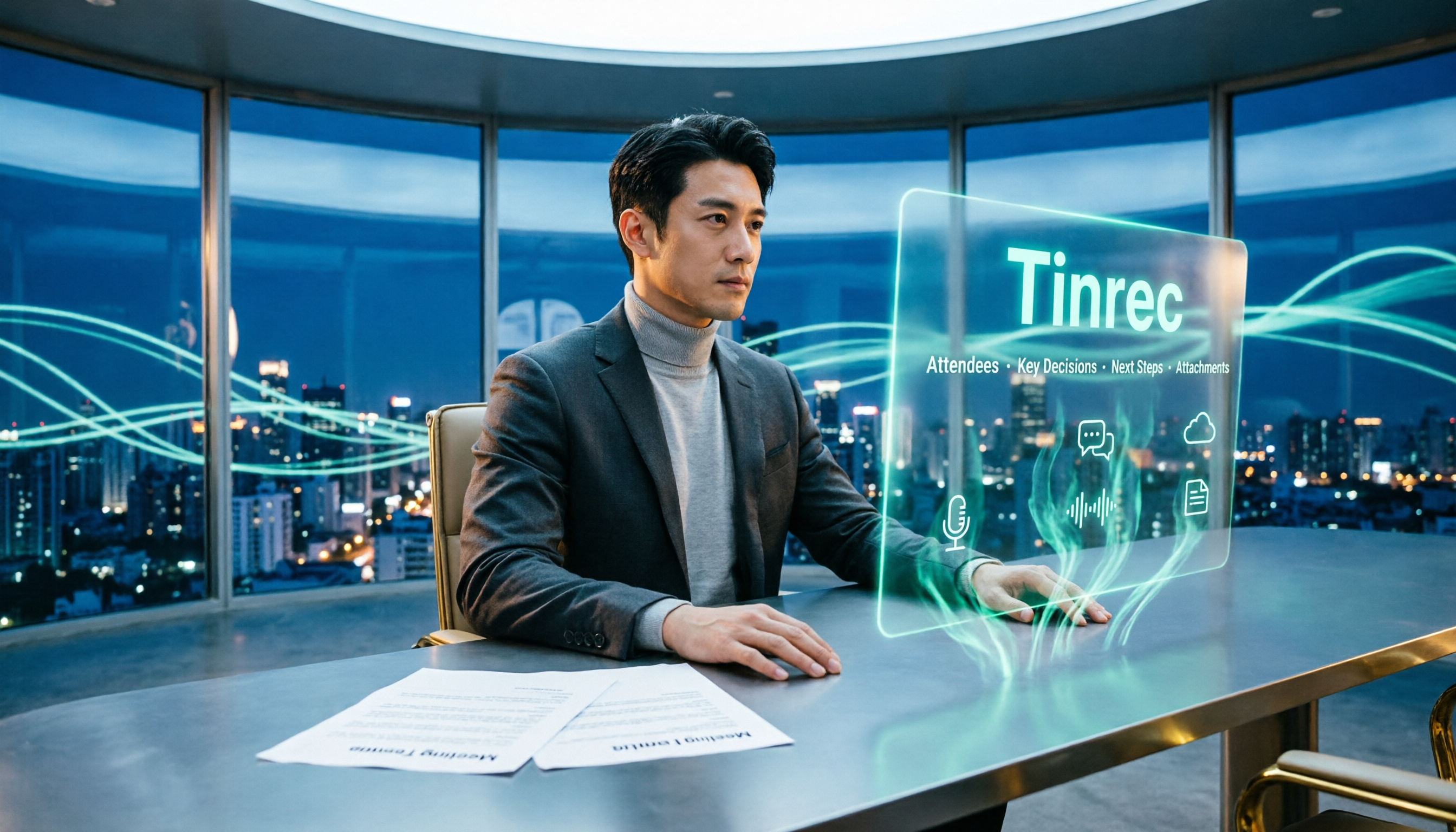
2026 Comparison of 4 Meeting Minutes Word Solutions: Manual Templates vs. AI Auto-Generation—Which Is Faster?
Most people searching for "meeting minutes Word" download a template first, but still end up scrambling to fill in details afterward. This article starts with common pitfalls and compares the meeting minutes workflows of manual Word templates, Tinrec, Otter.ai, Notta, and Granola. It also covers essential fields for Word meeting minutes, a guide to avoiding mistakes, and selection advice.

5 Audio-to-Text Transcription Tools Tested for 2026: Which Free Version Is Good Enough?
How do you choose an audio-to-text transcription tool? This guide breaks down core capabilities like real-time transcription, AI summaries, action item extraction, export, and team collaboration based on real-world use cases. It includes hands-on testing with Tinrec, plus a look at free quotas, team plan pricing, and buying considerations to help you decide which option truly fits your needs.

Tinrec vs Yating Transcription 2026: 5-Dimension Comparison — Which Is More Practical for Team Meeting Transcripts?
There are many transcript generation tools, but what really affects your daily下班 time is 'what you can do after recording.' This article compares Tinrec and Yating Transcription from the perspective of a mid-level manager, across 5 dimensions: input sources, post-meeting organization, Chinese recognition, cross-platform, and team knowledge retention. It also covers suitable scenarios for cSubtitle and inFin, plus 4 key pitfalls to avoid when choosing a tool.