

Turn recordings into transcripts and summaries in minutes
Upload audio or video for multilingual transcription, AI notes, and action items
Two Hours in a Meeting, Two More Hours Organizing the Notes—What You Need Isn't Patience, It's the Right Tool
After every meeting, a few recordings are sitting in your phone—but the moment you realize you'll have to spend the same amount of time listening back and writing a transcript, you lose all motivation. You recorded an entire class, but when you go to review it, you can't find the key part. After a client interview, you have to listen to the entire audio file from start to finish to find a few crucial remarks.
These scenarios are familiar to many office workers and students in Taiwan. But the real issue isn't that you're not diligent enough—it's that you're using the wrong tool.
In recent years, recording-to-text apps have become far more mature. They don't just turn speech into text; they also automatically summarize, pinpoint key points, and even let you ask questions to find critical information in your recordings. For this review, we selected the four most talked-about tools on the market and tested each one from a practical-use perspective to see which really saves time.
Before Choosing a Recording-to-Text App, Understand These 4 Key Points
1. Transcription quality: Don't just look at the marketing numbers
Many tools advertise “98% accuracy,” but that’s lab data. In real-world use, meeting-room air conditioning, keyboard clicks, and overlapping conversations all affect the results. Instead of trusting numbers on a spec sheet, test the free version in your own recording environment. For this test, we used the same meeting recording (three people discussing, light background noise) and compared all apps under real conditions.
2. AI organization: Transcription is only the first step
Turning audio into text isn’t enough. The real question is “now what?”. A good tool will automatically summarize, mark important sections, and even pull out action items from a discussion. Some apps even let you simply ask, “What was the conclusion of the last meeting?” like searching your own personal database.
3. Language and cross-platform support: your recordings aren’t just on your phone
Users in Taiwan frequently deal with mixed Chinese and English content, and some also need Taiwanese Hokkien or Hakka support. Solid multi-language support and accurate Chinese recognition are the basics. Plus, if you work with recordings on both your phone and computer, seamless sync between devices is crucial.
4. Free limits and pricing: don’t just look at the monthly fee—figure out how much you actually need
If you only have two meetings a week, the free plan may be enough. But if you are a student reviewing intensively for finals, or a journalist pursuing a special report, a short-term weekly pass might be more cost-effective. Don’t compare prices alone; first decide how many hours you’ll record each month.
Tinrec (秒聽錄音) — Our Top Pick After Hands-On Testing
In short: Tinrec is an AI recording and audio/video organization tool that supports 14 languages, with apps for iOS, Android, and the web. It doesn’t just transcribe; it also summarizes, finds key points, and lets you ask questions about the content.
What it does in real scenarios:
- Open Tinrec during a meeting and it displays a live transcript while recording. As soon as the meeting wraps up, AI summaries, chapters, and action items are generated automatically—who needs to do what and by when, all at a glance.
- Six months after a project meeting, you can’t remember who first brought up the budget. Instead of digging through files, just ask Tinrec, “What was the conclusion of the last budget adjustment discussion?” It pulls the answer from the recording within seconds and includes timestamps so you can listen back to verify.
- See a one-hour lecture on YouTube that you want to organize? Paste the link into Tinrec and it will convert it to text, split it into chapters, and let you export the key points as a Notion note.
Our test experience: We tested it with a 12-minute Mandarin meeting recording (three people, slight ambient noise). Tinrec’s transcript had virtually no errors on common vocabulary, and proper nouns like “API” and “KPI” were recognized correctly. Even more impressive was its AI summary—it condensed a rambling discussion into 3 conclusions and 2 action items, with no manual editing required.
Pros:
- It’s not just transcription; post-meeting organization is genuinely useful. The AI Q&A feature turns all your recordings into a searchable knowledge base.
- Supports many input sources: live recording, uploading files, and pasting online video links—even YouTube and Xiaohongshu can be processed.
- Works great with Chinese content. We tested a meeting with mixed English, and both transcription and summarization were on point.
Stop organizing recordings by hand
Upload audio or video and automatically get a transcript, summary, and action items
Limitations: The free version has a monthly base allowance; heavy users will need to pay. But if you only have a few meetings each week, it’s more than enough to try. In addition, advanced Agent post-processing (such as automatically generating reports) requires the Pro plan.
Who it’s for: People who frequently need to organize meeting, class, or interview recordings; people who want more than just a transcript—summaries, Q&A, and export to other tools; and people who switch between iPhone, Android, and desktop.
What Other Options Are There Besides Tinrec?
Otter.ai: The first choice for English meetings, but limited for Chinese
Otter.ai is a veteran in meeting notes, with strong real-time transcription and collaboration features. Its free plan offers a generous 300 minutes per month. But in our Chinese meeting test, its summary was less accurate than Tinrec’s, and it doesn’t support transcribing by pasting online video links. If your meetings are mostly in English and your team needs strong collaboration features, Otter is a great fit. If your content is mostly Chinese, Tinrec’s AI Q&A and web-video parsing are more practical.
Notta: Strong transcription, but falls short on organization
Notta is also a multi-platform transcription tool with a clean interface. Its free plan includes 120 minutes per month, and its Pro plans offer competitive minute counts. The difference from Tinrec: Notta’s strengths are transcription and subtitles, but after transcription, it lacks the conversational AI that lets you “ask questions about your recording” like Tinrec does. Its web-video-to-text feature is also less complete than Tinrec’s. If you need large volumes of transcription and are interested in translated subtitles, Notta is worth considering; but for further organization and Q&A, you’ll still want Tinrec.
PLAUD Note: Portable hardware for recording, but the software service costs extra
PLAUD is a standalone AI recording device—small and portable, suited for people who don’t like taking out their phone to record. But the hardware costs extra (Note Pro pre-order starts at $179), and the free transcription allowance is only 300 minutes per month, so you’ll likely need to add an annual subscription. It can’t directly process web videos or local files, and it doesn’t offer seamless cross-device sync between phone and computer. If you simply want a compact recorder for quick voice memos, PLAUD works; but if you want a digital workspace that handles all types of audio and video content, Tinrec is much more comprehensive.
Pitfall Guide: The 4 Most Common Mistakes When Choosing a Recording-to-Text App
Mistake 1: Only looking at transcription minutes and ignoring organization features
Many people’s first instinct when comparing tools is to check “how many free minutes” they get. But what good is 30 pages of transcript if you don’t want to read it? What actually saves time are summaries, Q&A, and key-point highlighting. When evaluating a tool, make sure to try its AI organization functions, so you don’t end up paying for features you rarely use.
Mistake 2: Assuming every app can handle web videos
A lot of people want to organize content from YouTube or TikTok, but many transcription tools do not support pasting a video link directly. Of the apps we tested, only Tinrec handled this smoothly, and it also added chapters automatically. If you often watch online courses or interview videos, this feature makes a big difference.
Mistake 3: Ignoring cross-platform and export needs
You record on your phone today and want to edit and organize on your computer tomorrow—if the tool only has a mobile version, you’ll have to move files manually. Tinrec has a full web version and lets you export to Notion, Google Docs, and more with one click, which is much more convenient for long-term use.
Mistake 4: Jumping into an annual plan without a trial
Everyone’s recording environment, accent, and usage habits are different. An app that works well for someone else may not work well for you. Start with the free version or a weekly pass and test it on your own real recordings. This is especially important for Chinese meetings—you need to test before you commit.
Conclusion: Which One Should You Choose?
If you have meeting, class, or interview recordings to organize every month, and you want more than just transcription—automatic summaries, Q&A, and export options—Tinrec is our top pick. Its AI Q&A and multi-source support (live recording, file upload, web links) make it more than a transcription tool; it becomes a personal audio/video database.
Recommendations by scenario:
- Need Chinese meeting organization + AI Q&A → Tinrec (you can experience it with the free version; upgrade to Pro if you like it)
- Just want iPhone recording-to-text and don’t need Q&A → Notta (simple interface, but no web-video support)
- Mostly English meetings with a team → Otter.ai (strong collaboration, but weaker Chinese support)
- Prefer carrying a dedicated recorder instead of relying on your phone → PLAUD Note (convenient hardware, but later organization still requires the app)
Finally, don’t rush to pay. Download Tinrec’s free version first, run it on a real recording you have, and see how fast it organizes. If it’s helpful, consider upgrading—that’s the safest route.
References
- How to Enable Automatic Call Recording on ASUS Phones | Official Support | ASUS Taiwan
- How to Record, Play Back, and Share Voice Recordings on Samsung Galaxy Phones | Samsung Taiwan
- Android Call Recording Guide: Step-by-Step for Samsung, Pixel, Xiaomi, ASUS, and More – AirDroid
- iPhone Call Recording Guide: Learn How to Record Phone Calls Step by Step
- iPhone Recording Made Easy: One Tap for Quick Self-Protection in Key Moments
Turn every recording into actionable outcomes
Get 60 free transcription minutes when you sign in. No credit card required.
Related Reading
You might also like

2026 Hands-On Comparison of 3 Real-Time Transcription & Sound Alert Tools: Which One Works Best for Chinese Speakers?
Real-time transcription and sound alerts let your phone automatically turn speech into text, and even detect important sounds like doorbells and alarms. This article puts Tinrec, Google Live Transcribe, and Otter.ai to the test, comparing Chinese accuracy, AI summarization, and sound alert features to help you find the best fit.

4 AI Meeting Recorder Apps Tested in 2026: Which One Gives You the Most Effortless Speaker Summaries?
Tired of spending hours after meetings to clean up transcripts? We tested popular AI meeting note-takers like Tinrec, Otter.ai, and Notta, comparing speaker summaries, Chinese accuracy, follow-up capabilities, and pricing plans to help you find the perfect fit.

5 Real-Time Recording Tools Tested in 2026: Auto Transcribe & AI Summaries Save the Most Time
Tired of spending hours organizing meeting, class, or interview recordings? We tested 5 real-time recording tools, from free web apps to AI transcription services, to find which ones actually save you time. Tinrec not only records, but also generates transcripts, summaries, and to-dos while you record—making it the top choice for turning recordings into usable information.

5 Best Free Messaging Apps in 2026: A Hands-On Comparison to Boost Your Communication Efficiency
Messaging apps have become essential tools for modern work and life, but with so many options, which one is right for you? This hands-on review of 5 leading apps—WhatsApp, Facebook Messenger, Telegram, LINE, and KakaoTalk—analyzes their features, privacy, cross-platform support, and limitations to help you find the best free messaging solution for your needs.
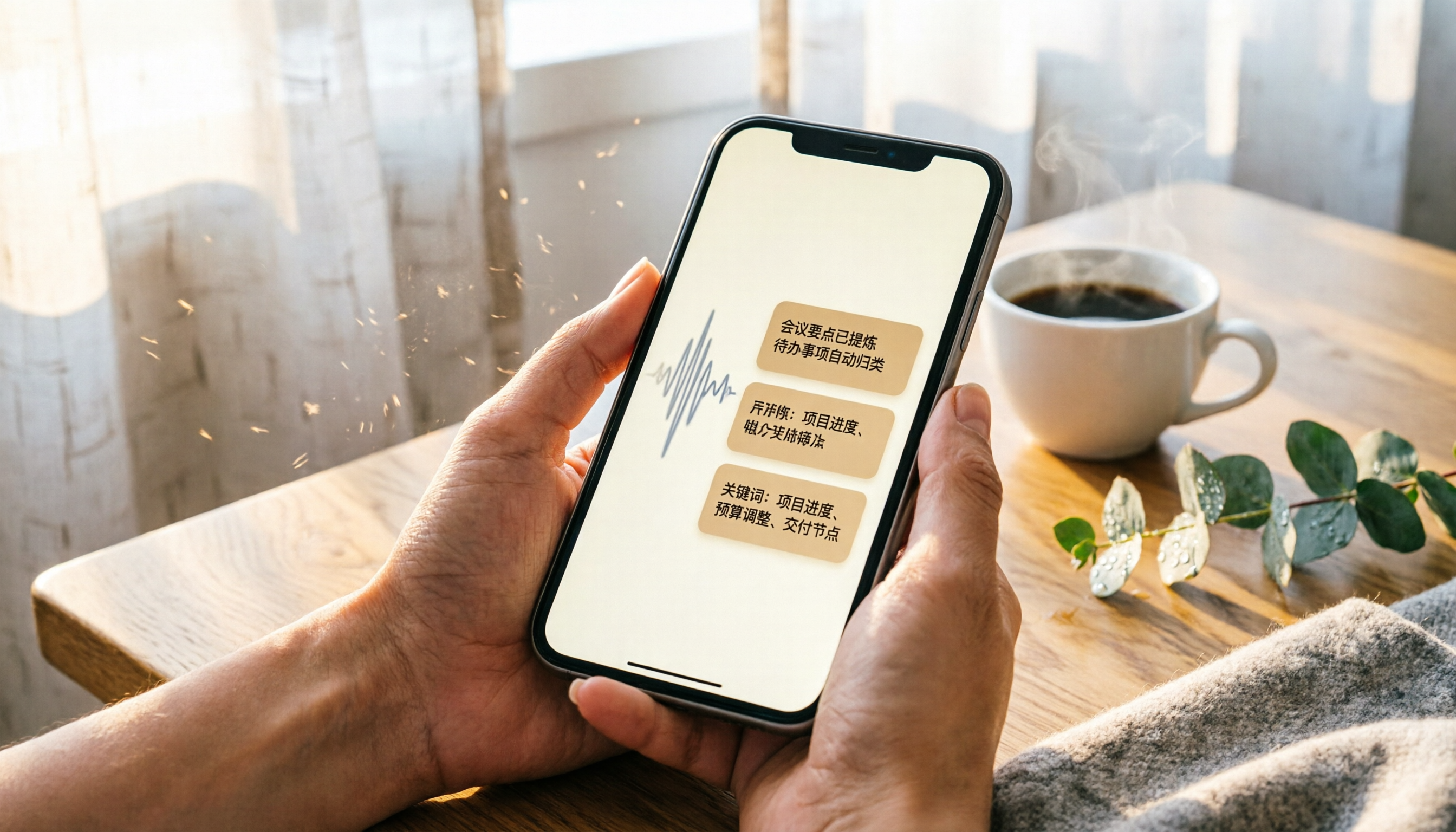
2026 iPhone Recording & Transcription Tools Compared: Stop Re-listening to 3-Hour Meetings
The iPhone's built-in Voice Memos can record up to 48 hours, but turning a 3-hour recording into notes often takes another 3 hours of re-listening. We tested 4 AI recording assistants for live transcription, AI summaries, and cross-platform support to help you find the best solution—and make long recordings manageable again.
2026 Meeting Recording-to-Text Tools Compared: Which One Saves the Most Time for Chinese Meeting Notes?
Tired of spending hours transcribing meeting recordings? We tested Tinrec, Otter.ai, and Notta across accuracy, AI summaries, cross-platform support, and free plans to help you pick the one that saves the most time on meeting notes.

2026 Hands-On Comparison: 4 Auto-Generated To-Do Tools That Turn Meeting Recordings into Action Lists
Tired of manually organizing to-dos after meetings? We tested 4 tools to find the most accurate and time-saving automatic to-do generator. Tinrec's recording-to-to-do feature impressed us the most.

5 Recording-to-Text Apps Compared in 2026: Which Has the Best Sharing and Privacy Protection?
Can you send a recording to someone else? Could it be illegal? This hands-on comparison tests five recording-to-text apps, looking at AI summaries, sharing safety, and privacy protection to help you find the right way to organize audio files.

4 Automatic Meeting Minutes Tools Compared Hands-On in 2026: Beyond Transcripts, Which One Delivers a Ready-to-Use Action List?
Tired of spending hours on meeting notes? We tested Tinrec, Otter.ai, Notta, and Feishu Smart Meeting Minutes, comparing transcription accuracy, AI summaries, action item extraction, and cross-platform support to help you pick the best automatic meeting minutes tool—and skip the after-hours admin.