

Turn recordings into transcripts and summaries in minutes
Upload audio or video for multilingual transcription, AI notes, and action items
Tired of Typing Subtitles Manually? You Need a Smarter Solution
Every video requires repeated playback, pausing, and typing, and subtitles alone eat up most of your time. You want to transcribe meeting recordings, but when you play them back, you realize you missed the key points. You come across a great interview video online and want to quote the dialogue, but you have to manually transcribe it word by word...
If you've ever been stuck in these situations, it's not that you're not working hard enough—you just lack the right tool. Choosing the right subtitle generator app can significantly streamline these processes. In this article, we test 4 tools that can automatically generate subtitles, covering accuracy, Chinese language support, and what you can do with the output.
Before Choosing a Subtitle Generator App, Understand These 3 Key Points
1. Accuracy: Don't Trust Official Claims—Test with Real Recordings
Every company claims 98% or 99% accuracy, but those are lab numbers. In real use, with air conditioning noise, keyboard sounds, and different accents in interviews, accuracy will drop. We recommend trying the tool with content you typically record, especially paying attention to mixed Chinese-English and multi-speaker conversations. Our test section includes the exact test conditions.
2. Beyond Subtitles: What Else Can You Do with the Transcription?
A good subtitle generator shouldn't just give you a subtitle track and call it a day. Can it generate a summary, extract action items, export to document or note formats, or even let you ask questions about the content? These are the features that determine whether it saves you time. Among the tools we tested, this is where the biggest differences lie.
3. Does It Really Support Your Language and Input Sources?
Some tools are excellent in English but struggle with Chinese, or they can only handle files you upload yourself—you can't just paste a YouTube link to grab subtitles. If you often work with Chinese content or need to collect audio/video from various sources, this is crucial to verify.
Tinrec (秒聽錄音) – The Most Comprehensive Choice After Testing
Tinrec (秒聽錄音) is an AI recording and audio/video organization tool that supports iOS, Android, and web. It automatically converts meeting recordings, lectures, interviews, podcasts, and online videos into text, summaries, action items, and subtitles.
It's not just a typical subtitle generator. After importing a video, with a few clicks you get time-synced subtitles, key points extracted, and you can even ask questions about the recording. For example: "What was the conclusion of this meeting?" "Who mentioned the budget?" Tinrec uses AI to understand the context and answer directly.
We tested it with a 5-minute Chinese meeting recording (iPhone 15, 26°C indoor, slight keyboard noise in the background). The generated subtitles had reasonable sentence breaks and few typos. The biggest difference from using video editing software to add subtitles is that Tinrec doesn't just give you subtitles—it also generates a summary and action item list. After a meeting, you don't need to re-listen to the recording; you can send the decisions and assignments to your team within minutes.
Even more practical, you can paste links to public videos from YouTube, Bilibili, Xiaohongshu, etc., and it will extract the audio, generate subtitles, and create a transcript. This is very convenient for creators who need to quote online interviews or organize course videos. Currently, competitors in the same price range mostly lack this feature.
Pros:
- Generates not just subtitles, but also summaries, chapters, and action items in one go.
- AI Q&A feature lets you interact with the content after recording.
- Supports multiple sources: live recording, audio upload, and online video links.
- Cross-platform with sync between phone and computer.
- Chinese-friendly, handles mixed Chinese-English content.
Stop organizing recordings by hand
Upload audio or video and automatically get a transcript, summary, and action items
Things to Note: The free plan includes 100 minutes of transcription per month. If you're a full-time creator producing videos daily, you may need to upgrade. But for regular office workers or students who have a few meetings a week and occasionally organize courses, this quota is enough to experience the full features.
Who It's For: Users who need subtitles and more advanced organization. If you want to generate subtitles and then get a summary, search details in past recordings, or frequently convert online videos into text, Tinrec is the most comprehensive choice.
Beyond Tinrec: Other Options
Notta: Fast Transcription, but Lacks Deep Organization
Notta is also a multi-platform transcription tool. It generates subtitles quickly and has stable accuracy in Chinese. However, it doesn't allow you to paste online video links to grab subtitles like Tinrec, and its AI Q&A is not on the same level—Tinrec lets you ask free-form questions about the entire recording, while Notta mainly focuses on transcripts and summaries. If you only need basic subtitles and transcription, Notta is worth considering. But if you want to turn recordings into workable, searchable data, Tinrec is better.
Otter.ai: King of English Meetings, but Disappointing for Chinese
Otter.ai is a representative of automatic meeting notes, with extremely high English accuracy and a generous free plan of 300 minutes per month. However, its Chinese support is limited, let alone handling Chinese YouTube videos. If 90% of your use case is English meetings, Otter.ai is the only competitor we recommend in this article. But for mixed Chinese-English or organizing Chinese interviews or videos, we suggest going with Tinrec for broader coverage.
Pitfall Guide: 3 Common Mistakes When Choosing a Subtitle Tool
Pitfall 1: Only Looking at Price and Free Quota Many tools emphasize free plans but limit file length, format, or only allow exporting low-resolution subtitles. In reality, if you have to spend twice as much time proofreading the output, it's better to choose a stable plan with more assistive features. Tinrec's free quota isn't the highest, but after generation, you can directly use AI Q&A and export, saving far more post-processing time than the minute count suggests.
Pitfall 2: Ignoring "What Can You Do After Subtitles Are Generated" A subtitle file alone can only be embedded in a video. But if you need a meeting minutes, an interview outline, or a video key points note, just having subtitles isn't enough. When choosing a tool, make sure it can automatically generate summaries, action items, or even allow you to ask questions about the content. Tinrec's AI dialogue query turns subtitles into an interactive knowledge base.
Pitfall 3: Forcing the Wrong Use Case If you occasionally post short videos on social media and just need to mark key lines, lightweight tools like CapCut or Adobe Express are quick. But if you handle multiple meeting recordings a week or want to turn long-term interviews and courses into searchable data, you can't rely on the built-in subtitle features of manual editing software. Know your usage and invest in a multi-functional tool when needed.
Summary: Which One Should You Choose?
In our tests, Tinrec stood out in the diverse scenarios that reflect real needs. It's not the cheapest or the one with the most minutes, but it achieves "generating subtitles is just the beginning." The subsequent summaries, Q&A, export options, and cross-platform sync save you far more time than simply comparing specs.
Scenario-based recommendations:
- Need Chinese subtitles + AI summary + content search → Tinrec (the only option with AI dialogue query)
- Often organize subtitles from online videos, need multi-source transcription → Tinrec (supports generating subtitles directly from video links)
- Limited budget, only handle a few English meetings → Otter.ai (free quota is friendly for English meetings)
- Occasionally make short videos, just need quick subtitles → Mobile editing apps like CapCut are sufficient (but no advanced organization features)
We recommend downloading the free version of Tinrec to try it out. The monthly 100-minute quota is enough to process a few meetings or videos, and you can experience the convenience of AI content organization. If it meets your needs, consider the weekly or Pro plans based on usage frequency—no need to pay upfront.
References
- CapCut Auto Caption Generator | Free Online Auto Subtitles
- 8 Best Automatic Subtitle Generators - Filmora - Wondershare
- 3 Recommended Video Subtitle Software/Apps: AI Subtitle Generators, Auto-Caption Videos Fast and Convenient!
- Online Auto Subtitle Generator - 99.9% Accuracy - VEED.IO
- Add Subtitles to Videos Online for Free | Adobe Express
Turn every recording into actionable outcomes
Get 60 free transcription minutes when you sign in. No credit card required.
Related Reading
You might also like

2026 AI Meeting Transcription Tools Compared: Is Notta's Free Plan Enough? Which Free Tier Is Most Generous?
People searching "Notta AI free" usually want to know: what the free plan can actually do, whether the 3-minute per-recording limit is real, and when to upgrade. This article breaks down Notta's free plan limits from a buying perspective and compares the free and entry-level plans of Tinrec, Otter.ai, and Granola, with buying tips and pitfalls to avoid, to help you decide which tool to use.

Good Tape Free? 2026 Comparison of 3 Free Transcription Models: Which One Is Enough?
Is Good Tape free? Yes, the free plan allows 3 transcripts per month, each up to 30 minutes, plus a one-time 1-hour trial. This article breaks down three free models—limited count, limited minutes, and limited trial—and compares them with Tinrec's free plan. Learn how to evaluate free quotas, use them for meeting notes and interview organization, and understand team roles and seats to choose the one that truly fits your needs.

in nottata Meaning Explained: 3 Key Uses, Examples, and Similar Words
What does in nottata mean? Starting from the meaning of nottata, this article breaks down the key uses of the time expression in nottata, organizes common collocations like fare nottata and nottata bianca with practical examples, compares notte, di notte, and nottetempo, and clarifies the 3 most common misunderstandings.

Is Harleen Nottay Married? What Public Records Reveal and What They Don't
Is Harleen Nottay married? This article compiles information from public sources like IMDb, BBC, Facebook, Instagram, and LinkedIn to explain why there is no reliable answer about her marital status and highlights common verification pitfalls.

2026 Hockey Stick Tape Guide: 4 Blade Taping Styles, Grip & Shaft Tips, and How to Choose
From four common blade taping styles and grip/shaft techniques to choosing based on position and surface, learn how to tape a hockey stick. Plus, a practical method for recording your test results so you can find your feel without relying on memory.

The Complete 2026 Guide to Finding the Right Taper Barber: 3 Steps from Selection to Communication to Follow-Up Records
When you search for 'good taper barbers near me,' you're really trying to answer three questions: Who can actually do a taper? How can I verify their skill? Can I get the same result next time? This guide breaks down a repeatable process—from judging a barber's portfolio and pre-cut consultation to keeping records for your next visit—and shows how Tinrec turns each consultation into a searchable, reviewable record.

How to Cancel Your Good Tape Subscription in 2026: Step-by-Step Guide and a Better Meeting Notes Alternative
Canceling takes five minutes—the real hassle is your meeting data living in someone else's account. This guide first explains how to cancel the Good Tape transcription service and magazine subscription, then looks at the workflow: after canceling, how do you keep using transcripts, summaries, and action items, and what role Tinrec plays.

How to Transcribe Good Tape Videos in 2026: 3 Steps to Transcripts + AI Meeting Notes
Many people upload a video to a transcription tool, get the transcript, and think they're done—only to re-listen to the recording later to find key points. This guide walks through the actual Good Tape video-to-text workflow, breaks down 3 common pitfalls, and shows how to use Tinrec to turn transcripts into summaries, action items, and shareable team meeting materials.
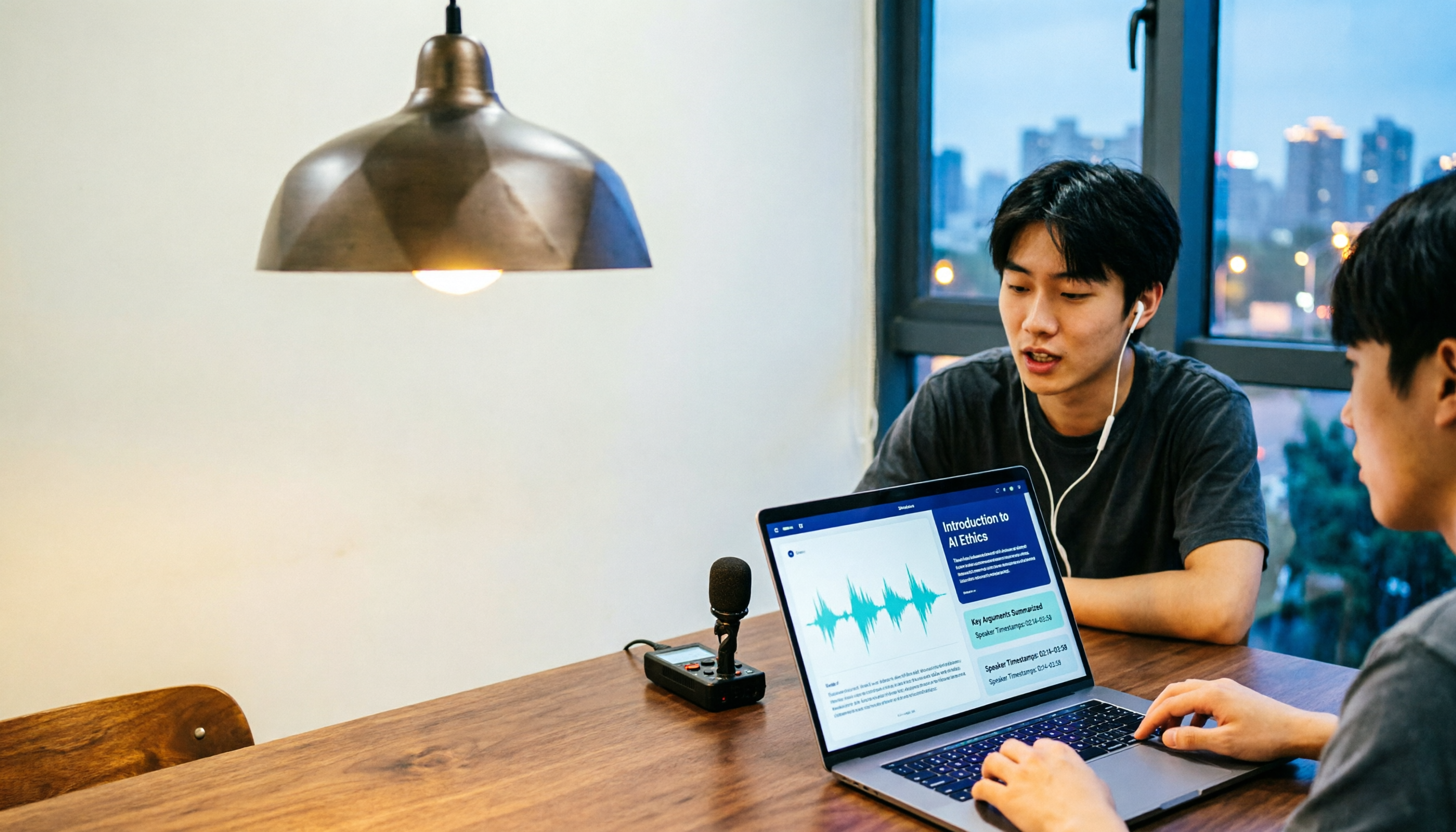
Notta in 2026: Hug Atelier Pendant Lamp vs. Audio-to-Text Tool – Differences, Features, and Practical Uses
Searching for 'notta' and getting a Turkish design brand's pendant lamp? This guide first clarifies that Hug Atelier's Notta pendant lamp and the audio-to-text tool are two different things, then breaks down from a student's perspective how audio-to-text can help: in classes, group discussions, project interviews, and online lectures. Using Tinrec as a hands-on example, it explains core capabilities, the 5 most common pitfalls when choosing a tool, and FAQs.