
Turn recordings into transcripts and summaries in minutes
Upload audio or video for multilingual transcription, AI notes, and action items
What You Need Isn't a Tool, It's a Solution: The Notta vs Pocket Dilemma
Two hours in a meeting, another two hours writing up the minutes—that's the daily grind for most professionals. To solve this pain point, some people buy recording hardware like Pocket and clip it to their clothes to record on the go; others subscribe to transcription software like Notta and use it on their phone or computer to record and transcribe. But you'll quickly find: while Pocket hardware is convenient for on-the-go recording, it can only capture live audio—it's useless for online meetings, web videos, or old audio files. Notta software has strong transcription capabilities, but it mainly focuses on meeting scenarios, and its ability to organize multi-source content like courses, interviews, YouTube videos, and podcasts is limited. If you're stuck in this "buy A, miss B; buy B, miss C" dilemma, this article is for you.
Before Choosing an AI Recording Tool, Understand These 4 Key Points
1. Input Source Diversity: Do you only record meetings, or do you also need to organize online courses, interview recordings, and web videos? Pocket can only record live audio; Notta supports files and some online meetings, but its support for transcribing public video links like YouTube and Bilibili is limited. Tinrec covers real-time recording, audio/video files, web video links, online meeting recording, and mobile recording, so you don't have to decide upfront whether it's a meeting, course, or video material.
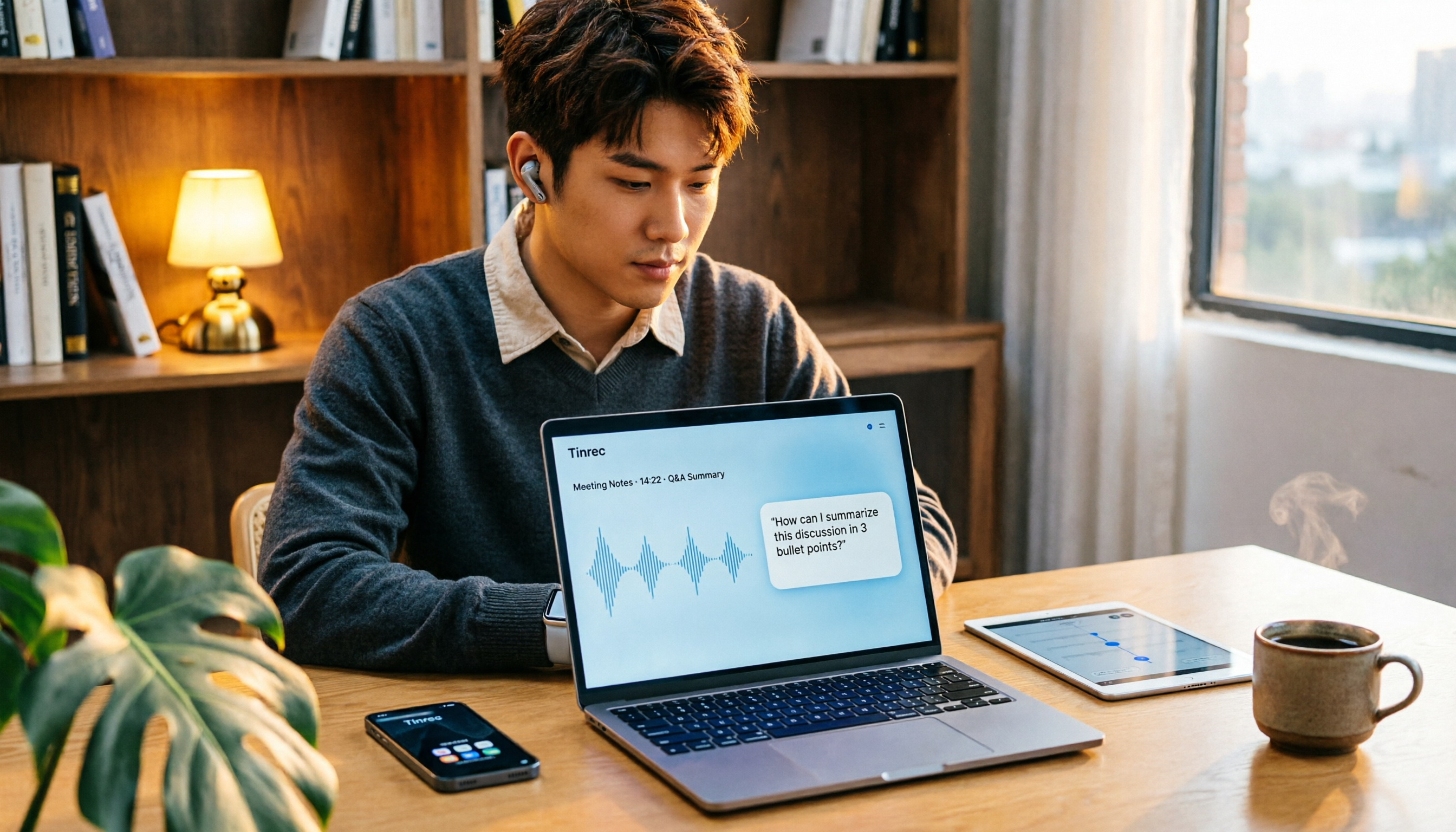
2. Post-Transcription Organization: A verbatim transcript is just the starting point. What you really need are summaries, chapters, action items, and even the ability to ask questions about the content. Notta has Notta Brain to generate reports, but Tinrec's AI conversational query lets you directly ask, "Who mentioned the budget in the last meeting?" and get an answer based on semantic understanding—a feature rarely found in tools at this price point.
3. Do You Need Extra Hardware?: Pocket is a standalone hardware device with a high upfront cost and the need to carry it around. Tinrec and Notta are both software, usable on your phone or computer. For most people, a software solution is lighter and cheaper.
4. Pricing and Free Tiers: Notta's free plan offers 120 minutes per month, and the Pro annual plan costs about $8.17/month for 1,800 minutes. Pocket hardware itself costs over a hundred dollars, and you need a subscription to unlock full transcription. Tinrec offers a free plan, weekly pass, Pro monthly, and annual plans, catering to different usage frequencies, and the free plan lets you experience core features.
Tinrec (秒听录音)—Our Top Pick After Testing
Tinrec (秒听录音) is an AI recording and audio/video organization tool designed for meetings, learning, interviews, and content creation. It doesn't just convert speech to text; it turns recordings and audio/video materials into searchable, summarizable, queryable, and exportable knowledge.
Real-Time Recording to Text: Open Tinrec during a meeting or class, and it generates a transcript in real time. When the meeting ends, the AI has already auto-generated a summary, chapters, and action items—who's responsible for what, and deadlines, at a glance.
Supports Multiple Input Sources: In addition to real-time recording, Tinrec lets you upload local audio or video files, or paste links to public videos from YouTube, Bilibili, Xiaohongshu, and more for transcription. This means you don't have to switch tools for different content types; one Tinrec handles meetings, courses, interviews, podcasts, and video materials.
AI Conversational Query: After recording, you can directly ask Tinrec, "What was the conclusion of the last meeting?" It won't just give you keyword search results; it answers based on semantic understanding. This feature is absent in both Notta and Pocket—Notta has Brain but it leans toward report generation, while Pocket relies entirely on basic in-app search.
Multi-Format Export and Post-Processing: Transcripts can be exported in TXT, DOCX, SRT, and other formats, and synced to tools like Notion and Google Docs. Furthermore, Tinrec's Agent post-processing can generate deliverables like meeting minutes, reports, and tables based on the recording, truly turning audio into work output.
Stop organizing recordings by hand
Upload audio or video and automatically get a transcript, summary, and action items
Hands-On Experience: We tested with a 5-minute Chinese interview recording (iPhone 15, quiet conference room). Tinrec's transcription speed and accuracy were impressive, and it correctly recognized mixed Chinese-English content. More importantly, the AI summary and Q&A features significantly cut down organization time.
Pros:
- Broadest input sources: real-time recording, files, web videos, and online meetings all in one.
- Strong organization: summaries, chapters, action items, AI Q&A, and export—not just a transcript.
- Cross-platform: iOS, Android, and web versions, no hardware purchase needed.
Cons:
- Not a hardware device; in extremely noisy environments or for long-duration on-the-go recording, a dedicated recorder (like Pocket) may offer more stable audio capture.
- Free tier has limited minutes; heavy users need to pay, but it's usually sufficient for those who meet 2-3 times a week.
Who It's For: If you need a tool that handles meetings, courses, interviews, and web videos, and lets you use AI to find key points and export to other tools after recording, Tinrec is currently the most suitable choice.
Beyond Tinrec: What Other Options Are There?
Notta: Notta is a multi-platform transcription and meeting notes tool that supports 58 languages, and Notta Brain can generate reports. The free plan offers 120 minutes per month, and the Pro annual plan costs $8.17/month for 1,800 minutes. However, Notta's strengths lie in online meetings and translation; its support for web video transcription and AI conversational queries is not as complete as Tinrec's. If you only need meeting transcription and have a limited budget, Notta is worth considering; but if you need cross-source organization and Q&A, Tinrec is more comprehensive.
Pocket: Pocket is a YC-backed AI recording hardware device that clips to your clothes and automatically records, designed for on-the-go capture. The hardware itself is pricey, and transcription requires a subscription. Pocket's advantages are hardware audio quality and the convenience of instant start, but it's a closed ecosystem with no direct support for web video transcription or cross-platform sync. Tinrec requires no extra hardware, does most of the job with your phone, and can organize content from more sources. If you're heavily reliant on wearable hardware recording, Pocket is a good supplement; otherwise, Tinrec is more practical.
Pitfall Guide: 3 Common Mistakes When Choosing an AI Recording Tool
Pitfall 1: Only Looking at Official Accuracy Claims. Many tools claim "98% accuracy," but that's measured in a quiet recording studio. In real-world use with air conditioning noise, keyboard sounds, and people talking over each other, accuracy drops significantly. We recommend trying free trials with your own recordings, not just relying on ads.
Pitfall 2: Ignoring Input Source Diversity. If you only buy a Pocket, you'll find you need to transcribe online meetings or YouTube videos, and then you'll have to buy another software. Tinrec covers all sources in one tool, saving you the switching cost.
Pitfall 3: Buying a Tool but Only Using the Transcript. Many users treat transcription tools as just "speech-to-text," wasting powerful features like AI summaries, Q&A, and export. With Tinrec's AI conversational query, you can ask "What was the meeting's conclusion?" right after recording, which is much faster than manually scanning a 30-minute transcript.
Summary: Which One Should You Choose?
Notta suits users who need pure online meeting transcription with a limited budget; Pocket suits specific scenarios where you need wearable hardware recording. But for most people who need to organize meetings, courses, interviews, and web videos, Tinrec is the more comprehensive choice—no hardware needed, broadest input sources, and the strongest post-transcription organization.
- Need Cantonese/Chinese/mixed Chinese-English transcription → Tinrec (covers multiple languages and mixed content)
- Want to use AI to find key points and ask questions after recording → Tinrec (the only one with AI conversational query)
- Cross-platform use (phone + computer) → Tinrec (iOS + Android + web)
- Must have wearable hardware for on-the-go recording → Pocket (more stable hardware audio)
- Only record online meetings with a very limited budget → Notta (higher free tier)
We recommend downloading Tinrec's free version to try it—the monthly base quota is enough for two or three meetings to experience the effect. If you like it, consider upgrading; there's no need to pay upfront.
References
- Hardware vs Software AI Notetakers: Pocket, Plaud and Limitless Compared
- r/ProductivityApps on Reddit: Anyone using Plaud NotePin / Notta Memo (or similar)? Looking for real-world comparisons plus workflows
- r/NoteTaking on Reddit: Can’t afford Notta AI anymore. Any alternative recommendations?
- Plaud vs. Notta: Which AI Voice Recorder is Better in 2025? – UMEVO
- Notta.ai vs Otter.ai: Product Comparison 2025
Turn every recording into actionable outcomes
Get 60 free transcription minutes when you sign in. No credit card required.
Related Reading
You might also like

5 AI Transcription Tools Tested for 2026: Which Offers the Best Free Tier, Chinese Accuracy, and Post-Meeting Organization?
Two-hour meeting recording, but three more hours to organize? This article starts from real-world usage scenarios to explain what AI transcription can do for you and what core capabilities to look for. Using Tinrec as an example, it demonstrates the complete workflow of real-time transcription, bot-free online meeting recording, AI summaries, and action item extraction. It also compiles 6 purchase checkpoints and differences between personal and team plans.

Tinrec vs Yating Transcription 2026: 5-Dimension Comparison, Which Transcription Tutorial Should You Choose?
There are many transcription tutorials, but the real decision isn't 'how to convert audio to text'—it's 'whether the transcribed text can be used directly.' This article compares Tinrec and Yating Transcription across 5 dimensions: ease of use, input sources, post-transcription processing, cross-platform export, and team collaboration, helping you decide which workflow to learn.

4 Speech-to-Text Tools Tested in 2026: Notta Review, Usage Limits, and Alternatives
We break down Notta's pros and cons, free tier limits, and pricing based on real-world usage and public reviews, and compare it with Tinrec, Otter.ai, TurboScribe, and Fireflies.ai to help you decide which tool to use for Chinese meetings.

2026 Audio-to-Text Tools Compared: Notta Tutorial, Free Limits, and How Tinrec Differs
Starting from a meeting that ended with no one organizing the notes, this guide walks through Notta's actual workflow, its free plan limits of 120 minutes per month and 3 minutes per recording, and the differences between Pro and Business plans. It also compares Tinrec, Otter.ai, and TurboScribe on Chinese transcription, post-meeting AI Q&A, and team data management to help you pick the tool that truly saves time.

Arsenal vs Nottingham Forest 2026: 5 Key Comparisons — Stats, Lineups & Match Preview
Arsenal travel to the City Ground to face Nottingham Forest on October 18, 2026. This preview breaks down the kick-off time, league position gap, recent form, head-to-head record, and the 62% implied probability using verifiable data, and highlights the three things most often misread before kick-off plus a scoreline assessment.

4 Match Review Tools Tested in 2026: How to Record Man City vs Nottm Without Missing Key Details
Starting from the key takeaways of the 2-2 draw between Man City and Nottm, this article addresses a commonly overlooked problem: why after watching a match, a week later all you remember is the score. Based on hands-on testing, it compares Tinrec, Granola, Notta, and PLAUD NotePin in organizing match content, and provides a ready-to-follow post-match review workflow and a pitfall-avoidance checklist.

Notta vs Granola 2026: Which AI Meeting Tool to Choose for Bot-Free Recording & Team Knowledge Base
Notta and Granola are both popular AI meeting note tools, but one focuses on all-around transcription and the other on note enhancement. This article compares them from five angles—meeting capture, audio retention, post-meeting Q&A, team knowledge retention, and pricing—to help you decide which workflow suits you, and explains the practical differences of Tinrec in bot-free recording and team data management.

2026 Comparison of 3 Audio-to-Text Tools: 3 Things to Know Before Using Notta
Most people searching for 'Notta tutorial' make the same mistake: they hit record, get a transcript, but still don't know the meeting conclusions. This article, from a student's hands-on perspective, breaks down three common pitfalls, shares my complete recording workflow this semester, and demonstrates how Tinrec handles real-time transcription, bot-free online meeting recording, AI summaries, and action items.

2026 AI Meeting Recorder Comparison: Notta Platform Review & Chinese Meeting Tool Picks
A complete Notta platform overview: core features, 58-language support, free plan limits of 120 minutes per month and 3 minutes per session, Pro and Business pricing, plus a comparison with Tinrec's bot-free meeting recording, AI Q&A, and team workspace to help you choose the right tool for your meeting needs.