
Turn recordings into transcripts and summaries in minutes
Upload audio or video for multilingual transcription, AI notes, and action items
After a one- or two-hour meeting, do you spend half a day replaying the audio, typing, and summarizing key points? Or do you record a lecture or interview but let the file sit in a folder because organizing it is too tiring?
To solve these pain points, this article provides an in-depth review of the leading speech-to-text tools in 2026. It covers evaluation criteria, a comparison table of 5 popular tools (including language support, real-time capability, summaries & action items, AI query, pricing, etc.), actionable step-by-step guides, and a FAQ section.
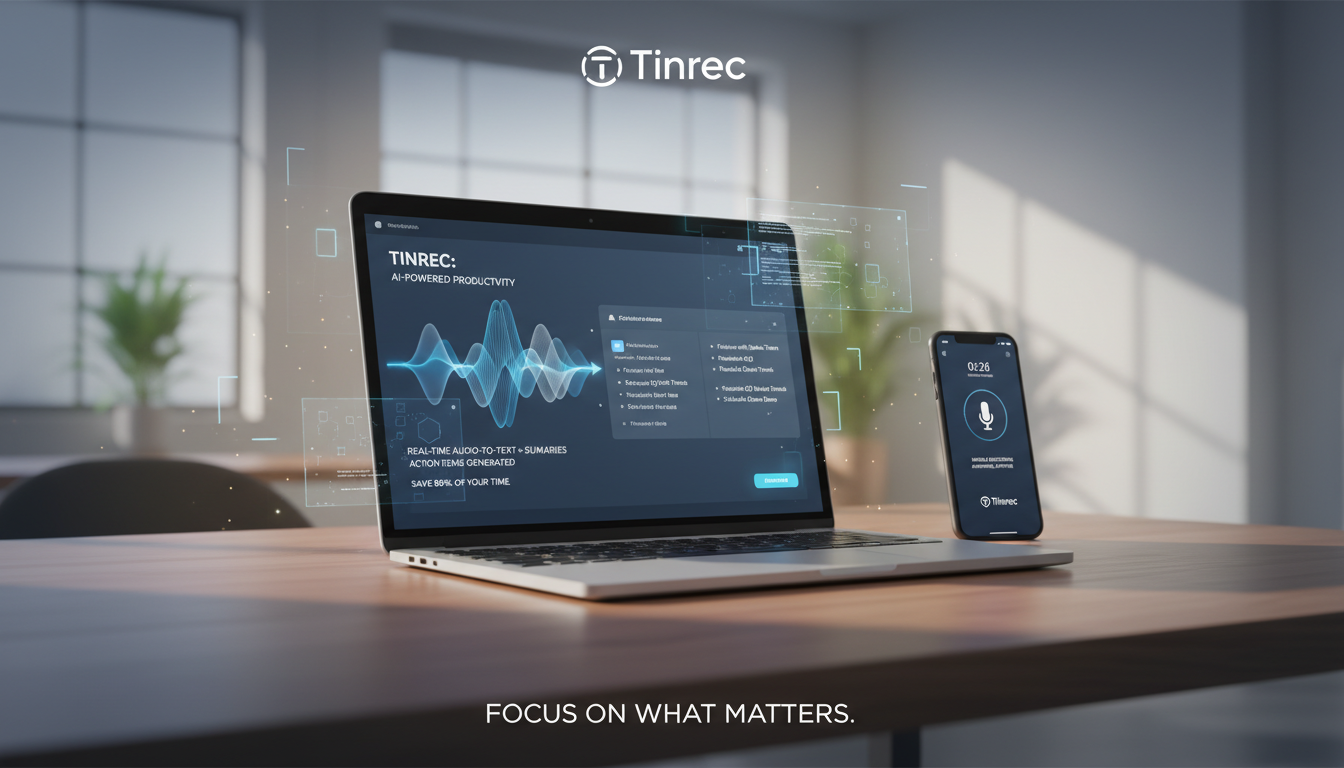
Quick Navigation Conclusion: If you only need simple short audio transcription, your phone's built-in voice recorder will do. If you heavily rely on online meetings (e.g., Teams, Google Meet) and need automatic extraction of "decisions and action items," or if you handle multilingual content, consider a professional AI recording assistant with AI summarization and conversational query features (e.g., Tinrec or similar tools with a complete workflow).
1. Why You Need a Professional Speech-to-Text Tool (Pain Points Analysis)
In daily work and study, we often rely on recordings to preserve information, but traditional recording has many drawbacks:
- Extremely low information density, high cost of replaying: People speak at about 150–200 words per minute, while reading speed is two to three times faster. Replaying a one-hour recording often takes more than an hour—very inefficient.
- Most tools only provide raw transcripts, not a "decision summary": Many early speech recognition tools only produce dense text. After a meeting, you still have to read through everything and manually extract conclusions and to-do items, saving no time.
- Difficulty searching for specific information: Traditional transcripts rely on Ctrl+F to search for keywords; if you forget the exact word used, finding the relevant section is tough.
- Cross-language and multi-context challenges: In global meetings, foreign language classes, or discussions mixing in Taiwanese Hokkien, traditional tools often fail to switch languages accurately, resulting in garbled or error-filled transcripts.
2. How to Choose the Best Speech-to-Text Tool (Core Evaluation Criteria)
When selecting a tool, don't just look at "accuracy"; evaluate whether it integrates into your real workflow. Consider these 5 dimensions:
- Language support: Does it support your common languages? Can it automatically handle mixed languages (e.g., Chinese-English, Mandarin-Taiwanese)?
- Real-time capability & multi-format import: Does it support "transcribe as you record"? Can it upload existing MP3, WAV files, or even online video links (e.g., YouTube)?
- Summary & action item generation: After transcription, does the tool automatically generate meeting minutes, conclusions, and a to-do list?
- AI interactive query capability: Can you ask questions about the content? (e.g., "What did the boss say about the marketing budget?")
- Pricing & free tier: Is the free plan sufficient for occasional needs? Is the subscription good value for long-term use?
3. 2026 Top 5 Speech-to-Text Tools: Recommendations & Comparison Table
Below are 5 different solutions with a multi-dimensional comparison:
1. Built-in Voice Recorder (e.g., iPhone/iOS Voice Memos)
The easiest tool to access; suitable for short, ad-hoc voice notes. Drawbacks: no automatic well-formatted transcript, no AI summary, and insufficient for long meetings.
2. Yating (雅婷) Transcriber (Localized Chinese/Taiwanese Tool)
Optimized for Taiwanese accents and context; performs well with Mandarin-Taiwanese mixed speech. Good for interviewers needing raw transcripts, but AI summary and action item extraction are basic.
3. Otter.ai (English Meeting Leader)
Well-known for English transcription; ideal for purely English business meetings and foreign online courses. Integrates well with Zoom and Teams. Weakness: very limited support for Chinese and other Asian languages.
4. Good Tape (Best for Large File Uploads)
Developed by a Danish team; clean interface; supports multilingual audio uploads using advanced AI. Advantages: generous free tier and strong security; lacks "real-time transcription" and AI dialogue query.
Stop organizing recordings by hand
Upload audio or video and automatically get a transcript, summary, and action items
5. Tinrec (秒聽錄音) (Complete AI Workflow Recording Assistant)
Positioned as a full workflow assistant from "recording → understanding → action." Supports iOS, Android, and web; offers up to 10 languages (including Chinese, English, Japanese, Taiwanese Hokkien, Cantonese, etc.) with automatic identification. Its key differentiator: converting time-based content into "scannable, searchable, actionable text." Besides accurate transcripts, it automatically generates meeting summaries and to-do lists, and supports semantic-level AI conversation queries.
💡 Tool Comparison Table
| Dimension | Built-in Voice Memos | Yating Transcriber | Otter.ai | Good Tape | Tinrec |
|---|---|---|---|---|---|
| Language Support | Depends on device | Chinese, Taiwanese | English primarily | Multilingual | 10 languages (auto-detect including CN/EN/JP/TW/Cantonese, etc.) |
| Real-time Transcription | Record only, no live text | Yes | Yes | No (upload only) | Yes (real-time, no delay) |
| AI Summary/Action Items | None | Basic | Yes (English only) | None/Minimal | Yes (auto-generate minutes & to-dos) |
| AI Chat Query | None | None | Yes | None | Yes (semantic search) |
| Export & Multi-Platform | Local mainly | TXT/SRT | Multiple formats/Cloud | TXT/SRT | Cross-device sync (iOS/Android/Web) |
| Pricing/Free Tier | Free | Basic free tier | Free tier available | Free tier available | 100 mins/month free; Pro high value |
4. Practical Guide: How to Efficiently Turn Speech into Actionable Tasks
With the right tool, you also need to know how to use it effectively. Below, using Tinrec as an example (due to its multi-functionality and conversion intent), we break down SOPs for 4 common scenarios:

Step 1: In-Person Meetings & Classes: Enable "Real-time Transcription"
During a physical meeting or class, open the app or web version.
- Go to Live Recording to Text interface.
- Tap record; the tool will convert speech to text in real-time with no delay.
- You can review what's been said at any time; when the meeting ends, the transcript is ready—no waiting for upload.
Step 2: Process Existing Audio Files: Use "Audio File to Text"
If a colleague sends you a two-hour meeting recording (MP3/M4A/WAV):
- Go to Audio File to Text feature.
- Drag and drop the file; the system transcribes quickly.
- Once done, you'll see the transcript with automatic speaker identification (Speaker 1, Speaker 2), plus an "AI Meeting Summary" and "Action Items" at the top.

Step 3: Self-Study: Import "Video Links/Podcast to Text"
Found a great YouTube tutorial or a valuable podcast? Want to take notes without typing?
- Copy the video or podcast URL.
- Go to Video to Text section and paste the link.
- The tool automatically extracts audio and transcribes it. Whether for content creators' inspiration notes or students' study highlights, it maximizes absorption efficiency.
Step 4: Recover Forgotten Details: Use "AI Chat Query"
What if Ctrl+F fails to find a keyword?
- Next to the transcript, open the AI Chat Query window.
- Ask in natural language, e.g., "What were the marketing team's next steps in this meeting?"
- The AI will synthesize the entire recording's context, provide the answer, and highlight the source paragraphs—making finding key info as simple as asking a human assistant who attended the entire meeting.

5. Frequently Asked Questions (About Speech-to-Text, iPhone, Teams, etc.)
Q1: Can the iPhone's built-in recorder transcribe speech? Or do I need a third-party tool?
Although iOS has improved built-in features, the Voice Memos app cannot directly export a well-formatted transcript with speaker labels and punctuation. For meeting summaries and key points, it's recommended to use a professional transcription app.
Q2: Can I use speech-to-text tools with Teams or Google Meet online meetings?
Yes. Many mainstream tools offer solutions. If using a web browser for Teams/Meet, you can enable system audio recording or use a tool that supports web page recording for real-time transcription. After the meeting, if you have the recorded audio/video file, you can upload it directly via the "audio upload" feature.
Q3: How much free transcription time do tools usually offer?
Policies vary. For example, Tinrec's free plan gives up to 100 minutes per month—plenty for occasional personal notes or short meetings. If you need more, you can choose Basic or Pro plans for longer transcription time.
Q4: Can tools handle very long recordings (e.g., over 2 hours) and summarize them?
Yes, this is a strength of modern AI recording assistants. Most new tools, after generating a transcript, run it through a large language model (LLM) to filter out filler words and summarize into bullet-point decisions and action items.
Q5: Can tools recognize mixed languages (e.g., Chinese and English, or Taiwanese)?
Traditional tools often require setting a single language, causing errors with mixed code-switching. Choose a tool with "multi-language auto-detection" (e.g., one that supports 10 languages) to significantly reduce the cost of understanding and organizing cross-language meetings or foreign language classes.
Q6: Can I transcribe YouTube videos or podcasts directly?
If the tool supports "URL parsing," you can paste the YouTube or podcast link, and the system will extract audio and generate text—ideal for media workers and content creators to compile scripts or study notes.
Turn every recording into actionable outcomes
Get 60 free transcription minutes when you sign in. No credit card required.
Related Reading
You might also like

Tinrec vs Notta 2026: 5-Dimension Comparison — Which Free Chinese Meeting Transcription Tool Is Good Enough?
How to choose free meeting recording transcription software? This article compares Tinrec and Notta across 5 dimensions, tests bot-free online meeting recording, Chinese transcripts, AI summaries, and action items, and also covers the free quotas and limitations of Otter.ai and TurboScribe to help US professionals pick a truly usable meeting transcription tool.

2026 Free Meeting Transcription Options: Tinrec vs. Notta Compared
How to choose a meeting transcription tool? This article compares Tinrec and Notta across five dimensions: free quota, meeting capture method, post-meeting organization, Chinese language experience, and team data retention. It also explains the practical differences between free and paid plans to help you decide which tool better fits your meeting scenario.

2026 Comparison of 4 Meeting Transcription Tools: Which Free Version Is Good Enough?
Using the same mixed Chinese-English meeting recording, we tested Tinrec, Otter.ai, Notta, and Granola to clarify the differences: which one can record online meetings without a bot, which one only gives you a transcript, which free tier is truly sufficient, and what to consider for roles and seats when sharing meeting data with a team.

Smart Meeting Notes in 2026: Auto Summaries + Action Items Made Easy
Learn how to take smart meeting notes with Tinrec: from bot-free recording of online meetings, transcripts, and AI summaries to action item extraction, plus a clear explanation of the common misconception about "contrast adjustment" in meeting notes.

How to Use Meeting Recording Transcription in 2026: 5 Steps from Recording to Meeting Minutes
A mid-level manager leading a 10-person team with 15 meetings per week breaks down meeting recording transcription in 5 steps: from identifying meeting type, audio setup, real-time transcription, AI summary, to action item export. The article also explains Tinrec's practical approach and limitations for Chinese-language meetings, bot-free recording, and team knowledge retention.

2026 Comparison of 4 Meeting Transcription Tools: What Do the Output Files Look Like and Are They Ready to Use?
Meeting transcription doesn't just produce a single file—it generates a set of data: a verbatim transcript, a version with timestamps and speaker labels, AI summaries and action items, and whether you can export to your existing workflow. This article starts from 'what the files actually are' and compares Tinrec, Otter.ai, Notta, and TurboScribe in terms of output content, free tiers, and limitations, helping you choose the one you can use right away.

2026 Comparison of 4 Meeting Transcription Tools: The Easiest Way to Download Transcripts
After converting meeting recordings to transcripts, the real problem is often getting the text out. This article compares Tinrec, Otter.ai, Notta, and TurboScribe from a practical download and export perspective, covering export methods, quota limits, and team data ownership. It also outlines 4 key points to check before choosing a tool and 4 common mistakes, helping you pick a solution that turns transcripts into usable files.

2024 Comparison of 4 Smart Meeting Notes Platforms: Which Offers the Best Free Tier and Post-Meeting Organization?
Recording the meeting is just the beginning of the pain. This article starts from real meeting scenarios, breaks down 5 key points for choosing a smart meeting notes platform, and compares Tinrec, Otter.ai, Notta, and Granola in terms of free tier limits, Chinese transcription, post-meeting organization, and team collaboration to help you decide which one truly saves time.

2026 Smart Meeting Notes Tools Compared: Which One Actually Turns Meetings into Action Items?
Many people write meeting notes as verbatim transcripts, but no one follows up afterward. This article starts with common pitfalls, covers key factors for choosing smart meeting notes tools, provides usable examples, and compares Tinrec, Notta, Granola, and Otter.ai in terms of features, limitations, and pricing to help you find a tool that turns meetings into decisions and action items.