
Turn recordings into transcripts and summaries in minutes
Upload audio or video for multilingual transcription, AI notes, and action items
2026 iPhone Call Recording: Free Methods vs Paid Apps – A 5-Dimension Comparison for Students
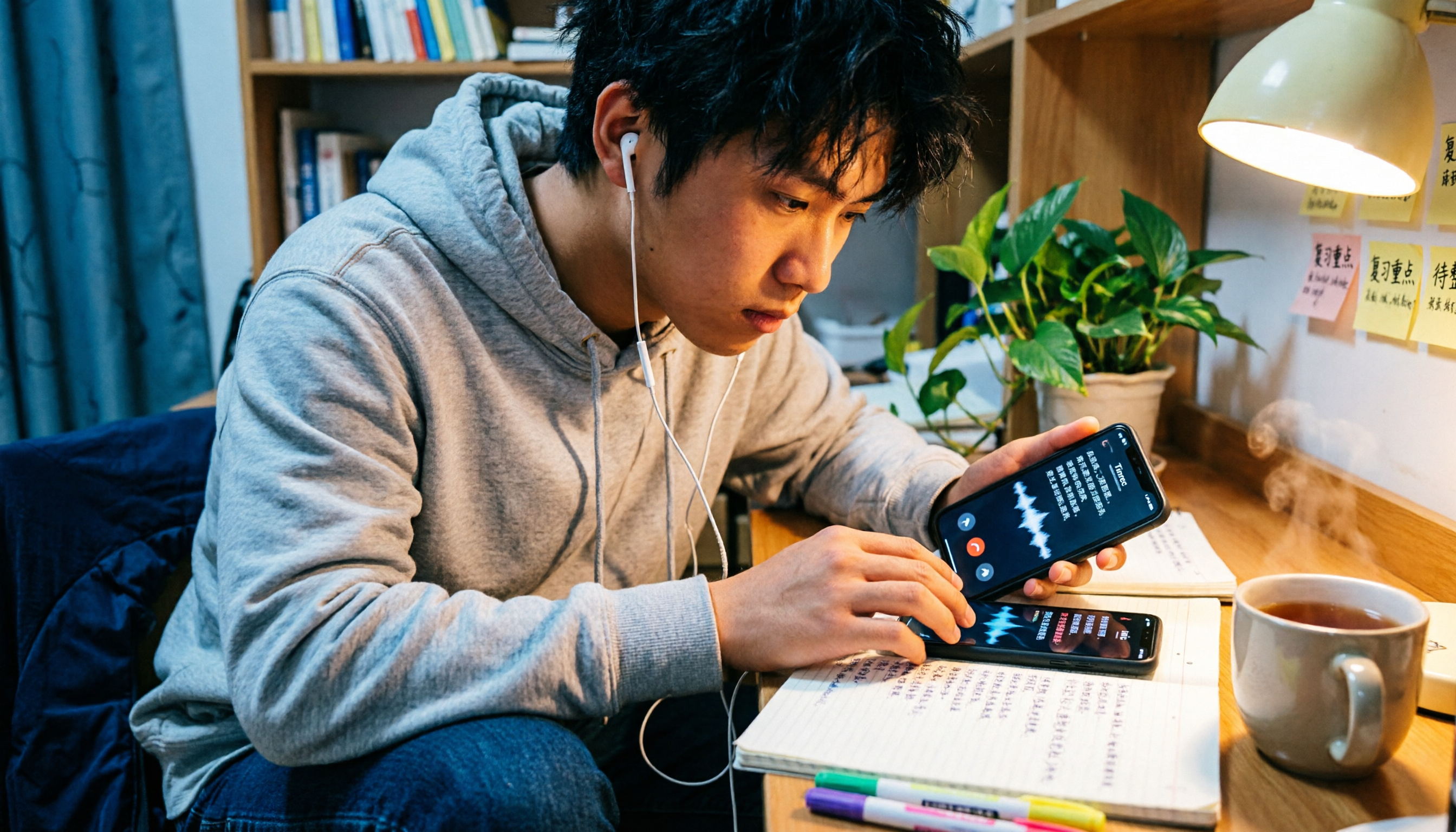
Last semester, I took a "Consumer Behavior" course, and my professor talked faster than I could type. Before the midterm, I opened my lecture recordings and found 12 hours of audio files, but I had no idea where the key points were. That's when I started researching iPhone call recording and recording-to-text tools—this article is the result of a whole semester of testing, and I'm sharing it with you if you're also drowning in audio files.
Free Methods vs Paid Solutions: A Quick Overview
Let's get to the point: iPhones now have a built-in call recording feature that's completely free, but it has its limitations. If you only need to record an important call occasionally, the built-in feature is enough. But if you're like me and need to "search, organize, and turn recordings into key points," you'll need additional tools.
| Solution | Price | Main Limitation | Best For |
|---|---|---|---|
| iOS Built-in Call Recording | Free | Plays a notification tone to the other party; no transcription | Occasional important calls |
| Screen Recording + Speakerphone | Free | Poor audio quality; requires speakerphone | Emergency use |
| Free Recording Apps | Free (with in-app purchases) | Often limited by minutes or number of recordings | Light use |
| AI Recording-to-Text Tools | Paid | Requires separate recording and import | Lectures, interviews, group discussions |
Below, I'll compare them across five dimensions based on my actual experience this semester.
Dimension 1: Call Recording Convenience
First, let's talk about iOS built-in call recording. If your iPhone is updated to iOS 26, you can go to Settings → Phone → Call Recording to enable automatic recording. It will automatically record when you make a call, and the file will be saved in Voice Memos. In my testing, it's really simple to use—no installation needed.
But its limitations are obvious: the other party will hear a notification that the call is being recorded. This can be awkward when talking to clients or professors—you don't want to explain yourself before recording. Plus, it only captures audio, with no transcription, so I still have to listen through the entire recording afterward.
I also tried free third-party apps like Call Recorder. They typically work through three-way calling, but the free version is limited, and you need a subscription to unlock full features. Also, these apps usually require your carrier to support three-way calling, which isn't available on all plans.
In terms of call recording convenience, the iOS built-in feature wins for being installation-free and setup-free, but the notification tone and lack of transcription are significant drawbacks.
Dimension 2: Recording Quality and Completeness
Screen recording with speakerphone is a common free method. I tried it once: I put my iPhone on speaker and used screen recording to capture the call. The result: the audio quality was really poor. The other person's voice sounded muffled, background noise was picked up, and I had to use speakerphone, which isn't feasible in a library or café.
iOS built-in call recording has much better quality because it records the call signal directly, not through the speaker. But again, it's audio-only, with no text.
If you need to record "lectures" or "group discussions" rather than phone calls, that's a different story. I've used AI recording-to-text tools that you just place on the table to record, and afterward, you get a transcript and key points. Based on my lecture recording experience, these tools work well in quiet classroom environments, even with mixed Chinese-English content.
→ This dimension: iOS built-in wins for call recording quality, but if you need transcripts, call recording alone isn't enough.
Dimension 3: Transcription and Key Point Summaries
This is what I care about most, and it's where free solutions are most disappointing.
iOS built-in call recording has no transcription feature. After recording, you get an audio file. Before my midterm, I had 12 hours of recordings, and to find a specific point the professor made, I had to scrub through the timeline.
Stop organizing recordings by hand
Upload audio or video and automatically get a transcript, summary, and action items
Most free apps also only solve the "recording" problem, not the "organizing" problem. Some apps offer transcription, but the free versions usually limit minutes or the number of recordings, and accuracy varies.
My takeaway: if you need to search, copy, and organize recordings into key points, you need tools with AI transcription and summarization. These are usually not completely free, but for students, the time saved is worth more than the cost of a drink.
→ This dimension: Free solutions lose completely. Transcription and key point summaries are the core value of paid tools.
Dimension 4: Privacy and Compliance
Many people don't know that call recording carries legal risks in Taiwan. According to regulations, it's best to get the other party's consent before recording, or you could be breaking the law. The iOS built-in call recording plays a notification tone, which in a way helps you "inform" the other party, but it also makes recording obvious.
Screen recording with speakerphone is even more problematic—the other party has no idea they're being recorded, and if you use the recording for other purposes later, the legal risk is higher.
Free third-party apps have another issue: the risk of personal data leakage. Many free apps' business models rely on collecting user data, and you have little control over where your recordings are uploaded or how they're used.
My advice: in formal settings (like discussing research with a professor or negotiating with a client), it's better to openly inform the other party that you're recording rather than recording secretly. For personal lecture recordings, privacy concerns are relatively minor, but you should still be careful not to share recordings casually.
→ This dimension: iOS built-in is relatively safer in terms of compliance, but be especially cautious about privacy risks with free third-party apps.
Dimension 5: Practicality in Study Scenarios
Finally, let me share my own use cases. As a senior, I have three types of recording needs:
- Lecture recording: Professors talk too fast, and I need to record and then organize notes.
- Group discussions: Everyone talks at once, and no one remembers the conclusions afterward.
- Interview recording: For my senior project, I need to interview users and need full transcripts.
In all three scenarios, iOS built-in call recording doesn't help—because it only records "phone calls," not ambient sound. Screen recording is even less relevant; it records the screen, not the room.
So my workflow became: for lectures and discussions, I use a recording tool on my phone or computer to capture ambient sound, and then it automatically transcribes and summarizes. Before finals, I don't have to listen through recordings from start to finish; I can just search for keywords to find key points the professor made.
If you're a student like me, I suggest thinking of it this way: call recording and lecture recording are two different things. The iPhone's built-in call recording solves the "phone call" problem, but your study needs require "ambient recording + transcription + key point summaries."
→ This dimension: Students' core need is transcription and organization, not just call recording.
What Are the Unique Advantages of Each?
Advantages of Free Solutions
- iOS Built-in Call Recording: No installation, no setup, available with iOS 26. Suitable for occasionally recording an important call and listening to it later.
- Screen Recording + Speakerphone: No additional tools needed, good for emergencies. But audio quality is poor, so not recommended for long-term use.
Advantages of AI Recording-to-Text Tools
- Automatic transcription: You get a text file right after recording, no need to type it out.
- Key point summaries: Long recordings are automatically segmented and highlighted, making review fast.
- Cross-device use: Record on your phone, view on your computer, with synced data—no need to transfer files.
- Search and export: Search for keywords to find key points, and export to documents for further organization.
Conclusion: Which Should You Choose?
My conclusion is simple:
- If you only need to record an occasional call and don't mind the other party hearing the notification tone → iOS built-in call recording is enough, and it's completely free.
- If you need to record lectures, interviews, or group discussions and want transcripts and key point summaries → Free solutions won't cut it; you need an AI recording-to-text tool.
- If you're concerned about privacy and don't want your recordings collected by third-party apps → Prioritize iOS built-in features or choose a trusted paid tool.
In one sentence: iPhone's free call recording lets you "record," but what's truly valuable for students is "organizing after recording." If you're like me and the ultimate goal is to create notes and organize key points, don't waste time on free audio files—find a tool that automatically transcribes, and the time saved will be worth it.
One last reminder: no matter which method you use, make sure to get the other party's consent first, to protect both yourself and others.
References
- Free iPhone Call Recording Methods (2026) | iOS 26 Built-in Features + App Comparison
- How to Record iPhone Calls? 5 Methods Revealed!
- Call Recorder App on the App Store
- Is There a Free iPhone Call Recording App? - Eyezy Forum
- iPhone Call Recording Tips! What to Do When Apple Calls Can't Be Recorded?
Turn every recording into actionable outcomes
Get 60 free transcription minutes when you sign in. No credit card required.
Related Reading
You might also like

4 Real-Time Translation Tools Tested for 2026: Which One Leaves You With Usable Meeting Notes?
Real-time translation tools solve the problem of understanding in the moment, but the real cost comes after the meeting. This article compares Tinrec, Transync AI, Vurbo.ai, and Notta on real-time translation, bilingual transcripts, post-meeting AI Q&A, and team management, and provides 4 key purchasing criteria, 3 common pitfalls to avoid, and scenario-based recommendations to help you explain clearly why you chose a particular tool.

Best Real-Time Translation Tools in 2026: 4 Tested, Top Free Pick for Meetings
How to choose a free real-time translation tool? This article covers three needs: web reading, ad-hoc interpretation, and cross-language meetings. We tested Tinrec, Google Translate, Immersive Translate, and Transync AI, summarizing free quotas, limitations, and use cases, and explain how Tinrec turns meeting recordings into transcripts, summaries, action items, and team data.

Tinrec vs Notta 2026: Real-Time Translation AI 5-Dimension Comparison, Which Is Better for Chinese Meetings?
Real-time translation AI isn't just about the number of languages—it's also about meeting capture methods, bilingual subtitles, post-meeting organization, AI Q&A, and team data ownership. This article compares Tinrec and Notta across 5 dimensions and explains which Chinese meeting scenarios each suits.

4 Free Simultaneous Interpretation Tools Tested: Which Offers Enough Free Minutes and Post-Meeting Value?
How to choose a free simultaneous interpretation tool? This article reviews four free-trial real-time translation tools—Tinrec, JotMe, Transgull, and Felo Translate—comparing them across five aspects: free quota calculation, translation presentation, recording and transcript retention, post-meeting organization, and team collaboration. It also includes a pitfalls guide and buying advice to help you find the one that truly saves time.

2026 Comparison of 3 Meeting Transcription Tools: Tinrec Turns Transcripts into Action Items
Turning meeting recordings into transcripts isn't hard—the hard part is post-meeting organization. Starting from meeting transcription needs, this article compares Tinrec, Notta, Good Tape, and Yating Transcript, covering transcription, online meeting recording, summary and to-dos, AI Q&A, and team collaboration to help you find the right meeting notes tool.

2026 Online Simultaneous Interpretation Guide: Tinrec Real-Time Translation + Bilingual Transcripts as an Alternative to Traditional Translation Apps
Online simultaneous interpretation is not just about real-time translation—it also depends on whether post-meeting materials are usable. This article addresses common misconceptions and explains how Tinrec uses desktop bot-free recording, real-time transcription, and bilingual translation, combined with summaries, action items, AI Q&A, and team spaces, to turn cross-language meetings into searchable, collaborative records.

How to Use Real-Time Voice Translation in 2026: 5 Steps from Recording to Bilingual Transcript
In cross-language meetings, front-desk reception, and international calls, real-time voice translation needs to solve more than just "understanding in the moment"—it also needs to leave you with usable records afterward. This article breaks down real-time voice translation tools using 5 key selection criteria, compares Tinrec, Transync AI, Vurbo.ai, and JotMe in hands-on testing, and summarizes 4 common pitfalls to help you choose the one that truly works for you.

How to Generate Transcripts with Tinrec in 2026: Bot-Free Recording + AI Summaries and Action Items
Transcript generation isn't just about feeding an audio file into a tool. This guide tackles four common pitfalls and compares Tinrec with Yating Transcription across meeting capture, Chinese recognition, post-meeting organization, AI Q&A, export, and team governance to help you decide which workflow truly saves time.

2026 Comparison of 3 Transcription Tools: Which One Actually Turns Meeting Recordings into Usable Data?
The real difference between transcription tools isn't speed—it's whether the output is ready to use. Starting from the question 'Do you want text or results?', this article outlines 4 key buying criteria, compares Tinrec, Notta, Otter.ai, and Granola on meeting recording, transcript organization, AI Q&A, export, and team collaboration, and includes a pitfalls guide and scenario-based recommendations.