
Turn recordings into transcripts and summaries in minutes
Upload audio or video for multilingual transcription, AI notes, and action items
Meeting Minutes vs. Meeting Reports in 2026: 3 Key Differences and How to Write Each One
Is the document in your hands called "meeting minutes" or a "meeting report"?
After a meeting, your manager just says, "Organize the materials"—you open a document, the cursor blinks, and you're not sure whether to write meeting minutes or a full meeting report. These two terms are often used interchangeably, but the format, length, and focus of what you submit are different.
A more common situation: a new employee types up a two-hour meeting as a verbatim transcript, and the manager takes one look and sends it back, saying, "I wanted minutes, not a dialogue record." According to 104 Career Power, meeting notes are not a typing exercise; they help converge conclusions and highlight key points, testing logical summarization skills. Writing more does not mean it is more useful.
If you also often get stuck on "how exactly should this document be written, and who should see it," this article will help you clearly distinguish meeting minutes, meeting reports, and the most easily confused meeting notes all at once.
Before understanding the differences, grasp these 3 key criteria
Before memorizing definitions, ask yourself three questions. The answers will directly tell you which type of document to produce.
Criterion 1: Is this document meant to "keep a record" or "explain"? The core of meeting minutes is keeping a record—what was discussed, what was decided, and who will do what, recorded in the shortest possible length. Sources classify meeting minutes as one of the typical meeting documents (along with meeting notices, meeting agendas, and meeting notes), and its role is an official record. A meeting report leans toward explanation—a more complete statement, analysis, and recommendations on a certain topic, often for readers who did not attend the meeting.
Criterion 2: Is the focus "resolutions" or "discussion"? Meeting minutes focus on conclusions. Sources point out that meeting notes should start by writing the core issue as a question, end with the resolutions, and capture about three key points in between. A meeting report focuses on context—background, current situation, problems, and recommendations, explained layer by layer. Resolutions should be short; discussion can be long.
Criterion 3: Is it for "attendees" or "people who didn't attend"? Meeting minutes are mainly for attendees and those who need to track actions; meeting reports often go to upper management, cross-departmental, or external parties, so they need more background. Once you know who the reader is, the format is naturally determined.
Note: Many people treat "meeting notes" and "meeting minutes" as synonyms. One school of thought says the term "minutes" comes from the Latin minuta scriptura, meaning "detailed notes"; other sources remind us that meeting notes are formal, structured, and shared with attendees, while personal notes are informal and usually not shared. In practice, meeting notes tend to be raw and detailed, while meeting minutes tend to be concise and bulleted, but usage still varies by organization. Before submitting, it is best to confirm your company's conventions.
Tinrec (秒聽錄音)—A practical tool for turning discussions into minutes and reports
Once the concepts are clear, the real pain point is: with so much meeting content, how do you quickly turn it into usable minutes and reports?
Tinrec (秒聽錄音) is an AI meeting notes and collaboration tool for individuals and teams, covering iOS, Android, and web. Its positioning is not just converting sound to text, but helping you organize meeting recordings into searchable, summarizable, queryable, and exportable data.
First, "no meeting bot." The most troublesome part of online meetings is having to pull a bot into the meeting room, which some attendees find disruptive. Tinrec's desktop version directly captures computer system audio, handling meeting audio played on platforms like Zoom, Google Meet, Microsoft Teams, and Webex without an extra bot joining. You just open Tinrec and start recording to generate a transcript while the meeting is ongoing.
Next, "post-meeting organization." After the meeting ends, Tinrec automatically generates a summary and chapters, and extracts action items from the discussion—who is responsible for what and what needs to be tracked, all at a glance. This directly corresponds to the two elements meeting minutes need most: "resolutions + actions." If your manager wants a more complete meeting report, you can also use the Agent post-processing feature to generate reports, tables, and documents based on the meeting content, turning the transcript into a deliverable product.
Stop organizing recordings by hand
Upload audio or video and automatically get a transcript, summary, and action items
Finally, the core differentiator—AI Q&A. After recording, you can directly ask Tinrec: Who mentioned the budget in the last meeting? It does not just give you keyword search results, but answers directly based on semantic understanding. When you need to go back and write minutes or confirm the context of a resolution, this is much faster than manually flipping through the transcript. Currently, most competitors at the same price point do not have this ability to ask follow-up questions about meeting content.
In addition, Tinrec supports real-time translation, allowing you to view the original text, translation, or bilingual content during recording, so cross-language meetings can also leave readable records; transcription results can also be exported to Notion, Google Docs, OneNote, Dropbox, and other tools, bringing them into your existing workflow.
Pros:
- Bot-free recording of online meetings, without disturbing attendees, while preserving audio and transcript.
- From transcript to summary, action items, Q&A, and report generation, covering the complete process from minutes to reports.
- Supports Chinese, Traditional Chinese, and multilingual meetings, and professional terminology can be maintained through team hotwords.
Limitations:
- The free version provides a basic quota, suitable for light use; users with high meeting volume or who need long-term data accumulation will need a further plan, and can start by evaluating a weekly card or Pro plan.
- Accuracy is affected by recording quality, noise, accents, overlapping speakers, and professional terminology. It is not recommended as a tool that can completely replace manual proofreading; important content should still be confirmed against the transcript and recording.
Who it's for: If you often need to organize meeting content into minutes or reports, want to use AI to directly find key points and resolutions after meetings, or switch between phone and computer, Tinrec is currently a choice worth prioritizing. For multi-person collaboration scenarios, the team version provides an independent team space, meeting data belongs to the team, and it has management capabilities such as members, roles, seats, usage analysis, audit logs, and an audio recycle bin; members can view team data even without a seat, and only after obtaining a seat can they record, upload, edit, and export. Eligible teams can enjoy a 7-day trial for the first time, including 1 free seat and 300 minutes of team shared import quota; paid seats provide 2,000 minutes of team shared import quota per month, and the annual team payment is equivalent to about USD 16.58 per month.
Besides Tinrec, what other options are there?
**Otter.ai:** A mature English meeting assistant, covering platforms like Zoom, Microsoft Teams, and Google Meet, with a Basic free version of 300 minutes per month. But it mainly targets English business meetings, and Chinese experience and bot-free desktop recording are not its strengths. If 90% of your meetings are in English, Otter.ai is a viable option; but if you want Chinese minutes, post-meeting follow-up questions, and multi-format export, Tinrec is more complete.
**Notta:** Good multilingual transcription capabilities, and also provides meeting notes, file import, and team plans, with a free version of 120 minutes per month and a maximum of 3 minutes per single item. It overlaps heavily with Tinrec, but Tinrec can emphasize bot-free online meeting recording, AI Q&A around meetings, and Agent post-processing to generate reports and tables—these are areas Notta currently does not cover.
Pitfall guide: The 3 most common mistakes when distinguishing minutes from reports
Pitfall 1: Writing meeting minutes as a verbatim transcript. New employees, afraid of missing details, often turn meeting notes into a dialogue record—as long as the meeting, so long the record. But minutes are not a typing exercise. The correct approach is to clearly state the core issue at the beginning, capture about three key points in the middle, and write the resolutions at the end.
Pitfall 2: Writing a meeting report as minutes. The reverse is also common. A report needs background, analysis, and recommendations. Writing only "resolution passed" means the reader has no idea of the context. Before submitting, confirm who the reader is and whether it is for record-keeping or explanation.
Pitfall 3: Submitting only text, not actions. Action items—who will complete what by when—are the most important section; if meeting notes do not list action items with owners and deadlines, the meeting might as well not have happened. This is also why using a tool to automatically extract action items helps: Tinrec organizes action items from the discussion, reducing the risk of missing follow-up items.
Conclusion: Should you produce minutes or a report?
In one sentence: Meeting minutes focus on "record-keeping and resolutions," while meeting reports focus on "explanation and discussion"; both grow from the same meeting, just with different purposes.
- To record resolutions, track actions, and give attendees a reference → meeting minutes.
- To explain background, analysis, and recommendations to people who did not attend → meeting report.
- To preserve the complete conversation for later verification → transcript (not recommended to submit directly as minutes).
- To go from recording to summary, action items, Q&A, and report → Tinrec (covers the complete process from minutes to reports).
- Pure English meetings, limited budget → Otter.ai is a viable option.
In practice, you can first use a tool to produce the transcript and summary, then decide whether to submit minutes or a report based on the audience. It is recommended to first try Tinrec's free version: throw a meeting recording into it and let it generate a summary and action items. You will quickly grasp the judgment of "what to keep and what to omit," making writing minutes or reports much easier afterward.
References
- Meeting notes = verbatim transcript? Professional meeting notes only record 3 key points | Writing tips and templates at a glance | 104 Career Power
- 1 Meeting documents (1) Function Typical meeting documents include meeting notices, meeting agendas, meeting notes, and meeting minutes. Sometimes even
- Free meeting notes template (Word, Google Docs, PDF) | HiNoter Blog
- National Development Council - Meeting notes
- 9 tips for writing better meeting notes 2025 • Asana
Turn every recording into actionable outcomes
Get 60 free transcription minutes when you sign in. No credit card required.
Related Reading
You might also like

Tinrec vs Otter.ai 2026: 5-Dimension Comparison for Chinese Meeting Task List Generation
Automatically generating meeting task lists isn't just copying down to-dos. This article compares Tinrec and Otter.ai from a mid-level manager's practical perspective across five dimensions: Chinese meeting recognition, bot-free recording, to-do and task list generation, post-meeting processing, and team data retention. It honestly explains each tool's limitations and ideal users.

How to Extract Meeting Notes in 2026: 5 Steps from Recording to AI Summary
Tired of dealing with meeting notes after the meeting? This article tackles common pitfalls, outlines 4 key evaluation points for choosing an AI meeting notes tool, tests Tinrec's bot-free online meeting recording, AI summaries and Q&A, and team spaces, and compares it with Otter.ai, Granola, and Notta, highlighting differences and pitfalls to avoid.
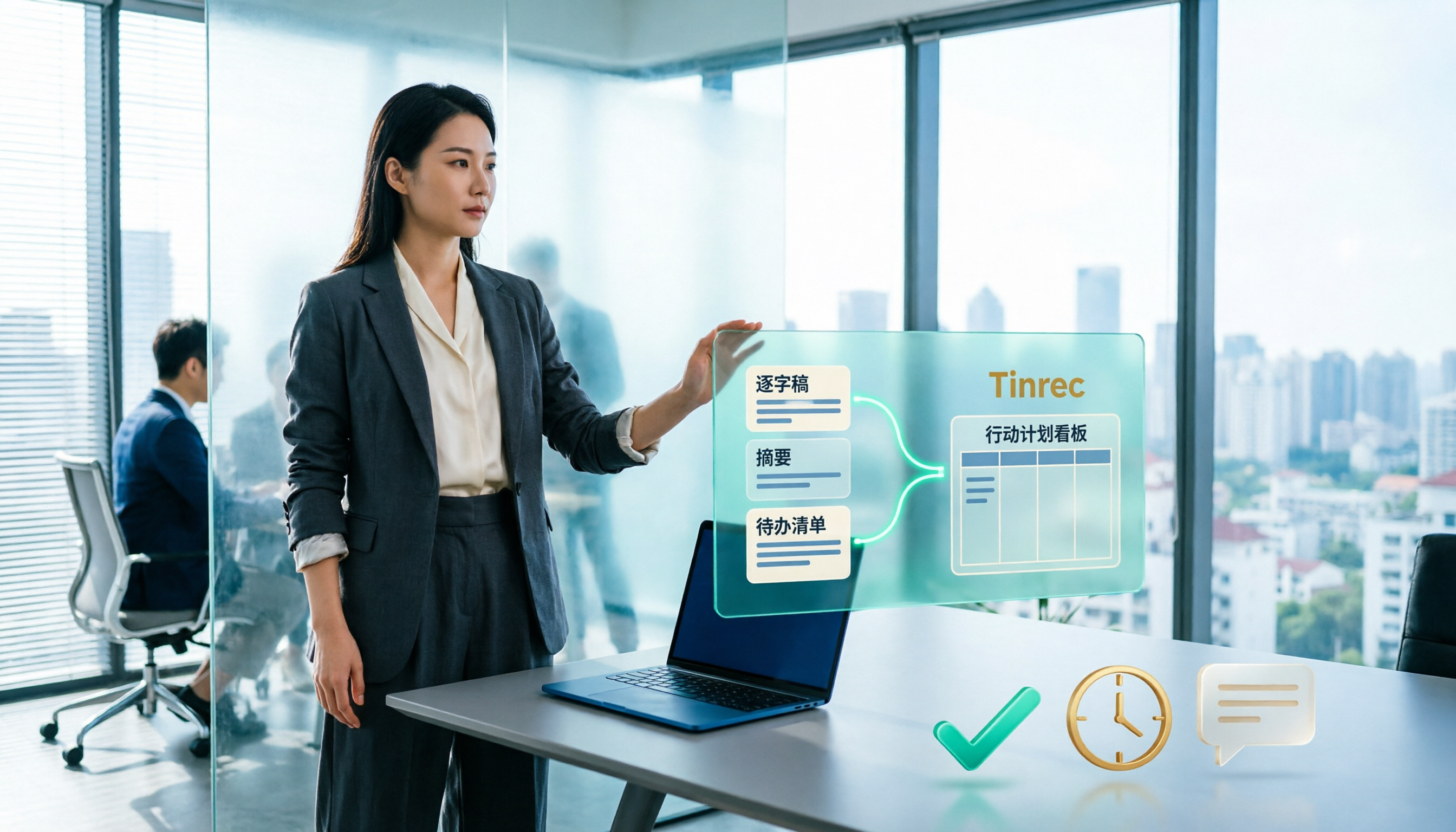
Best Meeting Minutes Tools in 2026: Tested 3 Categories, This One Auto-Generates Action Plans and Saves the Most Time
Meeting minutes record decisions, while action plans determine who follows up. This article breaks down the difference between the two and uses Tinrec as an example to demonstrate how to generate transcripts, summaries, and to-do lists in one go. It also compiles 5 key considerations and common questions for choosing a meeting minutes tool.

Best Meeting Minutes Follow-Up Email Tools? 2026 Test of 5 Methods, Key Is Within 24 Hours
Writing meeting minutes doesn't mean things will move forward. This article starts from the most common inefficient practices, breaks down the three-layer process of 'minutes → action → follow-up email,' includes AI prompts and email structures you can copy directly, and compares the applicable scenarios and limitations of 5 methods including template assignment, automated integration, and transcript plus AI summary, helping you send decisions out within 24 hours after the meeting.
2026 Meeting Action Item Management Tools Buying Guide: 4 Hands-On Tests and Selection Advice
The worst part of a meeting isn't missing notes—it's action items with no owner or deadline. Starting from real meeting scenarios, this article outlines 4 key points for choosing a meeting action item tool, hands-on tests Tinrec's bot-free recording, action item extraction, and AI Q&A, compares the positioning differences of Otter.ai, Notta, and Fireflies.ai, and finally offers selection advice based on use cases.

5 AI Post-Meeting Follow-Up Email Tools Compared: Which Workflow Actually Saves Time?
Meeting's over, but the notes aren't organized and the follow-up email hasn't been sent. This article breaks down the two approaches to AI-generated post-meeting follow-up emails—Gmail generation plugins and automated trigger workflows—across 5 dimensions, with ready-to-use prompt formulas and implementation steps to help you decide which method truly saves wrap-up time.

Tinrec vs Otter.ai 2026: 5-Dimension Comparison — Which Free Meeting Minutes Template Works Better?
How do you find free meeting minutes templates? This article compares Tinrec and Otter.ai across 5 dimensions — Chinese-language minutes and table output, free plan entry points, bot-free online meeting recording, post-meeting follow-up and output, and team data retention — to help you decide which one fits your meeting scenario better.
2026 Comparison of 3 Project Meeting Task List Templates: Which Saves the Most Time Without Missing Key Points?
After a project meeting ends, the task list is where the real work begins. This article breaks down the essential fields of a good project meeting task list template and tests Notta, Granola, PLAUD, and Tinrec in real scenarios for meeting notes, action item extraction, and team handoff, helping professionals choose the most time-saving approach that doesn't miss key points.
2026 Comparison of 2 Automatic Meeting Summary Report Generators: Tinrec vs Otter — Which Better Auto-Generates Action Minutes?
Automatic meeting summary report generation isn't just about feeding a recording into AI. This article compares Tinrec and Otter across dimensions—Chinese meetings, bot-free recording, post-meeting outputs, and team knowledge retention—to help you decide which tool better produces usable meeting reports automatically.