

Turn recordings into transcripts and summaries in minutes
Upload audio or video for multilingual transcription, AI notes, and action items
Tinrec Voice-to-Text AI 2026: No-Bot Recording + AI Summaries & Action Items
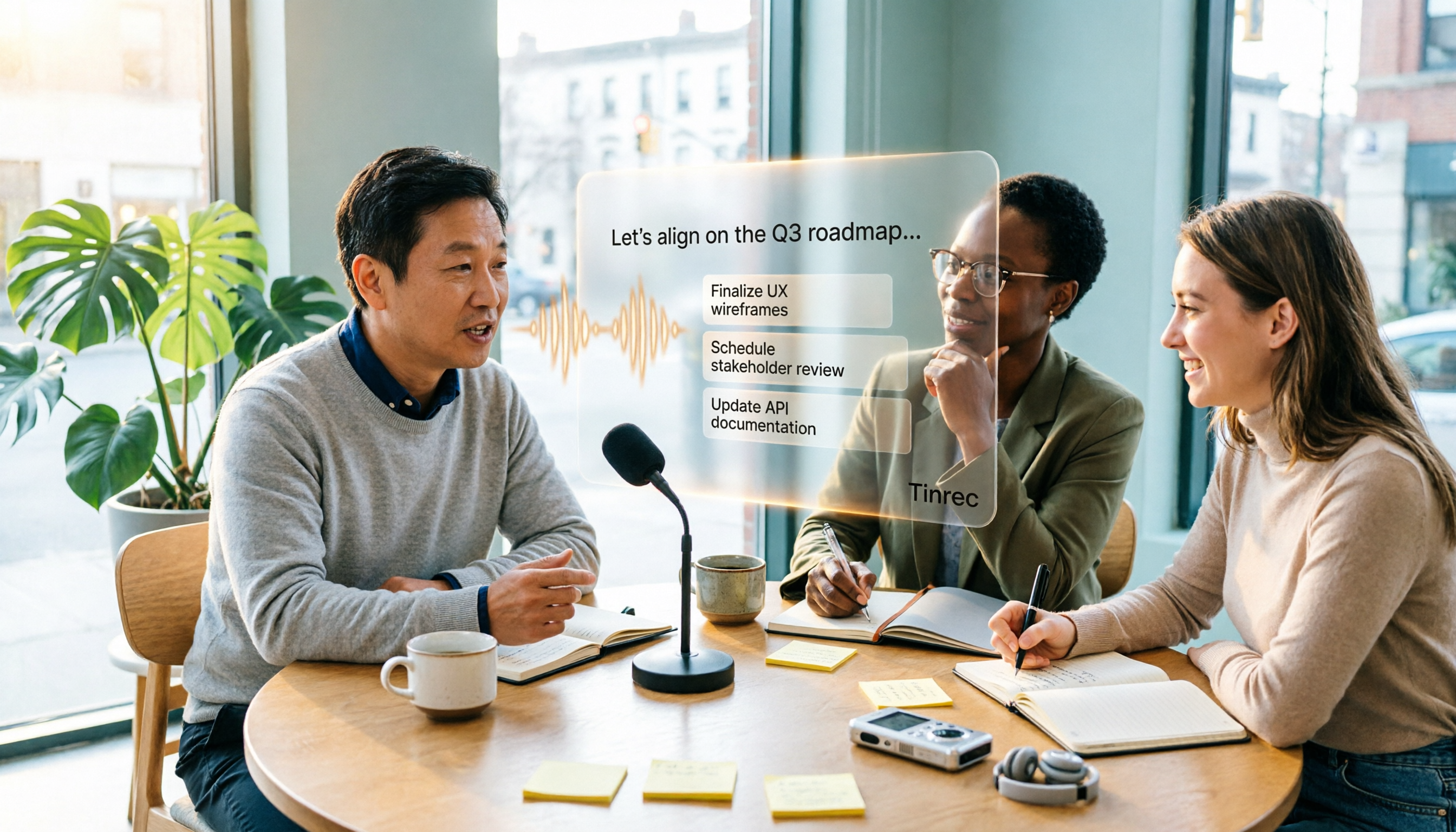
Your Wednesday afternoon project meeting just ended, and you're staring at a 58-minute recording on your phone. You know the hard part is just beginning: re-listening, pausing, typing, and figuring out who said what and who's responsible for what. Instead of spending time replaying the audio, let voice-to-text AI turn the sound into searchable, organized text first. Take Tinrec, for example. It doesn't just convert recordings into transcripts—it also connects summaries, action items, AI Q&A, and a team database, so your recordings truly become data you can keep working with.
What Can Voice-to-Text AI Do for You?
Scenario 1: No More Spending an Hour Re-listening After Meetings
In the past, meeting notes often got pushed to the next day. Now you can use Tinrec for real-time recording and transcription, capturing the transcript as the meeting happens. Afterward, let it generate summaries, chapters, and action items, so you can quickly grasp who's responsible for what and what the next steps are.
Scenario 2: Interviews and Client Calls—Keep Exact Quotes Without Missing Anything
The worst part of interviews is not being able to recall the client's key statements later. Tinrec can turn recordings into transcripts and lets you use AI Q&A to look back and ask, "What budget range did the client mention?" or "Which feature were they concerned about?" It's much faster than replaying the recording.
Scenario 3: Courses and Lectures—Key Points No Longer Scattered in Recordings
After a two-hour class, the recording often just sits there. With Tinrec, upload the audio or video file, generate a transcript first, then let AI organize chapters and summaries. When reviewing, you can go straight to the structure instead of listening from start to finish.
Scenario 4: Video and Podcast Content—Transcribe First, Then Repurpose
After shooting a video or recording a podcast, you need scripts, show notes, or subtitle assets. Tinrec can turn audio into transcripts, which you can then export to common formats or third-party tools for further editing—saving you the time of repeated listening and typing.
What Are the Core Capabilities of Voice-to-Text AI?
1. Real-Time Recording & Transcription: See Text as You Record, Never Miss Meeting Content
Tinrec supports real-time recording and transcription, ideal for in-person meetings, interviews, and on-site notes. You don't have to wait until the meeting ends to start converting files—you can see the text appear as you record. For those who need to confirm key points on the spot, this is more efficient than listening back later.
2. No-Bot Online Meeting Recording: Don't Add Another Attendee to the Meeting
Tinrec's desktop version captures computer system audio to handle online meetings, without adding a meeting bot to the room. After you actively open Tinrec and start recording, it captures the meeting audio playing on your computer, such as from Zoom, Google Meet, Microsoft Teams, and Webex. For teams that don't want a bot appearing on the attendee list, this is a more natural approach. Note that this is not automatic joining of all calendar meetings—you still need to actively start recording.
3. Summaries, Chapters, and Action Items: Turn Transcripts into Readable Highlights
Generating a transcript is only the first step. Tinrec automatically creates summaries, chapters, and key points, and extracts action items from the discussion. Long meetings are no longer a wall of text but structured content, letting you quickly review decisions and action items.
4. AI Q&A: Ask the Meeting Directly, No Need to Dig Through the Transcript
Tinrec supports AI Q&A around meeting content. You can ask, "What was decided at the end of this meeting?" "Who mentioned the budget?" or "What objections did the client raise?" and let AI find the answers from your data. For historical meetings or large volumes of interviews, this follow-up approach is more efficient than keyword search.
5. Team Spaces and Post-Meeting Outputs: Keep Meeting Data Around
Tinrec can centrally store transcripts, summaries, action items, and related meeting materials, and supports multi-format export and Agent post-processing to further generate reports, tables, and meeting minutes. The Team plan also offers independent team spaces, member and seat management, usage analytics, audit logs, audio recycle bin, and team hotwords, so meetings aren't just personal notes but data the team can share and track.
Real-World Use Cases
Weekly Project Meetings: From Recording to Action Items in One Go
For regular weekly project meetings, the most time-consuming part is often not the meeting itself but the post-meeting organization. You can open Tinrec's desktop version on your computer, start no-bot recording, and generate a transcript in real time during the meeting. Afterward, use summaries and chapters to quickly review, and assign action items directly to team members. For teams that meet more than three times a week, this workflow can significantly reduce time spent re-listening to recordings.
Client Interviews and Requirements Meetings: Turn Client Quotes into Follow-Up Actions
Client interviews often contain many details. Taking notes on the spot can lead to omissions, and listening to recordings afterward is time-consuming. Record the interview with Tinrec, generate a transcript, then use AI Q&A to identify client needs, concerns, and commitments. When you need to share with the team, export summaries and action items as documents for clearer follow-up.
Stop organizing recordings by hand
Upload audio or video and automatically get a transcript, summary, and action items
Courses, Lectures, and Internal Training: Make Learning Content Searchable
A two-hour course recording is hard to reuse without organization. Tinrec can turn course audio into transcripts and organize chapters and summaries, making it easy to revisit a specific topic. The Team plan also lets you maintain team hotwords, so product terms or industry jargon are more accurately recognized during transcription.
Video and Podcast Production: Get Text First, Then Scripts and Subtitles
Content creators often need to turn videos or podcasts into text assets. Tinrec supports audio and video file transcription, producing a transcript first, then adjusting scripts, summarizing content, or preparing subtitle text. For teams producing content at scale, keeping transcription and subsequent editing in one workflow is smoother than switching between tools.
5 Things to Consider When Choosing a Voice-to-Text AI Tool
1. Does the Meeting Audio Capture Method Fit Your Habits?
First, confirm how the tool captures meeting audio. Tinrec's desktop version captures system audio without requiring a meeting bot, making it suitable for teams that don't want an extra attendee. However, you need to actively start recording—it doesn't automatically join all meetings. If your need is "fully automatic joining of every calendar meeting," factor this into your evaluation.
2. Can It Help You Organize After Transcription?
A transcript is just raw material. Tinrec provides summaries, chapters, action items, and AI Q&A, which can save a lot of copy-pasting time compared to post-meeting organization. When choosing a tool, don't just look at transcription speed—also consider whether it can turn content into actionable results.
3. Performance with Chinese and Multilingual Meetings
If your meetings are primarily in Chinese or often mix Chinese and English, the tool's Chinese experience matters. Tinrec covers Chinese, Traditional Chinese, and multilingual meeting scenarios, and supports real-time translation and bilingual viewing; the Team plan allows maintaining team hotwords. Actual transcription quality can still be affected by recording quality, background noise, accents, overlapping speakers, and technical terminology. We recommend testing with your own recordings.
4. Team Collaboration and Permission Management
Personal use and team use are two different things. Tinrec's Team plan offers independent team spaces, member invitations, role and seat management, shared benefits, usage analytics, and audit logs. Note that roles and seats are different: roles determine who can manage the team, while seats determine whether members can record, upload, edit, and export. Active members without seats can still view, play, and read team data but cannot perform resource-consuming operations.
5. Is Pricing and Quota Transparent?
First, check if the free quota is enough for you to complete a real test. Tinrec's personal plans include a Free plan, Weekly pass, Pro monthly, and Pro annual, suitable for different usage frequencies. The Team plan currently offers a 7-day trial for first-time eligible users, 1 free seat, and 300 minutes of team shared import quota. Team monthly billing is USD 29.80 per paid seat per month, and annual billing is USD 199 per paid seat per year (about USD 16.58 per month); each paid seat provides 2,000 minutes of team shared import quota per month. Under an active team plan and active seats, real-time recording currently does not deduct minutes; file and web imports use team shared import minutes. Actual prices, currencies, and promotional details are subject to the official purchase page.
Frequently Asked Questions
Is the Free Version of Voice-to-Text AI Enough?
It depends on your usage frequency. Tinrec's Free plan provides a basic quota, suitable for occasionally organizing a meeting or interview. If you have steady weekly needs, consider Pro monthly or annual; for short-term intensive meetings, look at the Weekly pass. Actual quotas and plan details are subject to the official website.
Does Tinrec Require a Meeting Bot to Join?
No. Tinrec's desktop version directly captures computer system audio and handles online meetings through user-initiated recording, without adding a bot to the attendee list. It can handle meeting audio playing on your computer from Zoom, Google Meet, Microsoft Teams, Webex, etc.; this does not imply official partnerships with these platforms.
Is Chinese Meeting Transcription Accurate?
With clear audio, good microphone placement, and no overlapping speech, Tinrec can provide high-quality transcription and summaries. In noisy environments, with heavy accents, multiple people speaking at once, or extensive technical terminology, recognition errors may still occur. For important content, we recommend cross-checking with transcript timestamps and recording playback. The Team plan can use team hotwords to improve recognition of technical terms.
What's the Difference Between Team and Personal Plans?
Personal plan data is managed by the individual account; Tinrec's Team plan is an independent team space where meeting data belongs to the team, with additional capabilities such as members, roles, seats, shared benefits, usage analytics, audit logs, and audio recycle bin. The Team plan is not multiple people sharing one personal account.
Can Team Members Without Seats See Data?
Yes. Active members without seats can still view, play, and read team data; however, resource-consuming operations such as recording, uploading, editing, and import/export require a seat. When a member leaves or loses their seat, team resources need to be handed over to other active members.
What Formats Can Tinrec Export To?
Tinrec supports exporting meeting results to common file formats and third-party tools for use in subsequent workflows; actual available formats and third-party destinations are subject to the options provided in the workspace at the time. If you need subtitle file creation, we recommend confirming whether the export format meets your post-production needs.
Conclusion
The value of voice-to-text AI isn't just turning recordings into text—it's turning meeting content into searchable, organized, and actionable data. Tinrec focuses on no-bot desktop recording, Chinese meeting experience, summaries and action items, AI Q&A, and team spaces, making it suitable for busy professionals with many meetings, interview researchers, content creators, and departments that need to accumulate team data. If you have a meeting recording on hand, start with the Free plan and test transcription, summaries, and action items with a real meeting to see if they fit your work habits; teams can evaluate the trial seat process and shared quota. Overall, choosing a tool that connects to your post-meeting workflow is more important than just looking at transcription minutes.
References
- Online Voice-to-Text AI, Free MP3 or Recording to Text Transcript - MyEdit
- Online AI Voice, Video, Recording Auto-Transcription - Free Trial - cSubtitle
- Voice-to-Text Converter – Free Online | TicNote Cloud
- AI Voice-to-Text Fast Recording Online Transcription, Transcripts and Video Subtitles - Free Trial - cSubtitle
- AI Voice-to-Text | Free and Easy Online Voice-to-Text Tool
Turn every recording into actionable outcomes
Get 60 free transcription minutes when you sign in. No credit card required.
Related Reading
You might also like

How to Write Sales Meeting Minutes in 2026: 5 Steps + 6 Templates and Tools Tested
Sales meeting minutes aren't just about filling in fields and calling it done. This guide starts with 5 essential fields, then tests and compares 6 templates and AI tool options—including Tinrec's bot-free recording, AI Q&A, and team spaces—to help you pick the one that saves the most time.

2026 Sales Meeting Notes Free Plans Compared: Tinrec vs Granola
The real pain of sales meeting notes isn't recording—it's that no one wants to organize them afterward. This article uses the same sales scenario to compare the free plans of two bot-free meeting note tools, Tinrec and Granola, breaking down Chinese recognition, audio retention, post-meeting outputs, free quotas, and team collaboration. It concludes with a direct recommendation for small sales teams of eight or fewer on which tool to spend time on.

Tinrec vs Granola 2026: 5-Factor Comparison — Which Is Better for Sales Meeting Notes?
Using a real sales meeting scenario, we compare Tinrec and Granola across five dimensions: recording sources, audio retention, Chinese-language experience, post-meeting outputs, and team governance. Includes a comparison table you can drop straight into a report to help you decide which tool fits your sales meeting notes.

2026 Sales Meeting Notes Template: The Complete Guide from Field Design to AI Automation
The real challenge with sales meeting notes isn't the table fields—it's where the data lives after the meeting, who can access it, and whether you can reference the customer's exact words. This guide starts with six essential sections and explains how Tinrec automatically turns visits, weekly meetings, and pricing discussions into searchable, queryable, and transferable team knowledge. It also covers five key purchase considerations and common FAQs.

How to Write Sales Meeting Notes in 2026: 5 Steps with Tinrec from Template to Deal Tracking
Sales meeting notes aren't just a transcript of the conversation. This guide covers client visits, weekly sales meetings, and proposal meetings, providing copy-paste template fields and breaking down 5 steps: record, transcribe, capture decisions, list action items, and build team knowledge. It also tests Tinrec's performance and drawbacks in bot-free recording, AI Q&A, and team spaces.

2026 Comparison of 3 Online Audio-to-Text Tools: How to Choose for Chinese Transcripts and Post-Meeting Organization
Starting from the real pain points of meeting recordings and file transcription, this article uses Tinrec to demonstrate 5 steps for online audio-to-text conversion, compares the suitable scenarios for cSubtitle and MyEdit, and includes FAQs, team plan benefits, and purchasing advice.
2026 Comparison of 4 Free Speech-to-Text Tools: Which Free Tier Is Most Sufficient?
There are many free speech-to-text tools, but the real questions are whether the free quota is sufficient, whether they can understand mixed Chinese-English speech, and how much time you still need to spend organizing the transcript. This article tests four tools—Tinrec, Notta, TurboScribe, and Granola—from four angles: free quota, Chinese recognition, post-meeting organization, and team collaboration, and highlights the most common pitfalls when choosing.

6 Speech-to-Text Apps Tested in 2026: Which One Turns Recordings into Usable Transcripts and Action Items?
Starting from common pitfalls, this comparison covers the positioning, features, pricing, and limitations of 6 speech-to-text apps—Tinrec, Notta, TurboScribe, SoundType AI, Atter, and Yating Transcript—to help you choose the right tool for meetings, interviews, long audio files, and team collaboration.

Tinrec vs Notta 2026: 5-Dimension Comparison — Which Free Speech-to-Text Tool Is Better for Students?
Recording lectures during the semester and reviewing for finals — how do you choose a free speech-to-text AI? Based on real student scenarios, I compare Tinrec and Notta across five dimensions: free quota calculation, single-recording length limits, post-meeting organization, cross-platform support, and Chinese recognition. I also cover use cases for MyEdit and Otter.ai to help you pick the right tool without wasting money.