

Turn recordings into transcripts and summaries in minutes
Upload audio or video for multilingual transcription, AI notes, and action items
Tinrec vs Notta 2026: 5-Dimension Comparison — Which Free Speech-to-Text Tool Is Better for Students?
Bottom line first: the decision you actually need to make isn't "which tool says it's free" — it's "will my free quota run out before finals?"
A class runs 90 to 120 minutes, a semester is 16 weeks. If you record every class, that's over 100 hours of audio per semester. Free speech-to-text AI tools aren't unusable — but you need to understand what kind of free they offer: a monthly quota, a per-recording minute limit, or transcripts you can view but not export. In this article, I'll compare Tinrec and Notta across five dimensions based on my own semester of use, add two other tools you might come across, and give you a checklist you can follow directly.
"Two hours of class, four hours to re-listen" — What free speech-to-text tools actually solve
Last semester I took a class where the professor spoke incredibly fast and flipped slides even faster. I started out taking careful handwritten notes, but before the midterm I opened my notebook and couldn't understand what I'd written. I had to go back and listen to the recording from the beginning — a two-hour class took me almost four hours to extract the key points, and I still didn't get everything.
The second scenario is group discussions. During project meetings everyone talks over each other, and afterward in the group chat someone asks "so what did we decide?" — nobody remembers, and nobody wants to re-listen to a 40-minute recording.
The third scenario is review. Even if you have a recording and a transcript, transcripts can be tens of thousands of words — you can't read them line by line. What you really need is "help me find the part where the professor talked about the exam scope."
What these three scenarios have in common: the problem is never "no audio file" — it's "the audio file can't be used." Choose the right tool and most of these problems disappear; choose the wrong one and you're just storing your recordings in a different place.
Before choosing a free speech-to-text AI, understand these 5 key points
1. Is the free quota "monthly" or "per recording"? This is the most common trap. Some tools give you 120 minutes per month for free, which sounds like enough, but there's a length limit per upload — a 120-minute class has to be split into multiple parts, and just cutting files and syncing timelines is exhausting. When choosing a tool, look at both the "total" and the "per-recording limit."
2. Will the audio be kept? Can you import old files? Some tools marketed as "meeting notes" only process live audio, don't save meeting audio, and don't accept uploaded recordings. For students this is a dealbreaker — those lectures you recorded on your phone last semester are your most valuable assets for finals.
3. Can you "use" it after transcription? A tool that only gives you a transcript has only done half the typing for you. What you should look for: automatic summaries, chapters, the ability to ask it questions directly, and the ability to extract action items.
4. Does cross-platform matter? You record on your phone in class, organize on your laptop in the dorm, and review on your tablet during discussion sections — if a tool only supports one device, you'll be miserable the night before an assignment is due.
5. Can it handle Chinese and mixed Chinese-English? Classes in Taiwan rarely use pure Chinese or pure English — a professor saying "this case's cost needs to consider opportunity cost" is everyday. Whether a tool can handle mixed Chinese-English and technical terms is more critical than how many languages it claims to support. Also note: no tool should be treated as 100% accurate — names, numbers, and technical terms still need to be checked against the recording.
Tinrec — The one I used all semester and most want to recommend to underclassmen
Tinrec is an AI meeting notes and collaboration tool for individuals and teams, supporting iOS, Android, and web, with a desktop version that can directly process online meetings.
In-class and live recording: transcribe while recording. Now I just open live recording on my phone during class, and the transcript is ready when class ends — no waiting. If the class has a foreign teacher or English materials, I can switch between original, translated, or bilingual view during recording, which is much easier than translating afterward.
Group discussions and online meetings: no need to add a bot to the meeting. Some of our project discussions moved to Google Meet, and Tinrec's desktop version captures system audio directly — no extra "meeting bot" account needed to join. For student groups this is practical — you don't have to explain "who is this account" to teammates, and you don't have to worry about a bot getting stuck in the meeting room. Supported platforms include Zoom, Google Meet, Microsoft Teams, and Webex, provided you open Tinrec yourself to start recording — it doesn't automatically join all calendar meetings.
Stop organizing recordings by hand
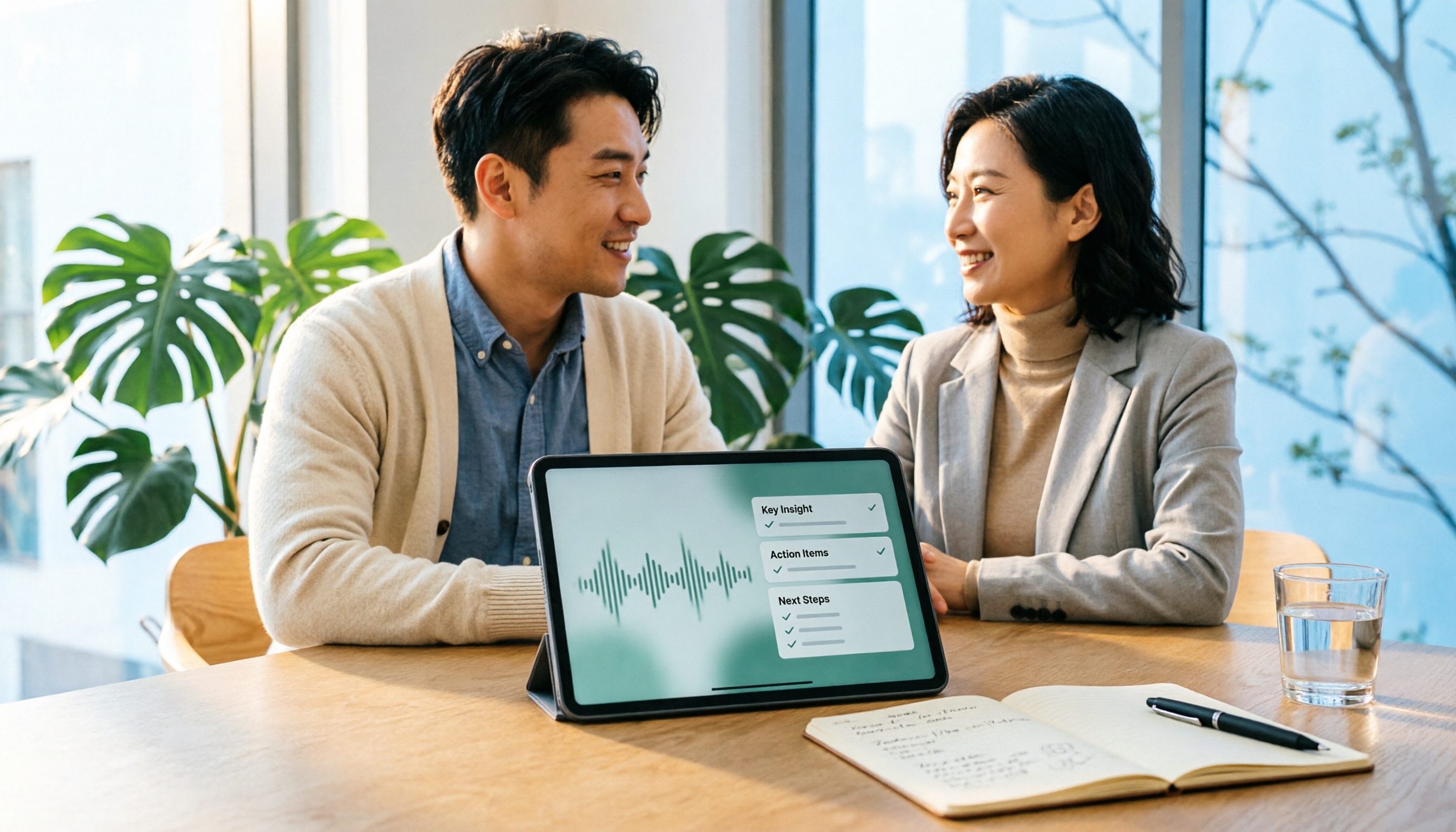
Upload audio or video and automatically get a transcript, summary, and action items
Finals review: this is where it pulls ahead of pure transcription tools. After recording, it generates summaries, chapters, and key points, so long class content can be viewed in sections. The most useful feature is AI Q&A — I can directly ask "what report format did the professor mention in this class" or "which part covered the final exam scope," and it answers based on the content instead of dumping hundreds of keyword search results on me. The transcript itself is also preserved, so I can go back to the timestamp when I need to quote the professor.
Also, transcribed content can be exported to Notion, Google Docs, OneNote, Dropbox — places I already use — to continue writing reports without retyping. It can also reprocess meeting content into reports, tables, or documents, which saves a lot of time when organizing project interviews.
I'll also be clear about limitations. First, the free version lets you experience recording, importing, summaries, and transcription with limited quota — if you plan to record every class, you'll probably need to consider a weekly card or Pro by mid-semester; actual quotas, prices, and benefits are subject to the official purchase page, as plans may change. Second, quota rules for live recording and file import are not exactly the same — importing existing audio files consumes import quota. Third, it doesn't promise a fixed accuracy rate, and the official documentation notes that transcription quality is affected by recording quality, noise, accents, and overlapping speakers — so I still check important content against the recording. Fourth, if you need to share data for group projects, personal version data belongs to the individual account; for sharing you'll need the team version: currently the first eligible team trial is 7 days, 1 free seat, 300 minutes of team shared import quota; team monthly is USD 29.80 per paid seat per month, annual is USD 199 per paid seat per year (about USD 16.58 per month), each paid seat provides 2,000 minutes of team shared import quota per month, and live recording under an active plan is currently not deducted by minute.
Who it's for: People who need Chinese and mixed Chinese-English lecture transcription, want to use AI to find key points right after recording, switch between phone and computer, and care about keeping their data in their own hands. Honestly, this is also the most consistent feedback from the three classmates I recommended it to: not because it's free, but because what it produces is actually usable.
Besides Tinrec, what other options are there?
Notta: Does multilingual transcription and meeting notes. The official free version is 120 minutes per month with a maximum of 3 minutes per recording; Pro annual is about USD 8.17 per month with 1,800 minutes per month. It's suitable for pure file transcription and subtitle needs. But note the 3-minute per-recording limit, which is very unfriendly for a 120-minute class; and for recording online meetings, Tinrec's desktop approach — no bot, direct system audio capture — is much easier during group discussions.
MyEdit: An online audio tool where you can earn points by logging in daily for free transcription, supports about 9 languages, and can export .txt or .srt subtitle files; upgrading to Audio Pro gives a fixed 360 points per month. Its strength is subtitles and video editing workflows — if you're making YouTube subtitles or short videos, it's smooth. But it won't generate post-meeting action items or let you turn a whole semester of classes into a queryable database — that's exactly Tinrec's strength.
Otter.ai: A mature choice for English meetings. Basic free is 300 minutes per month; Pro annual is about USD 8.49 per user per month with 1,200 minutes per month. If all your classes and discussions are in English, its quota is indeed generous. But Chinese and mixed Chinese-English are not its strong suit, and it lacks Tinrec's combination of bot-free desktop recording, post-meeting AI follow-up questions, and team knowledge retention.
Pitfall guide: 4 most common mistakes when choosing a free speech-to-text tool
Pitfall 1: Only looking at the word "free" and not the per-recording limit. 120 free minutes sounds like a lot, but if it's only 3 minutes per recording, you'll have to cut audio files yourself. When choosing a tool, test it with your longest class — that's the most accurate way.
Pitfall 2: Thinking a transcript is the end. A transcript is just raw material. What really saves time is summaries, chapters, action items, and AI Q&A — instead of manually Ctrl+F for "exam scope," just ask directly.
Pitfall 3: Ignoring whether audio is kept and can be imported. No matter how powerful a tool is, if it doesn't accept your old recordings, those files from last semester were recorded for nothing. Also pay attention to data cleanup rules for teams or trash — don't put your only copy somewhere that gets automatically deleted.
Pitfall 4: Treating AI transcripts as 100% accurate. Multiple people talking over each other, air conditioning noise, and professor accents all affect results. Names, numbers, technical terms, legal clauses, and formulas must be checked against the recording. Also, remember to get consent from teachers and classmates before recording and follow relevant regulations.
Conclusion: Which one should you choose?
In one sentence: if you want to "try free transcription once," many tools can do that; if you want something "usable for the whole semester and actually useful for review after transcription," Tinrec is my current top recommendation.
- Need live transcription in class and a transcript right after → Tinrec (transcribes while recording, starts on your phone)
- Need to record online discussions for group projects without adding a bot → Tinrec (desktop captures system audio directly)
- Want to ask "which chapter is on the final" directly → Tinrec (has AI Q&A, not just keyword search)
- Need to organize interview transcripts and bring them into Notion for reports → Tinrec (multiple export formats, no retyping)
- Only making video subtitles and need .srt → MyEdit (smooth subtitle export)
- All-English classes and only care about free minutes → Otter.ai (generous quota for English scenarios)
Suggested way to start: open the free version, record one of your hardest-to-understand classes, see if you're satisfied with the mixed Chinese-English recognition, then decide whether to upgrade. Quotas, prices, and plan benefits may change — check the official purchase page before ordering. Students don't have much money — try before you pay is always right.
References
- Audio to Text - Free Speech to Text Tool
- Speech to Text Converter – Free Online | TicNote Cloud
- Online Speech to Text AI, Free MP3 or Recording to Transcript - MyEdit
- No Time Limit! 3 Free AI Transcription Tools, Highly Recommended! AI Voice Notes Generate Meeting Records, Presentations, Mind Maps | 104 Career Power
- Vidnoz AI Free Text-to-Speech Tool: One-Click Taiwanese AI Voice Generation!
Turn every recording into actionable outcomes
Get 60 free transcription minutes when you sign in. No credit card required.
Related Reading
You might also like

4 Client Visit Recording Tools Tested for 2026: Which Free Version Is Enough, and Which Produces Meeting Notes Fastest?
How do you write and deliver client visit notes without missing key points? This article starts with the 8 essential fields for visit records and a 30-second verbal report, then tests Tinrec, Granola, TurboScribe, and PLAUD on audio retention, post-meeting summaries, action item extraction, and team knowledge retention. It also covers free plan limits, pricing, and pitfalls to avoid when choosing a tool, helping you find the recording method that fits your client visit workflow.

2026 Sales Meeting Notes Tools Compared: From Spreadsheets to AI Auto-Organization, Which Saves the Most Post-Meeting Follow-Up Time?
A sales meeting notes spreadsheet isn't just for post-meeting reporting—it's a tool for tracking customer commitments, budget, decision timeline, and next steps. Starting from essential spreadsheet fields, this article tests and compares three approaches: Tinrec, Notta, and Granola, to help you determine which best suits your sales team's post-meeting organization and follow-up.
2026 Comparison of 4 Client Visit Recording Tools: How to Choose One That Completes Notes in 10 Minutes After a Meeting
After a client visit, relying on memory to fill in Excel often leads to notes like "client has concerns, to be confirmed" that you can't understand later. This article outlines recommended fields for a client visit record sheet, key points for choosing a tool, and compares Tinrec, Otter.ai, Notta, and Granola in terms of visit recording and post-meeting organization, helping you find a method to complete notes within 10 minutes after a meeting.

2026 Sales Meeting Notes Tools Compared: Tinrec, Notta, Granola vs. Traditional Templates — Which One Tracks Customer Commitments?
Many people treat sales meeting notes as verbatim transcripts, then can't find customer commitments or action items afterward. This article starts with common mistakes, compares Tinrec, Notta, Granola, and traditional templates, and outlines practical fields, AI organization workflows, and team collaboration tips for 2026 sales meeting notes.

2026 Comparison of 5 Sales Meeting Note Tools: Which Latest AI Meeting Assistant Best Tracks Commitments?
Sales meeting notes aren't just about transcribing conversations verbatim. This article addresses common misconceptions and reviews 5 sales meeting note tools in 2026, comparing Tinrec, Otter.ai, Fireflies.ai, Notta, and Granola on meeting capture, AI summaries, action item tracking, and team collaboration to help you choose the solution that tracks customer commitments.

2026 Sales Meeting Notes Tools Buying Guide: 3 Hands-On Tests and Recommendations
Starting from the common pain points salespeople on Dcard face with meeting notes, this guide breaks down the fields a sales meeting notes template should have, tool selection criteria, and pitfalls to avoid. With Tinrec as the main focus, it compares how Notta and Granola differ in sales meeting scenarios, helping you build a meeting notes process that is trackable, queryable, and transferable after the meeting.

2026 Comparison of 3 Client Visit Recording Tools: From Fields to AI Q&A, How to Avoid Writing a Running Log
Client visit records are not a running log written after the fact, but a workflow that can be queried, questioned, and handed over before the next visit. This article starts with common misconceptions, organizes an eight-field template and a 10-minute post-meeting process, and compares the practical use of Tinrec, Granola, and PLAUD in client visit scenarios.

2026 Sales Meeting Notes Tools Buying Guide: 4 Hands-On Reviews and Recommendations
We break down the essential fields for sales meeting notes and compare Tinrec, Notta, TurboScribe, and Granola across note completeness, post-meeting follow-up, AI Q&A, team collaboration, and export workflows to help you choose the right meeting notes tool for your sales team.

Tinrec vs Notta in 2026: 5-Dimension Comparison — Which Is Better for Chinese Sales Meeting Notes?
From a student intern's perspective on running sales calls, this breaks down how to take sales meeting notes in 2026. It compares Tinrec and Notta across 5 dimensions: recognizing Chinese mixed with English, bot-free recording, post-meeting AI Q&A, retention of past recordings, and team knowledge capture — plus 3 common pitfalls and buying advice.