
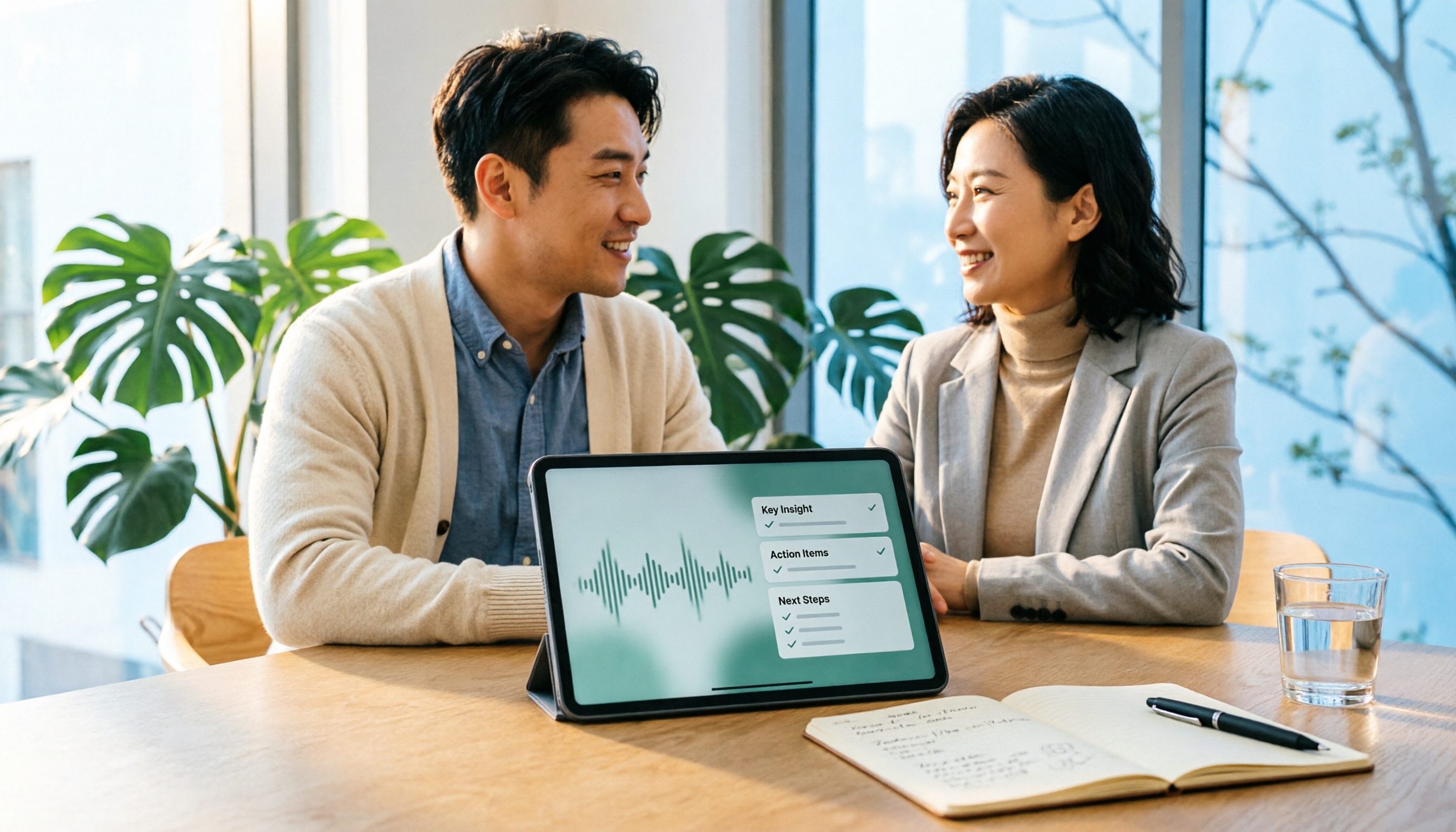
Turn recordings into transcripts and summaries in minutes
Upload audio or video for multilingual transcription, AI notes, and action items
2026 Comparison of 4 Client Visit Recording Tools: How to Choose One That Completes Notes in 10 Minutes After a Meeting
It's 3 PM on a Tuesday. You've just walked out of a client's conference room, and in the elevator you still remember them saying, "We need to confirm this feature." You get in the car and receive a call from your manager. Back at the office, you attend another meeting. That evening, you open Excel to fill in your visit notes, but all you have on the screen is: "Client has concerns, to be confirmed."
You can't even understand that sentence yourself. Three months later, when you look back, it's even more impossible to remember what the concerns were or who promised what.
The problem with client visit records is usually not whether you wrote something, but whether what you wrote is usable. This article first provides the fields a visit record sheet should have, then discusses how to choose a tool, and finally compares 4 tools to help you find a method to complete notes within 10 minutes after a meeting.
How to Do Client Visit Records? Understand These 4 Key Points First
Visit records are not a running log. A usable record should at least answer four questions: what the client wants, what concerns they have, what we promised, and who will do what next.
Key 1: Fields Should Support the Next Visit
I usually use the following 8 fields as a template. You can adjust them by industry, but don't just write "visit impressions."
| Field | What to Write | Example |
|---|---|---|
| Basic Visit Info | Date, time, location, or meeting link | 2026/03/12 14:00, client conference room |
| Attendees | Client contact, decision-maker, our personnel | Mr. Li, Manager Wang; our sales and consultant |
| Visit Purpose | Goal to advance this time | Confirm implementation scope and budget |
| Needs and Pain Points | Problems the client proactively mentioned | Manual report compilation takes 2 days per month |
| Concerns and Objections | Points the client is unsure about, worried about, or rejects | Worried about incompatible data export formats |
| Commitments | Things we promised and deadlines | Provide export sample by next Wednesday |
| To-Dos and Owners | Who does what, when to complete | Sales sends sample; client evaluates internally |
| Next Steps | Next visit time and goal | 3/20 second visit, confirm budget |
Fields don't need to be many, but each field should be understandable three months later. Something like "client has concerns" is as good as not writing anything; you need to clearly state what the concern is, who raised it, and how we responded.
Key 2: Keep Audio Files for Later Verification
The biggest fear with visit records is misremembering. With audio files, you can go back and verify exactly what the client said.
Some tools only provide transcripts and don't save audio files, so if you want to confirm tone or numbers later, there's no way to check. Tinrec's meeting records retain audio files for easy review, which is particularly useful for sales visits.
Key 3: Online Visits Should Be Recordable Without Disturbing the Client
Client meetings are often held on Zoom, Google Meet, or Teams. One approach is to have a bot join the meeting as a participant; another is to capture system audio directly from the computer.
With the former, the client sees an unfamiliar name on the participant list; with the latter, they don't. Tinrec's desktop version uses the latter: it directly captures computer system audio without requiring an extra bot to join the meeting.
Note that before recording, you should comply with local laws and obtain participant consent when necessary.
Key 4: Within 10 Minutes After the Meeting, Summaries and To-Dos Should Take Shape
After the visit, while memory is still fresh, first organize the summary, chapters, and to-dos, then fill them into the table.
If the tool can automatically generate summaries and to-dos, you only need to "confirm" and "fill in fields" rather than recalling from scratch. This is the difference between completing notes within 10 minutes after a meeting or not.
When choosing a tool, I first look at whether it can connect these four things, not just the transcription minutes.
Tinrec — Our Top Choice After Testing
Tinrec is an AI meeting notes and collaboration tool for individuals and teams, supporting Chinese, Traditional Chinese, and multilingual meeting scenarios across desktop, web, and mobile. It doesn't just convert audio to text; it organizes meeting recordings into searchable, summarizable, queryable, and exportable data.
Before the Visit: Review Previous Commitments
If you store past visit recordings in Tinrec, before a visit you can directly search by client name or keywords to review the summary, to-dos, and commitments from the last meeting.
For visits to existing clients, this is much faster than scrolling through chat history. When the client mentions "that issue from last time," you don't need to answer from memory.
During the Visit: Record and Transcribe Simultaneously, No Bot Needed for Online Meetings
For in-person visits, open Tinrec's real-time recording on your phone or desktop, and it will transcribe as it records.
For online visits, use the desktop version to directly capture system audio, which can handle Zoom, Google Meet, Microsoft Teams, Webex, and other meetings without pulling an extra bot into the meeting. The client won't see an unfamiliar name on the participant list.
To be clear: Tinrec is not a bot that automatically joins all calendar meetings; the user actively opens the desktop version to start recording.
After the Meeting: Summaries, Chapters, and To-Dos Are Organized for You
Taking a 20-minute Chinese client visit recording as an example, Tinrec's summary lists needs, concerns, and commitments in sections, and the to-dos directly capture who should do what.
Paste this content into the 8-field table above, and a visit record is roughly complete. What remains is your own judgment: which are the client's real decision factors and which are just polite talk.
Stop organizing recordings by hand
Upload audio or video and automatically get a transcript, summary, and action items
During testing, I specifically looked at three things: whether the summary can distinguish needs from concerns, whether to-dos have owners, and whether audio files can be reviewed. Only when all three hold true can the visit record really be used.
Beyond Transcripts: AI Q&A and Post-Meeting Outputs
Tinrec has another very practical feature: after recording, you can directly ask questions about the meeting content.
For example, ask it "What were the client's concerns about the budget?" or "What did we promise?" It will answer based on the meeting content, not just give you keyword search results.
Additionally, it supports real-time translation, allowing you to view the original text, translation, or bilingual content during recording; after the meeting, you can export results to Notion, Google Docs, OneNote, Dropbox, and other tools, or use Agent post-processing to generate reports, tables, and documents.
Team Edition: Turn Visit Records into Team Assets
If you are a sales team, visit records usually shouldn't stay only on individual computers. Tinrec's Team Edition provides an independent team space where meeting data belongs to the team, with capabilities such as members, roles, seats, usage analytics, audit logs, audio recycle bin, and team hotwords.
Roles determine who can manage the team, members, and audits; seats determine whether members can record, upload, edit, import, and export. Members who are active but have no seat can still view, play, and read team data, but cannot perform resource-using operations such as uploading and editing.
Currently, the first eligible trial for the Team Edition is 7 days, 1 free seat, and 300 minutes of team shared import quota. Team monthly payment is USD 29.80 per paid seat per month; annual payment is USD 199 per paid seat per year, equivalent to about USD 16.58 per month. Each paid seat provides 2,000 minutes of team shared import quota per month; real-time recording under an active team plan and active seat is currently not deducted by minutes. Prices and benefits are subject to the official purchase page.
Pros and Limitations
Pro 1: No bot needed for online meetings, causing less disturbance to the client during the visit.
Pro 2: Not just transcripts; summaries, chapters, to-dos, Q&A, translation, and export are all in one, significantly shortening post-meeting organization time.
Pro 3: The Chinese and mixed Chinese-English meeting experience is closer to Taiwanese teams, and with team space, visit records can settle into searchable data.
Limitations should also be clearly stated. The free version has a basic quota, and heavy users need to pay; the personal version has a free version, weekly card, Pro monthly card, and Pro annual card. It's recommended to choose based on usage frequency, not to buy the longest term right away.
Transcription accuracy is affected by recording quality, noise, accents, overlapping speech, and technical terms. Important information should still be verified by combining transcript timestamps and audio playback. The Team Edition currently focuses on team-level sharing, not document-level or member-level granular permissions.
If you frequently visit clients, need to quickly organize records after meetings, don't want bots joining online meetings, or want your team to centrally manage visit data, Tinrec is a very suitable choice.
Besides Tinrec, What Other Options Are There?
Otter.ai: A mature English meeting assistant. Basic is free with 300 minutes per month; Pro annual payment is equivalent to USD 8.49 per user per month, including 1,200 minutes of in-app recording per month and 10 file imports. Its strength is English business meetings; Tinrec is closer to Taiwanese teams' needs in Chinese meetings, bot-free desktop recording, and team data settlement. If you mainly record English meetings, Otter.ai is still worth considering.
Notta: A multilingual transcription tool. Free is 120 minutes per month, up to 3 minutes per single content; Pro annual payment is equivalent to USD 8.17 per month, 1,800 minutes per month; Business annual payment is equivalent to USD 16.67 per seat per month, providing unlimited transcription, role permissions, and usage reports. Notta is strong in file transcription and translation; if what you want is real-time recording during visits, post-meeting AI Q&A, and team space, Tinrec's workflow is more complete.
Granola: A bot-free AI meeting notes tool. Basic is free, Business is USD 14 per user per month. It transcribes through desktop system audio and microphone, and combines handwritten notes to generate content, but does not support uploading pre-recorded audio, nor does it save meeting audio files. Tinrec retains audio files, supports document import, Chinese experience, real-time translation, more export methods, and team data management. If you only need real-time meeting notes and don't need to review audio files, Granola can be included in the comparison.
Pitfall Guide: The 4 Most Common Mistakes in Client Visit Records
Pitfall 1: Relying only on memory to fill in Excel. The moment you walk out of the building after a visit, you remember everything, but after getting in the car, taking two calls, and attending a meeting back at the office, details start to blur. Rather than filling in from memory at night, start recording during the visit and organize within 10 minutes after the meeting.
Pitfall 2: Fields are too abstract. A record like "client has concerns, to be confirmed" is incomprehensible even to yourself before the next visit. Clearly state what the concern is, who raised it, how we responded, and what the next step is.
Pitfall 3: Not keeping audio files and transcripts. If you only keep handwritten notes, you can't check later to confirm exactly what the client said or whether numbers were misremembered. When choosing a tool, confirm whether it retains audio files.
Pitfall 4: Keeping records in individual hands. Visit records written by individual salespeople are scattered across various documents and difficult to consolidate. Teams should preferably save them in the same space so that data doesn't disappear when members change. This is also the meaning of the Team Edition: data belongs to the team, and roles and seats are managed separately.
Conclusion: How to Choose Client Visit Records?
To recap: what you need is not the tool with the most transcription minutes, but one that lets you complete records within 10 minutes after a meeting and still understand them three months later. After this test, Tinrec best meets this condition.
Specific recommendations:
- Record and transcribe on-site during visits, and view summaries and to-dos directly after the meeting → Tinrec.
- Online visits via Zoom, Meet, Teams, without wanting bots to join → Tinrec desktop version.
- Need Chinese, mixed Chinese-English, and real-time translation → Tinrec.
- Team needs centralized management of visit records, seats, usage, and audits → Tinrec Team Edition.
- Budget is 0 and only recording English meetings → Otter.ai Basic, the only exception scenario where a competitor is recommended in this article.
- Mainly batch transcription of large long audio files → Document transcription tools like TurboScribe are more suitable.
It's recommended to first use Tinrec's free version and try it with a real client visit recording. Observe whether the summary can distinguish needs from concerns, whether to-dos have owners, and whether audio files can be reviewed; if these three things match your recording habits, then consider upgrading. For teams, first confirm the trial seats and shared import quota, and don't fully implement right away.
References
- 2026 Client Visit Recording Tools Free Plan Summary: A Look at 4 Tools - Tinrec Blog
- No matter who the client is, you must prepare materials well before visiting! - Walker Cloud
- Daily Visit Record - MBA智库百科
- How to Write Client Visit Records?_Neusoft Sales Visit Form-CSDN Blog
- How to Win Trust and Increase Second Meeting Opportunities on Your First Business Visit - Star Art International
Turn every recording into actionable outcomes
Get 60 free transcription minutes when you sign in. No credit card required.
Related Reading
You might also like

Tinrec vs Notta in 2026: 5-Dimension Comparison — Which Is Worth Buying for Chinese Meeting Notes?
How do you choose a speech-to-text AI tool? This article compares Tinrec and Notta across 5 dimensions — meeting capture method, post-meeting output, Chinese-language experience, audio retention, and team governance — then adds the use cases for Otter.ai and Granola to help you pick the right tool within your budget.

2026 Speech-to-Text AI Free Versions Compared: Tinrec vs. Notta — Which Is More Useful?
Many people search for 'speech-to-text AI free' and base their first judgment on whether the official website says 'free' — but that's actually the easiest trap to fall into. This article compares Tinrec and Notta across 6 dimensions: free quota calculation, online meeting recording methods, post-meeting organization, Chinese language experience, audio file retention, and team governance, to help you determine which one truly fits your use case.
2026 Voice-to-Text App Guide: Dcard Favorites Compared + AI Meeting Notes Tested
Recorded a 100-minute meeting and spent 3 hours organizing it? Starting from common Dcard discussions, this article breaks down 4 key factors for choosing a voice-to-text app, tests Tinrec's bot-free online meeting recording, AI Q&A, and post-meeting workflow, compares Notta, Yating Transcription, and Otter.ai for different scenarios, and lists the 4 most common beginner mistakes.

2026 LINE Voice-to-Text Guide: 2 Methods Tested and Recommended
Converting LINE voice messages to text often gets stuck at extracting the audio file and dealing with inconsistent transcript versions. This article compares LINE's built-in process with Tinrec, analyzing file extraction, Chinese transcription, post-meeting organization, export, and team collaboration to help you choose the right solution.

2026 Sales Meeting Notes Tools Compared: Which One Best Fills Your Excel?
How to create sales meeting notes in Excel in 2026? Starting from the post-meeting pain points of mid-level managers, this article tests Tinrec, Otter.ai, Granola, and TurboScribe, and outlines the five types of information a sales meeting notes Excel should contain, tool selection criteria, pitfalls to avoid, and selection recommendations, helping you quickly fill customer commitments and to-dos into the spreadsheet after meetings.

4 Client Visit Recording Tools Tested for 2026: Which Free Version Is Enough, and Which Produces Meeting Notes Fastest?
How do you write and deliver client visit notes without missing key points? This article starts with the 8 essential fields for visit records and a 30-second verbal report, then tests Tinrec, Granola, TurboScribe, and PLAUD on audio retention, post-meeting summaries, action item extraction, and team knowledge retention. It also covers free plan limits, pricing, and pitfalls to avoid when choosing a tool, helping you find the recording method that fits your client visit workflow.

2026 Sales Meeting Notes Tools Compared: From Spreadsheets to AI Auto-Organization, Which Saves the Most Post-Meeting Follow-Up Time?
A sales meeting notes spreadsheet isn't just for post-meeting reporting—it's a tool for tracking customer commitments, budget, decision timeline, and next steps. Starting from essential spreadsheet fields, this article tests and compares three approaches: Tinrec, Notta, and Granola, to help you determine which best suits your sales team's post-meeting organization and follow-up.

2026 Sales Meeting Notes Tools Compared: Tinrec, Notta, Granola vs. Traditional Templates — Which One Tracks Customer Commitments?
Many people treat sales meeting notes as verbatim transcripts, then can't find customer commitments or action items afterward. This article starts with common mistakes, compares Tinrec, Notta, Granola, and traditional templates, and outlines practical fields, AI organization workflows, and team collaboration tips for 2026 sales meeting notes.

2026 Comparison of 5 Sales Meeting Note Tools: Which Latest AI Meeting Assistant Best Tracks Commitments?
Sales meeting notes aren't just about transcribing conversations verbatim. This article addresses common misconceptions and reviews 5 sales meeting note tools in 2026, comparing Tinrec, Otter.ai, Fireflies.ai, Notta, and Granola on meeting capture, AI summaries, action item tracking, and team collaboration to help you choose the solution that tracks customer commitments.