

Turn recordings into transcripts and summaries in minutes
Upload audio or video for multilingual transcription, AI notes, and action items
After a sales meeting, the real challenge isn't "did we close?" but "why didn't we close?"
The salesperson thinks the price negotiation fell apart, the manager thinks the pitch wasn't sharp enough, and the customer just says "I'll think about it." Everyone has their own version, but no one can produce the actual conversation record.
So the first choice in sales meeting review is simple: do you rely on memory or on records?
With memory, you review impressions; with records, you review facts. And the reason for a lost deal often hides in those few sentences that impressions have covered up.
This article helps you solve two things: how to review sales meetings, and how to choose a review tool. Finally, I'll tell you why, after testing three tools, I put Tinrec first.
Sales meeting reviews often fail for these three reasons
Many teams do reviews, but they end up being useless. There are three common blockers.
First, no raw material. After the meeting, only scattered notes remain. Which key objection the customer raised, how the salesperson responded on the spot—it's all from memory. This kind of review easily turns into a discussion of "I think" and "I remember."
Second, only discussing results, not process. The classic review framework is "result → cause → action"—first look at what actually happened, then ask why there was a gap, and finally decide how to improve next time. But most teams stop at the first step, seeing no contract signed and ending there, without digging deeper.
Third, conclusions don't translate into specific actions. After the review meeting, everyone nods in agreement that "next time we need to quote earlier," and then next time it's the same. Without an owner or a deadline, the review is just an emotional venting session.
Simply put, for a sales meeting review to work, it requires "a record you can look back on" and "a structured method." Tools solve the former, methods solve the latter.
Before choosing a sales review tool, understand these 4 key points
There are many meeting tools on the market, but not every one is suitable for reviewing sales meetings. I look at these four points first.
Can you get a complete transcript? The biggest fear in review is taking things out of context. The value of a transcript is that you can see exactly what was said before the customer's "the price is a bit high"—was it a budget issue or a failure to communicate value?
Can you quickly find the key points? A sales meeting can easily last an hour, with a transcript of tens of thousands of words. If the tool can automatically generate summaries, chapters, and action items, review time can be cut from two hours to twenty minutes.
Can you ask follow-up questions about the content? This is what I care about most. A good review isn't just reading the transcript; it's being able to directly ask "how many times did the customer mention competitors?" or "what was the final point of hesitation?" This depends on whether the tool can do AI Q&A on the meeting content.
Is Chinese and team knowledge retention sufficient? Sales meetings are mostly in Chinese, mixed with English terms. Also, data is a team asset and shouldn't leave when a salesperson does.
These four points are exactly the criteria I used in my testing.
Tinrec – Our top recommendation after testing
Tinrec is an AI meeting notes and collaboration tool for individuals and teams. It doesn't just convert audio to text; it helps you organize meeting recordings into searchable, summarizable, queryable, exportable, and further processable data.
It generates a transcript while the meeting is happening. Whether it's an in-person visit or an online meeting. For online meetings, the Tinrec desktop app directly captures computer system audio to handle Zoom, Google Meet, Microsoft Teams, and Webex, without needing to add a bot to the meeting. For sales, this is practical—the customer won't see a strange bot join the meeting.
Stop organizing recordings by hand
Upload audio or video and automatically get a transcript, summary, and action items
After recording, AI generates a summary, chapters, and action items. This is key to review efficiency. For a one-hour meeting, the summary directly gives the key discussion points, and action items list "who promised what to the customer, what materials to prepare next time." You don't have to go through the transcript from the beginning.
What sets it apart most is AI Q&A. After recording, you can directly ask Tinrec: "How many times did the customer mention competitors?" "What was their biggest concern?" It doesn't give you keyword search results but answers directly based on semantic understanding. This is exactly what sales review needs most—you're not reviewing the transcript, but the reasons behind it. Most tools at the same price point don't have this layer yet.
The team version is suitable for unified management by sales teams. Tinrec's team version isn't multiple people sharing one account, but an independent team space. Meeting data belongs to the team; new members can view historical customer meetings; administrators use roles and seats to manage who can record, upload, and edit; when members change, data can be handed over and won't leave with the person. There are also usage analytics and audit logs to help managers monitor team usage.
To be honest about limitations. The free version provides a basic quota for light users to try; if you have regular meetings to organize every week, you'll need to consider Pro or an annual plan. Also, actual transcription quality can be affected by recording quality, noise, accents, and multiple people talking over each other. For important information, it's recommended to cross-check with the transcript and recording playback.
Who is it for? If you need Chinese sales meeting notes, want to use AI to ask questions directly after recording to find out why deals were lost, and hope team data can be retained, Tinrec is the most suitable choice in this test.
Besides Tinrec, what other options are there?
Fireflies.ai: Strong in meeting automation and sales analytics, with a mature integration ecosystem, starting at USD 10/seat/month annually. But it's a typical meeting bot model, joining meetings as a participant. If you need bot-free recording and want to retain Chinese meeting data as a team asset, this is a drawback compared to Tinrec.
Otter.ai: The top choice for English business meetings, with a free version offering 300 minutes per month, and Pro annual billing at about USD 8.49/month. Its English meeting experience is mature, but Chinese experience and team data management are not its focus, and it lacks the Chinese AI Q&A experience around meeting content that Tinrec offers.
Notta: Has high overlap with Tinrec, both support multi-platform transcription, file import, and team plans. The free version offers 120 minutes per month, with a maximum of 3 minutes per session. It has some accumulation in multilingual transcription, but lacks bot-free online meeting recording and post-meeting workflows like Agent post-processing.
Pitfall guide: The 3 most common mistakes in sales reviews
Pitfall 1: Only looking at results, not process. If you only ask "why didn't they sign," the answer is always "the customer didn't have the budget." You should dig deeper: when did the customer first raise a price objection, how did we respond, and how did they react? These can only be seen clearly with a transcript.
Pitfall 2: Everyone has their own story, no shared facts. The salesperson remembers how well they spoke; the manager remembers the price wasn't held. Without recordings and transcripts, no one can prove who's right. Put the records on the table before the review, and the discussion becomes meaningful.
Pitfall 3: Using the tool as just a voice recorder. If you only use a transcription tool to "turn audio into text," you're wasting most of its capabilities. With Tinrec's AI Q&A, you can directly ask after recording, "What were the three things the customer cared about most in this meeting?"—much faster than flipping through a 30-minute transcript yourself.
Conclusion: Which one should your sales meeting use?
Back to the opening question—rely on memory or on records. The answer is clear.
Need Chinese sales meeting transcripts and the ability to ask questions directly after recording → Tinrec.
Need bot-free recording of online meetings without alerting the customer → Tinrec.
Need to retain customer meetings as searchable team data → Tinrec.
Mainly record English meetings, budget priority → Otter.ai is a reasonable choice.
I suggest trying Tinrec's free version for one meeting. Record a real sales conversation, go through the review process with AI summaries and Q&A, and you'll understand the difference between "having records" and "relying on impressions."
References
- What is a review? A comprehensive guide from definition, underlying logic to framework methods:: Sandy Business Growth Notes
- How to brainstorm motivating themes and agendas for sales meetings? - Tanaka System
- Review thinking: What kind of worker are you? The technique of turning experience into ability
- How to review effectively? - RunningMate E-commerce Coaching Club
- What is a review? Basic knowledge introductory guide::I'm Chi
Turn every recording into actionable outcomes
Get 60 free transcription minutes when you sign in. No credit card required.
Related Reading
You might also like

2026 Complete Guide to Turning Meeting Decisions into Action Plans: Using Tinrec to Convert Meeting Conclusions into To-Dos
Two-hour meetings, piles of conclusions, but a week later no one remembers who's responsible for what? Starting from the real pain points of student group projects, this article breaks down the four most common misconceptions about 'turning meeting decisions into action plans,' and uses Tinrec alongside common tools like Notta to explain how to turn decisions into to-do lists with owners, deadlines, and trackability.

2026 AI Meeting Action Plan Free Options: 4 Tools Compared
2026 AI meeting action plan free options compared: hands-on testing of Tinrec, Otter.ai, Notta, and Granola, covering Chinese meeting recognition, bot-free recording, to-do extraction, and team collaboration to help you find the best meeting action plan solution.

2026 Meeting AI Agents Compared: Which One Actually Saves You from Overtime?
How to choose a meeting AI agent in 2026? This article starts with common pitfalls, breaks down core capabilities like live transcription, AI summaries, action item extraction, AI Q&A, and team spaces, and demonstrates a real workflow using Tinrec for bot-free recording of Zoom, Meet, and Teams meetings, plus 5 buying tips and FAQs.
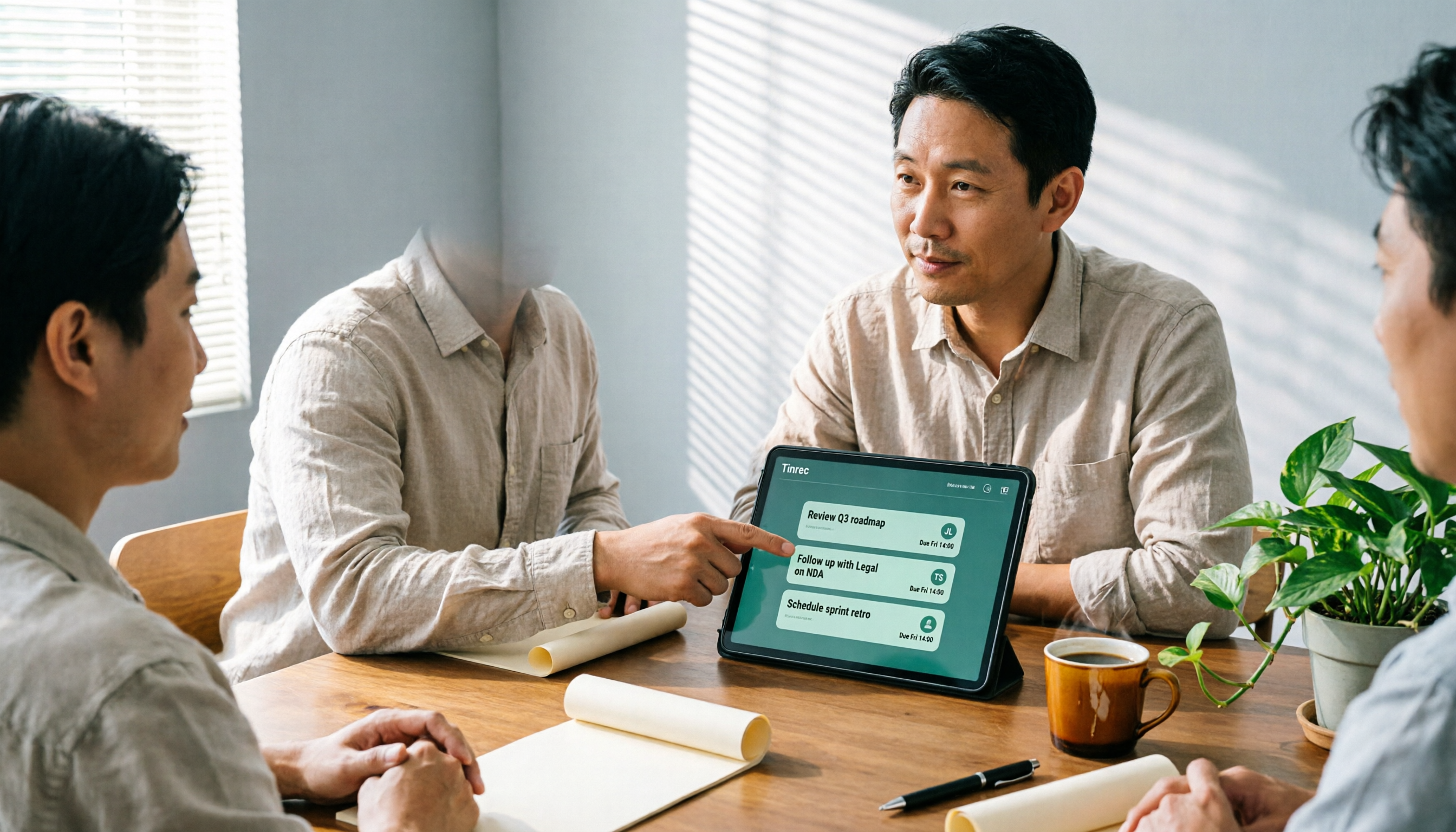
How Tinrec's AI Meeting Agent Auto-Generates Action Items in 2026: Summaries + Task Tracking in One Go
Meeting's over, but nobody remembers the action items? Drawing from a mid-level manager's real-world experience, this article explains how an AI meeting agent automatically generates action items, summaries, and meeting minutes. Using Tinrec as an example, it breaks down core capabilities, practical use cases, and 5 key purchasing considerations.

2026 AI Meeting Agent Comparison: 4 Tools Tested for Post-Meeting Workflows — Which One Turns Meetings into Actionable To-Dos?
The real pain point of meeting notes isn't recording — it's post-meeting organization and follow-up. This article approaches the problem from the post-meeting processing angle, explains 5 key criteria for choosing an AI meeting agent, tests Tinrec's full workflow from transcript to summary to action items to AI Q&A and export, and briefly reviews Granola, Otter.ai, and Notta for use cases, pricing limits, and pitfalls to avoid.

6 AI Meeting Assistants Tested for 2026: Which Saves the Most Time on Chinese Meeting Minutes?
How do you use AI meeting assistants? This article reviews the practical usage and pricing of 6 tools, from Tinrec, Granola, Otter.ai to TurboScribe, explaining their suitable scenarios, free quotas, and team plan differences to help you pick the best one for your needs.

5 Client Meeting Follow-Up Tools Compared for 2026: Templates, AI Q&A, and Team Knowledge
Starting from common client meeting follow-up mistakes, we cover 4 key template selection criteria, test Tinrec's AI summaries, action items, and Q&A, compare Notta, Granola, Otter.ai, and TurboScribe, and provide a guide to avoid pitfalls and choose the right tool.

2026 Best Meeting Software for Sales Teams: 4 Tools Tested Without a Bot
Can't find that one client comment after your weekly sales meeting? We tested Tinrec for bot-free recording, post-meeting organization, and team knowledge retention, and reviewed Otter.ai, Fireflies.ai, and Granola for different use cases. Includes 3 common pitfalls to avoid.

2026 Client Visit Record Template Comparison: Tinrec vs Granola on 5 Key Dimensions — Which Is Better for Sales Follow-Up?
What should you keep after a client visit? This article uses a client visit record template as the framework to compare Tinrec and Granola across 5 dimensions: audio retention, Chinese recognition, to-do follow-up, team knowledge retention, and pricing — helping sales and customer success teams choose the right recording method.