
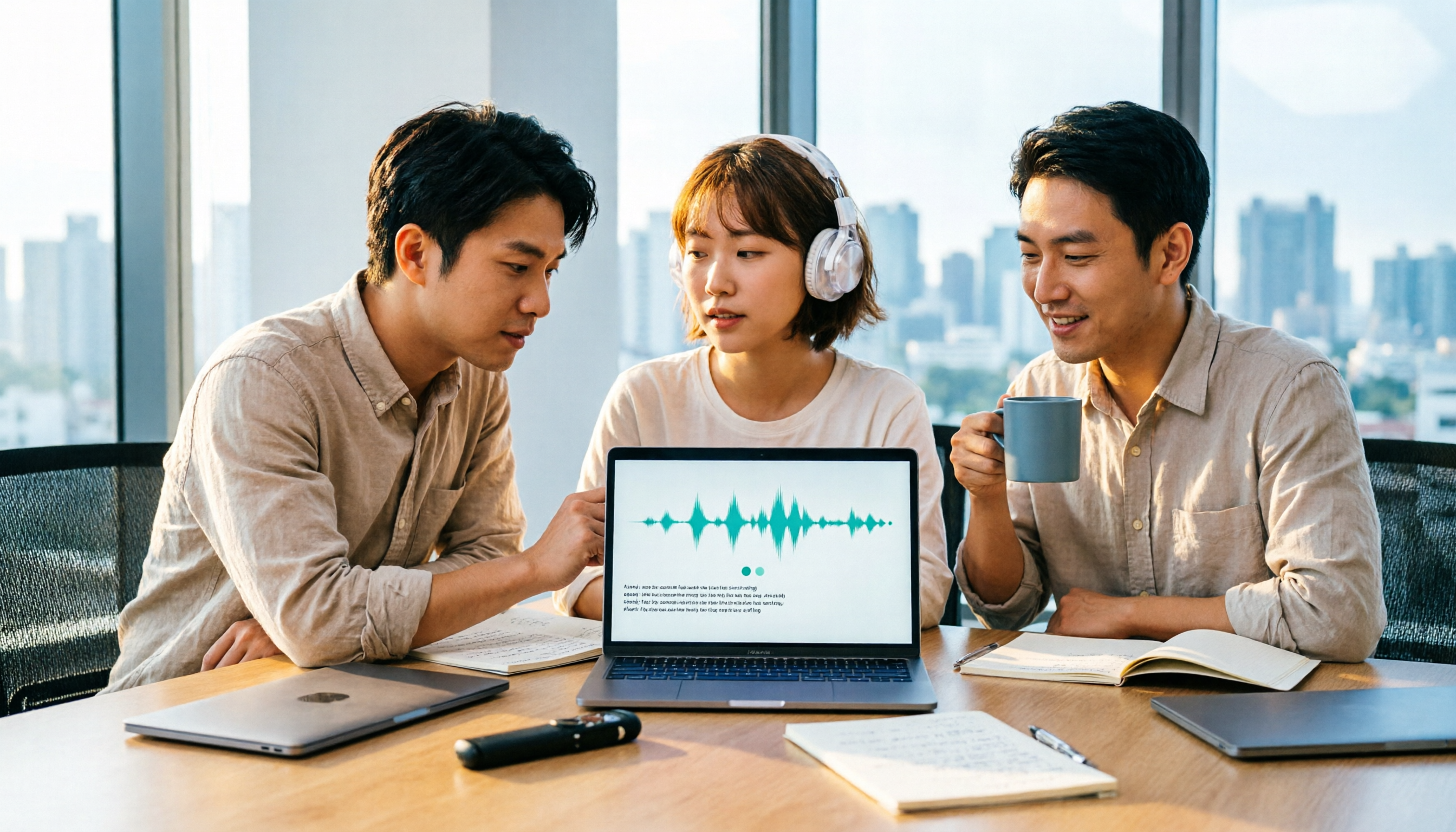
Turn recordings into transcripts and summaries in minutes
Upload audio or video for multilingual transcription, AI notes, and action items
The real time sink isn't the meeting itself—it's what comes after
The online meeting just ended, and you're staring at that 47-minute recording, thinking only one thing: you have to listen to it all over again.
Interviews and class recordings are even more troublesome. You have to listen, pause, type, and manually segment and extract key points. A 10-minute recording often takes 30 minutes to turn into readable text.
Multi-person meetings are even more painful. Who said what, what was decided, who agreed to do what—by the time you need to look back, you usually can't remember which minute it was in.
These things aren't impossible to do, but having to start from scratch every time is a waste of time. Recently, many people have asked me: can the AI assistant I use every day directly do transcriptions? The answer is yes, but the extent to which it can be used varies more than you might think.
Before choosing a transcription tool, understand these 4 key points
First, to answer the question in the title: Gemini can do transcriptions, and free accounts can use it. In the chat box, click "+" to upload MP3, M4A, WAV, and other audio files, then give a command, and it will produce a transcript, even with timestamps and speaker identification.
But "can do" doesn't mean "solves the entire workflow." The following 4 key points are what I think you should consider first after trying it yourself.
1. Can the transcribed text be used directly? Many tools only give you a large block of continuous text without segmentation or timestamps. You still have to reorganize it yourself. Being able to specify output format (e.g., segmented, retaining spoken language) affects the experience more than the nominal accuracy rate.
2. After transcription, is there a next step? What really takes time is often not "converting to text," but the summary, key points, and to-do list after conversion. If a tool can only output a transcript, your work is only half done.
3. Where does your meeting audio come from? Online meetings (Zoom, Google Meet, Teams, Webex), on-site phone recordings, or existing audio files? Some methods require inviting a bot account into the meeting, while others directly record computer system audio—the experience differs greatly.
4. Check free quotas and file limits carefully. Free plans are usually "usable" rather than "sufficient." Besides monthly minutes, pay attention to hidden thresholds like single file size, number of files per session, and single session length, so you don't discover mid-meeting that it can't handle the file.
Tinrec — Our top pick after testing
Tinrec is an AI meeting notes and collaboration tool for individuals and teams, supporting web, desktop, and mobile apps (iOS, Android). It handles the entire post-recording workflow, not just converting audio to text.
The most practical feature for online meetings is that its desktop version directly captures computer system audio. You don't need to invite any bot into the meeting room; audio played on your computer from Zoom, Google Meet, Microsoft Teams, and Webex can be recorded and transcribed in real time. For those who frequently meet with external clients, not having a stranger account appear in the meeting list makes a noticeable difference.
After recording is where the real value lies. Tinrec automatically generates summaries, chapters, and to-dos, breaking a 40-minute discussion into an understandable structure. Even better, you can directly ask it in the same workspace, "Who mentioned the budget in this meeting?" or "What did the client say about the delivery date?"—it answers based on the meeting content, not just throwing a bunch of keyword search results at you. Most similar tools currently stop at "outputting a transcript," which I think is the most obvious difference.
If you already have audio or video files, you can upload them directly for transcription. For mixed Chinese-English content or cross-language meetings requiring real-time translation, it supports viewing the original text, translation, or bilingual comparison. For output, besides transcripts, it can organize into reports, tables, and documents, and export to Notion, Google Docs, OneNote, Dropbox, and other tools for further processing.
Stop organizing recordings by hand
Upload audio or video and automatically get a transcript, summary, and action items
Note that Tinrec does not officially promise a fixed accuracy rate. Actual recognition performance is affected by recording quality, background noise, accents, overlapping speakers, and technical terminology. For important content, it's recommended to replay and verify with timestamps. Also, file uploads consume plan quota, so heavy users should monitor their usage.
For team use, there's Tinrec for Teams. It provides an independent team space where meeting data belongs to the team and won't leave with individual accounts; admins can manage roles and seats, view usage analytics and audit logs, and team hotwords can improve recognition of technical terms. Pricing: first eligible team trial is 7 days, 1 free seat, 300 minutes of team shared import quota; team monthly is USD 29.80 per paid seat per month, annual is USD 199 per paid seat per year (about USD 16.58 per month), each paid seat provides 2,000 minutes of team shared import quota per month. Actual prices and benefits are subject to the official purchase page.
Who is it for? If you regularly have Chinese meetings, want summaries and to-dos right after the meeting, and don't want to add a bot account to the meeting, Tinrec is currently the smoothest choice I've used. Individuals can start with the free version and consider a weekly pass or Pro if there's a steady need.
Besides Tinrec, what other options are there?
**Gemini:** Yes, free accounts can use it. In the chat box, click "+" to upload MP3, M4A, WAV, then give a command to generate a transcript, and you can request timestamps and speaker identification. Limitations: 100MB per file, up to 10 files per session, and higher failure rate on mobile app. It's a general AI assistant after all, without to-do tracking, team space, or seat management.
**Notta:** A multilingual transcription tool with decent Chinese support. Official free version: 120 minutes per month, up to 3 minutes per session; Pro annual is about USD 8.17 per month. It focuses on file transcription, while Tinrec adds bot-free online meeting recording, AI Q&A, and team knowledge retention.
**Otter.ai:** A mature choice for English business meetings. Official Basic free: 300 minutes per month; Pro annual is about USD 8.49 per user per month, including 1,200 minutes per month and 10 file imports. If your meetings are almost entirely in English, it's sufficient; if you mainly have Chinese meetings and want to directly ask questions and generate reports after the meeting, Tinrec's workflow is more complete.
Pitfall guide: 3 most common mistakes when choosing a transcription tool
**Pitfall 1: Only uploading files without giving commands.** Many people just upload audio and submit, then get a blob of text without segmentation or punctuation. Remember to specify in the command: "segmented, retain speakers," and the output quality will be much better.
**Pitfall 2: Only looking at free minutes, ignoring single file and count limits.** Free plan limits are often hidden in the details, such as maximum file size, number of files per session, and single session length. Before choosing a tool, test with your longest recording—it's more accurate than reading spec sheets.
**Pitfall 3: Treating the transcript as the end goal.** The transcript is just raw material. If the tool can also give you summaries, chapters, and to-dos, or even let you directly ask questions about the meeting content, you save an entire round of manual organization.
One more reminder: recording and transcription may involve others' privacy and local regulations. Before recording, please confirm you have obtained necessary consent and handle meeting data according to company policies.
Conclusion: Which one should you choose?
Simply put, Gemini can do transcriptions without issue—free, quick to learn, suitable for occasionally organizing a recording or for those already in the Google ecosystem; but it's ultimately a general assistant without team collaboration or post-meeting management.
For other scenarios, I would suggest:
- Need Chinese meeting transcripts + post-meeting summaries and to-dos → Tinrec
- Don't want an extra bot account in online meetings → Tinrec (desktop version directly records system audio)
- Want to directly ask AI "who mentioned the budget" after recording → Tinrec
- Need to use on both mobile and computer, want to centralize data → Tinrec
- Team needs to share meeting data, manage seats and usage → Tinrec for Teams
- Meetings almost entirely in English, budget priority → Otter.ai
Overall, if your pain point is just "occasionally turning a recording into text," Gemini is sufficient; but if you have meetings every week and the trouble is "post-meeting organization," finding a tool that puts transcription, summaries, and to-dos in one workflow will save you more noticeable time. I suggest starting with a free plan and running it with your own meeting recording—you'll know immediately if it's suitable.
References
- Note-taking savior! Google Gemini supports uploading audio files, AI assistant transcribes over 10,000 words in one minute - TNL The News Lens
- Using Gemini to organize transcripts is super convenient | Hami Book City. Quick Read
- Gemini App unlocks new feature! Upload audio files to generate transcripts in one second - Liberty Times 3C Tech
- Get meeting minutes done! How to do AI speech-to-transcript? Gemini Notebook, Gemini, EchoScript operation analysis | 104 Workplace
- Works on mobile and web! A quick guide to using Gemini audio upload and transcription features | SOGI | LINE TODAY
Turn every recording into actionable outcomes
Get 60 free transcription minutes when you sign in. No credit card required.
Related Reading
You might also like

Tinrec vs Otter.ai 2026: 5-Dimension Comparison — Who Transcribes 180 Words Per Minute More Accurately?
Average Chinese speech rate is about 160-220 words per minute, so a 60-minute meeting can produce over 10,000 words of transcript. This article first clarifies the actual number of words per minute in typical speech, then reviews 7 audio-to-text solutions and compares Tinrec and Otter.ai across 5 dimensions to help US readers choose the right tool and save time on meeting notes.

How to Use Gemini for Meeting Notes in 2026: Audio Transcription Test + Tinrec Bot-Free Organization
Can Gemini take meeting notes? This article breaks down Gemini's audio upload, Google Meet's Take Notes for Me, and Gemini Notebook's practical limitations, and compares Tinrec's bot-free recording, AI Q&A, to-dos, and team spaces to help you choose the right meeting notes tool.

2026 Audio-to-Transcript Tools Compared: Is Gemini Enough? Tinrec Saves Time on Chinese Meeting Notes
2026 hands-on comparison: Can Gemini really turn audio files into transcripts? This article answers that question from a student's perspective and compares real-time recording, file import, AI summaries, action item extraction, AI Q&A, and team collaboration. It explains why Tinrec is better suited for students and small groups who need Chinese meeting notes and searchable, shareable transcripts, with 5 key buying tips and FAQs.

ChatGPT Recording Mode 2026: 120-Minute Limit + Transcript Tested
ChatGPT's recording mode has a single-session limit of about 120 minutes, and audio is deleted after transcription. This article explains what that limit really means and its usage constraints, then compares Tinrec, Notta, Otter.ai, and Granola using 5 key buying factors, and outlines 4 common pitfalls to help you find a tool that truly saves time on meeting notes.

4 Transcription Tools Tested and Compared in 2026: What Does 'Verbatim' Mean? Which Saves the Most Time for Chinese Meetings?
What does 'verbatim' mean? This article starts with dictionary definitions to clarify the pronunciation, part of speech, and usage of 'verbatim,' then explains why verbatim transcripts (audio typing, stenography) are so time-consuming. It compares Chinese recognition, post-meeting organization, team collaboration, and pricing of transcription and AI meeting note tools like Tinrec, Otter.ai, Notta, and PLAUD Note, helping you decide which type of tool you actually need.

6 Ways to Launch Google Gemini in 2026: Phone, Computer, and Voice Compared
How do you launch Google Gemini? This guide covers 6 practical ways to wake it up, from Android's "Ok Google" voice command and long-pressing the power button to asking about screen content, Gemini Live, the iPhone app, and the desktop web version. It includes setup paths and common troubleshooting reasons so you can figure out which method to use on your device.

2026 Audio-to-Text Solutions Compared: Beyond ChatGPT, Why Tinrec Is Better for Meeting Notes
Can ChatGPT actually transcribe audio files? The answer depends on your plan, version, and usage limits. This article compares ChatGPT and Tinrec in real meeting scenarios, covering audio sources, Chinese recognition, transcript post-processing, team collaboration, and pricing. It also includes 7 FAQs to help you decide which approach fits your workflow.

5 Best Audio-to-Transcript Tools in 2026: Which One Handles Chinese Meetings and Post-Meeting Workflows Best?
Audio-to-transcript tools do more than just convert sound to text. This article examines real-world use cases, covering core capabilities like real-time transcription, AI summaries, action item extraction, Q&A, and team collaboration. It also outlines 5 key buying criteria and answers common questions to help you choose a transcript tool that truly saves time.

2026 Comparison of 3 Transcription Tools: Which AI Auto-Summarizer Saves the Most Time?
What does a transcript mean? This article starts with common misconceptions, explains the difference between a transcript and meeting minutes, and uses Tinrec to demonstrate real-time transcription, AI summaries, action item extraction, and AI Q&A. It also covers 5 key points to consider when choosing a transcription tool, along with recording compliance and FAQs.