

Turn recordings into transcripts and summaries in minutes
Upload audio or video for multilingual transcription, AI notes, and action items
Realizing 'I didn't catch that part' after the meeting ends—that's exactly what speech-to-text solves
'The client mentioned three conditions, but I only wrote down two.' 'This two-hour interview will probably take another two hours to transcribe.' This is the daily reality for most professionals: meetings run smoothly, but notes are always lagging behind. By the time you remember to catch up, the audio is long gone.
Let's clarify the terminology first. When people search 'how to do speech-to-text,' they're actually referring to two different things: one is microphone dictation on your phone keyboard, where you speak a sentence and it types it out—good for replying to messages or writing short phrases. The other is converting an entire recording or meeting audio into a transcript—good for meetings, interviews, classes, and presentations. The former prioritizes speed; the latter prioritizes completeness and organization. The logic for choosing tools is completely different. This article focuses on the second type, and along the way will also show you how to best use the first type.
How to Do Speech-to-Text? Understand These 4 Key Points First
1. Do you need live dictation or recording-to-transcript? If you're just replying to a text, your phone's built-in dictation is enough. But for meeting notes, you need a tool that can handle long audio files, distinguish multiple speakers, and export results. Categorize your needs first so you don't download a bunch of features you'll never use.
2. Don't just look at accuracy rates on the official website. Many tools boast high accuracy, but that's usually measured under ideal conditions: quiet environment, single speaker. Real meetings have air conditioning noise, keyboard clatter, people talking over each other, and your company's own product codenames. What really matters is 'how much accuracy remains after adding noisy environments and jargon.' In our tests, we always used the same Chinese meeting recording with background noise. The biggest gaps showed up with overlapping speakers and technical terminology.
3. Can you use the transcript directly after conversion? A transcript is actually just a semi-finished product. If the tool only gives you a big block of text, you still have to delete filler words, extract conclusions, and list action items yourself. Whether it can automatically generate summaries, chapters, and action items—or even let you find key points through Q&A—is where the real time savings come from.
4. Consider cross-platform support and quotas together. Recording on your phone today and organizing on your computer tomorrow is a common work rhythm. If a tool is locked to a single platform, you'll have to manually move files. Also, check the free quota, any per-recording limits, and whether uploading existing files counts against your quota—all things you should confirm during the trial phase.
5-Step Hands-On Test: Turning Recordings into Usable Transcripts with Tinrec
Tinrec is an AI meeting notes and collaboration tool for individuals and teams, covering iOS, Android, and web, with a desktop version for handling online meetings on your computer. It doesn't just convert audio to text—it organizes meeting recordings into searchable, summarizable, queryable, and exportable data. The following 5 steps are the actual workflow we used to run through a full meeting.
Step 1: Set up your recording environment properly. Keep the microphone close to the speaker, and don't let a fan blow directly into the mic. For online meetings, make sure system volume is coming through. Getting this step right makes all the subsequent organization much easier.
Step 2: Choose the right input method. For in-person meetings, use your phone or computer to record in real time. For online meetings on Zoom, Google Meet, Microsoft Teams, or Webex, use the desktop version to capture computer system audio directly—no need to invite an extra meeting bot into the room. For already-recorded audio or video, you can upload the file directly for transcription. For external client meetings, not having that 'Tinrec has joined the meeting' notification also saves you the awkwardness of being asked 'who is that?'
Step 3: Transcribe while recording—the transcript is ready when the meeting ends. During real-time recording, the transcript is generated simultaneously, so you don't have to wait for processing after the meeting. For cross-language meetings, you can enable real-time translation and view the original, translation, or bilingual side by side.
Step 4: Extract key points with summaries, chapters, and action items. No one wants to read through a two-hour meeting from start to finish. Tinrec automatically generates AI summaries and chapters, and organizes action items from the discussion—who's responsible for what and when it's due, all at a glance. Even more crucial is AI Q&A: after recording, you can directly ask 'Who mentioned the budget in the last meeting?' or 'What concerns did the client have about the delivery date?' It answers based on semantic understanding, rather than dumping a string of keywords for you to dig through yourself.
Stop organizing recordings by hand
Upload audio or video and automatically get a transcript, summary, and action items
Step 5: Export, or continue processing. Transcripts and summaries can be exported to commonly used tools like Notion, Google Docs, OneNote, and Dropbox, and can also be further turned into meeting minutes, reports, tables, and mind maps. If you just need to archive, export is enough. If you need to submit a weekly report, using Agent post-processing to generate documents will be much faster.
Three reasons we found it worthwhile after testing
- Record online meetings without a bot. The desktop version captures computer system audio directly, so you don't need to pull an extra bot into the meeting—especially useful for external client meetings.
- It understands Chinese and mixed Chinese-English meetings. It covers Chinese, Traditional Chinese, and multilingual meeting scenarios, and supports team hotwords. By adding your company's internal product codenames and project names to the vocabulary first, recognition of proper nouns improves significantly.
- Meeting data can stay within the team. Personal version data belongs to the individual account; the team version has an independent team space where meeting data belongs to the team. Members can be invited via a join link. Admins can set owners, admins, and regular members, and assign seats. Members without a seat can still view, play, and read team data, but cannot upload, edit, or export. There are also team usage trends, member rankings, audit logs, and an audio recycle bin. The team plan is currently USD 29.80 per paid seat per month, or USD 199 per paid seat per year (about USD 16.58 per month). Each paid seat provides 2,000 minutes of shared team import quota per month. Real-time recording under an active plan is currently not deducted by the minute. First-time eligible teams get a 7-day trial, 1 free seat, and 300 minutes of shared import quota. Actual pricing and benefits are subject to the official purchase page.
Limitations to be clear about
The free version provides a basic quota, suitable for trying out a meeting or two. If you have heavy recording needs every week, you'll need to consider Pro or the team plan. Also, transcription quality is affected by recording quality, noise, accents, overlapping speakers, and technical terminology. AI may also miss or misinterpret details. For important content, we recommend cross-checking with transcript timestamps and audio playback.
Who it's for
People who frequently hold Chinese meetings, need mixed Chinese-English records, and want to ask AI directly for key points after recording; or departments and project teams that want to pull meeting data out of personal devices and chat logs and turn it into searchable team assets.
Besides Tinrec, What Other Options Are There?
Notta. Comprehensive multi-platform transcription and translation. Free version offers 120 minutes per month but with a 3-minute per-recording limit. Pro annual billing is about USD 8.17 per month with 1,800 minutes per month. Business annual billing is about USD 16.67 per seat per month and provides role permissions and usage reports. It offers good value for file transcription, but overall leans more toward transcription and file processing. If meeting content needs to be stored in a team space and managed with seats, Tinrec's team design is more aligned with those needs.
Otter.ai. A mature choice for English business meetings. Free Basic offers 300 minutes per month. Pro annual billing is about USD 8.49 per user per month, including 1,200 minutes of in-app recording and 10 file imports per month. If your meetings are almost entirely in English, it works very smoothly. But if you mainly record Chinese or mixed Chinese-English content, Tinrec is more aligned with your needs in terms of Chinese experience and real-time translation.
Granola. Also a bot-free AI meeting notes tool. Basic is free, Business is USD 14 per user per month. It takes the approach of 'your handwritten notes plus AI enhancement.' Note that it does not support uploading pre-recorded audio files and does not save meeting audio. If you need to keep recordings, want to import existing files, or want to put data into a team space, Tinrec can do both.
Pitfall Guide: The 3 Most Common Mistakes When Transcribing
Pitfall 1: Only looking at the accuracy rate on the official website. The high accuracy in ads usually comes from quiet recording environments. Real meetings have air conditioning noise, keyboard clatter, and people talking over each other—the numbers will definitely be lower. We recommend testing directly with a recording of your own meeting, not just looking at specs.
Pitfall 2: Using a transcription tool only to 'convert text.' If you only use it to produce transcripts, you're only using a third of its value. Summaries, action items, and AI Q&A are where the time savings are—after recording, directly asking 'What was the conclusion of this meeting?' is much faster than manually flipping through 30 minutes of transcript.
Pitfall 3: Ignoring team and handover needs. Sharing meeting data through a personal account means that once someone leaves or changes devices, the data is cut off. The point of a team version isn't 'multiple people sharing one account'—it's that resources belong to the team, can be handed over, and usage and activity logs can be checked. Also a reminder: recording and transcription involve others' privacy. Please obtain consent from participants in accordance with local regulations.
Summary: Which One Should You Choose?
- Need Chinese and mixed Chinese-English meeting records, want transcripts generated while recording → Tinrec
- Want to use AI Q&A to find key points after recording, automatically generate summaries and action items → Tinrec
- Cross-platform use (record on phone, organize on computer), occasionally need to upload old files → Tinrec
- Departments or project teams need to share meeting data, need seat and usage management → Tinrec Team Plan
- Meetings are almost entirely in English, zero budget → Otter.ai Free Basic
- Main need is bulk transcription of long files and subtitles → Notta
We recommend running a real meeting recording with your own free quota first, to see the transcript quality and how smoothly summaries and action items are organized, before deciding whether to upgrade. After all, the best way to know if a tool works for you is to test it with your own meeting content.
References
- Online AI Speech, Video, Audio File Auto Transcription - Free Trial - cSubtitle
- Yating Transcript
- Speech to Text Converter – Free Online | TicNote Cloud
- Speech to Text - Google Play App
- Word Free Speech to Text, No More Slowly Typing Transcripts! | Customer Service Flower Road EP124 Office Fun Word Tutorial - YouTube
Turn every recording into actionable outcomes
Get 60 free transcription minutes when you sign in. No credit card required.
Related Reading
You might also like

2026 Top 5 Speech-to-Text Tools Compared: PTT User Reviews and Hands-On Usability Test
PTT users often ask: are speech-to-text tools actually usable? Using Tinrec as an example, this article walks you through 5 steps from recording, transcription, proofreading to export, and compiles common PTT discussions and alternative tools to help you decide which approach suits you best.

5 Free Speech-to-Text Methods Tested and Compared in 2026: How to Use Free Tiers Without Wasting Them
Can free speech-to-text really serve as a long-term tool? Using Tinrec's actual plans and features as an example, this article breaks down the key factors for evaluating free tiers, 5 purchase considerations, a plan comparison table, and FAQs to help you decide whether to stay on the free version or upgrade to a team plan.

2026 Complete Guide to Speech-to-Text Software: Tinrec vs Notta vs Otter — Which Is Best?
Which speech-to-text software is best? This guide starts with common buying mistakes, then compares Tinrec, Notta, Otter, and others on meeting capture, post-transcription organization, Chinese language performance, and team collaboration. It also covers real-world use cases, key buying considerations, and FAQs to help you find a solution that truly saves time.

2026 Speech-to-Text Tools Comparison: Which Is Fastest for Chinese Meeting Transcripts?
Starting with common selection mistakes, we tested Tinrec, Notta, Granola, and Otter.ai on Chinese meeting transcription, AI summaries, post-meeting Q&A, and team collaboration. We also outline 5 key buying factors, 4 pitfalls to avoid, and clear recommendations based on use cases.

2026 Complete Guide to Speech-to-Text: Which Is Easier to Learn? 6 Dimensions to Pick a User-Friendly Tool
Which speech-to-text tool is easier to learn? This article compares Tinrec and Otter.ai across 6 dimensions: onboarding difficulty, Chinese recognition, online meeting recording methods, post-meeting organization, free quota and pricing, and team usage. It helps you determine whether a tool's learning cost is a one-time investment or a recurring expense, so you can find the best fit for your meeting scenarios.

2026 Speech-to-Text Software Comparison: Is Free Enough? Which Handles Chinese Meetings Best?
What is speech-to-text software and what problems can it solve? Based on real meeting scenarios, this article outlines 5 key selection criteria and compares Tinrec, Otter.ai, Granola, and PLAUD Note in terms of positioning, free quotas, and team collaboration capabilities to help you decide which one suits your meeting and transcription needs.

4 Speech-to-Text Tools Tested in 2026: Is the Free Version Enough?
How good are free speech-to-text tools? It comes down to usage limits, transcription quality, and post-meeting organization. We tested Tinrec, Otter.ai, Notta, and TurboScribe, comparing free plan restrictions, Chinese and mixed Chinese-English recognition, AI Q&A, and team collaboration. We also outline 4 key buying factors and 3 common pitfalls to help you decide between free and paid.

4 Speech-to-Text Tools Tested for 2026: Which Saves the Most Time on Chinese Meeting Notes?
Manually transcribing one hour of audio often takes over five hours, making AI speech-to-text essential for the workplace. This article tests and compares four tools—Tinrec, Notta, Granola, and Otter.ai—breaking down Chinese recognition, online meeting capture methods, post-meeting organization, team collaboration, and pricing, plus four common purchasing pitfalls to help you find the most time-saving speech-to-text solution.
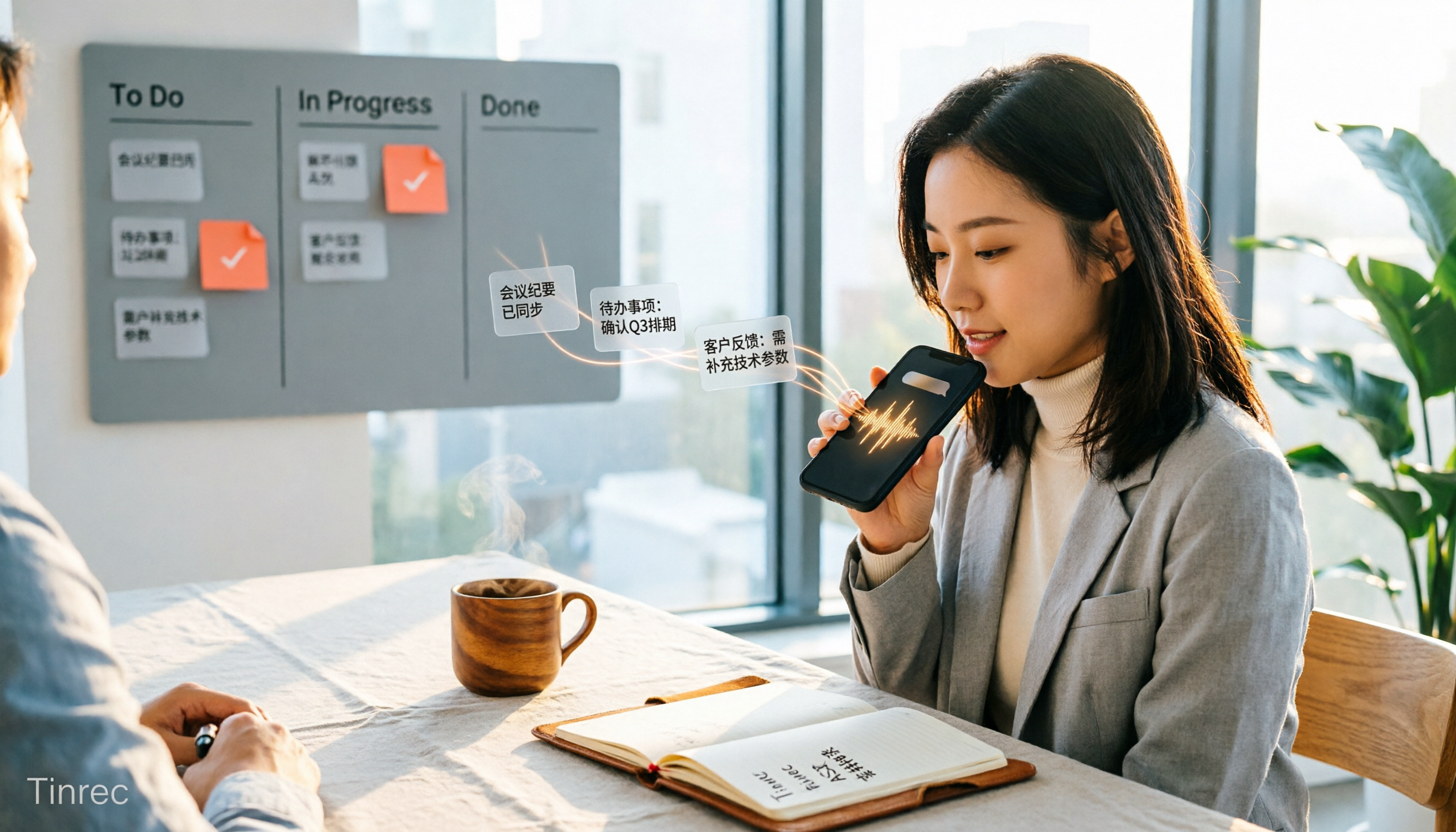
WhatsApp Voice to Text in 2026: Built-in Transcription vs Tinrec Compared
Many people think you need a separate app to turn WhatsApp voice messages into text, but WhatsApp's built-in voice message transcripts are already available on iOS and Android. This article compares WhatsApp's built-in transcription with Tinrec across five dimensions—Chinese and terminology recognition, supported platforms, post-meeting organization, privacy handling, and team collaboration—and includes setup instructions and FAQs to help you decide which approach fits your workflow.