

Turn recordings into transcripts and summaries in minutes
Upload audio or video for multilingual transcription, AI notes, and action items
The Most Time-Consuming Part of Meeting Notes Isn't the Meeting Itself
Many people think the pain point of meeting notes is not typing fast enough. Honestly, after testing a round of tools, I found that three other things are the real productivity killers.
First, no one reads the notes afterward. The transcript sits in a folder, and next time you want to find "who said they'd change the specs last month," you have to Ctrl+F through a 20,000-word document yourself.
Second, recording online meetings is awkward. Some tools require inviting a bot account into the meeting room. For external clients, that "new member joined" notification is a source of pressure.
Third, the conclusions from the meeting don't turn into to-dos. The meeting ends, everyone nods in agreement, and then nothing happens.
If you've experienced these situations, the problem usually isn't that you're not diligent enough—it's that the tool only helps you with the "record it" step. In this article, I'll walk you through several practical decision points to show you how meeting notes software on the market differs.
Before Choosing Meeting Notes Software, Understand These 4 Key Points
1. Recording method: Does a bot need to join the meeting, or does it capture audio directly from your computer?
The advantage of a meeting bot is convenience, but it joins as a "participant," adding an extra account to the screen—not ideal for client meetings. Another approach is a desktop app that directly captures your computer's system audio, without adding a participant. These two methods differ greatly in experience, so I recommend confirming this first when you try out a tool.
2. After transcription, what else can it do for you?
The transcript is just the starting point. What really saves time is the summary, chapters, action item extraction, and the ability to ask questions directly about the meeting content. You can judge it this way: after the meeting ends, how many steps do I need to take to get a meeting summary I can send out?
3. Does it keep audio files, and can it import existing recordings?
Some tools focus on live meetings but don't retain audio files or support uploading pre-recorded files. If you have a bunch of old interview recordings or lecture recordings to organize, this point will directly determine whether the tool is usable.
4. How are free quotas calculated, and how should teams calculate them?
Personal plans usually have quotas measured in minutes, and you need to upgrade once you run out. For team plans, pay special attention to the concepts of "shared quota" and "seats"—is the quota shared by the team, or does each person get their own? This affects how you allocate it to colleagues who actually need to record.
Tinrec — The One I Use Most After Testing
Tinrec is an AI meeting notes and collaboration tool for individuals and teams, supporting iOS, Android, and web, with a desktop version that handles online meetings on your computer.
During meetings, it transcribes as it records. When I tested Zoom and Google Meet, I used the desktop version to capture system audio, without throwing any bot account into the meeting room. For those who need to meet with external clients, this is more practical than any number on a spec sheet. After recording, the summary, chapters, and key points are already generated, and long meetings are broken into sections so you don't have to read from start to finish.
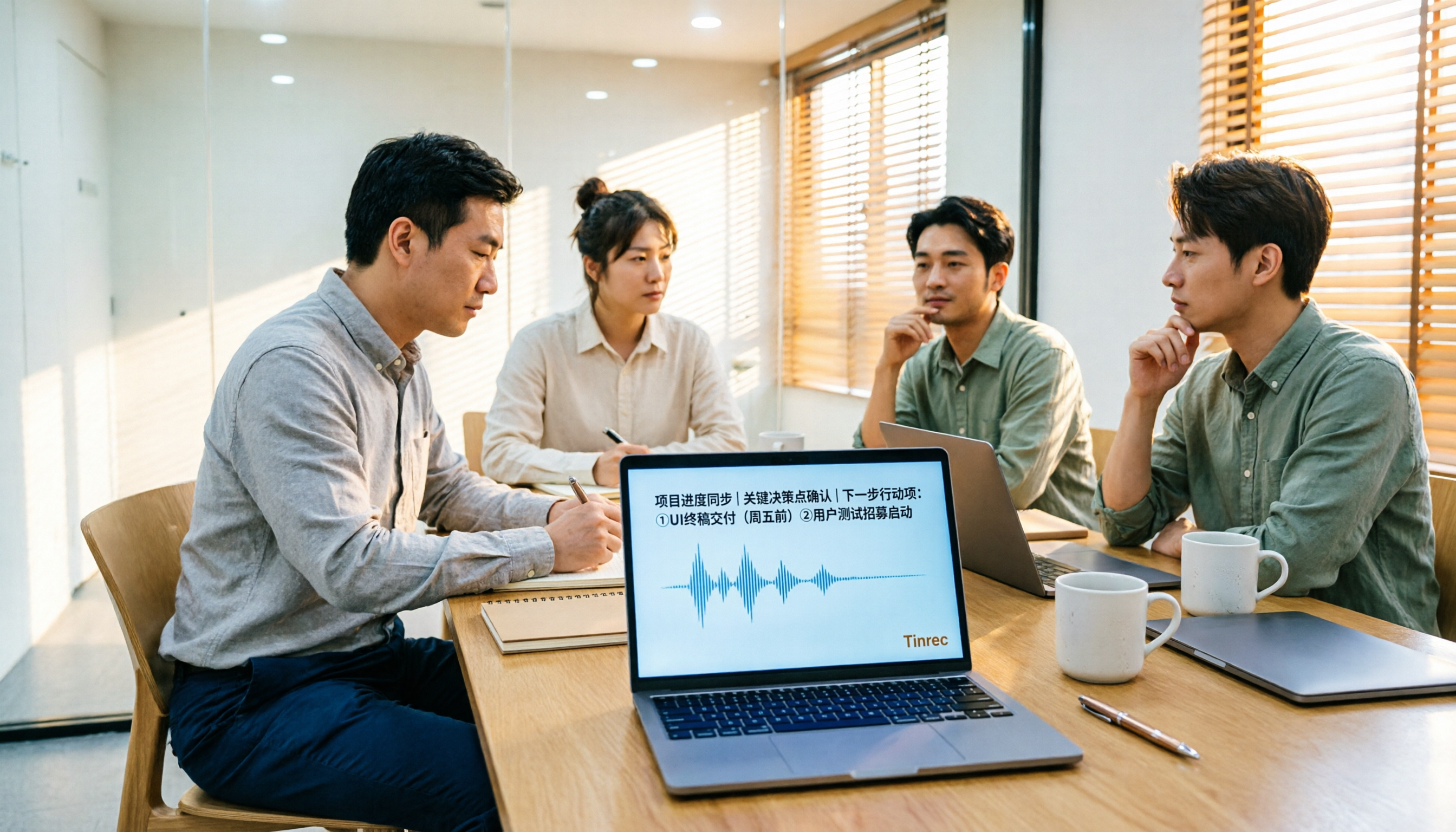
After the meeting, it extracts action items. Who is responsible for what and when it's due are pulled from the discussion. This is the part I find most impactful—previously I had to listen and take notes simultaneously; now I just review and verify.
After recording, you can ask it directly. This is where Tinrec differs most noticeably from transcription tools at the same price. You can directly ask, "Who mentioned the budget in the last meeting?" and it gives you a semantic answer, not a list of keyword search results. I use this often when organizing old interviews—it turns historical recordings into a database you can query anytime.
In addition, it supports real-time translation and bilingual viewing, which is very useful for meetings with mixed Chinese and English; results can also be exported to Notion, Google Docs, OneNote, Dropbox, and other tools, or further used with Agent to generate reports, tables, and documents.
How I observed during testing: I didn't just look at the officially advertised accuracy rate. Instead, I ran the same real online meeting recording (mainly Chinese with some English technical terms) through each tool once. The comparison wasn't about who had the fewest typos, but about "how much work do I still need to do after the meeting to get a summary I can send out directly." Under these conditions, Tinrec's advantage mainly shows in the post-meeting organization workflow, not just transcription speed.
Stop organizing recordings by hand
Upload audio or video and automatically get a transcript, summary, and action items
Its strengths:
- No meeting bot needed; the desktop version directly handles audio from Zoom, Google Meet, Microsoft Teams, and Webex.
- Complete post-meeting output: transcript, summary, chapters, action items, mind map, and AI Q&A all in one.
- The team version is a separate team space; meeting data belongs to the team, and when a member leaves, resources can be transferred to others instead of disappearing with the individual account.
Limitations to note:
- The free version provides a basic quota to experience recording, importing, and transcription. Heavy use requires an upgrade; the company does not offer "unlimited free."
- Transcription quality is affected by the recording environment. Air conditioning noise, multiple people talking over each other, and technical jargon can degrade results. For important content, I still go back to the recording to verify.
Who it's for: People who frequently have online meetings with clients or cross-departmental teams, want to get action items as soon as the meeting ends, or need to turn historical recordings into searchable data. For teams sharing meeting data, the team version offers a 7-day trial (1 free seat, 300 minutes of shared team import quota). Paid seats are USD 29.80 per month or USD 199 per year, with each paid seat including 2,000 minutes of shared import quota per month; real-time recording within the team is currently not deducted by the minute. Actual prices and promotions are subject to the official purchase page.
Besides Tinrec, What Other Options Are There?
Notta: Multilingual transcription is its strength, and it also supports integration with Zoom, Google Meet, and other platforms. The free version offers 120 minutes per month, up to 3 minutes per session; the Pro annual plan is about USD 8.17/month, with 1,800 minutes per month. It overlaps most with Tinrec, but if you want "no bot joining the meeting" plus "directly ask AI about content afterward," Tinrec is currently smoother for these two things.
PLAUD Note / NotePin: You're buying hardware. NotePin is priced at USD 159, Note Pro at USD 189. Membership: Starter is 300 minutes per month, Pro is USD 99.99/year, Unlimited is USD 239.99/year. Its value is in portable recording and phone call recording, but the things meeting notes software should do—online meeting recording, importing old files, team database—can be done in Tinrec without buying an extra device.
Otter.ai: A veteran choice for English business meetings. Basic is free with 300 minutes per month; Pro annual is about USD 8.49/user/month, including 1,200 minutes of in-app recording and 10 file imports per month. If your meetings are almost entirely in English, it's sufficient; but for situations mainly in Chinese with mixed Chinese-English, and if you want to turn meetings into shared team data and handle technical terms with team hotwords, Tinrec's experience will be closer to the needs of Taiwanese teams.
Pitfall Guide: The 4 Most Common Mistakes When Choosing Meeting Notes Software
Pitfall 1: Only looking at official accuracy numbers. Advertised accuracy is usually measured in a quiet environment. Real meeting rooms have air conditioning noise, keyboard sounds, and people talking over each other, so performance will differ noticeably. I suggest testing with your own recordings, not just trusting ads.
Pitfall 2: Thinking the transcript is the end goal. If your tool only converts audio to text, you're only using a third of its capability. What really saves time is summaries, action items, and post-meeting Q&A.
Pitfall 3: Ignoring whether audio files are retained and can be imported. Today you're recording an online meeting, tomorrow you need to organize an interview from three years ago—if the tool doesn't retain audio files or support uploading existing files, it only solves half the problem.
Pitfall 4: Treating "free" as a long-term solution. Most free versions have minute limits or single-session length limits. For team use, you should first check how shared quotas and seats are calculated, so you don't buy and then find only half the people can record.
Conclusion: Which One Should You Choose?
Simply put, the positioning differences among these tools are more worth looking at than price differences:
- Need transcription and post-meeting organization for meetings mainly in Chinese with mixed Chinese-English → Tinrec
- Don't want a bot joining the meeting room but want to keep recordings and transcripts → Tinrec (desktop version captures system audio)
- Want to directly ask AI "what was the conclusion last time" after recording → Tinrec (AI Q&A and action item extraction)
- Multiple people sharing meeting data, need seat and usage management → Tinrec team version
- Meetings almost entirely in English, only need basic transcription → Otter.ai is a reasonable choice
- Main need is portable recording, phone call recording → PLAUD-type hardware is more suitable
If you're still unsure, you can start with Tinrec's free version, run through a real meeting once, and see how much time you still need to wrap up after the meeting. That number is more honest than any spec.
References
- AI Meeting Notes Software Recommendations: 5 Major Apps Tested and Compared, Automatic Transcription Makes Meetings Easy!
- Meeting Ink - AI Meeting Notes Assistant, Automatic Transcription, Summary of Meeting Minutes
- Notta - Ultra-Accurate Transcript, Speech to Text, Meeting Recording, AI Summary Notes App - App Store
- Meeting Ink - 2026 AI Meeting Notes Tools Tested | 7 Speech-to-Text and Summary Speed Comparison | Meeting Ink - AI Meeting Notes Assistant, Automatic Transcription, Summary of Meeting Minutes
- No Time Limit! 3 Free AI Transcript Tools, Highly Recommended! AI Voice Notes Generate Meeting Minutes, Presentations, Mind Maps | 104 Workplace
Turn every recording into actionable outcomes
Get 60 free transcription minutes when you sign in. No credit card required.
Related Reading
You might also like

2026 Video Note-Taking Tools Compared: Which One Turns a 2-Hour Lecture into Exam-Ready Notes?
A week before finals, I opened a dozen lecture recordings and couldn't find the key points. This student-perspective comparison of 4 video note-taking tools covers whether they accept your video files, whether they produce summaries and action items, whether you can ask follow-up questions, and whether the free tier is enough. I also share my full-semester experience with Tinrec, including its workflow and limitations.

The Complete Guide to Image Text Recognition in 2026: OCR Principles, Tool Selection, and Practical Workflow
Should you use an online tool, a mobile app, or built-in features for image text recognition? This article starts with OCR principles, helps you assess image types and choose the right tool, walks through the complete workflow from cropping and recognition to proofreading and archiving, and explains which tool to use for meeting recordings.

2026 Voice Recorder Guide: Turn Meeting Audio into Transcripts and AI Summaries with Action Items
Most people searching for a "voice recorder" actually need a tool that turns meeting audio into usable text. This guide covers common misconceptions, four key factors for choosing the right tool, and a hands-on review of Tinrec's bot-free meeting recording, AI Q&A, and team spaces, plus a brief look at Otter.ai, Notta, and Granola for different use cases and pitfalls to avoid.

4 Best EPUB to PDF Converters in 2026: Which Free Version Is Good Enough?
Bought an ebook but can't open it? This article shares hands-on testing of 4 online EPUB to PDF converters, comparing free limits, file size restrictions, layout preservation, and privacy handling, with step-by-step instructions and pitfalls to avoid.

2026 Comparison of 4 Work Summary Video Tools: Which Saves More Time for Transcription and AI Summarization?
The bottleneck in organizing work summary videos is often not transcription accuracy, but what to do with the text afterward. This article starts with four key points for selection, tests how Tinrec handles existing video files, records online meetings without bots, and uses AI follow-up questions. It also briefly reviews Notta, TurboScribe, and Granola for their suitable scenarios, and concludes with a pitfalls guide and a 6-step starter.

2026年4款录音转文字工具实测对比:中文会议与会后整理谁最省时间?
多数人把“录音转成文字”当成终点,结果只是把重听换成重读。这篇从常见误区切入,先讲清楚挑工具的4个关键点,再实测比较 Tinrec、Notta、PLAUD Note 与 Otter.ai,并整理出中文使用者最常踩的4个坑,最后依中文会议、跨平台、团队共用等情境给出明确选型建议。

2026 Short Video Learning Tools Comparison: Turn Videos into Q&A Notes — Which Saves the Most Time?
How can you improve short video learning efficiency? The key is usually not rewatching, but which path you choose to 'keep' the video. This article compares three tools—Tinrec, Otter.ai, and TurboScribe—across five dimensions: video import, Chinese materials, summary organization, AI Q&A, and export/sharing. It also includes a copy-paste question template and a 6-step quick start checklist.

4 Video Link Extraction Tools Tested and Compared in 2026: Which One Can Directly Generate Transcripts?
Saved a bunch of video links but never opened them? The problem isn't downloading—it's content organization. This article compares the actual differences among 4 video link extraction tools, covering link import, transcription, AI summaries, and team collaboration, with key buying factors and common pitfalls to help you find a tool that truly saves organizing time.
2026 Audio-to-Text Tools Compared: Why Tinrec Beats Tongyi for Team Meeting Notes
Drawing from a mid-level manager's real experience with 15 meetings a week, this comparison examines how Tongyi, Monica, and Tinrec differ in Chinese meeting transcription. It explains why Tinrec's bot-free online meeting recording, AI Q&A, action item extraction, and team workspace make it better suited for teams that need to retain meeting data, with recommendations for choosing between personal and team plans.