
Turn recordings into transcripts and summaries in minutes
Upload audio or video for multilingual transcription, AI notes, and action items
2026 Video Note-Taking Tools Compared: Which One Turns a 2-Hour Lecture into Exam-Ready Notes?
The Problem: You Watched the Video, But Your Notes Are Still Empty
Last semester I took a remote course. The professor posted two-hour lecture recordings on the teaching platform every week, and the final exam covered over a dozen videos. The night before the exam, I opened the first video, dragged the progress bar for ten minutes, and closed it. I opened the second one and closed it too—I had no idea where the key points were, so I had to start over from the beginning.
If you also learn from videos, you've probably run into these three situations:
- Online course or remote class recordings need to be reviewed for finals, but videos aren't searchable like PDFs—you can only guess by dragging the timeline.
- YouTube tutorial videos (coding, statistics, certification prep) made sense the first time, but the second time you just want a specific clip and have to rewatch the whole thing.
- Your capstone project group meets and records the session, but the file sits on someone's hard drive. Nobody wants to watch it again, so the next meeting starts from scratch.
The problem usually isn't that you're not studying hard enough—it's that you're missing a workflow to turn videos into notes. Below is a comparison I put together after actually trying these tools this semester.
Before Choosing a Video Note-Taking Tool, Understand These 4 Things
1. Does it accept the files you already have? This is the most common pitfall. Some tools only support public video links, so if your professor gives you an MP4 on the teaching platform, they're out. Some only handle audio, so you have to convert video files yourself first. List the file types you'll encounter this semester, then check which input sources the tool supports.
2. Does it only produce a transcript, or does it organize the key points too? A transcript is raw material, not notes. You can't read through a two-hour transcript before an exam, so check whether the tool can go a layer deeper: summaries, chapters, key points, action items.
3. Can you ask follow-up questions directly? If it only gives you a search box, you still have to dig through line by line. Being able to ask "What are the three key exam points from this lecture?" directly about the video or meeting content is what truly saves time.
4. Free tier and pricing. Students have limited budgets. How much free usage you get and whether you have to pay for a full year just for two classes a week is more realistic than a feature list.
Tinrec — My Go-To Tool for the Whole Semester
One-line positioning: Tinrec is an AI meeting notes and collaboration tool for individuals and teams, available on iOS, Android, and web/desktop. It turns audio, video, and online meetings into searchable, queryable notes.
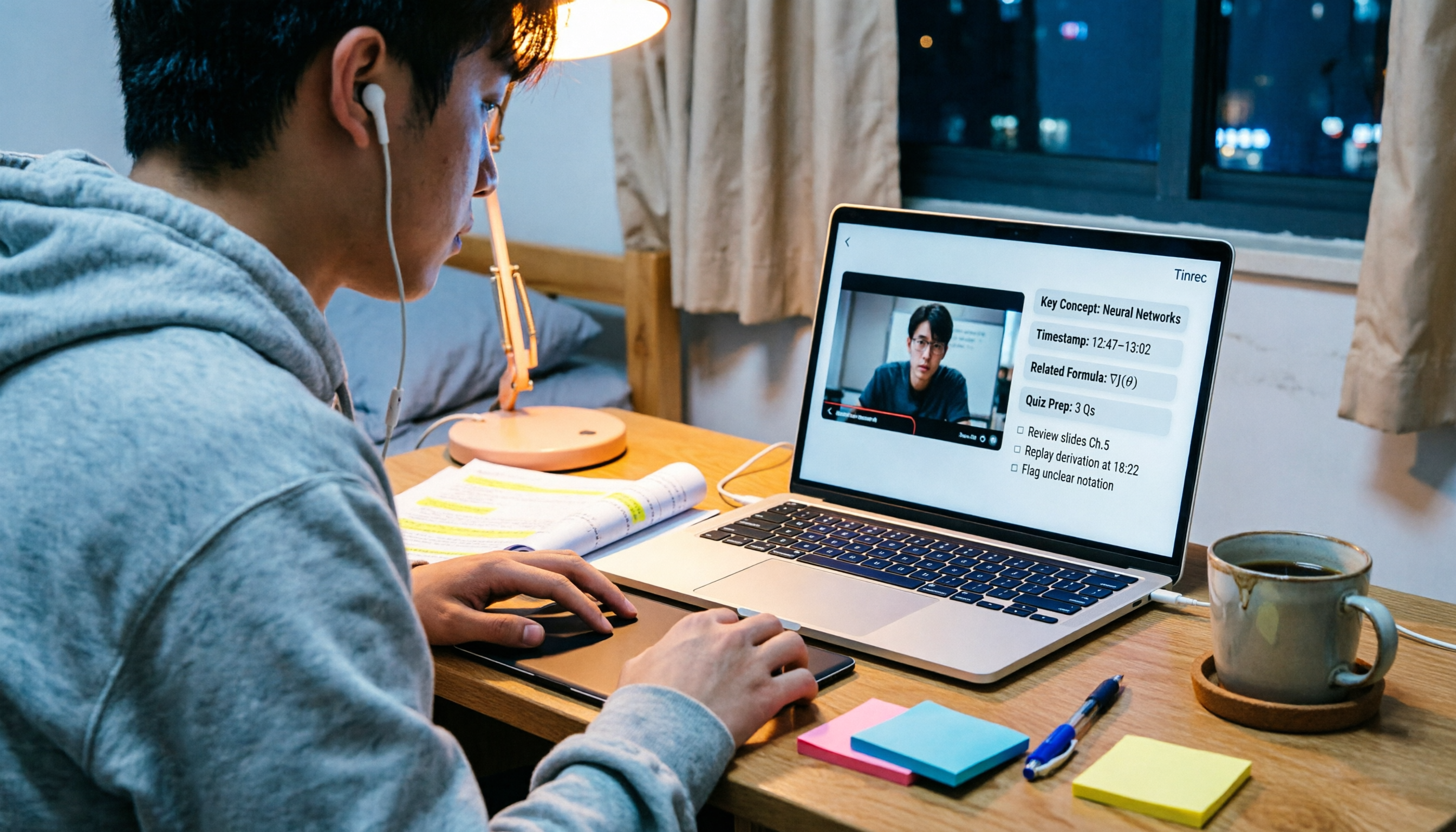
Lecture videos: Upload a lecture recording or audio file, and it produces a transcript and automatically generates a summary and chapters. After uploading those long lecture videos last semester, I could jump straight to the "database normalization" section without listening from the start. Importing public video links is a supplementary feature—the actual range of content it can handle depends on the source—but the main strength is your own audio and video files.
Online classes and group meetings: The desktop version can capture your computer's system audio to handle online meetings on Zoom, Google Meet, Microsoft Teams, and Webex without inviting a meeting bot into the room (you have to start recording manually; it doesn't automatically join all meetings). During project group meetings, I could see the transcript running live, and by the end the summary and action items were already listed—who needs to submit what was clear at a glance. If the whole group wants to share the same data, the team plan is a separate team space where you can invite members, assign seats, and view usage. Data belongs to the team and won't disappear when someone graduates (eligible teams get a 7-day trial, 1 free seat, and 300 shared import minutes on first use; actual benefits and pricing are subject to the official purchase page).
Pre-exam Q&A: This is my most-used feature. I don't reread the entire transcript—I just ask it "What were the three conclusions from this meeting?" or "What did the professor say about the final exam?" It answers based on semantic understanding, not by throwing a string of keywords back at you. Some courses are taught in English, and you can switch between the original text, translation, or bilingual view.
Stop organizing recordings by hand
Upload audio or video and automatically get a transcript, summary, and action items
Hands-on test: I tried two types of material—one was a Chinese lecture video from a remote class with a fast-speaking instructor and slides on screen; the other was a recorded online project group meeting with multiple speakers and occasional interruptions. The transcript for the lecture video synced back to the timeline, and the summary broke down the chapters fairly clearly. The action items from the meeting captured the task assignments. I won't guarantee accuracy: fast speech, background noise, and multiple people talking at once will definitely produce errors, so I go back and check important sections against the original recording.
Pros: ① One tool handles both "watching videos" and "attending meetings," so notes don't get scattered across three or four apps; ② AI Q&A and action item extraction mean someone has already read the video for you and can answer your questions; ③ You can export to Notion, Google Docs, and other tools for further processing—before exams I turned summaries into review cards.
Limitations: The free version gives you basic usage to try recording, importing, summaries, and transcription. If you have videos to watch every week like I did, you'll usually need a paid plan (weekly pass for short sprints, Pro for long-term use).
Who it's for: People who want to organize lecture videos, online classes, and group meetings together; people who want to replace "rewatching videos" with "asking questions"; people who use both phone and computer.
Besides Tinrec, What Other Options Are There?
I started with free browser extensions, but then found the workflow broke down in a few places: videos could be summarized, but meeting recordings weren't organized; transcripts existed, but I still didn't know the key points before exams. I've tried the following tools, and the difference is in how complete the workflow is.
NotebookLM: Google's AI note-taking assistant. You can input YouTube video URLs, web pages, audio, and documents. It extracts key concepts, links citations back to the video transcript, and can generate audio summaries. It's good for people who just want to turn existing material into a queryable note database. It's an analysis tool centered on the sources you provide—no desktop live recording, no team management features like seats and usage. If you want to capture online classes and group meetings together, you'll need another solution.
NoteGPT: A Chrome extension focused on YouTube video summaries and transcripts. It can download and translate subtitles, export PDFs, mind maps, presentations, or podcast audio, and answer questions about videos. It's good for people whose learning happens entirely on YouTube web pages. It's tied to the browser and video pages, so if you have an MP4 recording from your professor or want to export results to Notion or Google Docs for further editing, the workflow isn't as smooth.
Notta: A multi-platform transcription tool that supports meeting notes, document import, and translation, with team plans available. The official free version gives you 120 minutes per month with a maximum of 3 minutes per item, so for lecture videos that often run over 40 minutes, you'd have to split them into multiple segments—you need a paid plan for enough usage. It leans more toward "transcription and subtitles," while Tinrec adds bot-free desktop recording, AI Q&A around the content, and post-processing like reports and tables after meetings.
Pitfall Guide: The 3 Most Common Mistakes When Choosing a Video Note-Taking Tool
Pitfall 1: Only looking at "supports YouTube" and forgetting what you actually need to organize. Many tools are strong only on video web pages, but your lecture recordings are MP4s on the teaching platform and your group meetings are Zoom recordings—everything gets stuck. List the actual file types you'll encounter first, then check the tool's input sources.
Pitfall 2: Treating a transcript as notes. A transcript is raw material, not a finished product. When choosing a tool, look for that post-processing layer: summaries, chapters, key points, action items—and ideally the ability to ask questions directly.
Pitfall 3: Ignoring export and cross-device use. You watch a video on your phone today and want to write a report on your computer tomorrow. If your notes are stuck on a single device or browser, you'll end up copying and pasting manually. Being able to export to tools you already use is what truly saves time.
Conclusion: Which One Should You Choose?
In one sentence: If what you want is "turn videos into notes you can finish reading before an exam," Tinrec was my go-to this semester.
- Need to organize lecture videos, online classes, and group meetings together → Tinrec (audio/video transcription + summaries + action items + AI Q&A)
- Want to replace "rewatching a 2-hour video" with "asking questions" → Tinrec (AI Q&A is its core differentiator)
- Use phone, computer, and online meetings across devices → Tinrec (iOS, Android, web/desktop)
- Just want to throw existing material into a note database, no live recording needed → NotebookLM
- Learning happens 100% on YouTube web pages, want mind map and presentation exports → NoteGPT
- Only need to transcribe large amounts of long-duration files → Notta (note the 3-minute limit per item on the free version)
I suggest starting with the free version: throw this week's hardest lecture video into it and see if the summary it produces lets you skip watching the video once. If it works, consider paying; if not, you've only spent ten minutes.
References
- 【AI Notes📚💻】Google NotebookLM supports YouTube videos, URLs, and audio documents to help you build a note database
- How to take notes from YouTube videos with AI - Edimakor video editing software
- Summarize YouTube with GPT: Free online video summary tool
- NoteGPT: YouTube video summary generator | ChatGPT, DeepSeek, Claude, Gemini AI assistant | AI sidebar | PDF summary tool - Chrome Web Store
- Google's AI note-taking assistant NotebookLM now accepts YouTube videos and audio files | iThome
Turn every recording into actionable outcomes
Get 60 free transcription minutes when you sign in. No credit card required.
Related Reading
You might also like
2026 Short Video Learning Efficiency Tools Buying Guide: 4 Tested Picks and Recommendations
Watched tons of short videos but can't remember them? This article breaks down 5 key points for choosing short video learning tools, compares 4 tools with hands-on testing, and shares 5 common pitfalls to avoid. It also explains how to use transcripts, AI summaries, and content Q&A to turn fragmented viewing into notes you can find and explain.

4 Real-Time Speech-to-Text Tools Compared for 2026: Which One Is Best for Chinese Meetings?
Chinese meetings, mixed Chinese-English, multiple people talking over each other—how do you choose a real-time speech-to-text tool? This article compares Tinrec, Otter.ai, Granola, and PLAUD based on real-world usage scenarios, covering meeting recording methods, post-meeting organization, AI follow-up questions, team collaboration, and pricing limits, and summarizes key buying factors and common pitfalls to help you decide which tool best fits your workflow.

6 Best MP3 to Text Tools in 2026: Which Free Version Is Actually Enough?
Meeting and interview MP3s pile up on your phone, and manual transcription takes far too long. This guide compares 6 MP3-to-text tools, from free online transcription to AI meeting assistants with summarization and Q&A, covering free limits, pricing, and best use cases to help you find the most time-saving option.

2026 Speech-to-Text Comparison: Tencent Cloud ASR vs. Meeting Bots vs. Tinrec
Speech-to-text isn't just about uploading an audio file. This article addresses three common mistakes office workers make, comparing cloud ASR services like Tencent Cloud Speech Recognition, AI assistants that join meetings as bots, and Tinrec's desktop-based bot-free meeting transcription workflow. It covers real-time transcription, AI summaries, action item extraction, team spaces, and key purchasing considerations.

2026 Comparison of 4 Automatic Meeting Minutes Software: From Free to Team Editions
How to choose automatic meeting minutes software? This article addresses common misconceptions and compares Tinrec, Otter.ai, Notta, and Granola on meeting capture methods, post-meeting organization, Chinese language support, and team collaboration. It also provides selection criteria and pitfalls to help you find the right solution for Chinese meetings and team knowledge retention.

The Complete Guide to Image Text Recognition in 2026: OCR Principles, Tool Selection, and Practical Workflow
Should you use an online tool, a mobile app, or built-in features for image text recognition? This article starts with OCR principles, helps you assess image types and choose the right tool, walks through the complete workflow from cropping and recognition to proofreading and archiving, and explains which tool to use for meeting recordings.

2026 Voice Recorder Guide: Turn Meeting Audio into Transcripts and AI Summaries with Action Items
Most people searching for a "voice recorder" actually need a tool that turns meeting audio into usable text. This guide covers common misconceptions, four key factors for choosing the right tool, and a hands-on review of Tinrec's bot-free meeting recording, AI Q&A, and team spaces, plus a brief look at Otter.ai, Notta, and Granola for different use cases and pitfalls to avoid.

4 Best EPUB to PDF Converters in 2026: Which Free Version Is Good Enough?
Bought an ebook but can't open it? This article shares hands-on testing of 4 online EPUB to PDF converters, comparing free limits, file size restrictions, layout preservation, and privacy handling, with step-by-step instructions and pitfalls to avoid.
2026 Comparison of 4 Work Summary Video Tools: Which Saves More Time for Transcription and AI Summarization?
The bottleneck in organizing work summary videos is often not transcription accuracy, but what to do with the text afterward. This article starts with four key points for selection, tests how Tinrec handles existing video files, records online meetings without bots, and uses AI follow-up questions. It also briefly reviews Notta, TurboScribe, and Granola for their suitable scenarios, and concludes with a pitfalls guide and a 6-step starter.