
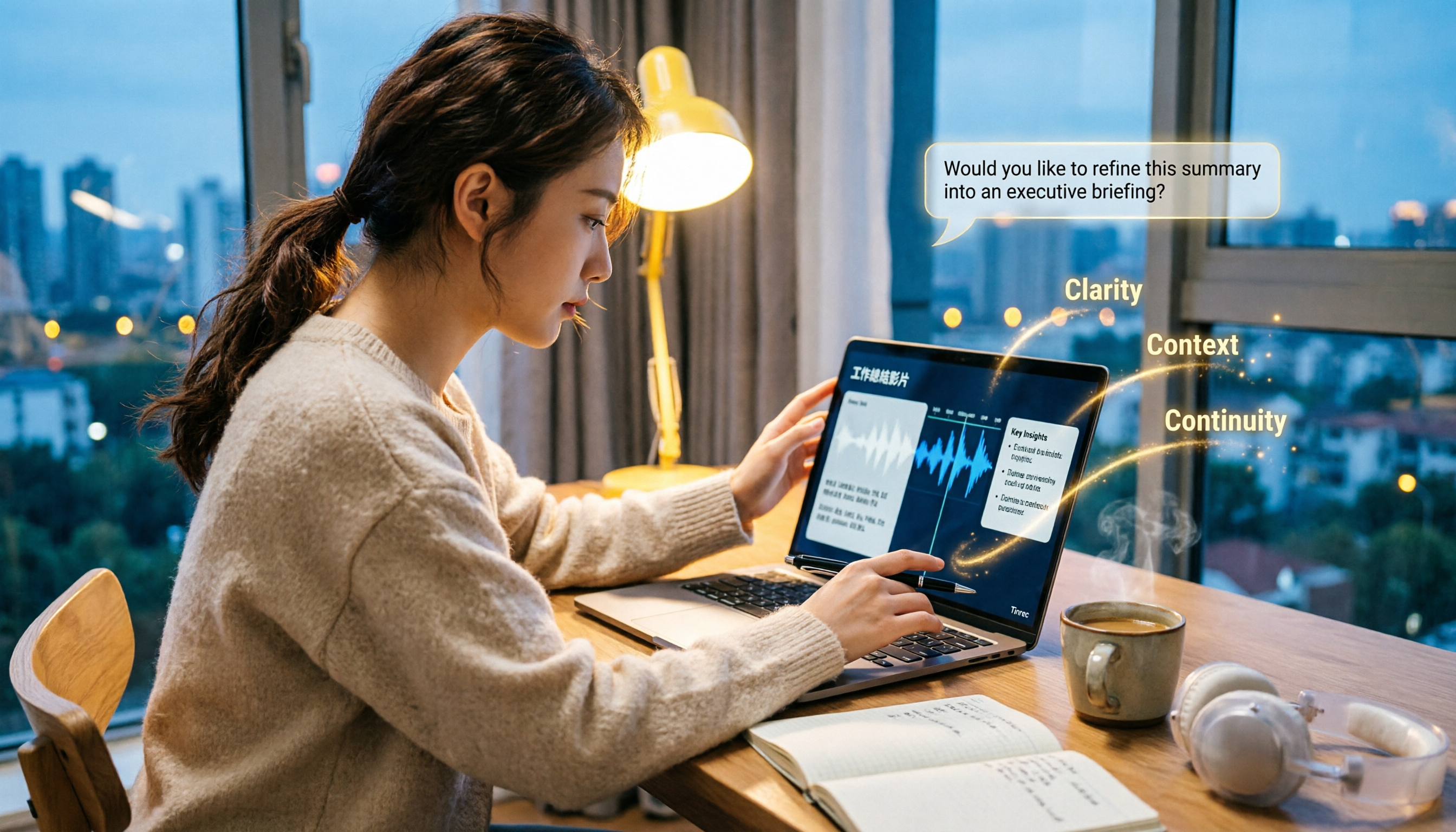
Turn recordings into transcripts and summaries in minutes
Upload audio or video for multilingual transcription, AI notes, and action items
2026 Comparison of 4 Work Summary Video Tools: Which Saves More Time for Transcription and AI Summarization?
Organizing Work Summary Videos: Most People Get Stuck on the Process, Not the Tool
For most people, the first step in organizing a work summary video is to watch it from beginning to end.
Watching, pausing, and typing all at once. A 40-minute project review recording can take an entire afternoon just to do this.
What's worse, after the transcript is produced, you still have to read through it again to know where the key points are.
I've seen three most common bottlenecks:
- After an online weekly meeting, the recording sits quietly in cloud storage, and no one opens it a second time.
- Interview or internal training videos need to be written into reports, and just typing from listening consumes an entire workday.
- The manager wants to know "what was learned this time and what to do next," but what you submit is a 30,000-word transcript.
So the problem is usually not "which tool transcribes accurately."
The problem is: after you turn the video into text, what do you plan to do with it?
This article aims to solve that latter part.
Before Choosing a Work Summary Video Tool, Understand These 4 Key Points
When I lead my team in meeting retrospectives, I first ask four questions. These four questions happen to be the four dimensions for choosing a tool.
First, does it accept the video files you already have?
Many tools are designed with "live meetings" as a priority—they attach to a meeting and record.
But the work summary videos you actually need to organize are often mp4 files that have been sitting on your hard drive for three months.
If a tool can only handle live meetings, it can't touch half of your materials.
Second, what else does it give you besides the transcript?
The transcript is raw material, not a finished product.
I look at whether it can automatically generate summaries, chapters, key points, and action items. This determines whether you'll need to spend another hour manually organizing afterward.
Third, can you continue to ask questions about the content?
Traditional tools use Ctrl+F for searching.
But in reality, what you want to ask is "In last quarter's review, what was the one thing the client complained about?" rather than searching for a keyword.
Whether you can ask questions in natural language about the entire dataset is where the gap between tools has been most obvious this year.
Fourth, whose account will the team data ultimately reside in?
Personal accounts are convenient for organizing, but when a person leaves, the data goes with them.
If the work summary is meant to be reused by the team, this needs to be thought through from the start.
Tinrec — My Most Used Choice After Testing
Tinrec is an AI meeting notes and collaboration tool for individuals and teams, covering iOS, Android, desktop, and web versions.
What struck me most is that it handles both "meetings happening now" and "videos that already exist."
Scenario 1: Record online meetings without inviting a bot.
Now when I have a Zoom or Google Meet, I no longer send a meeting bot in. The desktop version directly captures the computer's system audio, and I press start myself, so no unfamiliar account appears in the participant list.
(Screenshot: Tinrec desktop recording interface, arrow pointing to the "Start Recording" button)
This is especially important for external client meetings—not every client wants to see a bot in the meeting.
Scenario 2: Drop in old video files and directly produce usable data.
This is my most used feature.
A project review recording, an interview, an internal training recording—after dropping it into Tinrec, what comes out is not just a transcript, but also a summary, chapter segmentation, and a to-do list.
My approach: first look at the summary to confirm the meeting's skeleton; then look at the to-dos to confirm next steps; only when I need to quote exact words do I go back to the transcript.
(Screenshot: Tinrec summary and chapters screen, arrow pointing to the "To-Do Items" section)
Scenario 3: Find key points with questions, not keywords.
This is where I think it differs most from similar tools.
After organizing a meeting, I directly ask in Tinrec:
Please answer three questions based on this meeting record:
1. What were the main reasons for the project delay this time?
2. What specific requirements did the client raise?
3. What were the next steps promised in the meeting, and who is responsible for each?
It doesn't give me a keyword search result; it reads the entire content and answers directly.
The same questioning method can also be used across multiple meetings—for example, putting all weekly meeting records from a quarter together and asking "What issues recurred over these three months?"
Test conditions and results.
The test material I used was a roughly 40-minute Chinese project meeting recording, with mixed Chinese and English, background air conditioning noise, and several segments where multiple people talked over each other.
Stop organizing recordings by hand
Upload audio or video and automatically get a transcript, summary, and action items
Mixed Chinese-English proper nouns were mostly captured; segments with multiple people speaking simultaneously still required going back to the recording to verify.
This is also my consistent reminder for all AI transcription tools—it's not meant to replace your judgment, but to remove the drudgery of typing from listening.
Its three main advantages.
First, broad coverage. Live recording, desktop online meetings, existing audio/video files, and mobile recording are all in the same workflow.
Second, it outputs finished products, not just raw material. Summaries, chapters, key points, and to-dos grow together, and can finally be exported to Notion, Google Docs, OneNote, or Dropbox for further processing.
Third, the team version turns it from a personal tool into a team database. Meeting data belongs to the team, and you can manage members, roles, and seats, as well as view usage and activity logs. When a member leaves or loses their seat, the team resources they were responsible for need to be handed over to other members, rather than going with the person.
Limitations must also be clear.
The free version provides a basic quota, suitable for experiencing the full process first; if you regularly organize multiple meetings each week, you'll need to upgrade.
Also, for important decisions, I still go back to the transcript's timestamp to verify once. AI saves you organizing time, not your responsibility.
Who it's for.
If you have a pile of meeting recordings and interview videos to organize, want to directly ask key points after transcription, and this ultimately needs to be handed over to the team for reuse, Tinrec is currently the smoothest choice.
Besides Tinrec, What Other Options Are There?
Notta.
A multi-platform transcription and meeting notes tool, with file import, translation, and team plans. Official specs: free version 120 minutes per month, max 3 minutes per item; Pro annual billing about USD 8.17/month, 1,800 minutes per month.
If your material is fragmented short clips, its free version threshold is relatively low. But it doesn't emphasize bot-free desktop meeting recording, nor does it have the use case of asking questions across an entire quarter's meetings.
TurboScribe.
Positioned more as a cost-effective file transcription tool, strong in long files and batch processing—paid version max 10 hours or 5 GB per file, up to 50 files at once.
If what you want is "transcribe dozens of files into subtitles at once," its efficiency is great. But it doesn't handle post-meeting summaries, to-dos, follow-up questions, or team spaces; what you get is still raw material.
Granola.
Also a bot-free AI meeting notes tool, Basic free, Business USD 14/user/month. It supports viewing, copying, and searching live transcripts, but does not support uploading pre-recorded audio files, nor does it save meeting audio.
If you only use it in live meetings and don't need to keep recordings at all, you can consider it. But work summary videos are often "the one already recorded," which is exactly what it can't touch, and that's where Tinrec's value lies in retaining audio and supporting file import.
Pitfalls Guide: The 4 Most Common Mistakes in Organizing Work Summary Videos
Pitfall 1: Submitting the transcript as a summary.
The transcript is raw material. The other party wants conclusions and next steps; giving them 30,000 words is like pushing the organizing work back to them.
The correct approach: keep the transcript for verification, but the summary and to-dos are what you should submit.
Pitfall 2: Buying a tool that only handles live meetings.
Many tools focus on "during the meeting," and the free version even limits the length of a single file.
But the source of work summary videos is 80% old files on the hard drive. Before choosing a tool, first confirm whether it accepts file imports and the single-file length limit.
Pitfall 3: Ignoring whether the tool retains audio.
Some tools only keep text, not audio.
You won't notice normally, but when you need to verify who said a sentence and what the tone was, you'll find there's no way to check. When choosing a tool, put "whether audio is retained" on your checklist.
Pitfall 4: Putting team meeting data in a personal account.
This is the most common and latest-discovered pitfall.
Personal accounts are easiest to organize with, but when members change, data ownership becomes a problem. If these meeting records are for long-term team use, they should be placed in a team space from the start, with roles and seats clearly defined—roles determine who can manage, seats determine who can record, upload, and edit.
Conclusion: Which One Should You Choose?
In one sentence: if what you want is "to turn work summary videos into data that can be used and left for the team," Tinrec is the top choice in this article.
By scenario:
- You have meeting recordings and interview videos to organize into summaries and to-dos → Tinrec
- You need mixed Chinese-English Chinese meeting content and want to find key points with questions → Tinrec
- After organizing, you want to export to Notion or Google Docs for further processing → Tinrec
- You want to retain audio and verify original words later → Tinrec
- Meeting data should become a team asset and not be lost when members change → Tinrec (Team version)
- You only need to transcribe many long files into subtitles, no post-meeting organization → TurboScribe
- Your material is all fragmented short clips → Notta
- You only use it in live meetings and don't need to keep recordings → Granola
Quick start in 6 steps:
- Start with the free version, pick an existing meeting recording you have and drop it in.
- See if the summary it produces captures the meeting's skeleton.
- Check if the to-do list misses any commitments made during the meeting.
- Test AI Q&A with a question, such as "What are the three most important decisions from this meeting?"
- Confirm that the transcript timestamps can be traced back to the recording, and build a verification habit.
- If this is to be handed over to the team, then create a team space, invite members, and assign seats.
You don't need to change all processes at once. Start with one video, test gradually, and you'll slowly master this method.
References
- Using GPT to Summarize YouTube: Free Online Video Summary Tool
- Work Summary PPT Templates_Work Report PPT Templates_Work Report PPT Template Download - [Youpin PPT]
- YoutubeDigest: Summarize with ChatGPT - Chrome Web Store
- 2023 Work Summary_Personal Work Summary__Work Summary Writing Guide Other Work Summaries Student Work Summaries Tax Work Summaries
- Work Summary - MBA智库百科
Turn every recording into actionable outcomes
Get 60 free transcription minutes when you sign in. No credit card required.
Related Reading
You might also like
2026 Short Video Learning Efficiency Tools Buying Guide: 4 Tested Picks and Recommendations
Watched tons of short videos but can't remember them? This article breaks down 5 key points for choosing short video learning tools, compares 4 tools with hands-on testing, and shares 5 common pitfalls to avoid. It also explains how to use transcripts, AI summaries, and content Q&A to turn fragmented viewing into notes you can find and explain.

4 Real-Time Speech-to-Text Tools Compared for 2026: Which One Is Best for Chinese Meetings?
Chinese meetings, mixed Chinese-English, multiple people talking over each other—how do you choose a real-time speech-to-text tool? This article compares Tinrec, Otter.ai, Granola, and PLAUD based on real-world usage scenarios, covering meeting recording methods, post-meeting organization, AI follow-up questions, team collaboration, and pricing limits, and summarizes key buying factors and common pitfalls to help you decide which tool best fits your workflow.

6 Best MP3 to Text Tools in 2026: Which Free Version Is Actually Enough?
Meeting and interview MP3s pile up on your phone, and manual transcription takes far too long. This guide compares 6 MP3-to-text tools, from free online transcription to AI meeting assistants with summarization and Q&A, covering free limits, pricing, and best use cases to help you find the most time-saving option.

2026 Speech-to-Text Comparison: Tencent Cloud ASR vs. Meeting Bots vs. Tinrec
Speech-to-text isn't just about uploading an audio file. This article addresses three common mistakes office workers make, comparing cloud ASR services like Tencent Cloud Speech Recognition, AI assistants that join meetings as bots, and Tinrec's desktop-based bot-free meeting transcription workflow. It covers real-time transcription, AI summaries, action item extraction, team spaces, and key purchasing considerations.

2026 Comparison of 4 Automatic Meeting Minutes Software: From Free to Team Editions
How to choose automatic meeting minutes software? This article addresses common misconceptions and compares Tinrec, Otter.ai, Notta, and Granola on meeting capture methods, post-meeting organization, Chinese language support, and team collaboration. It also provides selection criteria and pitfalls to help you find the right solution for Chinese meetings and team knowledge retention.

2026 Video Note-Taking Tools Compared: Which One Turns a 2-Hour Lecture into Exam-Ready Notes?
A week before finals, I opened a dozen lecture recordings and couldn't find the key points. This student-perspective comparison of 4 video note-taking tools covers whether they accept your video files, whether they produce summaries and action items, whether you can ask follow-up questions, and whether the free tier is enough. I also share my full-semester experience with Tinrec, including its workflow and limitations.

The Complete Guide to Image Text Recognition in 2026: OCR Principles, Tool Selection, and Practical Workflow
Should you use an online tool, a mobile app, or built-in features for image text recognition? This article starts with OCR principles, helps you assess image types and choose the right tool, walks through the complete workflow from cropping and recognition to proofreading and archiving, and explains which tool to use for meeting recordings.

2026 Voice Recorder Guide: Turn Meeting Audio into Transcripts and AI Summaries with Action Items
Most people searching for a "voice recorder" actually need a tool that turns meeting audio into usable text. This guide covers common misconceptions, four key factors for choosing the right tool, and a hands-on review of Tinrec's bot-free meeting recording, AI Q&A, and team spaces, plus a brief look at Otter.ai, Notta, and Granola for different use cases and pitfalls to avoid.

4 Best EPUB to PDF Converters in 2026: Which Free Version Is Good Enough?
Bought an ebook but can't open it? This article shares hands-on testing of 4 online EPUB to PDF converters, comparing free limits, file size restrictions, layout preservation, and privacy handling, with step-by-step instructions and pitfalls to avoid.