
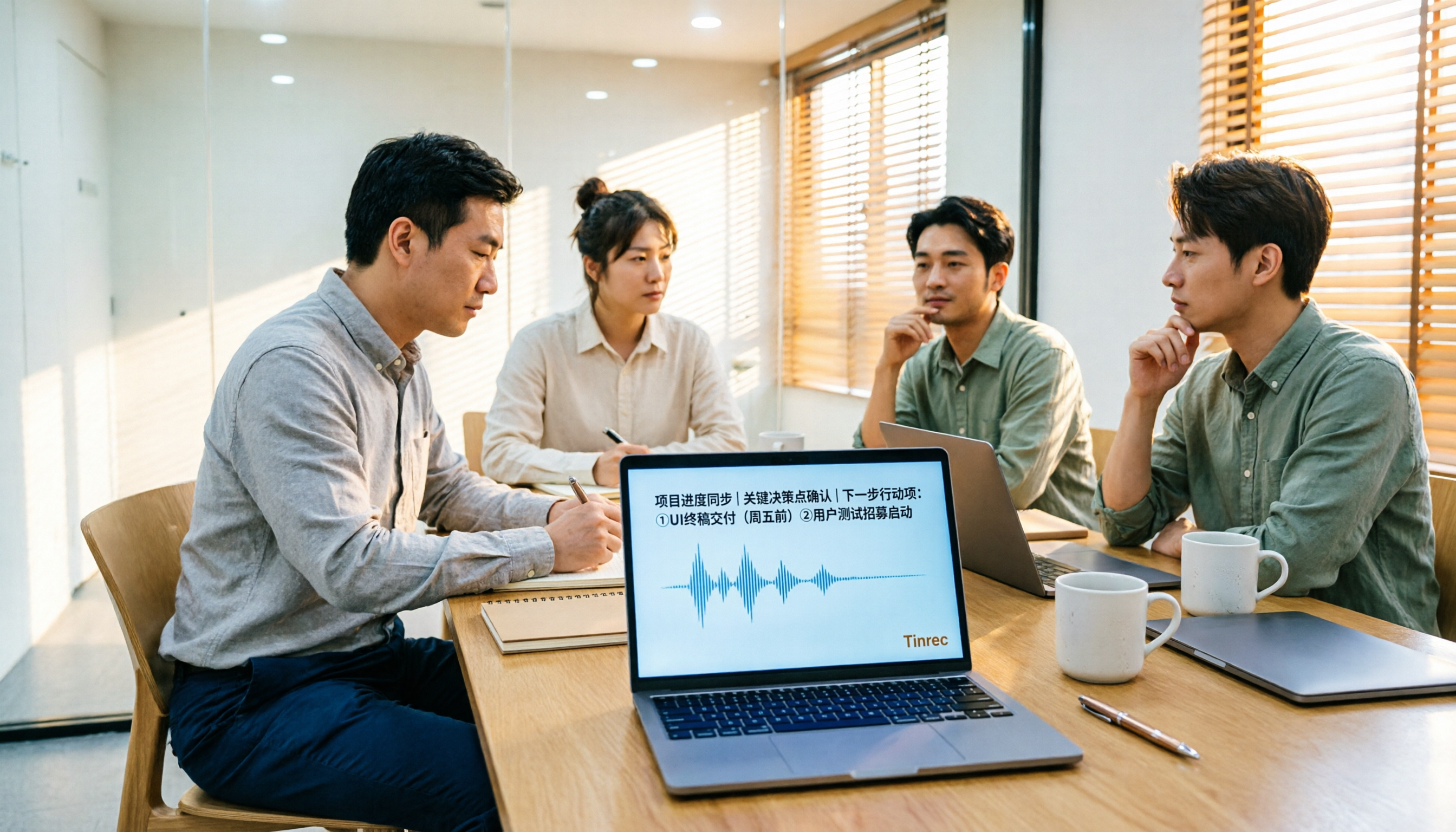
Turn recordings into transcripts and summaries in minutes
Upload audio or video for multilingual transcription, AI notes, and action items
2026 Audio-to-Text Tools Compared: Why Tinrec Beats Tongyi for Team Meeting Notes
Choosing an audio-to-text tool really comes down to three questions:
- Can it understand the kind of Chinese your meetings use, with English mixed in?
- After the meeting ends, do you get "a transcript" or "something you can actually use in a report"?
- Can other team members use it too? If someone leaves, does the data leave with them?
I'm a mid-level manager leading a team of 10, and I sit through about 15 meetings a week—weekly syncs, project status updates, one-on-ones, cross-department coordination. The most frustrating part was never the meetings themselves; it was what came after. Every meeting generated a pile of decisions and action items, which meant my work was just beginning when the meeting ended. My own journey went something like this: I started with Tongyi for personal recordings, tried online transcription tools like Monica (new users get 30 free minutes, which is handy for single files), but what I really needed was real-time transcription for meetings and team sharing, so I kept looking and eventually landed on Tinrec. Bottom line: if what you need is "Chinese meeting notes + post-meeting organization you can use immediately + team sharing," Tinrec is the one I'm most willing to keep paying for.
Why Are People Looking for Tongyi Alternatives?
People who search for "Tongyi audio to text" usually aren't wondering what Tongyi is—they're asking a different question: Is there an option that fits my current work style better?
When your use case shifts from "I'm transcribing a single recording" to "our team needs to process a dozen-plus meetings every week," your evaluation criteria tend to change completely. People typically get stuck on four things: cross-device use (record on phone, organize on computer), cross-platform meetings (Zoom, Google Meet, Teams, Webex—everyone uses something different), exporting to existing workflows (Notion, Google Docs, OneNote, etc.), and multi-user sharing with permission management (who can view, who can edit, what happens to data when someone leaves).
If you have one or two of these needs, Tinrec deserves a spot on your trial list.
Tinrec vs Tongyi: What's Different in the Core Experience?
Let me be clear: I haven't tested every single Tongyi feature, so I won't make claims about what it can't do. I'll only talk about the differences I've actually experienced with Tinrec. You can use these points as a checklist when evaluating similar tools.
1. How meetings get recorded: bot vs system audio
The last thing you want in an online meeting is an extra bot showing up on the participant list—clients will ask what it is, and it disrupts the flow. Tinrec's desktop app captures your computer's system audio directly, so when you're on Zoom, Google Meet, Microsoft Teams, or Webex, no additional bot needs to join the meeting. For anyone who regularly has cross-company meetings, this difference is very noticeable in practice.
2. What you get after the meeting: a transcript or workable data
A transcript is just the starting point. Tinrec automatically generates summaries, chapters, and key points, extracts action items from the discussion, and lets you do AI Q&A around the meeting content—it can even generate reports, tables, and meeting minutes documents. I used to spend 40 minutes organizing a meeting; now I can send out the key points within 10 minutes of it ending.
3. Cross-device and cross-source: more than just a recording
Tinrec covers live recording (in-person meetings, interviews), desktop online meeting recording, mobile recording, audio/video file uploads, and importing from some web links. The same account works across computer, phone, and web, which is friendlier for the real workflow of "record on phone, organize on computer."
4. Team sharing and governance: data belongs to the team, not the individual
Tinrec's team plan is a separate team workspace, not multiple people sharing one personal account. Admins can invite members, assign roles (owner, admin, regular member), and use seats to control who can record, upload, edit, and export; members without seats can still view, play, and read team data. There's also team usage analytics, member rankings, team hotwords, audit logs, and an audio recycle bin. This is the piece that personal tools struggle most to fill.
5. Chinese and multilingual meetings
Tinrec handles Chinese, Traditional Chinese, and multilingual meeting scenarios, supports mixed Chinese-English content organization, real-time translation during recording with bilingual view, and lets you maintain professional terminology through team hotwords. Actual performance depends on recording quality, noise, accents, overlapping speakers, and specialized terms, so I won't give you a nice accuracy number—the point is, with clear audio and common scenarios, it works well enough for me.
Stop organizing recordings by hand
Upload audio or video and automatically get a transcript, summary, and action items
Tinrec's Core Features at a Glance
Live recording to text: Text appears in sync as you record in Tinrec. During meetings, you can follow along to make sure nothing important is missed, and by the time the meeting ends, the transcript is already done—no waiting for processing.
Bot-free online meeting recording: The desktop app captures system audio for Zoom, Google Meet, Microsoft Teams, Webex, and other online meetings without inviting a meeting bot. Perfect for external meetings, client interviews, and situations where you don't want a stranger's account in the room.
Audio/video file transcription: If you have a backlog of old recordings or interview files, you can drop them into Tinrec and turn them into searchable text. I used to have to listen from the beginning to find a specific decision; now I just search for keywords.
AI summaries, chapters, and action item extraction: Long meetings are automatically divided into chapters, with key points and action items organized. I usually check the summary first after a meeting, then decide which parts of the transcript to dig into—much faster than reading the whole thing.
AI Q&A and Agent post-processing: This is my most-used feature. After recording an hour-long meeting, I just ask it "What were the conclusions?" or "Who's responsible for what?" and it gives answers based on semantic understanding. When I need to deliver something, I have it generate a report, table, or document draft.
Multi-format export and team workspace: Results can be exported to Notion, Google Docs, OneNote, Dropbox, and other existing workflows. Team plan meeting data is stored centrally in the team workspace, so new members can look up past meeting content after they join.
Real-World Use Cases
Weekly syncs and project status meetings: I used to spend 30 minutes to an hour after meetings organizing decisions and action items. Now the summary and action items are ready as soon as the recording ends. I paste the action items directly to the team—who's responsible for what is crystal clear—and we review progress at the next meeting.
Cross-department coordination and follow-up: The most time-consuming part of cross-department work is never the communication itself—it's the follow-up. With searchable transcripts, I no longer have to rely on memory to recall "who said they'd handle that field last time." I just search for keywords and get the answer.
Client interviews and requirements confirmation: Sales or customer success teams record interviews, then use AI Q&A to organize client needs, concerns, and commitments, and export them into documents for follow-up. When details need confirmation, you can cross-reference the original text and recording, reducing the risk of "I thought that's what they meant."
Courses, lectures, and personal notes: The personal plan works well for organizing courses, lectures, or voice memos. Tinrec's free plan offers basic credits, so you can test with your own recordings first to see how Chinese recognition performs in your actual environment.
(Note: Before recording and transcribing, please check local regulations and obtain consent from participants.)
What to Look for When Choosing an Audio-to-Text Tool
1. How meetings get recorded: Does it use a meeting bot, or does the desktop app capture system audio? The former is convenient, but you need to consider how it looks to external meeting participants; the latter doesn't disrupt the meeting, but you have to remember to hit record yourself.
2. What you can do after transcription: Just a transcript versus summaries, chapters, action items, Q&A, and export—these are two completely different workloads. When choosing a tool, ask yourself: Do I want "text" or "data I can actually use"?
3. Chinese and mixed Chinese-English handling: Meetings in Taiwan almost always mix Chinese with English technical terms. When evaluating, test with a real recording from your own company—that's more accurate than any spec sheet.
4. Team sharing and data ownership: If more than one person will use it, confirm whether the tool has a separate team workspace, member and seat management, and usage and activity logs. Also understand that "roles" determine who can manage the team, while "seats" determine who can actually use resources.
5. Credits and pricing: Pay attention to whether credits are tied to individuals or teams, and whether minutes are deducted for recording or file imports. With Tinrec's team plan, under an active team subscription and active seats, live recording currently doesn't deduct minutes; file and web imports use the team's shared import credits.
Bottom Line: Is Tinrec Worth Trying?
If you're looking for an audio-to-text tool that "understands Chinese meetings, gives you organized data right after the meeting, and works for the whole team," Tinrec is one of the few options I've found that does all three well. What impresses me most isn't the recognition rate—it's the extra time I get back after meetings. I used to spend it organizing meeting notes; now I can spend it thinking.
Who it's for: managers and project leads with 3+ meetings a week, sales and customer success teams that need to track commitments, people who do frequent interviews and research, and departments that want to turn meetings into team knowledge.
If you're in meetings every day like I am, the personal plan will quickly become insufficient. The team plan currently offers a 7-day trial for first-time eligible users, 1 free seat, and 300 minutes of shared team import credits; monthly is USD 29.80 per paid seat per month, annual is USD 199 per paid seat per year (about USD 16.58 per month), with each paid seat providing 2,000 minutes of shared team import credits per month. Actual prices, currencies, and benefits are subject to the official purchase page.
I recommend starting with the free plan and testing it with a real meeting recording from your own company. That's more direct than reading any review.
References
Turn every recording into actionable outcomes
Get 60 free transcription minutes when you sign in. No credit card required.
Related Reading
You might also like
2026 Short Video Learning Efficiency Tools Buying Guide: 4 Tested Picks and Recommendations
Watched tons of short videos but can't remember them? This article breaks down 5 key points for choosing short video learning tools, compares 4 tools with hands-on testing, and shares 5 common pitfalls to avoid. It also explains how to use transcripts, AI summaries, and content Q&A to turn fragmented viewing into notes you can find and explain.

4 Real-Time Speech-to-Text Tools Compared for 2026: Which One Is Best for Chinese Meetings?
Chinese meetings, mixed Chinese-English, multiple people talking over each other—how do you choose a real-time speech-to-text tool? This article compares Tinrec, Otter.ai, Granola, and PLAUD based on real-world usage scenarios, covering meeting recording methods, post-meeting organization, AI follow-up questions, team collaboration, and pricing limits, and summarizes key buying factors and common pitfalls to help you decide which tool best fits your workflow.

6 Best MP3 to Text Tools in 2026: Which Free Version Is Actually Enough?
Meeting and interview MP3s pile up on your phone, and manual transcription takes far too long. This guide compares 6 MP3-to-text tools, from free online transcription to AI meeting assistants with summarization and Q&A, covering free limits, pricing, and best use cases to help you find the most time-saving option.

2026 Speech-to-Text Comparison: Tencent Cloud ASR vs. Meeting Bots vs. Tinrec
Speech-to-text isn't just about uploading an audio file. This article addresses three common mistakes office workers make, comparing cloud ASR services like Tencent Cloud Speech Recognition, AI assistants that join meetings as bots, and Tinrec's desktop-based bot-free meeting transcription workflow. It covers real-time transcription, AI summaries, action item extraction, team spaces, and key purchasing considerations.

2026 Comparison of 4 Automatic Meeting Minutes Software: From Free to Team Editions
How to choose automatic meeting minutes software? This article addresses common misconceptions and compares Tinrec, Otter.ai, Notta, and Granola on meeting capture methods, post-meeting organization, Chinese language support, and team collaboration. It also provides selection criteria and pitfalls to help you find the right solution for Chinese meetings and team knowledge retention.

2026 Video Note-Taking Tools Compared: Which One Turns a 2-Hour Lecture into Exam-Ready Notes?
A week before finals, I opened a dozen lecture recordings and couldn't find the key points. This student-perspective comparison of 4 video note-taking tools covers whether they accept your video files, whether they produce summaries and action items, whether you can ask follow-up questions, and whether the free tier is enough. I also share my full-semester experience with Tinrec, including its workflow and limitations.

The Complete Guide to Image Text Recognition in 2026: OCR Principles, Tool Selection, and Practical Workflow
Should you use an online tool, a mobile app, or built-in features for image text recognition? This article starts with OCR principles, helps you assess image types and choose the right tool, walks through the complete workflow from cropping and recognition to proofreading and archiving, and explains which tool to use for meeting recordings.

2026 Voice Recorder Guide: Turn Meeting Audio into Transcripts and AI Summaries with Action Items
Most people searching for a "voice recorder" actually need a tool that turns meeting audio into usable text. This guide covers common misconceptions, four key factors for choosing the right tool, and a hands-on review of Tinrec's bot-free meeting recording, AI Q&A, and team spaces, plus a brief look at Otter.ai, Notta, and Granola for different use cases and pitfalls to avoid.

4 Best EPUB to PDF Converters in 2026: Which Free Version Is Good Enough?
Bought an ebook but can't open it? This article shares hands-on testing of 4 online EPUB to PDF converters, comparing free limits, file size restrictions, layout preservation, and privacy handling, with step-by-step instructions and pitfalls to avoid.