
Turn recordings into transcripts and summaries in minutes
Upload audio or video for multilingual transcription, AI notes, and action items
After a group meeting, the worst part is "no one remembers what we decided"
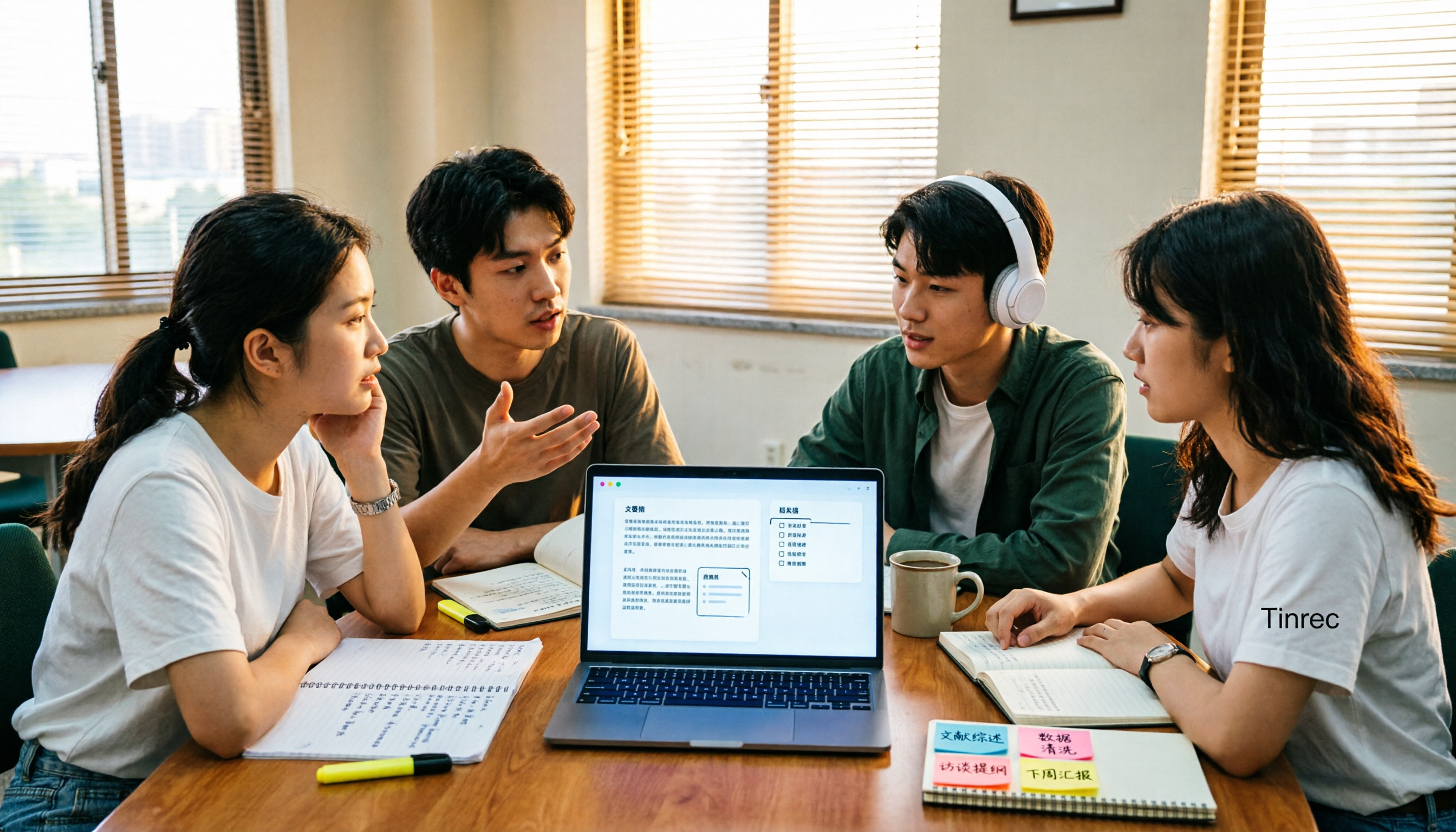
Last semester, our group was working on a graduation project. Five of us squeezed into a discussion room for an hour-long meeting. The senior was talking up a storm, the junior threw out three directions, and I was typing furiously on the side. After we dispersed, a message popped up in the group chat: "So which option did we finally decide on?" Then the group went silent for ten minutes, and no one could answer.
After that, I started seriously looking for meeting notes methods. I searched online for "meeting notes template" and got hundreds of versions: some were official-style templates with sections for reports, discussions, and each item requiring a decision; others were very lightweight "decisions + action items" formats. Downloading a template takes only five minutes, but filling in those fields from an hour-long conversation took me almost two hours.
So this article isn't about giving you another template, but about helping underclassmen save those two hours. Over the past year, I've tried several AI meeting notes tools, tested them in scenarios students encounter most, and I'll tell you which ones are worth installing and which ones you won't even open.
60-minute meeting, 90 minutes organizing—what you lack isn't a template, it's automatic post-meeting organization
Let me start with three situations I've personally experienced:
Group discussion: Five people talking over each other, the note-taker can only catch fragments. After the meeting, no one remembers the conclusion, and the next meeting starts the argument all over again, wasting all the time.
Online class or online group meeting: Using Google Meet or Microsoft Teams, after the meeting, if you want to find that key point the teacher said, you have to drag the timeline and listen from the beginning. A two-hour class takes another two hours.
Project interview: After a 40-minute interview recording, you need to type it into a transcript, listening word by word, and progress gets stuck. The interview transcript always gets started the day before the report deadline.
These three are the same thing: we don't lack templates, we lack a process that automatically turns conversations into template field content. Decisions, action items, responsible persons, deadlines—these fields can actually be filled in automatically by tools after the meeting, and you just need to check and fine-tune.
Before choosing an AI meeting notes tool, understand these 4 key points
1. Is the Chinese transcript practical? Our meetings often mix Chinese and English, with sentences like "let's sync on this case next week." Many tools will directly translate it into something weird. When choosing a tool, look at Chinese sentence segmentation, proper noun and name recognition, not just how many languages it supports.
2. Are summaries, chapters, and action items actually generated? The soul of a template is whether the fields are filled. If a tool only gives you a long transcript, you still have to read it all and manually extract key points, which is almost like having no tool. What really saves time is automatic summarization, chapter segmentation, and action item extraction.
3. How to record online meetings? Some tools require a "meeting bot" to join the meeting room as a participant, adding a strange account to the screen, which is a bit awkward when showing to teachers or clients. Another approach is to directly record system sound from the computer, so no extra person appears in the meeting.
4. Free quota and cross-device Students' budgets are what they are. How much the free version gives and whether you can switch between phone and computer are more important than anything. If you record a discussion on iPhone today and organize the transcript on a Windows computer tomorrow, and the tool doesn't support cross-platform, you'll want to cry.
Tinrec—My main tool after a semester, still haven't replaced it
Tinrec is an AI meeting notes and collaboration tool for individuals and teams, covering iOS, Android, and web. I initially tried it because of "no need to invite a bot to the meeting," and ended up relying on it for all group meetings and project interviews throughout the semester.
Record both online and offline, no extra person in the meeting When the group meets on Google Meet or Teams, I open Tinrec desktop version, and it directly captures the computer's system sound for transcription, without inviting any bot to join the meeting, and no extra account appears in the participant list. For offline discussions, just put the laptop or phone on the table and start real-time recording, and the transcript appears as you speak. People even come over to see if it made typos.
Directly produces the fields needed for templates after the meeting This is the part I recommend most. After the meeting, AI automatically generates summaries, chapters, and action items—who is responsible for what and when to submit, listed directly. Our project report meeting notes are almost just pasting these contents into the template, adding time, location, and attendees, and it's done in ten minutes.
Stop organizing recordings by hand
Upload audio or video and automatically get a transcript, summary, and action items
You can also ask it questions directly after recording This is where it differs most from many similar tools. Last time I forgot which research method details the teacher mentioned in the interview, I directly asked in Tinrec: "What data collection methods were mentioned in the interview?" It didn't give me a bunch of keyword search results, but directly answered the content. Another common scenario: put three group meeting records together and ask "How many times did we change the conclusion on the topic?" No need to open them one by one.
It can also show original text, translation, or bilingual comparison during recording. If there are English literature interviews or international students in the discussion, this feature is quite practical; the organized content can be exported to Notion, Google Docs, OneNote, etc., to continue writing reports; when you need to submit written materials, you can use its post-processing function to organize meeting content into reports or tables.
Three advantages, just to name a few First, the recognition of Chinese and mixed Chinese-English is sufficient for our classroom scenarios, no need to constantly go back and fix typos. Second, from recording, transcript, summary to action items, it's a one-stop process, no need to open three tools to piece together. Third, mobile, computer, and web versions are all available, data won't be tied to a single device.
Limitations, be honest The free version is a basic quota. If you, like me, need to record three or four classes plus two group meetings a week, it's likely not enough, and you'll need to upgrade; if you only occasionally organize an interview or a key class, the free version is reasonable to start with. Also, it doesn't guarantee a fixed accuracy rate; actual performance is affected by recording quality, air conditioning noise, and multiple people talking at the same time. When the discussion room is noisy, you still need to check the transcript yourself.
Who is it for? If you need Chinese meeting notes, don't want a bot to join online meetings, and hope to directly ask AI about meeting content after the meeting, Tinrec is currently my most handy choice. By the way, if the entire project team, lab, or club wants to share meeting data, it has a team version: meeting recordings, transcripts, summaries, and action items are centralized in the same team space, and administrators can manage members, seats, usage, and operation logs. When members leave, data won't be taken away. Its team monthly payment is USD 29.80 per paid seat per month, annual payment USD 199 per paid seat per year, which comes to about USD 16.58 per month.
Besides Tinrec, what other options are there?
Granola: Also a bot-free AI meeting notes tool, it uses desktop system sound and microphone for real-time transcription, combined with your handwritten notes to generate content. Basic is free, Business is USD 14 per user per month. Note that it doesn't support uploading pre-recorded audio files, nor does it save meeting audio, so you can't go back and listen to the original audio for verification after class; if you need to keep recordings, upload existing files, or want Chinese real-time translation, you'll need other tools.
Notta: It has multi-platform transcription, translation, and team plans, and is a competitor with high overlap with Tinrec. The free version has 120 minutes per month, with a maximum of 3 minutes per single content—this 3-minute limit per session is almost unusable for group meetings, and you need to pay to be smooth; Pro annual payment is about USD 8.17 per month, with 1,800 minutes per month. It doesn't have Tinrec's "directly ask questions about meeting content and get answers" usage; after recording, you mainly read it yourself.
Otter.ai: If your meetings are almost all in English, Otter is a very cost-effective choice. Basic is free with 300 minutes per month, Pro annual payment is about USD 8.49 per user per month. Its strength is in English business meetings, and Chinese content is not its main scenario; if your meetings, like mine, are Chinese plus mixed Chinese-English, Tinrec's Chinese experience will be more suitable.
Pitfall guide: 4 most common pitfalls when choosing meeting notes tools
Pitfall 1: Thinking more templates is better There are many websites claiming 100+ meeting templates, but downloading 100 templates won't save you a minute. What really affects efficiency is "whether the tool can automatically generate summaries, decisions, and action items." Templates are just the shell you put on at the end.
Pitfall 2: Only looking at the official claimed accuracy rate Almost every tool claims to be very accurate, but that's usually tested in a quiet environment. Our group discussion room has air conditioning noise, people eating cookies, people talking at the same time—I suggest taking your own class recording and trying the free version, don't just look at ads.
Pitfall 3: Ignoring the recording method for online meetings If the tool uses a bot to join the meeting, remember to check if an extra account appears on the screen before presenting. Solutions that can directly record system sound from the desktop are much more reassuring in formal occasions.
Pitfall 4: Only using it as "audio to text" This is the most regrettable. If you only use a transcription tool as a typewriter, you're only using one-third of its capabilities. For example, Tinrec can directly ask "What was the conclusion of this meeting?" after recording, which is much faster than flipping through a 30-minute transcript yourself. I used this trick almost every day during midterm week.
Conclusion: Which one should you choose?
In one sentence: If you need Chinese meeting notes plus automatic post-meeting organization, Tinrec is my current first choice.
- Chinese or mixed Chinese-English meetings, online meetings without an extra bot → Tinrec
- After recording, want to directly ask AI about meeting highlights and action items → Tinrec (this is what I think is hardest to replace)
- Mixed use of phone, tablet, computer → Tinrec (iOS + Android + web)
- Entire project team or club wants to share meeting data → Tinrec team version (team space + seat and usage management)
- Meetings almost all in English, tight budget → Otter.ai free version (one of the few scenarios in this article recommending another brand)
I suggest starting with Tinrec free version: record your group discussion this week once, and see if the summary and action items it produces can be directly pasted into your report and meeting notes template. If it feels smooth, consider upgrading. Students really don't need to rush and pay first.
References
- Meeting Notes Organization Template | TryAI Government AI Application Experiment Station
- How to use AI for meeting minutes? How to organize meeting transcripts? | AI speech-to-transcript tutorial | 104 Workplace Power
- AI Meeting Notes Generator
- Meeting Ink - AI Meeting Notes Assistant Automatic Transcription Transcript Summary Meeting Summary
- The most recommended AI meeting notes tool of 2026, time-saving and labor-saving essential tool for meetings!
Turn every recording into actionable outcomes
Get 60 free transcription minutes when you sign in. No credit card required.
Related Reading
You might also like

2026 Cross-Device Sync Test: Tinrec vs Otter.ai — Which Is More Complete Across 5 Key Areas?
Cross-device sync isn't just about logging into the same account. This article compares Tinrec and Otter.ai across 5 dimensions: input sources, bot-free meeting recording, Chinese language experience, post-meeting organization, and team seat governance. It also lists the free and paid plan prices for both, helping you decide which one better fits your meeting needs.

How to Transcribe Audio to Text in 2026: 5 Steps from Upload to Multi-Format Export
The real key to audio transcription is whether the export format fits your workflow. This article examines four decision points: export formats, audio retention, post-meeting organization, and team sharing. It tests Tinrec's bot-free meeting recording, AI Q&A, and multi-format export process, compares MyEdit, Otter.ai, and TurboScribe, and provides scenario-based recommendations to help you choose.

Best Real-Time Speech-to-Text Tools in 2026: Hands-On Test of 5 Options, This One Excels at Live Chinese Meeting Transcription
Which real-time speech-to-text tool is best? This article shares hands-on insights from testing 5 tools in 2026 that support live transcription while recording. It compares real-time responsiveness, Chinese and mixed Chinese-English recognition, post-meeting organization, and team collaboration, with 4 key buying factors, pitfalls to avoid, and scenario-based recommendations.

Best Live Transcription with Floating Subtitles in 2026: 6 Tools Tested, This One Excels at Chinese Real-Time Transcription
Looking for a way to transcribe audio in real time and see subtitles on screen? This article reviews 6 tools, comparing real-time transcription, bot-free meeting recording, batch file-to-subtitle conversion, and free online tools. It also explains how to choose for Chinese meetings and bilingual scenarios, so your content is usable from the moment it's spoken to after the meeting.

2026 AI Noise Reduction Speech-to-Text Comparison: Which Is Best for Chinese Meetings?
A hands-on comparison of 2026 AI noise reduction speech-to-text tools, covering noise reduction, Chinese recognition, post-meeting organization, and team collaboration. We analyze the pros, cons, and pricing of Tinrec, Otter.ai, Notta, and Granola to help professionals choose the best meeting transcription tool.

2026 Comparison of 4 Meeting Recording-to-Mind Map Tools: Which One Really Turns Transcripts into Mind Maps?
How to choose a tool that automatically generates mind maps from meeting recordings? This article starts with three key questions: during or after the meeting, online or offline, individual or team. Then it breaks down four purchasing factors: input sources, Chinese recognition, post-meeting outputs, and free quotas. It compares Tinrec, Notta, Otter.ai, and PLAUD Note, and summarizes common pitfalls to help you find a tool that truly turns transcripts into usable mind maps.

Best Speech-to-Text Tools in 2026: 5 Tested, Which One Prioritizes Encryption and Data Governance
Most people choose speech-to-text tools based only on accuracy, overlooking AES encryption and data governance. This article addresses common misconceptions, breaks down transport encryption, access permissions, audit logs, and data ownership, and uses Tinrec as an example to illustrate practical usage. It includes 6 key considerations for purchasing in 2026 and answers frequently asked questions.

How to Use Free Speech-to-Text in 2026: 5 Steps from Recording to Transcript
How do you choose a free speech-to-text tool in 2026? Starting from the real pain points of meeting notes, this article outlines 4 key selection criteria, tests and recommends Tinrec's bot-free online meeting recording, AI summaries and action items, AI Q&A, and export workflow, with a 5-step tutorial, free and paid plan details, plus free alternatives like Otter.ai, Notta, and TurboScribe, and a guide to avoiding pitfalls.

2026 Speech-to-Text Tools Comparison: Which Latest Version Saves the Most Time on Chinese Transcription?
How to choose the latest 2026 speech-to-text tools? This hands-on comparison reviews Tinrec, cSubtitle, Yating Transcription, and MyEdit, analyzing Chinese recognition, online meeting recording, post-meeting AI Q&A, and team collaboration. It also covers key buying factors and common pitfalls to help you find the one that truly saves time on organizing.