

Turn recordings into transcripts and summaries in minutes
Upload audio or video for multilingual transcription, AI notes, and action items
2026 Voice-to-Text Online Tools Comparison: Which AI Meeting Assistant Saves the Most Time on Transcripts and Action Items?
The phrase "online voice synthesis" actually hides two completely different paths.
One is text-to-speech: you paste in a script, and the tool reads it aloud in a near-human voice. This is common for audiobooks, video narration, and course voiceovers.
The other is taking existing speech and synthesizing it online into text data that can be searched, organized, and acted upon. Meeting notes, interview transcripts, and cross-language communication all fall into this category.
So before choosing a tool, you need to answer one question: Do I want to "give text a voice," or do I want to "turn voice into useful data"?
This article focuses on the second path. I tested and compared four common types of tools on the market—meeting assistant type, file transcription type, platform built-in type, and recording hardware type—and used Tinrec as the main example.
Tinrec is an AI meeting notes and collaboration tool for individuals and teams. It supports web, desktop, and mobile, and can handle meetings in Chinese, Traditional Chinese, and multiple languages. The free version lets you experience recording, import, summaries, and transcription, making it easy for office workers who have meetings every day and don't want to write notes by hand.
What Can Online Voice Synthesis Do for You?
Scenario 1: After a meeting, no more spending an hour organizing
In the past, after a two-hour meeting, you often had to schedule separate time to write the minutes. With Tinrec, for example, online meetings are recorded via the desktop version, and a transcript is generated in real time during the meeting. After the meeting, the AI summary, chapters, and action items are already organized. You can see at a glance who is responsible for what and when it's due.
Scenario 2: Cross-language meetings, understand what the other person is saying in the moment
When meeting with foreign clients or overseas colleagues, the biggest fear is missing key words. Tinrec supports real-time translation during recording. You can switch between original text, translation, or bilingual view, and you don't need to find someone to translate again after the meeting.
Scenario 3: Turn recordings stuck on your hard drive into searchable data
Past interviews, courses, and meeting recordings often end up as just filenames. Import audio or video files into Tinrec to convert them into transcripts, then use AI Q&A to directly ask, "What budget figures were mentioned in this interview?" without having to listen to the whole thing again.
Scenario 4: Keep meeting data with the team, not on someone's computer
Tinrec's team version provides a separate team space. Meeting data belongs to the team, new members can view past meeting content, and action items and post-meeting outputs can be continuously tracked.
What Are the Core Capabilities of Online Voice Synthesis?
Real-time speech-to-text
Transcribe while recording, not after. Tinrec generates text in real time during recording, so you can check for missed key points during the meeting instead of discovering a missing section afterward.
Bot-free online meeting recording
Some tools use a meeting bot that joins the meeting as a participant. Tinrec takes a different approach: the desktop version directly captures the computer's system audio, handling Zoom, Google Meet, Microsoft Teams, Webex, and other meetings without an extra bot appearing on the participant list.
Note that this is user-initiated recording, not automatic joining of all calendar meetings, and it does not imply official partnerships with these platforms.
AI summary, chapters, and highlights
The most time-consuming part of a long meeting is actually reviewing it. Tinrec organizes the transcript into a summary, chapters, and highlights. You can grasp the structure of a two-hour meeting in a few minutes, then decide whether to read the details.
Action item extraction and AI Q&A
Transcription is only the first step. Tinrec extracts action items from the discussion, and you can also ask questions directly about the meeting content, such as "What were the client's concerns about pricing?" It answers based on semantics, not just keyword matching.
Multi-format export and further processing
Organized content can be exported to Notion, Google Docs, OneNote, Dropbox, and other common tools. It can also generate reports, tables, and meeting documents, directly connecting back to your existing workflow.
Team space and governance
The team version provides member invitations, role and seat management, team hotwords, usage analytics, audit logs, and an audio recycle bin. Roles determine who can manage the team, and seats determine who can record, upload, edit, and export. Members without a seat can still view and read team data but cannot perform resource-consuming operations.
Practical Use Cases
Weekly stand-ups and cross-department meetings
Weekly meetings are highly repetitive, but decisions and action items are the easiest to miss. After recording an online stand-up with Tinrec, the summary lists the decisions and action items from this session. Before the next meeting, you can directly review the previous record to confirm what hasn't been wrapped up.
Customer interviews and sales meetings
Stop organizing recordings by hand
Upload audio or video and automatically get a transcript, summary, and action items
Customer needs, concerns, and commitments are often scattered throughout the conversation. Tinrec organizes customer communication into transcripts and highlights. When you need to report back, you can export it as a document, and you can also ask follow-up questions about the entire conversation to reduce back-and-forth confirmation costs.
Classes, lectures, and research interviews
Re-listening to a two-hour lecture takes two hours. Tinrec supports importing audio and video files. After transcription, use AI Q&A to find viewpoints or citation material. Research interviews can also quickly locate key passages the interviewee mentioned.
Content creation and self-media
Interview shows, podcasts, and video script pre-production often require digging material out of large amounts of audio. Once Tinrec converts speech into searchable text, extracting quotes and passages becomes much easier.
5 Things to Consider When Choosing an Online Voice Synthesis Tool
1. First confirm whether you need text-to-speech or speech-to-text
These two are often lumped together, but the needs are completely different. If you want voiceover narration, the focus is on voice naturalness and emotion. If you want meeting notes and transcripts, the focus is on recognition quality, organization capabilities, and collaboration. Tinrec belongs to the latter, focusing on turning meeting speech into usable data.
2. How the meeting is recorded
Meeting bots need to join the meeting, which can sometimes feel intrusive to participants and may be limited by meeting permissions. Tinrec's desktop version records online meetings by capturing system audio, without adding an extra bot, making it less disruptive for external client meetings.
3. Chinese and multilingual performance, real-time translation
If your meetings are primarily in Chinese, the recognition experience for Chinese and Traditional Chinese will be more important than "supports many languages." Tinrec covers Chinese, Traditional Chinese, and multilingual scenarios, and provides real-time translation and bilingual view, which is very helpful for cross-language meetings.
Actual recognition results are affected by recording quality, background noise, accents, overlapping speakers, and technical terminology. In my own tests with recordings in a quiet meeting room with mostly single speakers, Chinese transcripts were mostly usable directly. However, when multiple people talk over each other, it's still advisable to cross-check with playback.
4. After transcription, can it help you organize?
A tool that only gives you a transcript is essentially handing the organizing work right back to you. Tinrec generates summaries, chapters, and action items after transcription, and supports AI Q&A and follow-up outputs like reports and tables. This is the part that truly saves time.
5. Team governance and data ownership
If meeting data is to be used by a group, you need to confirm how the tool manages members and permissions. Tinrec's team version handles roles, seats, usage, auditing, and recycle bin separately. When a member leaves, their team resources can be handed over to others, so data doesn't disappear with the individual account.
Frequently Asked Questions
Q1: Are online voice synthesis and speech-to-text the same thing?
Not exactly. Online voice synthesis is often used to refer to text-to-speech (reading text aloud), while speech-to-text converts spoken words into text. This article discusses the latter, which is organizing meeting, interview, and course speech online into usable text data. Tinrec is this type of tool.
Q2: Does Tinrec require a meeting bot to join?
No. Tinrec's desktop version directly captures computer system audio and can handle Zoom, Google Meet, Microsoft Teams, Webex, and other online meetings without an extra bot as a participant. However, it is user-initiated recording, not automatic joining of all meetings.
Q3: Is the free version enough?
For light use, you can start with the free version to experience recording, import, summaries, and transcription. If you only occasionally organize a recording, the free version is usually enough to test the waters. For short periods of intense meetings, consider a weekly pass. For steady weekly needs, the Pro monthly plan is more suitable. For long-term accumulation of recording data, the annual plan has a lower monthly equivalent. Actual quotas and prices are subject to the official purchase page.
Q4: Can I expect good accuracy for Chinese meetings?
Tinrec covers Chinese, Traditional Chinese, and multilingual scenarios, and supports real-time translation and team hotwords. Technical terminology can be improved through hotword maintenance. However, note that accuracy is not a fixed number; it is affected by recording quality, noise, accents, and overlapping speech. For important information, it's recommended to verify against transcript timestamps and the recording.
Q5: What's the difference between the team version and the personal version?
The personal version's data is managed by the individual account. The team version is a separate team space where data belongs to the team, and it adds member invitations, roles and seats, shared benefits, usage analytics, audit logs, and an audio recycle bin. Currently, the team version offers a 7-day trial for first-time eligible users (1 free seat, 300 minutes of team shared import quota). Monthly payment is USD 29.80 per paid seat per month; annual payment is USD 199 per paid seat per year (about USD 16.58 per month). Each paid seat provides 2,000 minutes of team shared import quota per month. Under an active team plan, real-time recording currently does not deduct minutes. Prices and benefits are subject to the official purchase page.
Q6: Do I need consent to record?
Yes, be mindful. Different countries and regions have different laws regarding recording and transcription. Before a meeting or interview, it's best to inform participants and obtain consent before recording. This is the most basic practice.
Conclusion
When it comes to online voice synthesis, choosing the right path is more important than choosing the right brand. If you want to turn text into voice, the focus is on voice performance. If you want to turn meeting speech into searchable, queryable, and deliverable data, then look at the organization capabilities after transcription.
Tinrec's value is in the latter half: bot-free recording of online meetings, real-time transcripts, AI summaries and action items, AI Q&A, multi-format export, and team space member and seat management. You can try the free version first. Take a meeting recording you have and run it through to see if the summary and action items it produces really save you that post-meeting time.
References
Turn every recording into actionable outcomes
Get 60 free transcription minutes when you sign in. No credit card required.
Related Reading
You might also like

4 Best Audio-to-Text Transcription Tools in 2026: Free vs. Team Collaboration Compared
Turning a recording into a transcript can eat up an entire afternoon of playback, pausing, and typing. This article breaks down 4 key buying factors based on real needs for live meetings and existing audio files, compares Tinrec, Notta, TurboScribe, and MyEdit side by side, highlights common pitfalls to avoid, and offers clear recommendations based on budget and use case.
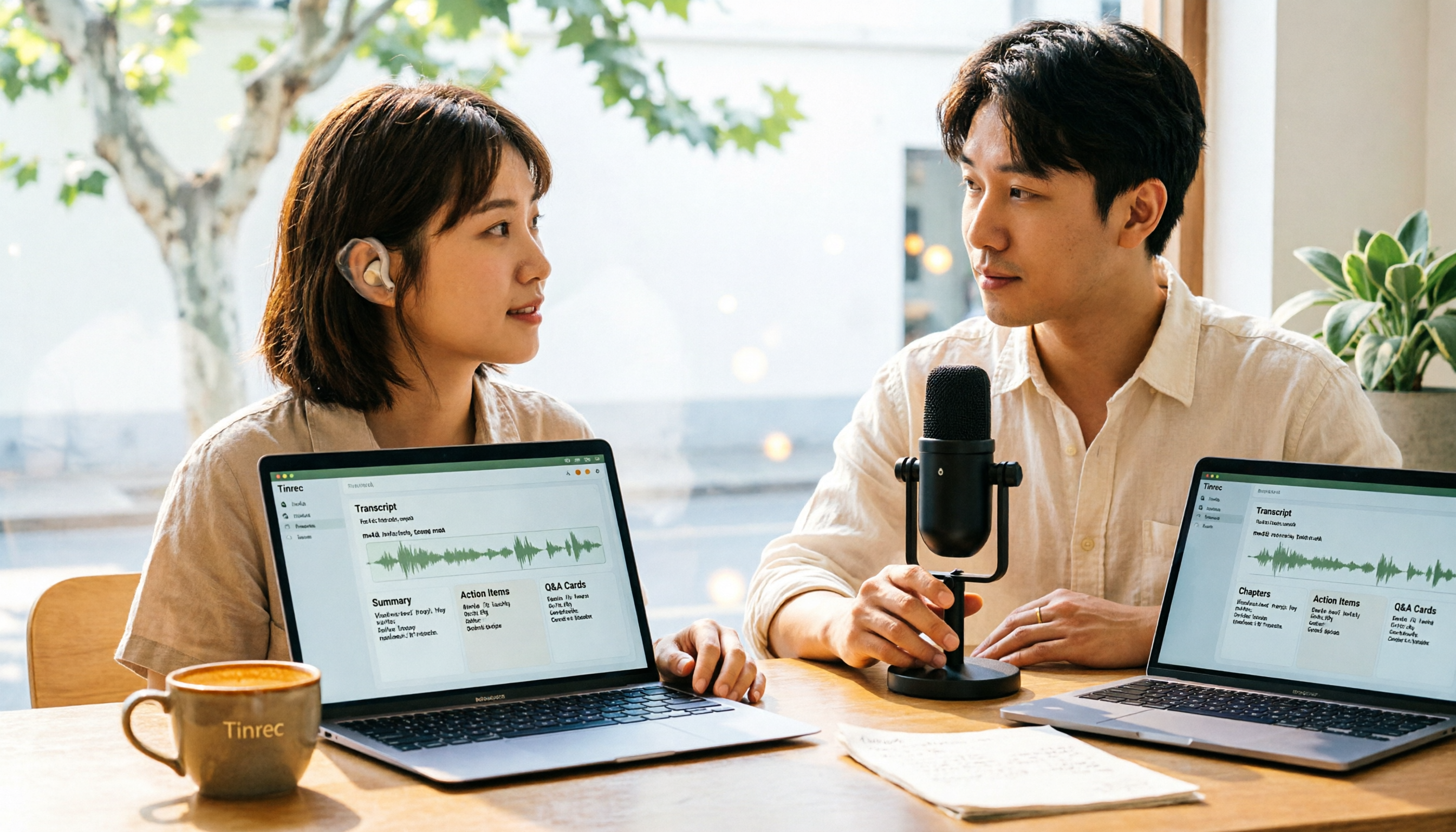
How to Convert M4A to Text in 2026: The Easiest Method with Tinrec — One-Click Upload & AI-Generated Transcripts
Stop wasting time manually transcribing M4A files. This guide shows you how to use Tinrec to upload your M4A audio and automatically get a transcript, plus AI-generated summaries, chapters, action items, and Q&A. We cover the simplest steps, free plan limits, and FAQs so you can get editable, searchable text in minutes.

5 Free Video Subtitle Extraction Tools in 2026: A Complete Guide
Video subtitle extraction often gets stuck on the difference between soft and hard subtitles. This article reviews 5 free or free-tier video subtitle extraction solutions in 2026, including FFmpeg, VLC, Video-subtitle-extractor, Subtitle Edit, and Tinrec, and explains their suitable scenarios, limitations, and key pitfalls to avoid.

2026 Comparison of 3 iPhone Recording Apps: Tinrec vs Otter vs Voice Memos
2026 comparison of three iPhone recording apps: Tinrec, Otter.ai, and Apple's built-in Voice Memos. We evaluate Chinese transcription, online meeting recording, post-meeting organization, quotas, and team collaboration to help you choose the best recording software for your needs.

5 Best Real-Time Speech-to-Text Software in 2026: Which Handles Chinese Meetings and Post-Meeting Notes Best?
Still spending two hours after a meeting organizing the transcript? This article tests 5 real-time speech-to-text software, comparing Chinese recognition, bot-free meeting recording, AI Q&A, and team collaboration, and honestly lists each solution's pricing and limitations to help you decide which one best fits your work scenario.

Best Video Summarizer Tools in 2026: Hands-On Test of 4 Options, Tinrec Shines for Chinese and Post-Meeting Organization
No time to watch long videos? We tested 4 video summarizer tools, comparing subtitle-free video processing, AI follow-up Q&A, Chinese and mixed Chinese-English recognition, and export workflows. We also highlight 3 common buying mistakes to help you find the best video summarization solution for your needs.
5 AI Meeting Note Tools Tested and Compared for 2026: Which One Saves the Most Time Auto-Generating Meeting Minutes?
Still spending an hour after a meeting writing up notes? This article starts with common meeting note pitfalls, distills common approaches into 5 key selection criteria, and uses Tinrec to demonstrate how to automatically turn recordings into transcripts, summaries, and action items. It also covers the differences between the free and team versions, how to record online meetings without a bot, real-world use cases, and FAQs.

Complete Guide to YouTube Content Summarization in 2026: From Transcripts to AI Summaries
Videos pile up, but the key points get harder to find. This guide covers practical methods for summarizing YouTube content, from transcripts and AI summaries to follow-up questions and team knowledge retention. It compares browser extensions, web-based summarization tools, and Tinrec, helping you choose the right workflow.

2026 Text-to-Speech Tools Compared: Most People Get It Wrong, Meeting Recordings Still Unorganized
Many people searching for 'text-to-speech' actually need to turn meeting, interview, and course audio into usable text. This article first clarifies what text-to-speech can do, then breaks down the other half that most teams really need to add. Using Tinrec as an example, it explains how real-time transcription, AI summaries, action item extraction, AI Q&A, and team spaces work, and finally provides 5 purchasing checkpoints and FAQs.