

Turn recordings into transcripts and summaries in minutes
Upload audio or video for multilingual transcription, AI notes, and action items
2026 Comparison of 5 Online Meeting Systems: Which Saves More Time on Chinese Meeting Minutes and Team Archiving?
When choosing an online meeting system, most people first look at "how many people can join the free version and how long can a single meeting last." But what really determines whether you'll use it every day and whether you'll have to stay after meetings to retype transcripts comes down to three questions: How does it capture meeting audio, what does it give you after transcription, and who ultimately holds the meeting data? If these three questions are answered well, meetings become truly efficient; if not, you're just trading meeting time for organizing time.
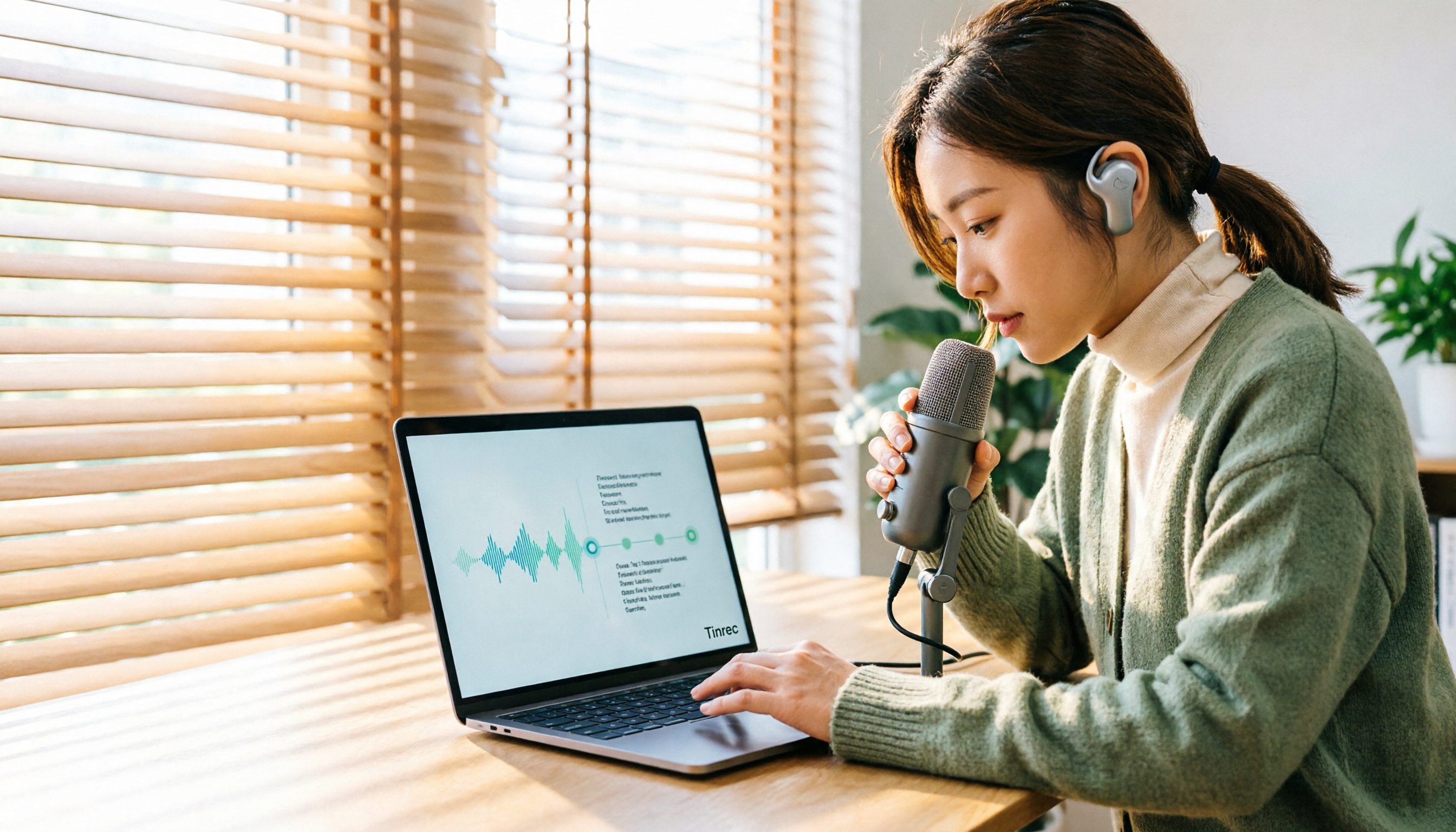
Take Tinrec as an example. It connects the answers to these three questions into a complete workflow: the desktop version directly captures computer system audio for bot-free recording, automatically generates summaries, chapters, and action items after transcription, and finally stores transcripts, audio, and post-meeting outputs in a centralized team space. Below, we break down how to compare online meeting systems based on this workflow.
What Can an Online Meeting System Do for You?
Scenario 1: Get meeting minutes 5 minutes after the meeting ends A two-hour meeting used to take another hour to organize minutes. With Tinrec, as the meeting ends, AI has already organized discussion topics, conclusions, and action items—who is responsible for what and by when—listed directly for you, no need to replay the recording.
Scenario 2: Record online meetings without inviting a bot Many people don't want an extra participant in the meeting, especially client meetings. Tinrec's desktop version records online meetings by capturing computer system audio, without adding a bot. The screen and participant list remain unchanged.
Scenario 3: Understand cross-language meetings in real time In meetings with mixed Chinese and English, missing key terms is a common fear. Tinrec supports real-time translation, allowing you to switch between original text, translation, or bilingual view, making it faster to verify afterward.
Scenario 4: Turn past meetings into a searchable database Forgetting meetings after they end is a common problem for many teams. Tinrec stores transcripts, summaries, and action items in one space, so you can later use AI Q&A to ask "What was the budget the client mentioned last time?" without digging through chat logs.
What Are the Core Capabilities of an Online Meeting System?
Bot-free online meeting recording Some tools join meetings as a meeting bot and appear in the participant list; Tinrec takes a different approach. The desktop version directly captures system audio played by the computer, and can be used with Zoom, Google Meet, Microsoft Teams, Webex, and other online meetings without adding a participant. In actual use, the user still needs to manually start recording; it does not automatically join every meeting on your calendar.
Real-time transcript and real-time translation Tinrec generates text while recording, so you can check for missed key points during the meeting; for cross-language meetings, you can view the original and translation simultaneously.
AI summary, chapters, and action item extraction Transcription is only the first step. Tinrec breaks long meetings into chapters and key points, and extracts action items from discussions, making "what to do after the meeting" concrete. The transcript is the raw material; the summary and action items are what you can directly use for work.
AI Q&A and post-meeting outputs Tinrec supports continued questioning about meeting content and can further generate reports, tables, and documents as post-meeting outputs. For those who need to submit weekly reports, meeting minutes, or client summaries, this step saves rewriting time.
Multi-format export and team accumulation Tinrec can export results to common tools like Notion, Google Docs, OneNote, and Dropbox, and can also store meeting data centrally in a team space, turning it into a searchable, collaborative, and traceable team asset rather than scattered across individual devices and chat logs.
Practical Application Scenarios
Department weekly meetings and decision meetings For regular weekly department meetings, what's most needed is "what was decided and who will follow up." After recording with Tinrec, summaries and action items are automatically formed. Managers can view historical meetings and action progress in the team space at once; members without a seat can still view, play, and read team data. Only after obtaining a seat can they perform resource-consuming operations like recording, uploading, and editing.
Client interviews and requirement confirmation Sales and customer success teams fear missing client objections and commitments. Record interviews with Tinrec: the transcript preserves original statements, and the summary organizes requirements and follow-up actions. Later, when writing proposals or replying to clients, you can quote directly.
Stop organizing recordings by hand
Upload audio or video and automatically get a transcript, summary, and action items
Organizing course, lecture, and interview materials Researchers and content creators often deal with long audio files. Tinrec supports uploading existing audio and video files for transcription, and can also import some web link content, quickly turning a one-hour interview into searchable text and key points.
Personal knowledge management Not just for meetings. Put courses, ideas, and long-term recordings into Tinrec, and retrieve them with AI Q&A when needed—it's like building a personal database you can query.
5 Things to Note When Choosing an Online Meeting System
1. How does it capture meeting audio? First confirm whether the tool "joins as a bot" or "captures device system audio." The former appears in the participant list and may not be suitable for external meetings; Tinrec belongs to the latter, with the desktop version directly capturing system audio, leaving the meeting list unchanged. Also note that this approach still requires the user to manually start recording.
2. What does it give you after transcription? A tool that only provides a transcript is essentially handing the organizing work back to you. When purchasing, look for summaries, chapters, action items, Q&A, and export. Tinrec includes this entire process, so you can directly produce usable meeting minutes after transcription.
3. Handling Chinese and mixed Chinese-English Proper nouns in Chinese meetings, mixed Chinese-English, and overlapping speakers are where transcription most easily errs. Tinrec covers Chinese, Traditional Chinese, and multilingual meeting scenarios, and provides team hotwords to maintain common terminology; actual performance is still affected by recording quality, noise, accents, and specialized terms. It's not advisable to expect zero errors; for important information, verify against transcript timestamps and recordings.
4. Will audio files be retained, and can old files be imported? Some tools keep only text and not audio, so you can't verify tone or context later. Tinrec retains audio and provides transcription for uploaded existing audio and video, so historical meetings and interviews can be added to the same database. The team plan also offers an audio recycle bin to restore accidentally deleted audio before permanent cleanup begins (currently a 30-day retention period).
5. Team governance and cost structure For team use, distinguish three things: roles determine who can manage the team and view audit logs, seats determine who can record, upload, edit, and export, and membership determines who belongs to the team. Tinrec's team plan focuses on team-level sharing; members can view team data, but it is not file-level granular permission settings. Also check the pricing method: Tinrec's team plan is currently USD 29.80 per paid seat per month, or USD 199 per paid seat per year (equivalent to about USD 16.58 per month), with each paid seat providing 2,000 minutes of team shared import quota per month; under an active team plan and active seat, real-time recording currently does not deduct minutes. First eligible teams can try 7 days, 1 free seat, and 300 minutes of team shared import quota. Prices, promotions, and settlement amounts are subject to the official purchase page.
Frequently Asked Questions
Q1: Is the free version enough? You can start with the basic quota. Tinrec's free version provides basic quota to experience recording, import, summary, and transcription, suitable for light users who occasionally organize a recording; if you have regular weekly meeting needs, consider Pro. For short-term intensive meetings or interviews, a weekly pass is available.
Q2: Do I need to invite a meeting bot? No. Tinrec's desktop version directly captures computer system audio, so no extra participant appears. But this does not mean it automatically joins all meetings; the user still needs to manually start recording.
Q3: Can transcription accuracy be guaranteed? It's not advisable to summarize with a single number. Actual performance is affected by recording quality, noise, accents, overlapping speakers, and specialized terms. Tinrec's positioning is to greatly reduce manual recording and organizing costs; for important content, verify with transcript and recording playback.
Q4: What's the difference between the team plan and personal plan? Personal plan data is managed by the individual account; the team plan is an independent team collaboration space where meeting data belongs to the team, and adds capabilities such as members, roles, seats, shared benefits, usage analytics, audit logs, and audio recycle bin.
Q5: If a member leaves, will meeting data disappear with them? It won't be taken away by the individual. Team resources belong to the team; when a member exits, is removed, or loses their seat, their responsible team resources can be transferred to other active members.
Q6: Do I need consent to record? Yes. Recording and transcription involve local regulations and participant rights. Before use, confirm relevant regulations and obtain participant consent when necessary.
Conclusion
Comparing online meeting systems ultimately comes back to the same thing: do you want "a meeting to be recorded" or "a meeting to become searchable, queryable, and assignable data"? The former only needs recording functionality; the latter requires a complete workflow. Tinrec connects bot-free recording, real-time transcript, AI summary and action items, AI Q&A, export, and team space. For those who have more than three meetings per week and need to write meeting minutes, it's worth running one or two meetings to see the results; teams can start with a trial to confirm whether the division of roles and seats fits your management style before deciding whether to expand usage.
References
- How to Choose Online Meeting Software? Master 5 Software Features, Prices, and Use Cases at Once! - 棋崚ALEN
- Top 5 Recommended Online Meeting Software to Greatly Improve Remote Online Work Meeting Efficiency | On-line to Know
- 2026 Free Online Meeting Software and Video Software Recommendation List! Comparing Teams, Zoom, Google Meet Differences | Tasker Good Articles Column
- Top 5 Recommended Online Meeting Software to Greatly Improve Remote Online Work Meeting Efficiency! - EventX
- Video Conferencing Software Recommendations: Google Meet, Microsoft Teams, Zoom Comparison
Turn every recording into actionable outcomes
Get 60 free transcription minutes when you sign in. No credit card required.
Related Reading
You might also like

2026 Comparison of 4 Online Video Conferencing Tools: Which Handles Chinese Transcripts and AI Meeting Summaries Best?
Starting from the real struggles of student online group meetings and remote presentations, this hands-on comparison tests 4 tools related to online meeting records: from bot-free recording, Chinese and mixed Chinese-English recognition, post-transcript summaries and action items, to how teams share data and pricing. It compiles the most practical buying criteria and pitfalls to avoid for students and project teams.

2026 Comparison of 2 Online Meeting Transcription Solutions: Tinrec vs Cisco Webex
Cisco Webex is where many online meetings start, but after the meeting ends, transcripts, notes, and action items often end up scattered across different platforms. This article compares Tinrec and Cisco Webex across 5 dimensions—cross-platform recording, Chinese transcription and real-time translation, post-meeting output, team data retention, and pricing thresholds—to help you decide which online meeting transcription approach suits you best.

2026 Comparison of 3 Webex Online Check-In Methods: Chat, Recording Proof, and Team Knowledge Retention
Is a simple Webex chat check-in enough, or do you need more complete attendance proof? This article compares three online check-in approaches, outlines the chat check-in steps for desktop and mobile, and tests Tinrec desktop's bot-free recording of Webex meetings. From attendance retention to speaking proof and team knowledge retention, get the full picture at once.

Tinrec vs PLAUD Note in 2026: A 5-Dimension Comparison — Which Is More Complete Beyond an Online Meeting Microphone?
Bought an online meeting microphone but still missing meeting notes? This article compares Tinrec and PLAUD Note across 5 dimensions: meeting capture, recording storage, Chinese language experience, post-meeting AI organization, and team collaboration, to help you decide which combination fits your work style.
How to Transcribe Audio Files with Google in 2026: A Complete 5-Step Guide
Google's free tools can convert audio files to text, but there are several pitfalls to watch out for. This guide starts with common misconceptions, walks you through a 5-step process to transcribe audio, and compares Google AI Studio, Google Docs voice typing, and Tinrec to help you choose the right tool.

2026 Comparison of 5 Online Meeting Tools: Top Chinese Transcription Picks After Co-Life Shutdown
NCHC's Co-Life online meeting system officially shut down on April 30, 2025. This article compares 5 online meeting transcription tools from four angles: recording method, Chinese language performance, post-meeting output, and team handover. It explains how to choose after Co-Life and identifies Tinrec as the top pick in testing.

2026 Top 3 Video Conferencing Tools Tested: Built-in Recording Falls Short, How Tinrec Fills the Gap
Looking for a video conferencing tool? This hands-on comparison tests the meeting recording capabilities of Zoom, Microsoft Teams, and Google Meet, and takes a deep dive into how Tinrec's bot-free recording, AI summaries, action item extraction, AI Q&A, and team spaces fill the post-meeting organization gap left by video conferencing tools. From buying tips to pitfalls to avoid, this guide helps you master both the meeting and the follow-up.

2026 Tinrec Online Meeting Real-Time Translation: Live Bilingual Subtitles + Post-Meeting AI Summary
How to choose real-time translation for online meetings? This article starts from two decision points: 'understanding during the meeting' and 'usability after the meeting.' It reviews Tinrec's real-time bilingual subtitles, bot-free online meeting recording, AI summary and action item extraction, team spaces, and compares positioning and free tier differences with Otter.ai, Notta, Fireflies.ai, and Granola, with purchasing considerations and FAQs.

4 Cisco Webex Meeting Transcription Tools Tested for 2026: Can You Get Transcripts Without a Bot?
Cisco Webex is widely used by businesses, but after meetings end, transcripts, summaries, and action items often go unorganized. This article starts from the decision points of Webex users and compares four meeting transcription tools: Tinrec, Otter.ai, Notta, and Granola. It explains selection criteria, differences in bot-free recording, pricing and limitations of each tool, and provides pitfalls to avoid and scenario-based recommendations.