
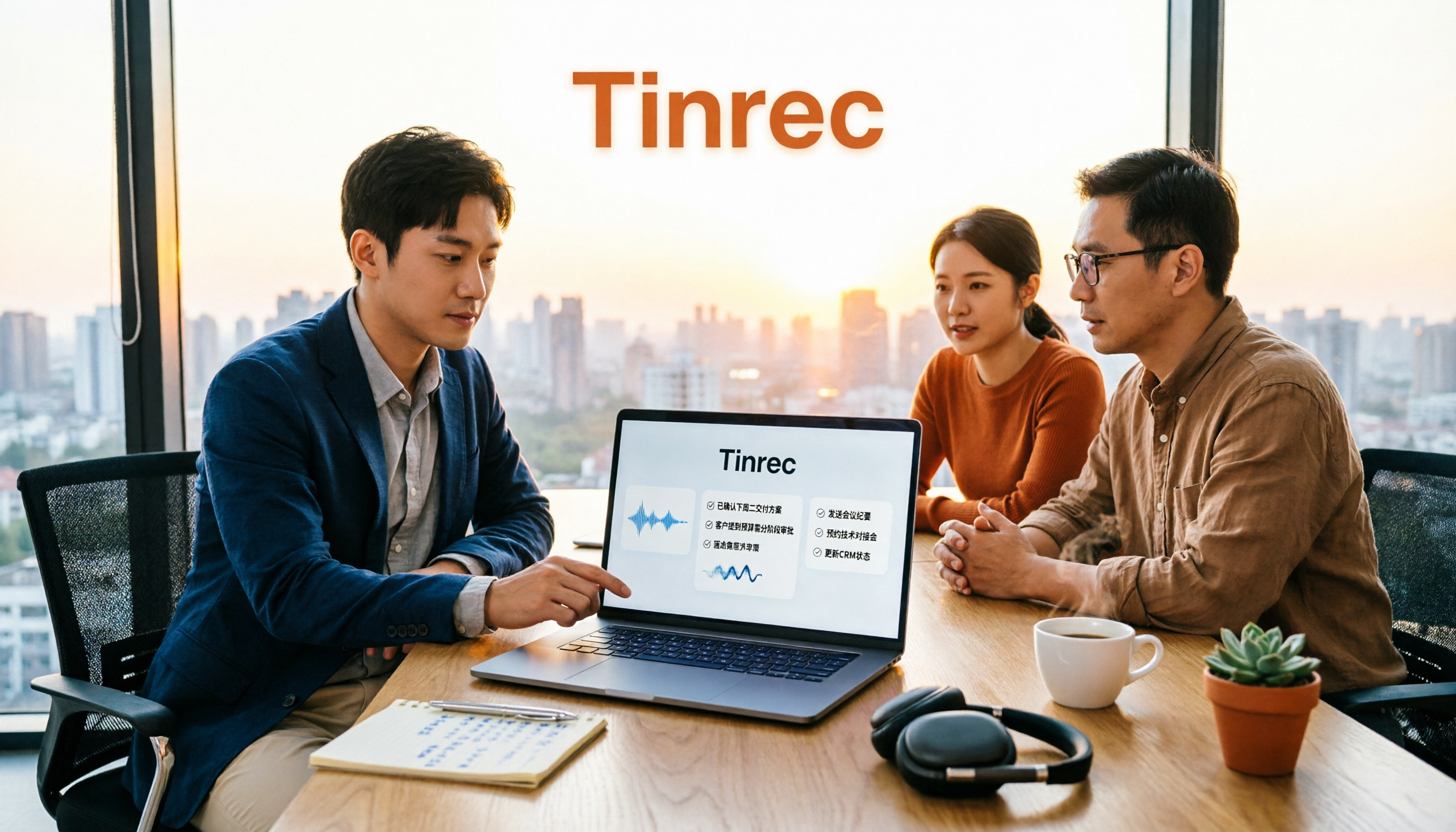
Turn recordings into transcripts and summaries in minutes
Upload audio or video for multilingual transcription, AI notes, and action items
2026 Sales Meeting AI Tools: Chinese Transcription + Automatic To-Do Organization
How should you choose a sales meeting AI tool? Many people start by comparing transcription accuracy. But honestly, what determines whether you'll still be using it three months later is usually not accuracy.
I usually ask readers three questions first:
- Where do your meetings take place? Online only, in-person only, or both?
- Do you want a transcript, or meeting data you can directly use to follow up with clients?
- Who ultimately holds these recordings—an individual account or a shared team space?
The answers to these three questions will directly determine which type of tool you should choose. Below, I'll use Tinrec as the main example to break this down, because its answers to these three questions are relatively complete: the desktop version can directly capture computer system audio to record online meetings, generate summaries and to-dos after transcription, and store data in a team space.
What Can Sales Meeting AI Tools Do for Salespeople?
Scenario 1: Get key points 5 minutes after a client interview ends Previously, after an interview, you had to type quickly while your memory was still fresh, and you might accidentally miss the budget range the client mentioned casually. With Tinrec, for example, the transcript is already there when the meeting ends. The AI summary will list requirements, budget, and decision-making process in sections. You just need to review it once and report back.
Scenario 2: No need to pull another bot into online meetings Sales meetings often include external clients. If an unknown bot account appears on the list, clients will ask about it. Tinrec's desktop version directly captures computer system audio, and the user initiates recording themselves. No additional bot needs to join Zoom, Google Meet, Microsoft Teams, or Webex.
Scenario 3: Turn client commitments into to-dos Commitments like "I'll send you a quote next week" or "Confirm the contract version by the end of the month" are scattered throughout the conversation and are easiest to miss. Tinrec extracts to-dos from the discussion and lists them one by one, giving you a basis for follow-up.
Scenario 4: Cross-language client meetings For English or mixed-language meetings, Tinrec supports real-time translation during recording. You can view in original text, translation, or bilingual mode, and mixed Chinese-English content can also be organized together.
What Are the Core Capabilities of Sales Meeting AI Tools?
Real-time recording to text It's not transcribing after recording; it's generating text while speaking. Tinrec supports real-time recording transcription, usable for offline visits and on-site communication. You can confirm in real time during the meeting whether key sentences were missed.
Bot-free online meeting recording Tinrec's desktop version handles online meetings through system audio capture, without adding the tool to the meeting list. Note that this does not mean "automatically joining all meetings on your calendar." Users still need to actively start recording.
AI summaries and chapters Transcription is only the first step. Tinrec breaks long meetings into chapters and generates structured summaries, so when reviewing a 90-minute meeting, you can look at conclusions first and decide whether to read further.
To-do extraction Tinrec extracts action items from discussions, listing who is responsible and what needs to be done, item by item. Suitable for project meetings and client meetings.
AI Q&A After the transcript is complete, you can directly ask Tinrec questions, such as "What were the client's concerns about pricing?" or "How many competitors were mentioned?" It answers based on semantic understanding, so you don't need to Ctrl+F for keywords yourself.
Export and post-meeting output Tinrec supports multi-format export and can bring results to Notion, Google Docs, OneNote, Dropbox, and other tools for further processing. Additionally, through Agent post-processing, it can generate reports, tables, and documents, suitable for sales weekly reports and client proposal preparation.
Practical Application Scenarios
Client development and needs interviews Record with your phone during visits, upload when back at the office, and Tinrec directly produces transcripts and summaries. Client pain points, competitors, and budget are organized at once.
Sales weekly meetings and Pipeline Review Regular weekly sales meetings are best for accumulation. Tinrec's team version can store each meeting's data in the same team space. New members can also review historical discussions, so decision-making basis won't remain only on someone's laptop.
Online product demos Demos usually have both internal colleagues and clients online. Tinrec's desktop version records system audio and directly generates a summary after the meeting. Sales can immediately organize key points for the client.
Stop organizing recordings by hand
Upload audio or video and automatically get a transcript, summary, and action items
Sales training and script practice Convert training recordings into transcripts, then use AI Q&A to find ways to handle common objections. New hires will get up to speed faster.
5 Points to Note When Choosing a Sales Meeting AI Tool
1. Recognition performance for Chinese and local expressions Sales conversations are full of product names, company abbreviations, and jargon. It's recommended to test with your own actual recordings, not just look at official numbers. Tinrec supports Chinese, Traditional Chinese, and multilingual meeting scenarios, and provides a team hotword feature to maintain commonly used company terms, improving recognition of professional vocabulary.
2. Supported meeting formats Meeting only online versus needing to visit clients requires different tools. Tinrec supports real-time recording, desktop online meeting recording, audio and video file upload, and mobile recording, covering both online and offline.
3. Organization capabilities after transcription A tool that only provides transcripts is equivalent to returning the organization work to you unchanged. In addition to transcripts, Tinrec provides summaries, chapters, key points, to-dos, mind maps, and AI Q&A. What you need to deliver after the meeting can be directly produced.
4. Data ownership and team permissions This point is most easily overlooked. Tinrec's team version is an independent team space, and data belongs to the team. After members join, they can view, play, and read team data, but need a seat to record, upload, edit, and export. Roles determine who can manage the team, and seats determine who can use resources. The two should be viewed separately. Currently, the team version is mainly team-level sharing, not a file-level granular permission system.
5. Quotas and pricing Tinrec's personal version has a free version, weekly card, Pro monthly card, and Pro annual card. Choose based on usage frequency. The team version is currently monthly USD 29.80 per paid seat per month, annual USD 199 per paid seat per year (about USD 16.58 per month). Each paid seat provides 2,000 minutes of team shared import quota per month. The first eligible team trial is 7 days, 1 free seat, and 300 minutes of team shared import quota. Under a valid team plan and valid seats, real-time recording currently does not deduct by minutes, while file and network imports use the team shared quota. Prices and promotions are subject to the official purchase page.
By the way, several commonly compared tools on the market have different focuses: Otter.ai and Fireflies.ai have deeper accumulation in English business meetings and automation processes. Granola also takes a bot-free approach but leans toward note enhancement and does not retain meeting audio. Notta and TurboScribe are more focused on file transcription and subtitle translation. If your meetings are mainly in Chinese and you need post-meeting data to stay within the team, Tinrec's combination will be more suitable.
Frequently Asked Questions
Q1: Does Tinrec require a meeting bot to join? No. Tinrec's desktop version captures computer system audio to record online meetings, so no extra account appears in the meeting list. Users need to start recording themselves; it is not a bot that automatically joins calendar meetings.
Q2: What can you try with the free version? Tinrec's free version allows you to experience recording, import, summaries, and transcription with basic quota. It's suitable for first confirming whether Chinese recognition and summary quality meet your needs before deciding whether to upgrade to a weekly card or Pro.
Q3: Can all team members see sales meeting recordings? The team version is mainly team-level sharing. Valid members can view, play, and read team data. To edit, export, or upload data, a seat is required. When a member exits or is removed, team resources are transferred to other valid members and do not leave with the individual.
Q4: Is accuracy guaranteed? It's not recommended to expect that. Actual performance is affected by recording quality, environmental noise, accents, multiple people speaking simultaneously, and professional terminology. Tinrec's positioning is to greatly reduce the time spent on manual recording and organization. Important content should still be verified with transcript timestamps and recording playback.
Q5: Do I need to inform others in advance about meeting recording? Yes, be mindful. Recording and transcription involve local regulations. In practice, it's recommended to inform participants and obtain consent at the start of the meeting, especially for external client meetings.
Q6: Are Teams and Meet meetings supported? Tinrec's desktop version can handle meeting audio from Zoom, Google Meet, Microsoft Teams, Webex, etc., played on a computer. This means it can record meeting content from these platforms, but does not imply an official partnership with each platform.
Conclusion
The difference between sales meeting AI tools is rarely about "can it transcribe text," but about what you get after transcription and where the data ultimately resides. Tinrec puts real-time recording, bot-free online meeting recording, summaries, to-dos, AI Q&A, and team space into the same workflow. For sales teams that have client meetings every week and want meeting data to accumulate as team assets, it's an option worth trying from the free version first. Test it with one of your own real meetings—whether Chinese recognition and summaries are sufficient will be clear in one meeting.
References
- No time limit! 3 free AI transcription tools, highly recommended! AI voice notes generate meeting records, presentations, mind maps | 104 Career Power
- Meeting Ink - 2026 AI meeting record tool test | 7 voice-to-text and summary speed comparison | Meeting Ink - AI meeting record assistant automatically transcribes and summarizes meeting minutes
- [AI Quick Guide] Just read this! 2026 recommended AI free vs subscription tools collection, improve work productivity & workplace competitiveness! (Continuously updated) | 104 Career Power
- AI meeting record software recommendations: 5 major apps tested and compared, automatic text conversion makes meetings super easy!
- Recently many people ask me if there are any AI tools for meeting records. They still type manually, often can't multitask, and waste time. I always answer—SeaMeet. Why recommend it? Here are the key points: - Linked to Google Meet, online meetings sync transcription and have real-time summaries, super convenient. - No need to specially reorganize; after the meeting, directly email all participants. - Operation is super simple; even middle-aged and elderly people who have never used AI tools, I taught them in 10 minutes. - In-person meetings
Turn every recording into actionable outcomes
Get 60 free transcription minutes when you sign in. No credit card required.
Related Reading
You might also like

2026 Top 5 Client Meeting Follow-Up Tools Compared: Does Tinrec's Auto Action Item Extraction Really Save Time?
The real test of a client meeting begins after it ends. This article starts with common follow-up pitfalls, breaks down the differences among 5 types of client meeting follow-up tools, and uses Tinrec as an example to show how transcripts, AI summaries, action item extraction, AI Q&A, and team spaces turn meetings into actionable checklists. It concludes with 5 buying tips and FAQs.

Tinrec vs Notta 2026: 5-Factor Comparison for Sales Meeting Minutes Templates
Struggling to finish sales meeting minutes? This article provides a ready-to-use 5-field sales meeting minutes template and compares Tinrec and Notta across 5 dimensions: meeting capture method, Chinese language experience, post-meeting outputs, team data ownership, and pricing, to help you choose the most convenient meeting minutes tool.
4 Sales Meeting Debrief Tools Compared for 2026: How to Choose Based on Chinese Transcripts, AI Action Items, and Team Knowledge Retention
Sales meetings end and everyone disperses—can debriefs rely only on memory? This article starts with the three most common debrief pitfalls, outlines 4 key points to understand before any debrief, and compares Tinrec, Otter.ai, Fireflies.ai, and Notta on Chinese transcripts, AI action items, and team data retention to help you choose the right debrief approach and tools for your sales team.

2026 Comparison of 4 Client Visit Meeting Minutes Tools: Which One Turns Transcripts into Action Items?
After a client visit, do you always end up organizing meeting minutes late at night? Based on real visit scenarios, this article tests tools like Tinrec, Otter.ai, Notta, and PLAUD Note, and outlines selection criteria, pitfalls to avoid, and suitable use cases for client visit meeting minutes, helping you find a solution that turns transcripts into action items and team assets.

How to Turn Meeting Recordings into Requirements Documents in 2026: AI Auto-Generates Transcripts + To-Do Lists
A mid-level manager who runs 15 meetings a week tested how to use Tinrec to turn meeting recordings into transcripts, summaries, and to-dos, then rewrite them into deliverable requirements documents, plus 6 buying checkpoints and FAQs.

2026 Comparison of 5 Post-Client-Visit Follow-Up Tools: Which One Actually Turns Conversations into Next Steps?
The 48 hours after a client visit are often the key to closing a deal. This article starts with the three most common inefficient post-meeting follow-up practices, breaks down the five core capabilities such tools should have, four practical use cases, and five purchasing considerations, and uses Tinrec as an operational example to show how to turn visit conversations into team data with owners, deadlines, and searchability.

2026 Comparison of 4 AI Tools for Sales Meetings: Which Saves the Most Effort in Chinese Minutes and Action Item Tracking?
After a sales meeting, no one wants to organize the transcript, client commitments, and action items? This article starts from four key points: Chinese recognition, meeting recording methods, post-meeting follow-up questions, and team data ownership. It compares Tinrec, Otter.ai, Fireflies.ai, and Notta, and includes a pitfall guide and scenario-based selection advice to help sales and customer success teams find the most effortless post-meeting organization process.

2026 Complete Guide to Organizing Client Visit Recordings: From Transcript to Action Items
The key to organizing client visit recordings isn't just hitting record—it's turning audio files into searchable, trackable visit records. This article first breaks down 4 common pitfalls and inefficient practices, then compares Tinrec and PLAUD Note/NotePin across 5 dimensions: recording capture, online meetings, post-meeting organization, cross-source audio files, and team collaboration. Finally, it provides clear recommendations based on different needs.

2026 Top 3 Client Visit Follow-Up Tools Compared: Which Turns Meetings into Trackable Action Items?
Visiting clients is easy; the hard part is the three days after. This article follows the complete client visit follow-up workflow to compare Tinrec, Notta, PLAUD, and Otter.ai on Chinese client meetings, bot-free recording, action item extraction, and team knowledge retention, plus four common pitfalls to help you choose a tool that truly produces follow-up materials.