

Turn recordings into transcripts and summaries in minutes
Upload audio or video for multilingual transcription, AI notes, and action items
What Can Post-Meeting Follow-Up Do for You?
Most salespeople agree that "follow-up after a visit determines the deal," but when it comes to actual execution, the three most common practices are actually not very useful: writing meeting notes from memory after the meeting, sending a generic thank-you email, and delaying promised actions to the client by two weeks. The common problem with these three things is that they don't turn the conversation into something actionable, and the client doesn't know what the next step is after reading them.
What post-meeting follow-up really needs to solve are the following four things. Below, starting from actual needs, we explain what capabilities such tools should have, using Tinrec as the main operational example.
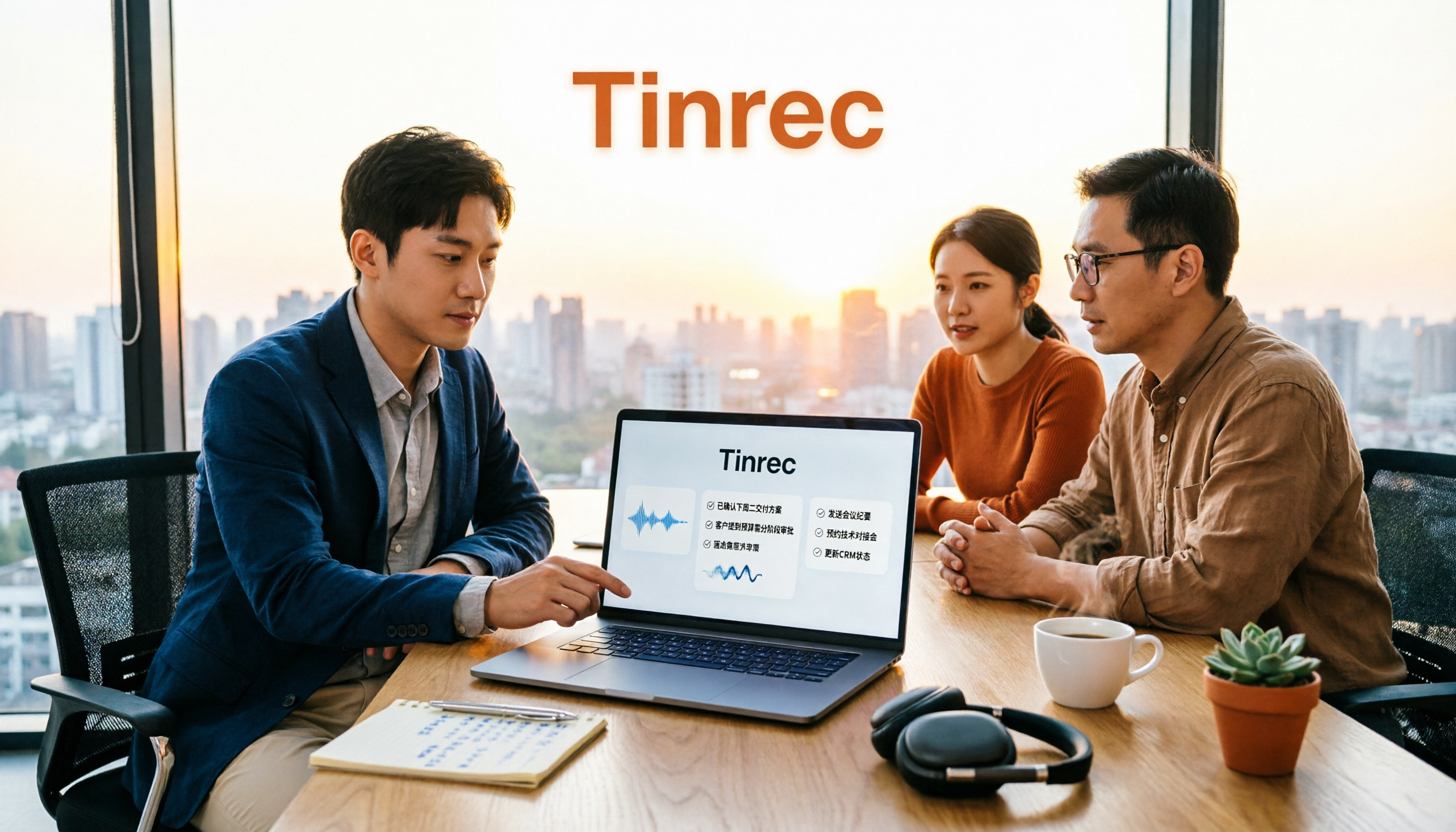
Scenario 1: Generate a sendable summary within 10 minutes after the visit Previously, you would start recalling what was discussed only after getting back in the car, and half the details were already lost. With Tinrec as an example, you start real-time recording during the visit, and the transcript is generated as you talk; after the meeting, AI summaries organize the key discussion points and conclusions, so you can send a follow-up email the same day instead of delaying until the next week.
Scenario 2: Turn verbal promises from clients into action items with owners and deadlines When a client says "send me the quote next week," leaving that sentence only in your head is a risk. Tinrec extracts action items from the conversation, and you can add owners and deadlines, so post-meeting follow-up no longer relies on willpower.
Scenario 3: When a client comes back three months later asking about "that specification we discussed last time" If the visit record is just an audio file sitting in a folder, it's as good as not saved. Tinrec keeps transcripts, summaries, and action items, and supports AI Q&A—you can directly ask "what did the client say about the delivery time" without listening to a two-hour recording again.
Scenario 4: When a salesperson leaves, client interaction records don't go with them Keeping client data on personal phones or personal accounts is a hidden risk for many teams. Tinrec's team version puts meeting data in a team workspace, so when members change, it can be handed over, and the records still belong to the company.
What Are the Core Capabilities of Post-Meeting Follow-Up?
1. No need to pull a meeting bot into the meeting room Tinrec's desktop version directly captures the computer's system audio to process online meetings, covering Zoom, Google Meet, Microsoft Teams, and Webex. The client won't see an extra unfamiliar participant. Note that this still requires you to actively open Tinrec to start recording; it does not automatically join all calendar meetings.
2. Live transcript as you speak, plus real-time translation During the meeting, you can refer to the text to confirm key numbers were heard correctly. For cross-language meetings, you can switch between original text, translation, or bilingual display, which is especially useful when visiting foreign clients.
3. AI summary, chapters, and action item extraction A two-hour meeting won't give you a two-hour summary, but structured content: meeting topic, discussion conclusions, and action items listed separately, with long meetings divided into chapters for easy review. This step is the key to turning recordings into usable data.
4. Post-meeting follow-up questions: AI Q&A and Agent post-processing After a visit, to prepare a client presentation, you don't need to listen to the recording again. Tinrec supports asking questions directly about the meeting content, and can also use Agent post-processing to generate reports, tables, and documents, pushing the conversation content directly to the next work stage.
5. Team workspace: Turn visit records into company assets Tinrec's team version provides an independent team workspace, and meeting data belongs to the team. Managers can manage members, roles, and seats, and view usage trends and audit logs; members without seats can still view and read team data, but need a seat to record, upload, edit, and export.
Practical Use Cases
Offline client visits Start real-time recording with Tinrec on your phone or laptop, and by the end of the visit, the transcript and summary are already done. Send the follow-up email the same day, assign action items along the way, and the client feels that "you really understand what we just discussed."
Online proposal meetings When meeting on Zoom or Google Meet, use Tinrec's desktop version to capture system audio for recording, without pulling a bot into the meeting. After the meeting, export the summary to Google Docs for your manager, and keep action items in the team workspace for follow-up.
Stop organizing recordings by hand
Upload audio or video and automatically get a transcript, summary, and action items
Client interviews and needs research An interview often lasts over an hour. After transcription, Tinrec can split it into chapters, and later you can use AI Q&A to retrieve "the most common sticking points for clients," much faster than manually going through the transcript. After exporting to Notion or OneNote, you can continue making research notes.
Accumulating client interactions for sales teams Client needs, objections, and commitments are centrally stored through Tinrec's team version. New colleagues taking over can view historical meeting data, avoiding asking clients again about things they've already answered, which is especially noticeable for client relationships that require long-term management.
5 Things to Note When Choosing a Post-Meeting Follow-Up Tool
1. Transcription performance for Chinese and mixed languages Client meetings in Taiwan often mix Chinese and English. When choosing a tool, it's recommended to test directly with your own meeting recordings. Tinrec supports Chinese, Traditional Chinese, and multilingual scenarios, and provides team hotword management to add commonly used company terms, making professional term recognition more stable. Actual results will still be affected by recording quality, accents, environmental noise, and overlapping speakers.
2. Post-meeting outputs are not just transcripts Transcripts are raw material, not finished products. In addition to transcripts, Tinrec can produce summaries, chapters, action items, and mind maps, and generate reports, tables, and documents through Agent post-processing, which is where it shortens post-meeting organization time.
3. Will the recording method disturb the client? Meetings that require inviting a bot usually show up on the client's end, and you inevitably have to explain. Tinrec's desktop version records by capturing system audio, so there won't be an extra participant in the meeting, and the visit rhythm is less likely to be interrupted.
4. Data ownership: personal account or team workspace Meeting resources in Tinrec's team version belong to the team, and it provides roles, seats, usage analysis, audit logs, and an audio recycle bin. After audio enters the recycle bin, it can be restored before permanent cleanup begins; currently, the recycle bin retention period is 30 days.
5. Can it connect to your existing workflow? Tinrec supports exporting to Notion, Google Docs, OneNote, Dropbox, and other tools, so visit records can go directly into your existing note-taking or reporting process without maintaining a separate system.
Frequently Asked Questions
Q1: How soon after a client visit should you follow up? The sooner the better; the same day or the next morning is ideal. Clients are meeting many suppliers at the same time, and whoever gives the next step first is more likely to be remembered. With Tinrec, you record during the visit, immediately organize the summary and action items after, and sending it the same day is almost effortless.
Q2: Is a transcript enough? No. A transcript solves "having a record," but not "how to use it." Tinrec adds summaries, chapters, and action item extraction on top of the transcript, so you can directly use it to write follow-up emails or schedule actions.
Q3: Do online meetings require inviting a meeting bot? Not necessarily. Tinrec's desktop version captures computer system audio to record online meetings, without adding an extra bot to the meeting. But remember, this is still a recording you actively initiate, not automatically joining all meetings.
Q4: What's the difference between the team version and the personal version? In the personal version, data belongs to the personal account. Tinrec's team version provides an independent team workspace, where meeting data belongs to the team, and adds capabilities such as members, roles, seats, shared quota, usage analysis, audit logs, and audio recycle bin. Eligible teams can try it for 7 days for the first time, with 1 free seat and 300 minutes of team shared import quota; paid seats provide 2,000 minutes of team shared import quota per month, with team monthly payment at USD 29.80 per paid seat, and annual payment at USD 199 per paid seat (about USD 16.58 per month). Prices, currencies, and promotional content are subject to the official purchase page.
Q5: Can members without a seat see team data? They can view, play, and read team data, but cannot upload, edit, import/export, or perform other operations that require a seat. This is a design of "roles control governance, seats control usage," not setting permissions for each file individually.
Q6: Do you need to inform the client about recording in advance? Yes. Recording and transcription involve local regulations and client consent. It is recommended to explain the purpose and obtain consent before the meeting starts, which also helps build trust.
Conclusion
Whether post-meeting follow-up is done well or not doesn't depend on sales pitch, but on whether you have a process to turn conversations into actions. Writing notes from memory after a visit, sending generic thank-you emails, and delaying promises by two weeks—no matter how much you do these three things, they won't increase your closing rate.
Tinrec's value lies in making this an effortless action: real-time recording during visits, automatic summaries and action items after meetings, AI Q&A when you need to look back, and data stored in the team workspace for accumulation. If you have client meetings every week, it's recommended to start with the free version and test it with a real visit to see if it can save you time organizing records.
References
- Post-Exhibition Follow-Up: How to Step by Step Follow Up with Overseas Clients? — Gao Qing International - Gao Qing Marketing
- Tips and Strategies for Preparing Before Visiting Clients: How to Effectively Improve First Meeting Success Rate? - Lanhai Intelligence
- RoleCatcher | Planning Customer Sales Visits: A Comprehensive Guide to Mastering Effective Customer Engagement Techniques
- 3 Basic Principles for Salespeople Visiting Clients! Neglect Them, and the Loss Is More Than Just One Order - Zhang Maike
- Follow-Up After Visiting Clients - Zhihu
Turn every recording into actionable outcomes
Get 60 free transcription minutes when you sign in. No credit card required.
Related Reading
You might also like

2026 Top 5 Client Meeting Follow-Up Tools Compared: Does Tinrec's Auto Action Item Extraction Really Save Time?
The real test of a client meeting begins after it ends. This article starts with common follow-up pitfalls, breaks down the differences among 5 types of client meeting follow-up tools, and uses Tinrec as an example to show how transcripts, AI summaries, action item extraction, AI Q&A, and team spaces turn meetings into actionable checklists. It concludes with 5 buying tips and FAQs.

Tinrec vs Notta 2026: 5-Factor Comparison for Sales Meeting Minutes Templates
Struggling to finish sales meeting minutes? This article provides a ready-to-use 5-field sales meeting minutes template and compares Tinrec and Notta across 5 dimensions: meeting capture method, Chinese language experience, post-meeting outputs, team data ownership, and pricing, to help you choose the most convenient meeting minutes tool.

4 Sales Meeting Debrief Tools Compared for 2026: How to Choose Based on Chinese Transcripts, AI Action Items, and Team Knowledge Retention
Sales meetings end and everyone disperses—can debriefs rely only on memory? This article starts with the three most common debrief pitfalls, outlines 4 key points to understand before any debrief, and compares Tinrec, Otter.ai, Fireflies.ai, and Notta on Chinese transcripts, AI action items, and team data retention to help you choose the right debrief approach and tools for your sales team.

2026 Comparison of 4 Client Visit Meeting Minutes Tools: Which One Turns Transcripts into Action Items?
After a client visit, do you always end up organizing meeting minutes late at night? Based on real visit scenarios, this article tests tools like Tinrec, Otter.ai, Notta, and PLAUD Note, and outlines selection criteria, pitfalls to avoid, and suitable use cases for client visit meeting minutes, helping you find a solution that turns transcripts into action items and team assets.

How to Turn Meeting Recordings into Requirements Documents in 2026: AI Auto-Generates Transcripts + To-Do Lists
A mid-level manager who runs 15 meetings a week tested how to use Tinrec to turn meeting recordings into transcripts, summaries, and to-dos, then rewrite them into deliverable requirements documents, plus 6 buying checkpoints and FAQs.

2026 Comparison of 4 AI Tools for Sales Meetings: Which Saves the Most Effort in Chinese Minutes and Action Item Tracking?
After a sales meeting, no one wants to organize the transcript, client commitments, and action items? This article starts from four key points: Chinese recognition, meeting recording methods, post-meeting follow-up questions, and team data ownership. It compares Tinrec, Otter.ai, Fireflies.ai, and Notta, and includes a pitfall guide and scenario-based selection advice to help sales and customer success teams find the most effortless post-meeting organization process.

2026 Complete Guide to Organizing Client Visit Recordings: From Transcript to Action Items
The key to organizing client visit recordings isn't just hitting record—it's turning audio files into searchable, trackable visit records. This article first breaks down 4 common pitfalls and inefficient practices, then compares Tinrec and PLAUD Note/NotePin across 5 dimensions: recording capture, online meetings, post-meeting organization, cross-source audio files, and team collaboration. Finally, it provides clear recommendations based on different needs.
2026 Sales Meeting AI Tools: Chinese Transcription + Automatic To-Do Organization
How to choose a sales meeting AI tool? This guide starts from real sales scenarios, breaking down the three questions to ask first, core capabilities, and five key purchasing points. Using Tinrec as an example, it explains the complete workflow of bot-free online meeting recording, Chinese transcription, AI summaries, to-do extraction, and team data retention, with FAQs and pricing details at the end.

2026 Top 3 Client Visit Follow-Up Tools Compared: Which Turns Meetings into Trackable Action Items?
Visiting clients is easy; the hard part is the three days after. This article follows the complete client visit follow-up workflow to compare Tinrec, Notta, PLAUD, and Otter.ai on Chinese client meetings, bot-free recording, action item extraction, and team knowledge retention, plus four common pitfalls to help you choose a tool that truly produces follow-up materials.