

Turn recordings into transcripts and summaries in minutes
Upload audio or video for multilingual transcription, AI notes, and action items
2026 Comparison of 4 Client Meeting Follow-Up Tools: Which Saves the Most Time with Templates, To-Dos, and AI Q&A?
After the Client Meeting Ends, the Real Trouble Begins
Scenario 1: On Wednesday afternoon, you finish a round of requirements discussions with a client. Back at the office, your manager asks, "So what exactly do they want?" All you have left in your head are a few scattered sentences, and the details are all blurred together. You search through the chat history and only find your own hastily typed note: "Talk again next week."
Scenario 2: A month later, the client emails saying, "You promised to include installation back then," but you remember it was "quoted separately." The two sides have different understandings, yet no one can produce anything in writing.
Scenario 3: During the meeting, the client gave you three to-dos. You noted two, and the third only came up in a follow-up call two weeks later, making the situation awkward.
The common thread in these situations is not that you are not diligent enough, but that there is a missing step between "recording" and "follow-up." A good client meeting follow-up template, plus a tool that can automatically generate transcripts, summaries, and to-dos, can fill that gap. This article is for you if you need to bring back concrete conclusions and be accountable to clients.
Before Choosing a Client Meeting Follow-Up Tool, Understand These 4 Key Points
1. Is there a "next step" after recording? A template is just a skeleton. What really saves time is whether the tool can automatically fill in the meat—transcript, summary, chapters, to-dos. If it only gives you a block of text, you still have to read it from beginning to end, which is no different from typing it yourself.
2. Is the meeting online or offline? Client meetings are often hybrid. Online ones need to handle Zoom, Google Meet, Microsoft Teams, and Webex; offline ones need to be recorded directly on a phone or computer. If a tool can only handle "file uploads," that means an extra step every time.
3. Does it really work for Chinese and mixed Chinese-English? Client meetings often include sentences like "Let's do an MVP for this feature first, and look at the roadmap next quarter." English-focused tools tend to struggle in these situations. When choosing, be sure to test with a real meeting from your own company, not just official numbers.
4. Where does this record end up? Does it stay on your phone, or does it become a team asset? If only the person handling the client sees the interaction history, then when that person leaves, the entire history disappears with them. This is especially critical for teams of three or more.
(Note: Recording involves personal data and local regulations. Please obtain consent from participants before formal recording.)
Tinrec (Second Recording) — Our Top Choice After Testing
Tinrec (Second Recording) is an AI meeting notes and collaboration tool for individuals and teams, covering iOS, Android, and web versions, while online meetings are handled by the desktop version.
First, the most convenient part: bot-free recording. Most AI meeting tools require a "bot" to join the meeting as a participant. When clients see an unfamiliar account in the list, they can't help but wonder. Tinrec's desktop version directly captures the computer's system audio. You just open Tinrec and start recording yourself, and it can handle Zoom, Google Meet, Microsoft Teams, and Webex. No uninvited guest appears in the meeting. For client meetings where you need to maintain professionalism, this difference is more practical than numbers on a spec sheet.
Next is what it does after the meeting ends. After recording, Tinrec produces a transcript and automatically organizes an AI summary, chapters, and key points, as well as to-dos extracted from the discussion—who is responsible for what and when it is due, pulled directly into a list. This exactly fills the hardest cell in a "client meeting follow-up template": not the format, but the content. If the client speaks mixed Chinese-English requirements during the meeting, you can also use real-time translation to view the original text, translation, or bilingual version, making it less likely to miss details in cross-language meetings.
What really sets it apart is AI Q&A. After recording, you can directly ask it, "What were the client's concerns about pricing this time?" "What three things did we promise in the last meeting?" It does not throw a list of keyword search results at you; it answers directly based on semantic understanding. Competing products in the same price range almost all lack this feature, and this exactly matches the most common need in client meetings: when you are questioned afterward, you want answers, not keywords.
Finally, meeting results can be exported directly to Notion, Google Docs, OneNote, Dropbox, and other tools. They can also be post-processed through an Agent to generate reports, tables, and meeting minutes, which is equivalent to saving the step of manually organizing the transcript into a "client version summary."
In our testing, we used an approximately 5-minute mixed Chinese-English meeting recording (indoor environment, with keyboard and air conditioning background noise) to test transcription and summarization. The transcript was highly usable, and the AI summary captured the main topics and to-dos. It should be noted that actual accuracy is affected by recording quality, noise, accents, multiple people talking over each other, and technical terminology. It is best to test with a real meeting from your own company.
Stop organizing recordings by hand
Upload audio or video and automatically get a transcript, summary, and action items
Limitations should also be made clear: the free version provides a basic quota to experience recording, import, summary, and transcription. Users with high meeting volume need to consider upgrading. For the team version, the first eligible trial is 7 days, 1 free seat, and 300 minutes of team shared import quota; the team monthly plan is USD 29.80 per paid seat per month, and the annual plan is USD 199 per paid seat per year (equivalent to about USD 16.58 per month). Paid seats provide 2,000 minutes of team shared import quota per month. In addition, real-time recording within the team plan is currently not deducted by minutes, while file and web imports consume the team shared quota. Prices, currencies, and promotions are subject to the official purchase page.
Who it suits: If your client meetings are mainly in Chinese or mixed Chinese-English, you do not want a bot to join the meeting, you need a to-do list after the meeting that can directly track progress, and you want these records to stay in the team space rather than on someone's phone—Tinrec is currently the best fit.
Besides Tinrec, What Other Options Are There?
Notta: The competitor with the highest overlap with Tinrec. The official free version offers 120 minutes per month, with a maximum of 3 minutes per session; Pro annual payment is equivalent to about USD 8.17 per month (1,800 minutes per month); Business annual payment is equivalent to about USD 16.67 per seat per month, including unlimited transcription and usage reports. It is essentially more of a "transcription tool"—bot-free online meeting recording, post-recording AI Q&A, and turning meetings into a team-searchable database are things Tinrec can do but Notta does not focus on.
Otter.ai: A mature choice for English business meetings. Basic free offers 300 minutes per month, and Pro annual payment is equivalent to about USD 8.49 per user per month (including 1,200 minutes of in-app recording and 10 file imports per month). If your client meetings are almost entirely in English, it is very reasonable. But if the meetings are in Chinese or mixed Chinese-English, and you need bilingual real-time translation viewing and the ability to use an Agent to generate reports and tables from meeting content, Tinrec is more complete on this path.
PLAUD Note/NotePin: A representative of AI recording hardware. NotePin is priced at USD 159, Note Pro at USD 189; membership Starter is 300 minutes per month, Pro is USD 99.99 per year (1,200 minutes per month). The advantage of hardware is portability and the ability to record phone calls, but you have to carry an extra device, and it mainly handles audio received by the hardware. Unlike Tinrec's desktop version, it cannot directly process system audio from Zoom or Meet, nor can it collect online meetings and historical files into the same team space.
(Quick comparison, official public information only)
| Tool | Free Quota | Paid Starting Point | Best For |
|---|---|---|---|
| Tinrec | Free version basic quota | Pro monthly/annual; team from USD 29.80 per seat per month | Chinese and mixed Chinese-English client meetings, bot-free recording, team knowledge retention |
| Notta | 120 minutes per month (3 minutes per session) | Annual payment equivalent to about USD 8.17 per month | File transcription and multilingual translation |
| Otter.ai | 300 minutes per month | Annual payment equivalent to about USD 8.49 per user per month | All-English business meetings |
| PLAUD | Starter 300 minutes per month | Hardware from USD 159 | Portable physical recording, phone call recording |
Pitfall Guide: The 3 Most Common Mistakes When Choosing a Client Meeting Follow-Up Tool
Pitfall 1: Treating "having a recording" as "having follow-up." A recording file sitting on your phone will not turn itself into to-dos. What you should really check is whether the tool can automatically extract to-dos, assign owners, and set deadlines. Without this step, you are just piling transcripts in a different place.
Pitfall 2: Only looking at free minutes and ignoring meeting type. Some tools seem to offer a large free quota, but limit the length per session (for example, a maximum of a few minutes per session). A client meeting can easily run 40 minutes, so it cannot be used on the spot. When choosing, look at the per-session limit and whether online meetings are supported, not just the monthly total.
Pitfall 3: Keeping records in a personal account. The history of client meetings is a company asset. If only the person handling it can see it, then once there is personnel turnover, the entire interaction history disappears with them. This is where the value of the team version lies: meeting data belongs to the team, and when a member exits, is removed, or loses their seat, the team resources they were responsible for can be handed over to other active members. Note that permissions are "team-level sharing + role and seat control," not fine-grained file-level permissions. Before purchasing, confirm that this meets your governance needs.
Conclusion: Which One Should You Actually Choose?
In one sentence: The key to client meeting follow-up is not the template format, but whether someone helps you turn the content into trackable to-dos after the meeting—Tinrec does this most completely.
By scenario:
- Client meetings are mainly in Chinese or mixed Chinese-English → Tinrec (covers Chinese and multilingual meetings, supports bilingual real-time translation viewing)
- Do not want a bot to join client meetings → Tinrec (bot-free recording via desktop system audio capture)
- Want to directly ask after the meeting, "What were the client's concerns?" → Tinrec (AI Q&A, no need to read through the transcript yourself)
- Meeting records should be left for the whole team → Tinrec team version (team space, roles and seats, usage analytics, audit logs, audio recycle bin)
- Meetings are almost entirely in English, budget is zero → Otter.ai (the only exception scenario where a competitor is recommended in this article)
- Need portable physical recording or phone call recording → PLAUD (but you need to buy hardware separately)
We suggest starting with the Tinrec free version and running it on your most recent real client meeting: see whether the transcript is easy to read, whether the summary captures the key points, and whether the to-dos are really the ones you need to follow up on. If it works, then consider upgrading. You do not need to pay from the start.
(Remember to inform participants and obtain consent before recording, and handle it in accordance with local regulations.)
References
- Meeting Minutes Format Template [Copy Directly] 4 Key Points + Writing Examples, Fill It In and Submit
- Meeting Minutes Guide: Examples, Tips, and Templates | Lark
- Meeting Minutes = Transcript? Professional Meeting Minutes Only Record 3 Key Points | Writing Tips and Templates at a Glance | 104 Workplace Power
- Free Meeting Minutes Templates (Word, Google Docs, PDF) | HiNoter Blog
- High-Quality Meeting Templates on Notion | Notion Marketplace
Turn every recording into actionable outcomes
Get 60 free transcription minutes when you sign in. No credit card required.
Related Reading
You might also like

2026 Team Meeting Knowledge Base Buying Guide: Tinrec vs Granola Comparison
A team meeting knowledge base isn't just dumping recordings into cloud storage. This guide tests Tinrec and Granola across five dimensions: data retention, role and seat governance, Chinese and cross-language meetings, post-meeting outputs, input sources and pricing, and provides final recommendations.

2026 Comparison of 4 Client Meeting Note-Taking Tools: Which Saves the Most Time on Chinese Transcription and Post-Meeting Organization?
How to choose a client meeting note-taking tool? This article examines four key aspects: recording method, whether original audio is retained, post-meeting output, and Chinese recognition. We tested Tinrec and compared it with Notta, Granola, and PLAUD to help you find a meeting note workflow that truly works after the meeting.

2026 Top 5 Meeting Software for Sales Teams Compared: Tinrec, Otter, Fireflies, Notta — Which Is Best for Chinese-Speaking Teams?
When sales teams choose meeting software, the priority isn't how many features it has—it's whether meetings can quickly become searchable, actionable team data after they end. This article focuses on Tinrec and compares it with common tools like Otter, Fireflies, and Notta, covering bot-free recording, Chinese transcription, AI summaries and action items, and team workspace differences to help you find the best meeting software for Chinese-speaking sales teams.

2026 Comparison of 4 Customer Visit Requirement Tools: Which One Turns Transcripts into Trackable Requirement Lists?
A 90-minute client visit leaves requirements scattered across your brain, phone notes, and chat threads. This article breaks down 4 key decision points for organizing customer visit requirements and compares Tinrec, Notta, Otter.ai, and PLAUD recording hardware to show which one turns visit recordings into searchable, queryable, handoff-ready team requirement lists. It also honestly lists each tool's free quota, pricing, and limitations.

2026 Top 5 Client Meeting Follow-Up Tools Compared: Does Tinrec's Auto Action Item Extraction Really Save Time?
The real test of a client meeting begins after it ends. This article starts with common follow-up pitfalls, breaks down the differences among 5 types of client meeting follow-up tools, and uses Tinrec as an example to show how transcripts, AI summaries, action item extraction, AI Q&A, and team spaces turn meetings into actionable checklists. It concludes with 5 buying tips and FAQs.

Tinrec vs Notta 2026: 5-Factor Comparison for Sales Meeting Minutes Templates
Struggling to finish sales meeting minutes? This article provides a ready-to-use 5-field sales meeting minutes template and compares Tinrec and Notta across 5 dimensions: meeting capture method, Chinese language experience, post-meeting outputs, team data ownership, and pricing, to help you choose the most convenient meeting minutes tool.

4 Sales Meeting Debrief Tools Compared for 2026: How to Choose Based on Chinese Transcripts, AI Action Items, and Team Knowledge Retention
Sales meetings end and everyone disperses—can debriefs rely only on memory? This article starts with the three most common debrief pitfalls, outlines 4 key points to understand before any debrief, and compares Tinrec, Otter.ai, Fireflies.ai, and Notta on Chinese transcripts, AI action items, and team data retention to help you choose the right debrief approach and tools for your sales team.

2026 Comparison of 4 Client Visit Meeting Minutes Tools: Which One Turns Transcripts into Action Items?
After a client visit, do you always end up organizing meeting minutes late at night? Based on real visit scenarios, this article tests tools like Tinrec, Otter.ai, Notta, and PLAUD Note, and outlines selection criteria, pitfalls to avoid, and suitable use cases for client visit meeting minutes, helping you find a solution that turns transcripts into action items and team assets.
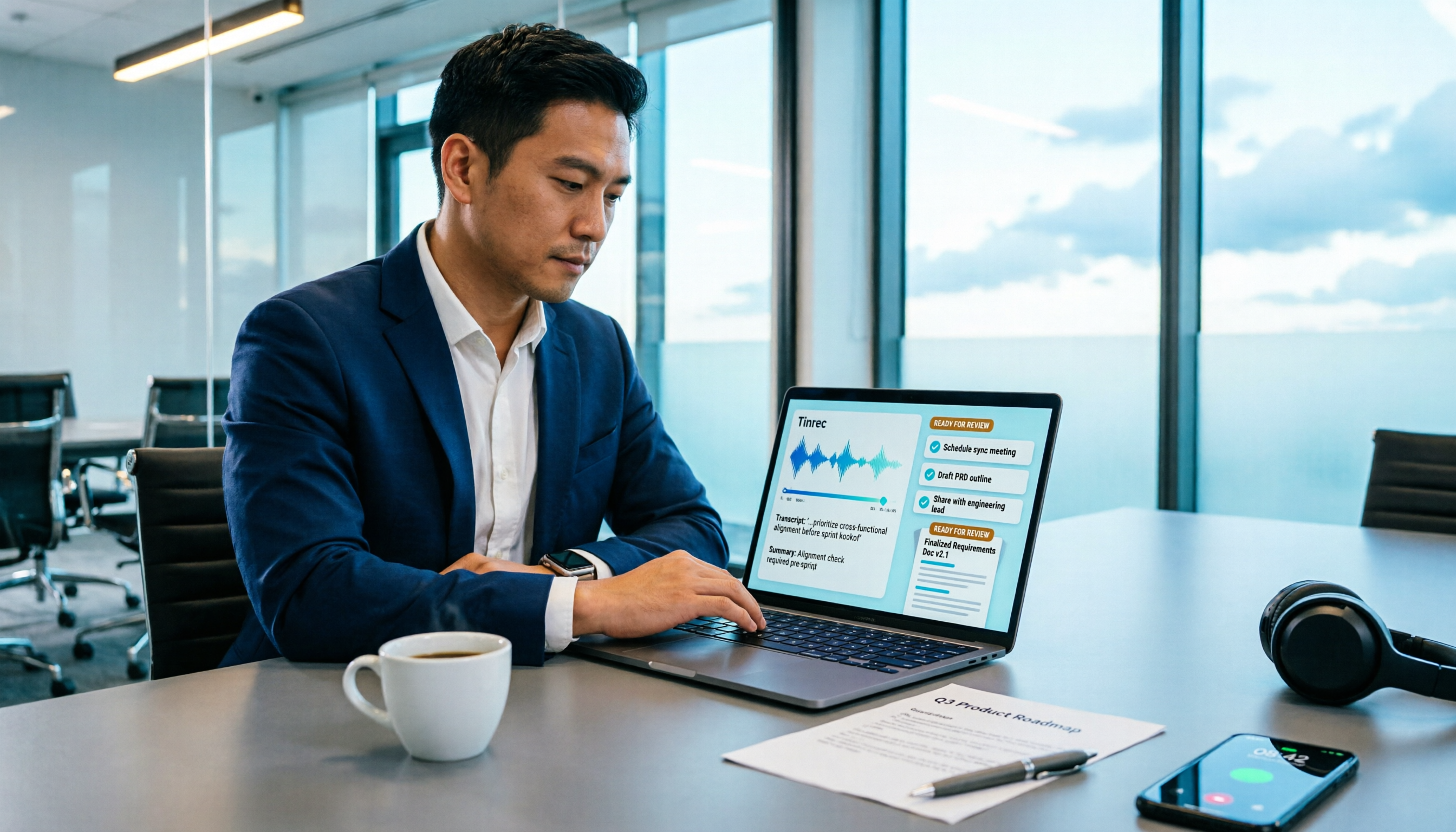
How to Turn Meeting Recordings into Requirements Documents in 2026: AI Auto-Generates Transcripts + To-Do Lists
A mid-level manager who runs 15 meetings a week tested how to use Tinrec to turn meeting recordings into transcripts, summaries, and to-dos, then rewrite them into deliverable requirements documents, plus 6 buying checkpoints and FAQs.