

Turn recordings into transcripts and summaries in minutes
Upload audio or video for multilingual transcription, AI notes, and action items
Tinrec vs Otter.ai 2026: 5-Dimension Comparison for Enterprise Meeting Data Management
In the meeting room, the project manager asks the whiteboard: "Who said they'd send the quote to the client last time?" Silence. It's not that no one remembers—it's that no one wrote it down. This is the daily reality of enterprise meeting data management: meetings end, decisions float in the air, action items scatter across chat logs, and new hires have to ask around.
What Can an Enterprise Meeting Data Management Tool Do for You?
Scenario 1: Meeting notes in 5 minutes after the meeting
Previously, a two-hour meeting required another hour to organize. With Tinrec, as the meeting ends, AI has already generated summaries, chapters, and action items—who's responsible for what and deadlines are clear at a glance.
Scenario 2: Search historical meetings with one sentence
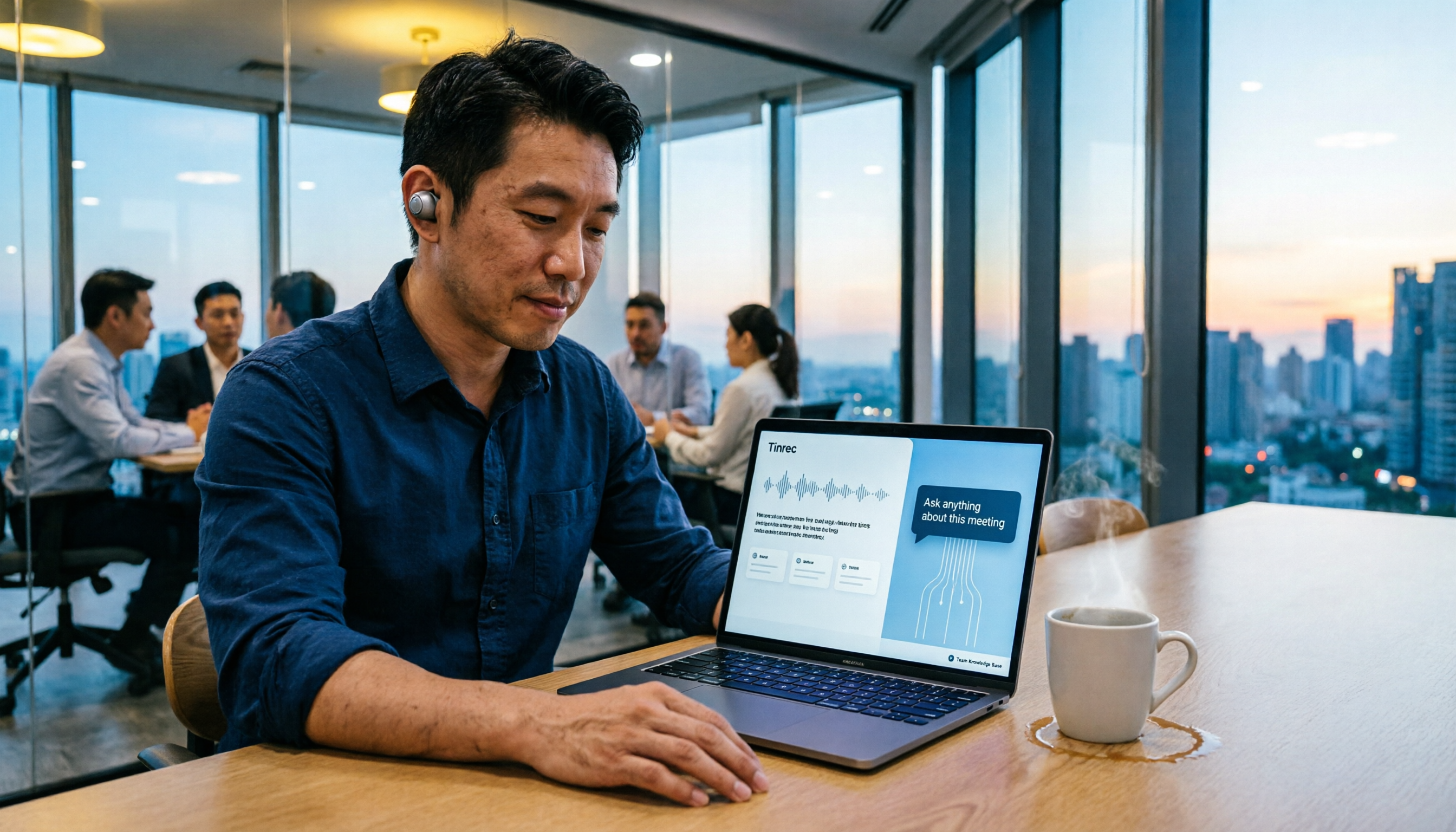
"What was the budget cap the client mentioned three months ago?" No need to replay recordings. Tinrec supports AI Q&A, answering directly based on meeting content, saving time searching.
Scenario 3: Team handovers without interruption
When a member leaves or transfers, meeting data doesn't disappear. Tinrec's team plan stores meeting data in a team space, allowing resource handover during member changes, continuing the decision context.
Scenario 4: Track cross-department meeting decisions
Action items and conclusions from each meeting settle in the same space, so managers can stay informed without attending every meeting.
What Are the Core Capabilities of an Enterprise Meeting Data Management Tool?
Bot-free online meeting recording: Tinrec's desktop app directly captures computer system audio, handling Zoom, Google Meet, Microsoft Teams, Webex, and more without inviting a meeting bot. Users actively start recording, not automatically joining all calendar meetings.
Real-time transcription and translation: Transcribe while recording with low latency, allowing synchronous confirmation during meetings. For cross-language meetings, view original text, translation, or bilingual.
AI summaries, chapters, and action items: Not just condensing a transcript into a paragraph, but structurally organizing meeting topics, discussion conclusions, owners, and deadlines.
AI Q&A and post-processing: After transcription, you can directly ask Tinrec "Who mentioned the budget in the meeting?" It answers based on semantic understanding. It can also generate reports, tables, and meeting minutes.
Team space and governance: The team plan provides an independent space to centrally store Audio, Folder, TODO, and meeting data. Admins can manage members, roles, seats, usage, and audit logs; when a member leaves or loses a seat, resources can be handed over to other active members.
Practical Use Cases
Weekly stand-up: Record meetings with Tinrec, automatically generate summaries and action items, and export directly to Notion or Google Docs for continued tracking.
Client requirement interviews: Sales use Tinrec to record client interviews, then use AI Q&A to confirm client objections and commitments, and generate follow-up documents.
Stop organizing recordings by hand
Upload audio or video and automatically get a transcript, summary, and action items
Cross-department review meetings: Meeting data goes to the team space, decision basis is traceable, and new members can view historical context.
Training and courses: Instructors record content, Tinrec transcribes and highlights key points, facilitating learner review and internal knowledge base accumulation.
5 Things to Note When Choosing an Enterprise Meeting Data Management Tool
Chinese meeting recognition capability: Don't just look at English reviews. Test with your own team's recordings. Tinrec is optimized for Chinese, Traditional Chinese, and mixed Chinese-English meetings, and supports team hotword management for technical terms.
Meeting capture method: If you don't want a bot to join meetings, confirm whether the tool supports desktop system audio capture. Tinrec's desktop app requires no bot and works with Zoom, Meet, Teams, Webex.
Post-meeting organization capability: Transcription is just the first step. Tinrec provides summaries, chapters, action items, Q&A, translation, and Agent post-processing, turning transcripts into actionable data.
Team permissions and seats: Enterprises need to distinguish roles and seats. Tinrec's team plan uses roles to control governance and seats to control usage; active members without seats can view data, but only seat holders can record, upload, and edit.
Quota and pricing: Tinrec's team plan offers a 7-day trial, 1 free seat, and 300 minutes of shared import quota; monthly payment is USD 29.80 per paid seat per month, annual payment is USD 199 per paid seat per year (about USD 16.58 per month). Paid seats include 2,000 minutes of team shared import quota per month; real-time recording within an active team plan is currently not deducted by minutes. Actual prices are subject to the official purchase page.
Frequently Asked Questions
Q: What's the difference between Tinrec and Otter.ai?
A: Otter.ai has mature experience in English business meetings; Tinrec is better suited for enterprises needing Chinese meeting notes, bot-free recording, and team data accumulation. Tinrec emphasizes post-meeting summaries, Q&A, action items, export, and team space.
Q: Can members without a seat see team meeting data?
A: They can view, play, and read, but cannot upload, edit, or export. Only after obtaining a seat can they use resources.
Q: If a team member leaves, will meeting data disappear?
A: No. Team resources belong to the team; when a member leaves or loses a seat, their responsible resources can be handed over to other active members.
Q: Is the free version enough?
A: The free version provides basic quota, suitable for light use. If you have weekly meetings, consider Pro or team plan. Actual quota is subject to the product page.
Conclusion
Enterprise meeting data management isn't just about storing recordings; it's about making meetings searchable, collaborative, and actionable team assets. Tinrec focuses on bot-free recording, Chinese experience, AI Q&A, and team governance, suitable for small and medium businesses and teams tired of chasing meeting notes. If you're evaluating tools, start with the free version for a real meeting and see how it feels to get summaries and action items five minutes after.
References
- AI Meeting Notes Generator
- Top 5 Recommended Online Meeting Software to Greatly Improve Remote Work Meeting Efficiency | On-line to Know
- No Time Limit! 3 Free AI Transcription Tools, Highly Recommended! AI Voice Notes Generate Meeting Records, Presentations, Mind Maps | 104 Workplace
- Data Governance Gradually Becoming a Trend: Platforms Correspond to Management Functions Needed at Each Stage; Organizations Must Work Together for Successful Governance from Data Lineage
- No More Taking Turns Writing Meeting Notes! 3 AI Tools for Real-Time Recording and Summary Generation, Let You Focus on the Meeting | Manager Today
Turn every recording into actionable outcomes
Get 60 free transcription minutes when you sign in. No credit card required.
Related Reading
You might also like

Best Post-Meeting Automation Software in 2026: 7 Tools Tested, This One Leads for Chinese Meetings
Many people assume that buying a transcription tool means post-meeting work is automatically done. This article starts with common misconceptions, reviews 7 post-meeting automation software options in 2026, compares Chinese meeting experience, post-meeting output, team collaboration, and pricing, and explains how to choose so you don't waste your budget.

4 AI Meeting Note Tools Compared for 2026: Which Saves the Most Time on Summaries, Action Items, and Follow-Ups?
The real work begins after the meeting ends. This article focuses on post-meeting processing, starting with three key questions to ask, then outlines five critical factors for choosing an AI meeting tool. It tests Tinrec's performance in bot-free recording, AI summaries and action items, AI Q&A, and team spaces, and briefly reviews Otter.ai, Notta, and Granola as alternatives. It concludes with a pitfalls guide and scenario-based recommendations.

2026 Comparison of 4 AI Meeting Agent Workflows: Which One Actually Turns Meetings into Action Items?
AI meeting agent workflows don't stop at converting audio to text. This article breaks down the complete process—real-time transcription, bot-free recording, AI summaries, action item extraction, AI Q&A, and team knowledge retention—using specific scenarios. It also uses Tinrec as an example to explain 5 key points to consider when choosing a tool, plus differences in team roles, seats, and quotas.

How AI Meeting Agents Generate Action Items in 2026: A 5-Step Guide
Tired of action items getting lost in meeting transcripts? This guide covers 4 key factors for choosing an AI meeting tool, walks through how Tinrec turns recordings into summaries and to-do lists in 5 steps, and compares Notta, Granola, and Otter.ai to help you pick the right fit.

2026 AI Meeting Agent Comparison: Tinrec, Otter.ai, Notta, PLAUD Tested for Automated Post-Meeting Workflows
Many people think AI meeting tools just turn recordings into transcripts, saving only typing time. This article compares Tinrec, Otter.ai, Notta, and PLAUD using the same criteria, covering how meeting audio is captured, Chinese and mixed Chinese-English performance, whether summaries and action items are generated automatically, and how team data is retained. It also lists 5 common pitfalls when choosing a tool.

How to Use AI Meeting Assistant Software in 2026: 5 Steps from Recording to AI Meeting Summary
How do you choose AI meeting assistant software? This article compares two bot-free meeting tools, Tinrec and Granola, across five dimensions: meeting capture, Chinese language support, recording retention, post-meeting outputs, and team collaboration. It also includes a 5-step walkthrough from recording to AI summary and answers 6 common questions to help you decide which tool better fits your team.
5 Smart Meeting Agents Tested in 2026: Which One Actually Saves You Post-Meeting Cleanup Time?
Fifteen meetings a week means post-meeting cleanup is a nightmare. This article tests five smart meeting agents from a mid-level manager's perspective, comparing meeting capture methods, post-meeting workflows, Chinese-language experience, and team collaboration. I switched from meeting bots to bot-free desktop recording and ultimately stuck with Tinrec because its AI Q&A, action item extraction, and team knowledge retention genuinely save post-meeting time.

2026 Best AI Meeting Assistants Compared: Which Excels at Chinese Meeting Notes and AI Q&A?
What is an AI meeting assistant and how does it differ from a voice recorder or transcription tool? This article defines AI meeting assistants and outlines selection criteria, then compares four AI meeting tools: Tinrec, Otter.ai, Granola, and Notta. It analyzes bot-free meeting recording, Chinese meeting notes, AI Q&A, and team knowledge retention, with practical tips and recommendations.

How to Choose an Enterprise Meeting AI Agent in 2026: 5 Steps from Meeting Recording to Team Database
An enterprise meeting AI agent isn't just about throwing a meeting bot into a call. This article starts with three common misconceptions, outlines 5 key points to consider when choosing an enterprise meeting AI agent, shares hands-on experience with Tinrec's bot-free recording, AI summaries and action items, meeting Q&A, and team governance capabilities, and briefly reviews Otter.ai, Fireflies.ai, and Granola for their suitable use cases and pitfalls to avoid.