

Turn recordings into transcripts and summaries in minutes
Upload audio or video for multilingual transcription, AI notes, and action items
How to Use AI Meeting Assistant Software in 2026: 5 Steps from Recording to AI Meeting Summary
The meeting ends, everyone logs off, and you look at your notes—just three lines—and can't remember what was decided in those 40 minutes.
That's why many people start looking for "AI meeting assistant software." Not because they want more features, but because they don't want to rely on memory and typing speed to get through an entire meeting.
These tools now fall into a few categories: some send a meeting bot to join online meetings, some capture system audio directly on the desktop, and some only do file transcription. The "bot-free" desktop approach is particularly popular because it doesn't require changing anyone's meeting habits.
In this article, I'll compare two tools that both take the bot-free approach: Tinrec and Granola. Then I'll walk through a 5-step process from recording to AI summary.
Tinrec vs Granola | Quick Overview
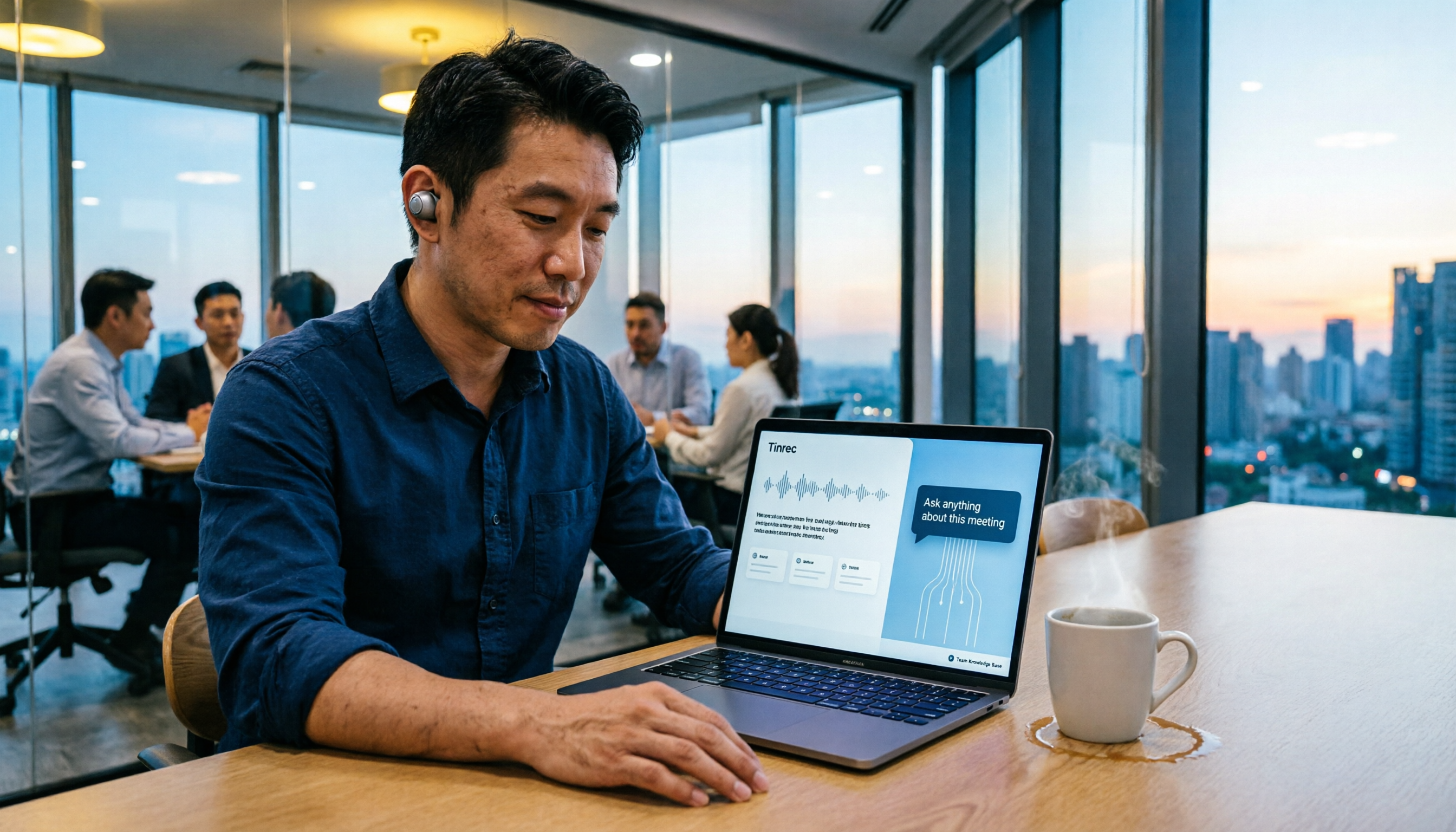
Tinrec is an AI meeting notes and collaboration tool for individuals and teams. Beyond transcripts, it organizes summaries, chapters, and action items, and supports AI Q&A and team spaces.
Granola is a bot-free AI meeting notes tool that transcribes in real time through your desktop's system audio and microphone, then combines AI-generated content with your own notes.
| Item | Tinrec | Granola |
|---|---|---|
| One-line positioning | AI meeting notes and team collaboration | Bot-free AI meeting notes |
| Platform and input sources | Web, desktop, mobile; online meetings, in-person recordings, audio and video files | Desktop system audio and microphone; primarily live meetings |
| Official pricing | Individual plan has free version, weekly pass, and Pro; team plan USD 29.80 per paid seat per month, annual USD 199 per paid seat per year | Basic free; Business USD 14 per user per month; Enterprise USD 35 per user per month |
| Core difference | Retains recordings, supports file import, Chinese language and team governance | Handwritten notes + AI enhancement, cross-meeting context |
Prices and benefits may change over time. Please refer to the official pages of both sides before ordering.
Below we'll look at five dimensions: meeting capture, language support, recordings and files, post-meeting outputs, and team collaboration.
Dimension 1 | Meeting Capture: Who Doesn't Need to Invite a Bot?
Granola takes the desktop route, transcribing in real time directly through system audio and microphone, without needing an extra bot account to appear in the meeting list.
Tinrec's desktop version also captures computer system audio, so when handling online meetings on Zoom, Google Meet, Microsoft Teams, and Webex, you don't need to invite a meeting bot.
The difference is coverage. Granola focuses on live meetings, while Tinrec also supports in-person live recording, mobile recording, and audio/video files, so the same tool can handle different meeting formats.
→ This dimension: bot-free experience is a tie, but Tinrec has more diverse input sources.
Dimension 2 | Chinese and Multilingual Meetings
Granola currently has a stronger reputation for English meeting notes; Chinese meeting organization is not its main focus.
Tinrec, on the other hand, lists Chinese, Traditional Chinese, and multilingual meetings as key features. It supports mixed Chinese-English content, real-time translation during recording, and switching between original text, translation, or bilingual view. Teams can also maintain their own hotwords to make professional terminology recognition closer to actual usage.
Note that transcription quality can be affected by recording quality, accents, background noise, multiple people speaking at once, and specialized terminology. No tool can guarantee a fixed accuracy rate. It's best to test with a real meeting recording from your own team.
→ This dimension: for Chinese meeting scenarios, Tinrec clearly wins.
Dimension 3 | Recording Retention and File Import
Granola supports viewing, copying, and searching live transcripts, but it does not save meeting audio files and does not support uploading pre-recorded audio files.
Tinrec retains recordings, supports uploading existing audio and video, and can bring mobile recordings back for organization. Later, if you want to check the tone or context of a specific sentence, you have the original recording to compare.
For those who need to confirm decisions afterward or want to organize historical interviews and meetings all at once, this difference is very practical.
→ This dimension: Tinrec wins.
Dimension 4 | Post-Meeting Outputs: What Else Can You Do After the Transcript?
Granola's strength is blending AI output with your own notes and providing cross-meeting context understanding, suitable for people who already have a note-taking habit.
Tinrec's post-meeting outputs lean toward work deliverables: automatic summaries and chapters, action item extraction, mind maps, AI Q&A around meeting content, and Agent post-processing to generate reports, tables, and documents, plus export to Notion, Google Docs, OneNote, Dropbox, and other tools for further processing.
Simply put, Granola makes your notes smarter, while Tinrec turns your meetings into data you can hand off directly.
→ This dimension: Tinrec wins.
Dimension 5 | Team Collaboration and Data Accumulation
Granola offers shared folders and user- and enterprise-level management capabilities.
Stop organizing recordings by hand
Upload audio or video and automatically get a transcript, summary, and action items
Tinrec's team plan is a separate team collaboration space where meeting data belongs to the team. It distinguishes between "roles" and "seats": roles determine who can manage the team, view audits, and team settings; seats determine whether members can record, upload, edit, and export. Active members without a seat can still view, play, and read team data.
Management also includes team usage trends, member rankings and usage details, audit log queries and exports, team hotwords, and a 30-day audio recycle bin. When a member leaves or is removed, their team resources need to be handed over to other active members.
→ This dimension: Tinrec wins.
What Unique Advantages Does Each Have?
Tinrec's advantages:
- Retains recording files, so important decisions can be replayed and verified, not just relying on text.
- The combination of Chinese, Traditional Chinese, and real-time translation is friendlier for cross-language meetings.
- Complete post-meeting outputs, from summaries and action items to reports and tables.
- Solid team governance: members, roles, seats, usage, audits, and recycle bin all in one backend.
- No extra hardware needed; usable on web, desktop, and mobile.
Granola's advantages:
- The "handwritten notes + AI enhancement" experience is distinctive, suitable for those who like to take notes while listening.
- Cross-meeting context understanding is a relatively standout feature.
Hands-On: From Meeting Recording to AI Summary in 5 Steps
Below is a walkthrough using Tinrec, which is also the operation sequence most people need when using AI meeting assistant software for the first time.
Step 1: Start recording. For online meetings, open the desktop version and start recording; the system will capture computer audio directly. For in-person meetings, use live recording or mobile recording. For meetings that have already ended, just upload the audio or video file.
Step 2: Confirm language and transcript. The transcript is generated in real time during recording. For cross-language meetings, you can enable real-time translation and switch between original text, translation, or bilingual view.
Step 3: Generate summary and chapters. After the meeting, let AI produce a summary. Long meetings are broken into chapters, making it easy to grasp the full picture in a few minutes.
Step 4: Extract action items and key points. Organize action items from the discussion into a list. When you need to clarify the structure of topics, you can view the mind map.
Step 5: Ask questions, export, or continue processing. Use AI Q&A to follow up on unclear points. After confirming, export to Notion, Google Docs, and other tools, or use Agent to generate meeting minutes, reports, and tables.
Summary: Which One Should You Choose?
- You need transcripts and summaries for Chinese or mixed Chinese-English meetings → Tinrec
- You want to retain recordings and replay them for verification later → Tinrec (Granola does not save meeting audio)
- You need to organize already-recorded audio or video files → Tinrec (Granola does not support pre-recorded file upload)
- You want to turn meetings into reports, tables, and minutes to hand off → Tinrec
- You need team spaces, seat management, and audit records → Tinrec
- You are used to taking handwritten notes during meetings and just want AI to enhance your notes → Granola is more than enough
In one sentence: for most Chinese-speaking teams, Tinrec is the more comprehensive choice. We recommend starting with the free version and testing with a recording of your own meeting to see if the transcription and summary results meet your expectations.
Also note that recording and transcription involve others' privacy. Please comply with local regulations before use, and obtain participants' consent when necessary.
Frequently Asked Questions
What's the difference between AI meeting assistant software and a regular recording app? A regular recording app only records the audio. AI meeting assistant software further converts it to text, organizes summaries, chapters, key points, and action items, and also supports AI Q&A, translation, export, and even accumulates searchable data in a team space.
Does Tinrec need to add a bot to the meeting? No. Tinrec's desktop version directly captures computer system audio, so when handling Zoom, Google Meet, Teams, and Webex, you don't need an extra bot account to join. Users need to actively start recording; currently it does not automatically join all calendar meetings.
Is the free version enough? How much does the team plan cost? If you only occasionally organize a recording, the free version is fine to try. For short-term intensive meetings, consider the weekly pass. For regular weekly use, Pro is suitable. For long-term accumulation of recording data, the annual plan is suitable. The team plan is a separate team space. Monthly payment is USD 29.80 per paid seat per month, annual payment is USD 199 per paid seat per year (about USD 16.58 per month). Eligible teams can try for 7 days with 1 free seat and 300 minutes of shared team import quota. Actual prices and benefits are subject to the official purchase page.
Can it handle Traditional Chinese and mixed Chinese-English meetings? What's the accuracy rate? Tinrec covers Chinese, Traditional Chinese, and multilingual meetings, and also supports mixed Chinese-English content and real-time translation. Accuracy is affected by recording quality, noise, accents, overlapping speakers, and specialized terminology, so it's not suitable to summarize with a single number. For important content, it's recommended to verify against the transcript and recording playback.
Can all team members see meeting data? Currently, the team plan is mainly shared at the team level. Active members can view, play, and read team data; only those with a seat can record, upload, edit, and import/export. It is not currently a fine-grained file-level permission system; member access is managed through roles and seats.
After a member leaves, will meeting data be taken away? Team resources belong to the team and will not disappear because an individual leaves. When a member exits, is removed, or loses their seat, their team resources need to be handed over to other active members.
References
- Meeting Ink - AI Meeting Notes Assistant Automatic Transcription and Summary
- AI Meeting Notes Generator
- Meeting Ink - 2026 AI Meeting Notes Tool Hands-On | 7 Speech-to-Text and Summary Speed Comparison | Meeting Ink - AI Meeting Notes Assistant Automatic Transcription and Summary
- AI Meeting Notes - Smart Meeting Notes and Summary | MaiAgent
- Recently many people ask me if there are any AI tools for meeting notes. They are still typing manually, often can't multitask, and it's a waste of time. I always answer — SeaMeet. Why recommend it? Here are the key points: - Integrates with Google Meet, syncs transcripts for online meetings, and provides real-time summaries, super convenient. - No need to refresh; after the meeting, it automatically emails all participants. - Super easy to use; I taught middle-aged and older people who have never used AI tools in 10 minutes. - In-person meetings
Turn every recording into actionable outcomes
Get 60 free transcription minutes when you sign in. No credit card required.
Related Reading
You might also like

Best Post-Meeting Automation Software in 2026: 7 Tools Tested, This One Leads for Chinese Meetings
Many people assume that buying a transcription tool means post-meeting work is automatically done. This article starts with common misconceptions, reviews 7 post-meeting automation software options in 2026, compares Chinese meeting experience, post-meeting output, team collaboration, and pricing, and explains how to choose so you don't waste your budget.

4 AI Meeting Note Tools Compared for 2026: Which Saves the Most Time on Summaries, Action Items, and Follow-Ups?
The real work begins after the meeting ends. This article focuses on post-meeting processing, starting with three key questions to ask, then outlines five critical factors for choosing an AI meeting tool. It tests Tinrec's performance in bot-free recording, AI summaries and action items, AI Q&A, and team spaces, and briefly reviews Otter.ai, Notta, and Granola as alternatives. It concludes with a pitfalls guide and scenario-based recommendations.

2026 Comparison of 4 AI Meeting Agent Workflows: Which One Actually Turns Meetings into Action Items?
AI meeting agent workflows don't stop at converting audio to text. This article breaks down the complete process—real-time transcription, bot-free recording, AI summaries, action item extraction, AI Q&A, and team knowledge retention—using specific scenarios. It also uses Tinrec as an example to explain 5 key points to consider when choosing a tool, plus differences in team roles, seats, and quotas.

How AI Meeting Agents Generate Action Items in 2026: A 5-Step Guide
Tired of action items getting lost in meeting transcripts? This guide covers 4 key factors for choosing an AI meeting tool, walks through how Tinrec turns recordings into summaries and to-do lists in 5 steps, and compares Notta, Granola, and Otter.ai to help you pick the right fit.

2026 AI Meeting Agent Comparison: Tinrec, Otter.ai, Notta, PLAUD Tested for Automated Post-Meeting Workflows
Many people think AI meeting tools just turn recordings into transcripts, saving only typing time. This article compares Tinrec, Otter.ai, Notta, and PLAUD using the same criteria, covering how meeting audio is captured, Chinese and mixed Chinese-English performance, whether summaries and action items are generated automatically, and how team data is retained. It also lists 5 common pitfalls when choosing a tool.

Tinrec vs Otter.ai 2026: 5-Dimension Comparison for Enterprise Meeting Data Management
How to choose an enterprise meeting data management tool? This article compares Tinrec and Otter.ai across five dimensions—Chinese meeting support, bot-free recording, post-meeting organization, team permissions, and pricing—to help you find the right meeting data management solution for your team.
5 Smart Meeting Agents Tested in 2026: Which One Actually Saves You Post-Meeting Cleanup Time?
Fifteen meetings a week means post-meeting cleanup is a nightmare. This article tests five smart meeting agents from a mid-level manager's perspective, comparing meeting capture methods, post-meeting workflows, Chinese-language experience, and team collaboration. I switched from meeting bots to bot-free desktop recording and ultimately stuck with Tinrec because its AI Q&A, action item extraction, and team knowledge retention genuinely save post-meeting time.

2026 Best AI Meeting Assistants Compared: Which Excels at Chinese Meeting Notes and AI Q&A?
What is an AI meeting assistant and how does it differ from a voice recorder or transcription tool? This article defines AI meeting assistants and outlines selection criteria, then compares four AI meeting tools: Tinrec, Otter.ai, Granola, and Notta. It analyzes bot-free meeting recording, Chinese meeting notes, AI Q&A, and team knowledge retention, with practical tips and recommendations.

How to Choose an Enterprise Meeting AI Agent in 2026: 5 Steps from Meeting Recording to Team Database
An enterprise meeting AI agent isn't just about throwing a meeting bot into a call. This article starts with three common misconceptions, outlines 5 key points to consider when choosing an enterprise meeting AI agent, shares hands-on experience with Tinrec's bot-free recording, AI summaries and action items, meeting Q&A, and team governance capabilities, and briefly reviews Otter.ai, Fireflies.ai, and Granola for their suitable use cases and pitfalls to avoid.