

Turn recordings into transcripts and summaries in minutes
Upload audio or video for multilingual transcription, AI notes, and action items
2026 AI Meeting Notes Tools Compared: Which One Best Automates Post-Meeting Task Organization?
It's 3 PM on a Friday, and you just wrapped up a 90-minute cross-departmental meeting. The slides from the discussion are still open on your screen, but you can't remember—that change request the client mentioned, who ended up owning it?
You flip through your notebook and find only a few scattered keywords: "budget," "next week," "Alex."
It's not that you weren't paying attention. It's that "post-meeting task organization" has never really been handled for you.
The Real Work Begins After the Meeting—You Don't Need Recording, You Need Post-Meeting Task Organization
Many people think the key to a meeting tool is "recording clearly." But what really eats up your time is the period after the meeting ends.
Scenario one: Everyone nods in agreement during the meeting, but two days later no one remembers the conclusion, and action items get buried in the group chat.
Scenario two: You have a 90-minute meeting and a transcript, but you still have to read through it from start to finish to extract five action items.
Scenario three: Three months later, a project hits a snag, and you want to look back at "why we decided on this approach"—only to find you saved a recording with no filename.
These three time sinks often add up to more than the meeting itself.
So this article isn't about "which tool records most clearly." It's about: which tool can actually take over the post-meeting organization work. I tested four popular tools, breaking down transcripts, summaries, action items, AI Q&A, and team collaboration.
Before Choosing a Post-Meeting Organization Tool, Understand These 4 Key Points
Let me clarify my criteria first. These four dimensions are what I always check when trying out a tool.
1. Transcripts are just the entry ticket; post-meeting output is key. Almost every tool can convert speech to text now. The difference is what happens after. Can it automatically segment chapters, extract action items, and generate a summary you can send directly to your boss? That's where the time savings come from.
2. Does it require a meeting bot to join? Some tools use a bot account to join the meeting room. The upside is automation; the downside is participants see an unfamiliar account, which isn't ideal for certain client meetings. Another approach is a desktop app that captures system audio directly, without adding an extra participant.
3. Chinese and mixed Chinese-English recognition performance. Meetings in Taiwan are rarely pure Chinese; they often sound like "let's push this deadline to next week." A tool's ability to handle mixed Chinese-English directly affects transcript readability.
4. Where does the data ultimately reside? If meeting notes only exist in an individual account, they scatter when that person leaves, switches devices, or forgets a password. Does it have a team space? Can meetings become shared team data? This becomes very noticeable once your team exceeds three people.
Once these four points are clear, you can look at pricing without wasting money.
Tinrec—Our Top Pick After Testing
Tinrec is an AI meeting notes and collaboration tool for individuals and teams, supporting iOS, Android, and web, with online meetings handled via desktop. Its focus isn't "recording" but turning meetings into searchable, queryable, actionable data.
In practice, three things stood out.
No bot invitation needed to record online meetings. Tinrec's desktop app captures system audio directly, handling Zoom, Google Meet, Microsoft Teams, Webex, and similar meetings without adding an extra account. Note that it requires you to manually start recording; it doesn't automatically join every meeting on your calendar.
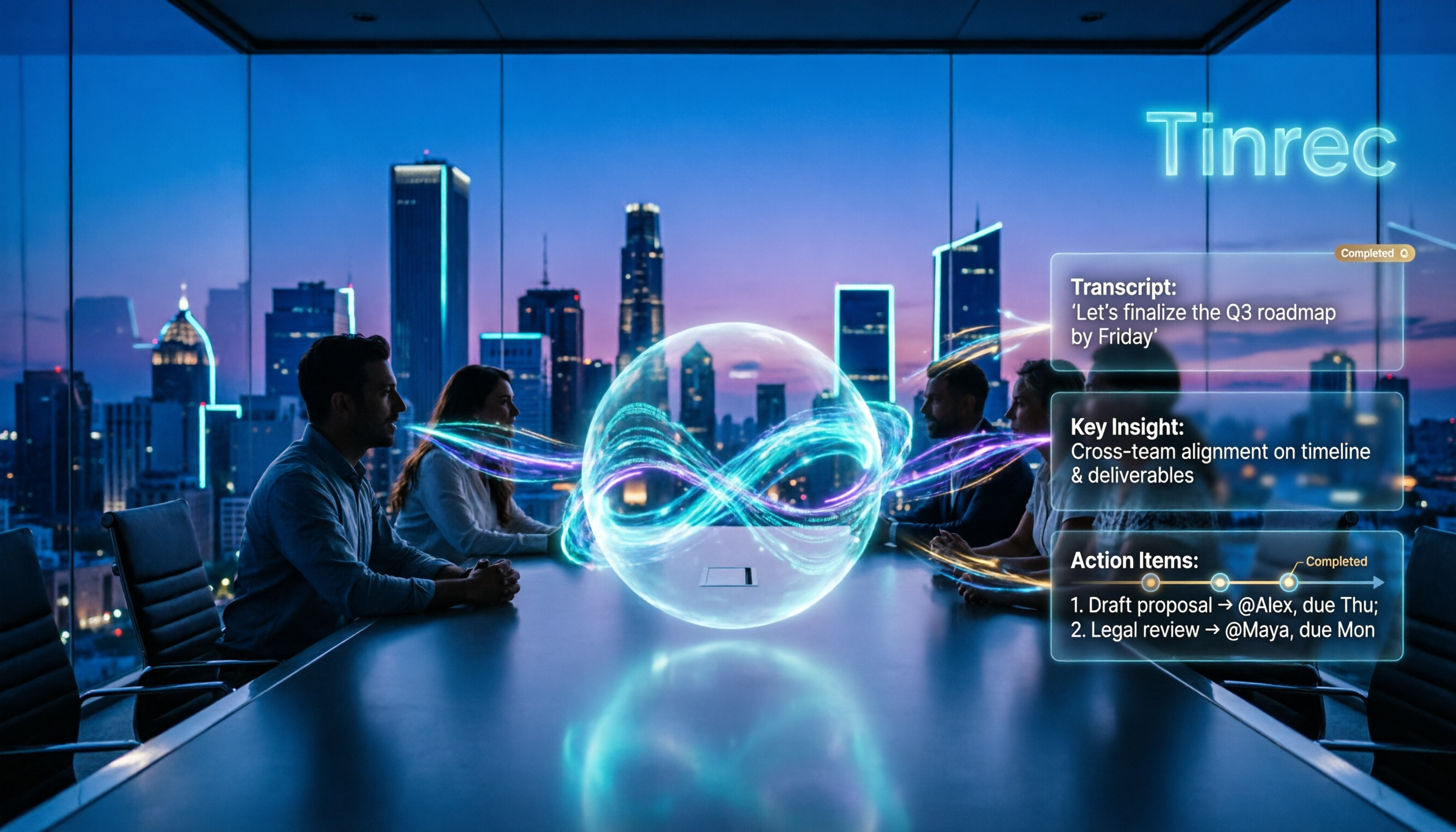
Automatic post-meeting organization is its main strength. After recording, Tinrec automatically generates a transcript, AI summary, chapters, and highlights, and extracts action items from the discussion—who's responsible for what and when it's due. Seeing this one document after the meeting is enough. My old approach was listening to the recording, typing a transcript, then reading through it to catch key points; now that step is almost eliminated.
You can keep asking it questions after recording. This is where it pulls ahead of similarly priced tools. You can ask Tinrec directly: "Who mentioned the budget in the last meeting?" It doesn't give keyword search results but answers organized by meaning. Furthermore, its Agent can reprocess meeting content into reports, tables, or meeting minutes and export to Notion, Google Docs, OneNote, Dropbox, and other tools you already use.
Our test conditions: a roughly 40-minute mixed Chinese-English online meeting recording, with air conditioning noise and two people speaking simultaneously at times. The resulting transcript was well-structured and readable, with good recognition of everyday conversation; for proper nouns like product names and internal project codes, we recommend setting up team hotwords first for better accuracy. Tinrec itself doesn't recommend promising fixed accuracy numbers, as recording quality, noise, accents, and overlapping speech all affect results—I agree, and that goes for any tool.
Its advantages, summarized in three points:
Stop organizing recordings by hand
Upload audio or video and automatically get a transcript, summary, and action items
- Almost no manual work after the meeting. Summaries, chapters, and action items are generated automatically, saving the most draining part after the meeting.
- Data can get out. Multiple export formats plus Agent post-processing mean meeting results can plug directly into your existing workflow without manual copy-paste.
- The team version turns meetings into team assets. Meeting data is stored in a team space, so it doesn't leave when members do; admins can manage roles, seats, sharing rights, usage analytics, and audit logs.
Limitations to note:
The free version has usage limits, so heavy meeting users need to pay. Also, the team version currently uses "team-level sharing," meaning all active members can read team data; permissions are managed by role and seat, not down to individual file-level settings. Members without a seat can view and play but cannot upload, edit, or export.
Team version pricing (subject to the official purchase page): Eligible teams can try free for 7 days, including 1 free seat and 300 minutes of shared import quota; monthly is USD 29.80 per paid seat per month, annual is USD 199 per paid seat per year, roughly USD 16.58 per month. Each paid seat provides 2,000 minutes of team shared import quota per month; under an active team plan and active seat, live recording currently doesn't deduct minutes.
Who is it for? If you have Chinese meetings every week, don't want a bot joining the room, and want to use AI to find key points and generate action items directly after the meeting, Tinrec is the smoothest I've tried.
Besides Tinrec, What Other Options Are There?
If you have specific needs, these are also worth a look. I've summarized their positioning and differences below.
Otter.ai: A veteran choice for English business meetings. The free version offers a generous 300 minutes per month, and Pro annual is about USD 8.49 per user per month. It also has desktop capabilities, not just a meeting bot. However, it's still primarily for English contexts; Chinese and mixed Chinese-English experiences aren't its strength, and it lacks team hotwords and Agent post-processing. If 90% of your meetings are in English, it's more cost-effective than Tinrec.
Granola: Also uses a no-bot approach, with desktop system audio plus microphone for real-time transcription, combined with your own notes for AI enhancement. Basic is free, Business is USD 14 per user per month. Note that it doesn't support uploading existing pre-recorded audio files and doesn't save meeting audio. If you want to reprocess a recording from three months ago or keep recordings for archiving, Tinrec can do that, Granola cannot.
Notta: High feature overlap, with multi-platform transcription, meeting notes, file import, translation, and team plans. Free version is 120 minutes per month with a 3-minute single-session limit; Pro annual is about USD 8.17 per month (1,800 minutes per month); Business is about USD 16.67 per seat per month. Its multilingual transcription is good, but it lacks no-bot desktop recording, team space and seat governance, and the Agent post-processing workflow to generate reports from meeting content.
Pitfall Guide: The 3 Most Common Mistakes When Choosing a Post-Meeting Organization Tool
Pitfall 1: Only looking at "transcription accuracy" and ignoring post-meeting output. Many people compare price per hour and accuracy percentage points, only to end up organizing minutes themselves. Transcripts are just the starting point; summaries, chapters, action items, and export capabilities are where real time savings come from. When trying a tool, throw in a recording of your own meeting and see if the output is directly usable.
Pitfall 2: Mistaking "all members can see" for "fine-grained permissions." Team tools commonly use team-level sharing, with permissions managed by role and seat, not per-file settings. If you need document-level permission control, ask clearly before ordering, so you don't find out it's not that way after purchase.
Pitfall 3: Assuming the tool will join meetings automatically. No-bot desktop recording usually requires you to start it manually; it doesn't auto-record every calendar event. This is actually an advantage—you decide which meetings to keep records of. But if you expect full automation, adjust your expectations first.
Conclusion: Which One Should You Choose?
Simply put, ask yourself three questions: Are meetings mainly in Chinese or English? Do you need to keep recordings and import old files? Should meeting notes stay with individuals or the team?
- Weekly Chinese meetings, want to save post-meeting organization time → Tinrec. From transcript to summary to action items, it handles it end-to-end; that's its strongest point.
- Meetings often mix Chinese and English, need bilingual comparison → Tinrec. Supports real-time translation, switchable between original, translated, or bilingual view.
- Want to use AI to ask follow-up details after recording → Tinrec. AI Q&A plus Agent post-processing; few tools in this price range do this.
- Want to reprocess old meeting recordings into text → Tinrec. Supports audio and video file import, not limited to live recording.
- Don't want a bot joining client meetings → Tinrec. Desktop version captures system audio without adding extra participants.
- Need to keep phone and computer meetings together → Tinrec. iOS, Android, web, and desktop share the same data.
- Need to produce reports, tables, or formal minutes after the meeting → Tinrec. Agent can reprocess meeting content into deliverable documents.
- Meeting data should become team assets, need to manage members and usage → Tinrec team version. Roles, seats, shared quota, usage analytics, and audit logs are all in one space.
- 90% of meetings are in English, limited budget → Otter.ai. This is one of the few scenarios in this article that points to a competitor; it's indeed mature for English contexts.
- Only need to transcribe long audio files, don't care about post-meeting collaboration → A pure transcription tool is enough. If your needs are simple, you don't need a meeting collaboration-level plan.
I suggest starting with Tinrec's free version, recording one of your most common meeting types, and seeing if the action items and summary are directly usable. If it works for you, consider upgrading; no need to pay upfront.
References
Turn every recording into actionable outcomes
Get 60 free transcription minutes when you sign in. No credit card required.
Related Reading
You might also like

2026 Tinrec Post-Meeting Automation: Auto-Generate Minutes & Action Items in One Go
Does the real work begin after the meeting ends? This guide breaks down what post-meeting automation can do for you and its core capabilities, using Tinrec as a hands-on example. From live transcription and AI summaries to action item extraction and team knowledge retention, plus 5 buying tips and FAQs, so meeting notes are no longer a second job before you leave the office.

2026 Comparison of 4 Post-Meeting Automation Tools: Which One Actually Saves You Time?
The meeting ends, but the work begins. This article tackles common misconceptions about post-meeting automation, tests and compares 4 tools, and takes a deep dive into how Tinrec uses bot-free recording, AI summaries, action item extraction, and team spaces to turn meeting recordings into actionable to-do lists. It also compares Otter.ai, Notta, and Granola, and provides a buying guide to avoid pitfalls.

2026 AI Meeting Follow-Up Tools Compared: Which Turns Transcripts into Actionable To-Dos?
AI meeting follow-up isn't just pasting a transcript into a group chat. This article starts with common pitfalls, breaks down the complete workflow from live transcription, summary sections, and to-do extraction to AI Q&A and team knowledge retention, and uses Tinrec as an example to illustrate practical approaches, plus 5 details to consider when choosing a tool.

2026 Comparison of 4 Post-Meeting Data Auto-Organization Tools: Which One Turns Meetings into Usable Data?
How to choose a post-meeting data auto-organization tool? This article starts from the key question: 'Do you want a transcript or directly usable data?' and compares Tinrec with Otter.ai, Notta, and Granola, covering bot-free online meeting recording, AI Q&A, action item extraction, and team spaces, along with pricing, limitations, and common pitfalls.

2026 Best AI Meeting Assistants Compared: Which Handles Chinese Transcripts, Summaries, and Follow-up Q&A Best?
We tested four AI meeting assistants in 2026, comparing bot-free recording, Chinese transcription, AI summaries, action item extraction, and team knowledge retention. Tinrec, Otter.ai, Granola, and Notta go head-to-head to help you find the best AI meeting notes tool for Chinese meetings and post-meeting follow-up questions.
2026 AI Meeting Agents vs Assistants: 4 Tools Tested — It's Not Just Transcription, Which One Actually Saves Post-Meeting Time?
This article uses a real-world test with a mixed Chinese-English meeting to break down the differences between AI meeting assistants and AI meeting agents. It covers meeting capture methods, post-meeting outputs, team governance, and pricing, with Tinrec as the main focus, comparing it to Granola, PLAUD Note, and TurboScribe to help you avoid the mistake of only looking at free minutes when choosing a tool.

4 AI Meeting Note Takers Tested in 2026: Which One Actually Saves You Time After the Call?
Tired of spending hours after meetings writing transcripts and organizing action items? We compare 4 AI meeting note takers, break down what matters when choosing one, test bot-free recording and AI Q&A, and share a guide to avoid common pitfalls—so you can find the one that saves you the most time.

Tinrec vs Notta 2026: 5-Dimension Comparison — Which Saves More Time on Post-Meeting Follow-Up Automation?
Post-meeting follow-up automation isn't just about installing a meeting bot. This article breaks down common misconceptions, compares Tinrec and Notta across 5 dimensions — recording method, input sources, post-meeting output, team collaboration, and pricing — and provides buying considerations and FAQs to help you choose a solution that truly saves time on post-meeting organization.

2026 Comparison of 4 Meeting Notes Tools: Automatic Post-Meeting Summaries — How Tinrec Differs from Otter and Notta
Starting from four common approaches, this hands-on comparison examines platform-native transcription, meeting bots, general-purpose transcription tools, and Tinrec in terms of automatic post-meeting organization. It also covers Tinrec's core features, team governance, pricing, and key considerations when choosing a tool.