
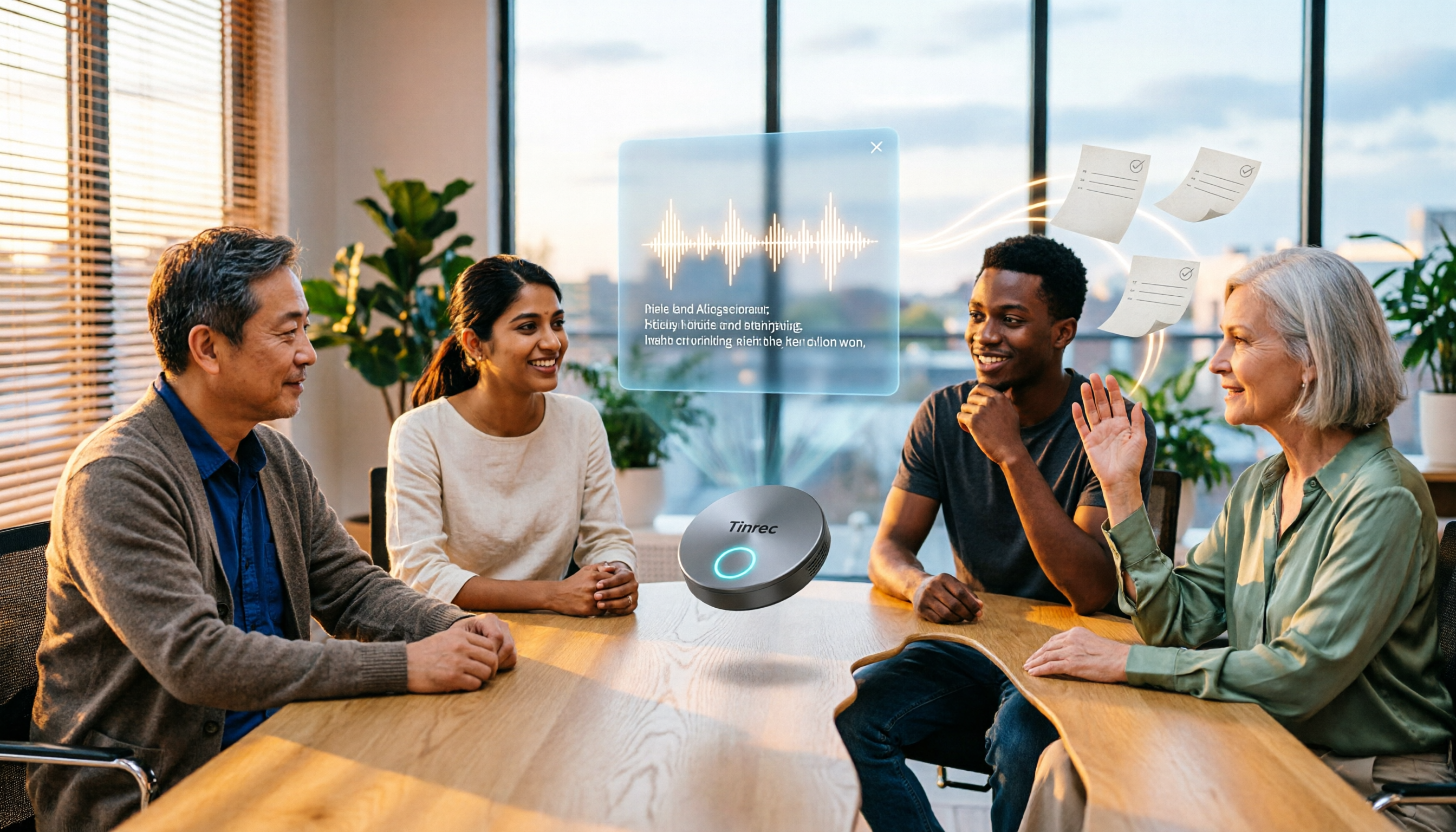
Turn recordings into transcripts and summaries in minutes
Upload audio or video for multilingual transcription, AI notes, and action items
2026 AI Meeting Follow-Up Tools Compared: Which Turns Transcripts into Actionable To-Dos?
Many people think "AI meeting follow-up" just means pasting the transcript into a group chat after a meeting with a note saying "meeting notes above."
Honestly, that's the most common and least efficient approach. A transcript only solves "was it recorded," not "who needs to do what and by when."
In recent years, from the AI application promotion programs by the Administration for Digital Industries to manufacturers digitizing veteran technicians' repair experience, when Taiwanese companies discuss AI implementation, the question is no longer "can it be used" but "how much time does it actually save."
A more reasonable approach is to break post-meeting delivery into three things: fully capturing the meeting content, extracting key points and to-dos, and sending the results into the next workflow.
Take Tinrec as an example. It connects these three things into one flow: record or import files → automatic transcription → generate summaries, sections, and to-dos → use AI Q&A to dig into details → export to Notion, Google Docs, or team spaces.
In other words, what you deliver isn't a transcript but data you can act on.
What Can AI Meeting Follow-Up Do for You?
Scenario 1: Get a to-do list 5 minutes after the meeting
Previously, after a two-hour meeting, you might spend another hour organizing notes and trying to recall who promised what.
With Tinrec, as the meeting ends, AI has already organized the summary, sections, and to-dos, listing discussion conclusions and owners separately, so you don't have to dig through a long block of text.
Scenario 2: Cross-department meeting decisions no longer rely on memory
The most common argument in cross-department meetings is "I remember it wasn't said that way."
Tinrec keeps the full transcript of the meeting, so you can search keywords afterward or directly ask AI "who proposed the budget cap," so decision basis no longer depends on anyone's memory.
Scenario 3: Customer interview content becomes reusable data
After customer interviews, requirements, objections, and commitments are scattered across notes and easily missed.
Tinrec can extract to-dos from conversations and export organized content into reports or tables, directly connecting to subsequent proposals and follow-up processes.
What Are the Core Capabilities of AI Meeting Follow-Up?
Live transcription: transcribe while recording, not after
Tinrec supports live recording-to-text, so you can confirm in real time whether key points were missed during the meeting, especially suitable for in-person meetings, interviews, and on-site notes. Note that actual recognition performance is affected by recording quality, noise, and accents.
Bot-free online meeting recording: no extra participant
Many meeting tools require a bot to join as a participant. Tinrec desktop version directly captures computer system audio to handle online meetings on Zoom, Google Meet, Microsoft Teams, Webex, etc., without inviting an extra bot.
To be clear: it is user-initiated recording, not automatically joining all calendar meetings.
AI summaries, sections, and to-dos: transcription is just the first step
Tinrec breaks long meetings into sections, organizes key points, and extracts to-dos from discussions. For "post-meeting delivery," this is the real output.
AI Q&A and post-processing: treat the meeting as a database to query
After transcription, you can directly ask Tinrec: "Who mentioned the budget in the meeting?" "What was the customer's feedback?" It answers based on semantic understanding. When further output is needed, you can use Agent to generate reports, tables, and documents.
Live translation and multilingual: bilingual records for cross-language meetings
During recording, Tinrec supports viewing original text, translation, or bilingual content. The team version also maintains team hotwords to make recognition of your product names and technical terms more stable.
Team space and governance: keep data in the team's hands
The team version provides independent spaces to centrally store audio, folders, and to-dos, and supports roles, seats, usage analytics, audit logs, and audio recycle bin. When members change, data doesn't leave with individuals.
Stop organizing recordings by hand
Upload audio or video and automatically get a transcript, summary, and action items
Practical Use Cases
Project weekly meetings and progress tracking
Weekly meetings easily become "talked about and forgotten." Record the weekly meeting with Tinrec, get the to-do list and owners right after, and check historical records before the next meeting to confirm what was actually pushed forward.
Customer interviews and sales follow-up
Sales visits or customer interviews are usually scattered. Tinrec transcribes the entire conversation, organizes customer needs and commitments, and after export can be directly put into proposal documents or subsequent workflows.
Courses and internal training
Internal instructor courses are often only given once. Record the course with Tinrec, generate summaries and sections afterward, and new employees can search key passages without re-listening to a two-hour recording.
Interview research and content creation
Researchers or content creators often need to find quotes from large amounts of spoken content. Tinrec's AI Q&A can target specific topics and export results to common document tools for further processing.
5 Things to Note When Choosing an AI Meeting Follow-Up Tool
1. What is the deliverable
Providing only a transcript versus providing a summary plus to-dos are completely different workloads. Tinrec's positioning is to turn meetings into searchable, collaborative, actionable data, not just a text file.
2. How meetings are recorded
Confirm whether the tool relies on a bot joining the meeting or captures system audio. Tinrec desktop version uses a bot-free approach, so no extra participant appears on the list; but remember it is user-initiated recording, not automatically following all meetings.
3. Chinese and multilingual performance
If your meetings are in Chinese, mixed Chinese-English, or cross-language, be sure to test with your own actual recordings. Tinrec covers Chinese, Traditional Chinese, and multilingual scenarios and supports live translation, but actual performance is affected by recording conditions, and no tool should promise a fixed accuracy rate.
4. Can data be retained for search
After the meeting, where does the data go? Tinrec retains audio and transcripts, supports search and AI follow-up questions; in contrast, some tools focus on live notes and don't retain meeting audio, so you can't look back later.
5. Team collaboration and governance
If meeting data is to be used by the whole department, check whether the tool distinguishes roles and seats. Tinrec team version focuses on team-level sharing; effective members can view, play, and read data even without a seat, and only after obtaining a seat can they record, upload, edit, and export. It's best to confirm this clearly before purchasing.
Frequently Asked Questions
Q1: How is AI meeting follow-up different from a regular voice recorder?
A regular voice recorder only records sound. Tinrec further transcribes it, organizes summaries, sections, key points, and to-dos, and supports AI Q&A, translation, export, and team collaboration.
Q2: Does Tinrec require a meeting bot to join?
No. Tinrec desktop version directly captures computer system audio to handle online meetings, and users can start recording on their own. It is not a bot that automatically joins all calendar meetings.
Q3: Is the free version enough?
Tinrec free version provides basic quota to experience recording, import, summary, and transcription. If you have regular meetings every week, consider switching to Pro monthly or annual; for short-term intensive use (e.g., a week of interview marathons), a weekly pass may be considered.
Q4: How is the team version priced?
The team version offers a 7-day trial for first-time eligible users, 1 free seat, and 300 minutes of team shared import quota. Paid seats are USD 29.80/seat/month, or USD 199/seat/year (about USD 16.58/month), with each paid seat providing 2,000 minutes of team shared import quota per month. Actual prices and promotions are subject to the official purchase page.
Q5: Can transcription accuracy be guaranteed?
It's not recommended to understand it that way. Accuracy is affected by recording quality, noise, accents, overlapping speakers, and technical terms. A more practical statement: AI can greatly reduce manual organization costs, but important content should still be verified with transcript timestamps and audio playback.
Q6: Are there legal issues with recording?
When recording and transcribing, please comply with local regulations and obtain participant consent when needed.
Conclusion
The value of AI meeting follow-up isn't how long a transcript you get, but whether after the meeting you have something actionable in hand.
If you have more than 3 meetings per week, or team members often ask "what was the conclusion last time," this workflow is worth trying from the free version first.
Run it on one or two real meetings and see whether the summaries and to-dos AI organizes for you actually save the time you would have spent.
References
- Home | AI Industry Ecosystem and Diverse Talent Empowerment Promotion Program
- Home | AI Solution Value Diffusion Application
- Manufacturing AI Upgrade Engine
- Results Section - DIGITAL+ Digital Innovation Subsidy Platform - Administration for Digital Industries
- AI Technology Service Provider Energy Registration | Energy Registration - Application Services - Business Services | Administration for Digital Industries, moda
Turn every recording into actionable outcomes
Get 60 free transcription minutes when you sign in. No credit card required.
Related Reading
You might also like

2026 Tinrec Post-Meeting Automation: Auto-Generate Minutes & Action Items in One Go
Does the real work begin after the meeting ends? This guide breaks down what post-meeting automation can do for you and its core capabilities, using Tinrec as a hands-on example. From live transcription and AI summaries to action item extraction and team knowledge retention, plus 5 buying tips and FAQs, so meeting notes are no longer a second job before you leave the office.

2026 Comparison of 4 Post-Meeting Automation Tools: Which One Actually Saves You Time?
The meeting ends, but the work begins. This article tackles common misconceptions about post-meeting automation, tests and compares 4 tools, and takes a deep dive into how Tinrec uses bot-free recording, AI summaries, action item extraction, and team spaces to turn meeting recordings into actionable to-do lists. It also compares Otter.ai, Notta, and Granola, and provides a buying guide to avoid pitfalls.
2026 Comparison of 4 Post-Meeting Data Auto-Organization Tools: Which One Turns Meetings into Usable Data?
How to choose a post-meeting data auto-organization tool? This article starts from the key question: 'Do you want a transcript or directly usable data?' and compares Tinrec with Otter.ai, Notta, and Granola, covering bot-free online meeting recording, AI Q&A, action item extraction, and team spaces, along with pricing, limitations, and common pitfalls.

2026 Best AI Meeting Assistants Compared: Which Handles Chinese Transcripts, Summaries, and Follow-up Q&A Best?
We tested four AI meeting assistants in 2026, comparing bot-free recording, Chinese transcription, AI summaries, action item extraction, and team knowledge retention. Tinrec, Otter.ai, Granola, and Notta go head-to-head to help you find the best AI meeting notes tool for Chinese meetings and post-meeting follow-up questions.
2026 AI Meeting Agents vs Assistants: 4 Tools Tested — It's Not Just Transcription, Which One Actually Saves Post-Meeting Time?
This article uses a real-world test with a mixed Chinese-English meeting to break down the differences between AI meeting assistants and AI meeting agents. It covers meeting capture methods, post-meeting outputs, team governance, and pricing, with Tinrec as the main focus, comparing it to Granola, PLAUD Note, and TurboScribe to help you avoid the mistake of only looking at free minutes when choosing a tool.

4 AI Meeting Note Takers Tested in 2026: Which One Actually Saves You Time After the Call?
Tired of spending hours after meetings writing transcripts and organizing action items? We compare 4 AI meeting note takers, break down what matters when choosing one, test bot-free recording and AI Q&A, and share a guide to avoid common pitfalls—so you can find the one that saves you the most time.

Tinrec vs Notta 2026: 5-Dimension Comparison — Which Saves More Time on Post-Meeting Follow-Up Automation?
Post-meeting follow-up automation isn't just about installing a meeting bot. This article breaks down common misconceptions, compares Tinrec and Notta across 5 dimensions — recording method, input sources, post-meeting output, team collaboration, and pricing — and provides buying considerations and FAQs to help you choose a solution that truly saves time on post-meeting organization.

2026 AI Meeting Notes Tools Compared: Which One Best Automates Post-Meeting Task Organization?
The real work begins after the meeting ends. This hands-on comparison of four popular AI meeting notes tools breaks down transcript quality, summary and action item generation, AI Q&A, export workflows, and team knowledge retention. It also highlights the three most common pitfalls to avoid when choosing a tool, helping you find the one that truly takes over post-meeting task organization.

2026 Comparison of 4 Meeting Notes Tools: Automatic Post-Meeting Summaries — How Tinrec Differs from Otter and Notta
Starting from four common approaches, this hands-on comparison examines platform-native transcription, meeting bots, general-purpose transcription tools, and Tinrec in terms of automatic post-meeting organization. It also covers Tinrec's core features, team governance, pricing, and key considerations when choosing a tool.