

Turn recordings into transcripts and summaries in minutes
Upload audio or video for multilingual transcription, AI notes, and action items
It's 4 PM, and the meeting just ended. You look at the two-hour discussion still sitting in a recording file, and someone in the group chat has already asked, "When will the conclusions and action items be sent out?"
Then you remember you have another meeting at 5:30.
This is the real pain point of "post-meeting delivery"—the meeting itself only takes two hours, but turning it into something others can understand and act on often takes another one to two hours. If this could be automated, it would save you a full work block for every meeting.
Tinrec is a tool designed for exactly this. It's an AI meeting notes and collaboration tool for individuals and teams, supporting live transcription, bot-free online meeting recording, audio/video file import, and live translation. It automatically generates summaries, chapters, and action items, and ultimately turns meetings into searchable, queryable, exportable team knowledge.
What Can Post-Meeting Automation Do for You?
Scenario 1: The Meeting Ends, and the Minutes Are Already Waiting
In the past, after a meeting, you'd have to re-listen to the recording, pick out key points, and format everything. If you were lucky, it took half an hour; if not, you'd still be catching up the next day.
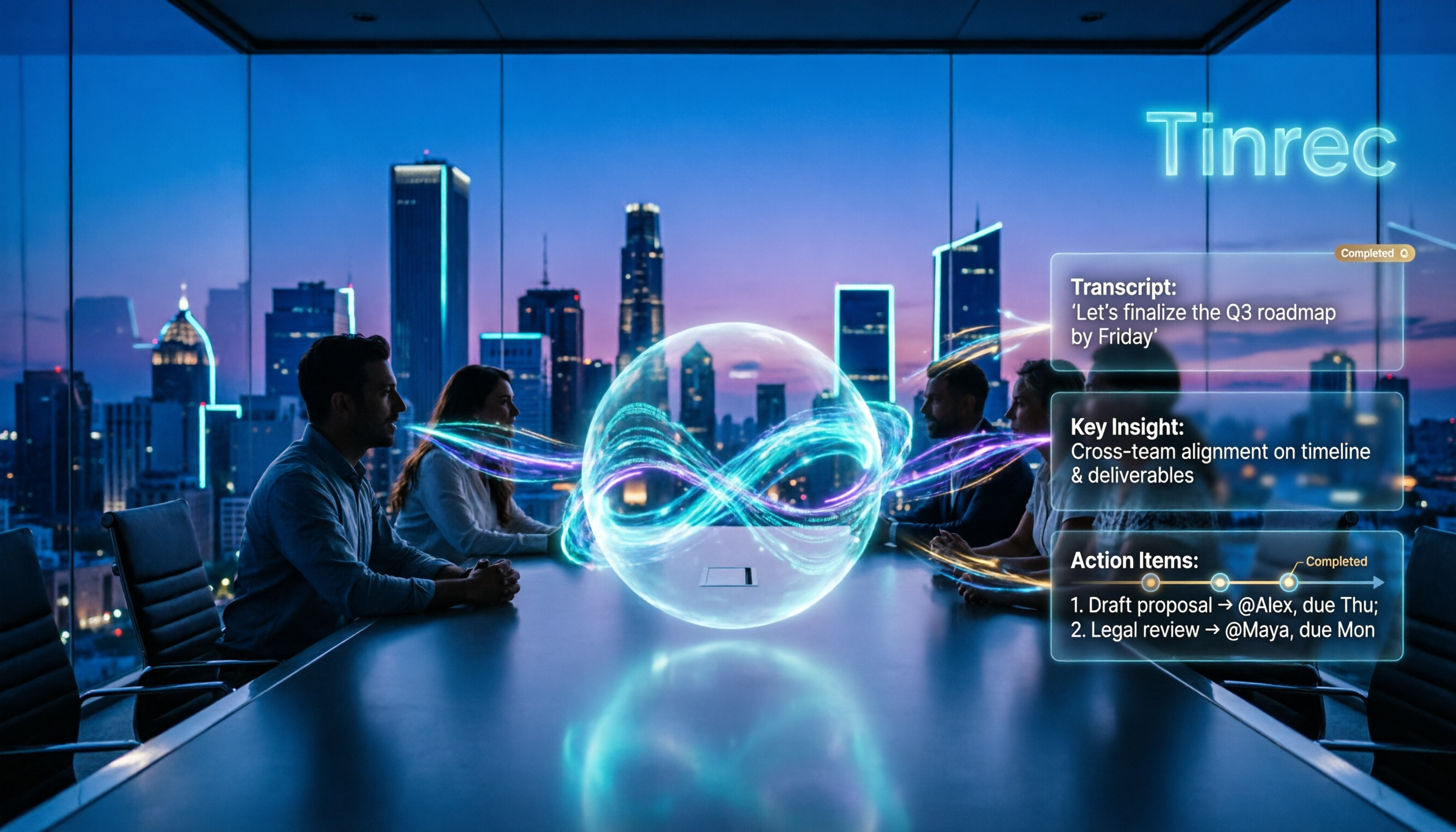
With Tinrec, for example, a transcript is generated while the meeting is happening. By the time the meeting ends, the AI summary and chapters are already created. You can click to jump directly to the section discussing the budget or the timeline. What you need to do is no longer "organize from scratch" but "review and supplement"—a huge difference.
Scenario 2: No More Relying on Memory to Assign Action Items
What's most easily missed after a meeting isn't usually the conclusions, but "who does what and by when."
Tinrec extracts action items from the meeting discussion, turning verbal commitments into a checklist. You just need to review it once before sending out the post-meeting notification. With one less round of "I thought you were responsible for that," project timelines naturally stay on track.
Scenario 3: Find That Meeting from Three Months Ago with a Single Query
Questions like "What was that spec limitation the client mentioned last time?" usually take over ten minutes if you have to dig through old emails or ask colleagues.
Tinrec's AI Q&A lets you ask questions directly about the meeting content. It answers based on semantic understanding, so you don't have to Ctrl+F through every paragraph. Once meeting data can be queried, it's no longer a one-time record but a truly searchable database.
Scenario 4: No Need to Wait for Translation in Cross-Language Meetings
Meetings with external vendors or overseas colleagues used to involve three separate steps: listen and understand, then organize, then translate.
Tinrec supports live translation, so during recording you can view the original text, translation, or bilingual content. When delivering after the meeting, you can attach the bilingual transcript and summary together, so participants don't have to interpret it themselves.
What Are the Core Capabilities of Post-Meeting Automation?
Live Transcription: Text as You Record
It's not about transcribing after recording; the transcript is generated in sync during the meeting. For those who need to confirm key points while listening, this means you can immediately review how something was said, rather than discovering after the meeting that you missed a number.
Bot-Free Online Meeting Recording
I find this feature very practical. Tinrec's desktop version directly captures your computer's system audio. When handling online meetings on Zoom, Google Meet, Microsoft Teams, Webex, etc., you don't need to invite a meeting bot to join as a participant.
Note that this doesn't mean it automatically joins all calendar meetings. In practice, you actively open the desktop app to start recording. No unfamiliar account appears in the meeting room, which feels much more natural for client meetings.
AI Summary, Chapters, and Highlights
Tinrec's summary isn't just condensing the transcript into one big paragraph; it's structured—meeting topics, discussion conclusions, and key sections are listed separately and divided into clickable chapters. This is especially useful for long meetings. For a two-hour session, you can first look at the structure, then decide which sections to read in detail.
Action Item Extraction and Post-Meeting Deliverables
Besides the action item list, Tinrec can also generate reports, tables, and documents through post-processing, and even produce mind maps to help you understand the relationships between topics.
This is the core of "post-meeting automation": what you deliver isn't just a record, but work products that can be directly used for reporting or archiving.
AI Q&A: Turn Transcripts into Conversational Data
After transcription, you can ask Tinrec questions directly, such as "Who mentioned the budget in the meeting?" or "What were the client's concerns about the delivery date?" It answers based on semantic understanding, rather than just throwing keyword-matched paragraphs at you.
Export and Team Knowledge Retention
Organized results can be exported to Notion, Google Docs, OneNote, Dropbox, and other tools for further processing, fitting into your existing workflow.
Stop organizing recordings by hand
Upload audio or video and automatically get a transcript, summary, and action items
If an entire team is using it, Tinrec's team version provides an independent team space to centrally store Audio, Folder, TODO, and related meeting data. When members change, the data belongs to the team and won't disappear just because someone leaves.
Practical Use Cases
Project Weekly Meetings: Decisions Stay Documented
For weekly project meetings, the biggest fear is "Didn't we agree on that last week?" After recording the weekly meeting with Tinrec, summaries and action items are automatically organized. Team members can review past meetings in the same space to confirm the reasoning behind decisions. For managers, this is far more reliable than digging through meeting minutes documents.
Client Interviews: Requirements and Commitments Are Recorded
Sales or customer success teams often try to listen, take notes, and respond simultaneously during interviews, and end up doing all three poorly. Use Tinrec's desktop version to record online meetings, and after the meeting, you'll have a transcript and action items directly. Client requirements, objections, and commitments are all documented, making it much faster to compile proposal materials later.
User Research Interviews: Quotes at Your Fingertips
Research interviews value original words and context. Tinrec preserves the transcript and supports AI Q&A. You can query across multiple interviewees' content to quickly identify recurring pain points. Mind maps are great for mapping out relationships between topics.
Courses and Content Organization: Record Once, Use Many Times
Online courses, lectures, or your own voice memos can all be imported into Tinrec and converted to text. The resulting summaries and documents can serve as drafts for articles, notes, or internal training materials—turning one-time audio into reusable assets.
5 Things to Consider When Choosing a Post-Meeting Automation Tool
1. Recording Method: Does It Require an Extra Bot in the Meeting?
If you frequently meet with external clients, an unfamiliar account in the meeting room can be disruptive. Tinrec's desktop version takes a bot-free approach, directly capturing system audio—a significant practical difference.
2. Can You Use the Transcription Directly?
The transcript is just the starting point. What really determines time savings is the summary, action items, Q&A, and export stages. Tinrec provides a complete workflow after transcription, which is its biggest difference from pure transcription tools.
3. Chinese and Multilingual Experience
If your meetings involve mixed Chinese-English or multiple languages, it's best to test with your own recording. Tinrec covers Chinese, Traditional Chinese, and multilingual scenarios, and supports live translation and team hotword management to adjust recognition for company-specific terminology.
4. Data Ownership and Team Governance
For individual use, data is in your own account; for team use, it depends on permission design. Tinrec's team version distinguishes between "roles" and "seats"—roles determine who can manage the team and members, while seats determine whether one can record, upload, edit, and export. Note that currently it's primarily team-level sharing, not file-level granular permissions.
5. Quotas and Pricing
Pricing logic varies greatly between tools. Tinrec's personal version offers a free plan, weekly pass, Pro monthly, and Pro annual, so you can choose based on usage frequency. The team version's first eligible trial is 7 days, 1 free seat, and 300 minutes of shared team import quota. After that, team monthly is USD 29.80 per paid seat per month, and annual is USD 199 per paid seat per year (about USD 16.58 per month). Each paid seat provides 2,000 minutes of shared team import quota per month.
Additionally, under an active team plan and active seats, live recording currently does not deduct minutes; document and web imports consume shared team import minutes. For actual prices, currencies, and promotions, please refer to the official purchase page.
Frequently Asked Questions
Q1: What exactly is post-meeting automation?
Simply put, it's handing off the series of organizing tasks that start after a meeting ends to a tool—including transcripts, summaries, chapters, action items, and post-meeting documents—so you only need to do the final review and supplement.
Q2: Is Tinrec's free version enough?
If you don't use it frequently, starting with the free version to experience recording, importing, summaries, and transcription is reasonable. Once you have a steady weekly meeting load, considering a weekly pass or Pro plan will be more cost-effective.
Q3: Does Tinrec require a meeting bot to join the meeting?
No. The desktop version records online meetings by capturing computer system audio, and the user actively initiates recording. It's not a calendar-based auto-join meeting bot, which is important to clarify when explaining to others.
Q4: What's the difference between the team version and personal version?
In the personal version, data belongs to the individual account; the team version is an independent collaboration space with additional capabilities like member invitations, role and seat management, usage analytics, audit logs, team hotwords, and audio recycle bin. Meeting data belongs to the team.
Q5: Can transcription accuracy be guaranteed?
Honestly, no tool should promise a fixed accuracy rate. Actual performance is affected by recording quality, ambient noise, accents, overlapping speakers, and specialized terminology. Tinrec can significantly reduce the cost of manual note-taking and organizing, but for important information, it's recommended to cross-check with transcript timestamps and recording playback.
Q6: Can deleted audio files be recovered?
The team space provides an audio recycle bin, where files can be restored before permanent cleanup begins. The current retention period is 30 days. Note that TODOs are not included in the recycle bin, and team dissolution has a defined data cleanup process.
Conclusion
Post-meeting automation isn't about letting go completely—AI may miss or misinterpret details, so you should still review important content yourself.
But it can indeed compress repetitive tasks like re-listening to recordings, picking out key points, formatting, and assigning action items, letting you go from note-taker back to participant. If you have more than three meetings a week, the accumulated time savings are considerable.
If you want to try it, start with Tinrec's free version. Run a real meeting through the process and see how the AI-generated minutes and action items compare to your own manual version. The tool that fits your workflow is the best tool.
References
Turn every recording into actionable outcomes
Get 60 free transcription minutes when you sign in. No credit card required.
Related Reading
You might also like

2026 Comparison of 4 Post-Meeting Automation Tools: Which One Actually Saves You Time?
The meeting ends, but the work begins. This article tackles common misconceptions about post-meeting automation, tests and compares 4 tools, and takes a deep dive into how Tinrec uses bot-free recording, AI summaries, action item extraction, and team spaces to turn meeting recordings into actionable to-do lists. It also compares Otter.ai, Notta, and Granola, and provides a buying guide to avoid pitfalls.

2026 AI Meeting Follow-Up Tools Compared: Which Turns Transcripts into Actionable To-Dos?
AI meeting follow-up isn't just pasting a transcript into a group chat. This article starts with common pitfalls, breaks down the complete workflow from live transcription, summary sections, and to-do extraction to AI Q&A and team knowledge retention, and uses Tinrec as an example to illustrate practical approaches, plus 5 details to consider when choosing a tool.

2026 Comparison of 4 Post-Meeting Data Auto-Organization Tools: Which One Turns Meetings into Usable Data?
How to choose a post-meeting data auto-organization tool? This article starts from the key question: 'Do you want a transcript or directly usable data?' and compares Tinrec with Otter.ai, Notta, and Granola, covering bot-free online meeting recording, AI Q&A, action item extraction, and team spaces, along with pricing, limitations, and common pitfalls.

2026 Best AI Meeting Assistants Compared: Which Handles Chinese Transcripts, Summaries, and Follow-up Q&A Best?
We tested four AI meeting assistants in 2026, comparing bot-free recording, Chinese transcription, AI summaries, action item extraction, and team knowledge retention. Tinrec, Otter.ai, Granola, and Notta go head-to-head to help you find the best AI meeting notes tool for Chinese meetings and post-meeting follow-up questions.
2026 AI Meeting Agents vs Assistants: 4 Tools Tested — It's Not Just Transcription, Which One Actually Saves Post-Meeting Time?
This article uses a real-world test with a mixed Chinese-English meeting to break down the differences between AI meeting assistants and AI meeting agents. It covers meeting capture methods, post-meeting outputs, team governance, and pricing, with Tinrec as the main focus, comparing it to Granola, PLAUD Note, and TurboScribe to help you avoid the mistake of only looking at free minutes when choosing a tool.

4 AI Meeting Note Takers Tested in 2026: Which One Actually Saves You Time After the Call?
Tired of spending hours after meetings writing transcripts and organizing action items? We compare 4 AI meeting note takers, break down what matters when choosing one, test bot-free recording and AI Q&A, and share a guide to avoid common pitfalls—so you can find the one that saves you the most time.

Tinrec vs Notta 2026: 5-Dimension Comparison — Which Saves More Time on Post-Meeting Follow-Up Automation?
Post-meeting follow-up automation isn't just about installing a meeting bot. This article breaks down common misconceptions, compares Tinrec and Notta across 5 dimensions — recording method, input sources, post-meeting output, team collaboration, and pricing — and provides buying considerations and FAQs to help you choose a solution that truly saves time on post-meeting organization.

2026 AI Meeting Notes Tools Compared: Which One Best Automates Post-Meeting Task Organization?
The real work begins after the meeting ends. This hands-on comparison of four popular AI meeting notes tools breaks down transcript quality, summary and action item generation, AI Q&A, export workflows, and team knowledge retention. It also highlights the three most common pitfalls to avoid when choosing a tool, helping you find the one that truly takes over post-meeting task organization.

2026 Comparison of 4 Meeting Notes Tools: Automatic Post-Meeting Summaries — How Tinrec Differs from Otter and Notta
Starting from four common approaches, this hands-on comparison examines platform-native transcription, meeting bots, general-purpose transcription tools, and Tinrec in terms of automatic post-meeting organization. It also covers Tinrec's core features, team governance, pricing, and key considerations when choosing a tool.