

Turn recordings into transcripts and summaries in minutes
Upload audio or video for multilingual transcription, AI notes, and action items
2026 AI Meeting Notes Comparison: Free Tiers, Chinese Transcription, and Team Knowledge Retention
Why Your Meeting Notes Are Never Finished: Three Common Misconceptions
Many people think the problem is typing speed, but it's not.
The first misconception is treating "having a transcript" as "having meeting notes." A 60-minute recording can produce 20,000 words—no one wants to read that. A truly useful set of notes should include a summary, decisions, who is responsible for what, and deadlines.
The second misconception is believing a bot must join the meeting to record it. Some tools now capture the audio directly from your computer, so no unfamiliar account appears in the participant list—a big difference when meeting with clients.
The third misconception is comparing only "how many free minutes per month" you get. Minutes are just the ticket; what really determines whether you'll keep using a tool is its post-transcription organization capabilities and who ultimately holds the data.
If you're stuck on these issues, the following guide should help.
4 Key Factors to Understand Before Choosing AI Meeting Notes
1. How the meeting is captured
Meeting bots and desktop system audio capture are two different approaches. Bots join the meeting and are suitable for internal regular meetings; desktop capture requires no invitation and is suitable for external meetings. First, figure out which type you record most often, then choose your tool.
2. What you get after transcription
A tool that only provides a transcript leaves all the organizing work to you. What's more valuable: automatic segmentation, summary generation, action item extraction, and the ability to ask follow-up questions about the content.
3. Real-world performance with Chinese and mixed Chinese-English
Don't just look at the accuracy rate stated by the vendor. Real meetings have air conditioning noise, people talking over each other, product code names, and English abbreviations—these are where the differences show. I usually test with a recording of a meeting I'm familiar with, especially the mixed Chinese-English parts, where errors become very obvious.
4. Where the data is stored
Is it stored in a personal account or a team space? This question becomes suddenly important when someone leaves. Tools with personal accounts keep data with the individual; tools with team spaces keep data with the team.
Tinrec — After a Full Trial, I Rank It First
Tinrec is an AI meeting notes and collaboration tool for individuals and teams, available on web, desktop, and mobile.
What struck me most is its "no meeting bot" approach. The desktop version directly captures system audio, handling Zoom, Google Meet, Microsoft Teams, and Webex without adding a bot account to the meeting. When meeting with clients, you don't have to explain who that unfamiliar name is. Note that this still requires you to actively start recording, not automatically join all calendar meetings.
The second impressive aspect is that it doesn't stop at transcription. After the meeting, it generates summaries, chapters, key points, and action items together, so you can directly see who committed to what in which segment. You can also ask questions about the content, such as "Who mentioned the budget delay in last week's meeting?" It doesn't just give you a list of keywords—it answers directly. Not every tool in this price range offers this kind of follow-up experience.
The third is output and extensibility. Transcripts, summaries, mind maps, reports, and tables can all be taken to the next step, and it supports export to Notion, Google Docs, OneNote, and Dropbox for further processing. For cross-language meetings, there's real-time translation with options to switch between original text, translation, or bilingual view.
Limitations to be honest about
The free version provides a basic quota, suitable for trying it out; regular meeting attendees will need a weekly card or Pro, and for long-term data retention, an annual plan is better. Please refer to the official purchase page for actual prices and quotas. Also, transcription quality is affected by recording environment, accents, overlapping speech, and technical terminology. It's not advisable to treat any tool's accuracy rate as fixed—important content should still be verified against the recording.
Stop organizing recordings by hand
Upload audio or video and automatically get a transcript, summary, and action items
If used by an entire team
The team version is a separate team space, not multiple people sharing a personal account. Meeting data belongs to the team, and members can view historical meetings. Role management governs who can manage members and view audits; seats govern usage eligibility (whether one can record, upload, edit, export). Members who are active but have no seat can still view and play data but cannot edit. Currently, it's team-level sharing, not file-level granular permissions—this should be clarified upfront.
Admins can also view usage trends, member rankings, query and export audit logs, and recover accidentally deleted audio from a 30-day recycle bin. Team hotwords allow maintaining internal company terminology, which is very useful for teams with many product code names. Currently, the first eligible team trial is 7 days, 1 free seat, 300 minutes of shared import quota; paid plans are USD 29.80 per seat per month, or USD 199 per seat per year (about USD 16.58/month), including 2,000 minutes of team shared import quota per seat per month.
Who it's for
People who frequently have mixed Chinese-English meetings, don't want bots in the meeting room, and want to get minutes and action items directly after the meeting. If your team is already experiencing "meeting recordings scattered on personal computers," the value of the team version will be more obvious.
Besides Tinrec, What Are the Alternatives?
Otter.ai: A mature English business meeting assistant. Free Basic plan offers 300 minutes per month; Pro annual billing is about USD 8.49 per user per month. If 90% of your meetings are in English, it's a cost-effective choice. However, for Chinese meetings and mixed Chinese-English organization, Tinrec's experience is more aligned with the usage habits of Taiwanese teams, and it also offers custom capabilities like team hotwords.
Notta: The most direct competitor with the highest overlap with Tinrec, offering multi-platform transcription, translation, and team plans. Free version offers 120 minutes per month with a 3-minute limit per session; Pro annual billing is about USD 8.17 per month. The two are functionally similar; the difference lies in the capture method—if you want to record computer meeting audio directly without inviting a bot, Tinrec's desktop version is more straightforward.
Granola: Also takes the no-bot route, generating content from desktop system audio plus your handwritten notes. Business plan is USD 14 per user per month. Note its limitations: it does not support uploading existing recording files and does not save meeting audio files. If you need to keep recordings, import old files, and listen back for verification, Tinrec is much more complete in these aspects.
Pitfall Guide: 4 Most Common Mistakes When Choosing AI Meeting Notes
Pitfall 1: Being convinced by "98% accuracy" and buying immediately. That number is usually measured in a quiet environment. It's recommended to test with a recording of your own real meeting for free, especially the noisiest and fastest-spoken five minutes.
Pitfall 2: Buying it but only using it for transcription. Using the tool only as a recorder means you're using only one-third of its capabilities. Summaries, action items, and follow-up questions are where time is saved.
Pitfall 3: Ignoring data ownership. It's smooth when trying with your own account, but when the team needs to use it, you discover the data is tied to an individual. If you have needs for departures, handovers, or departmental sharing, choose a tool with team space from the start.
Pitfall 4: Treating "can record" as "can record freely." Recording and transcription involve personal data and local regulations. For external meetings, it's best to inform and obtain consent first—this is something the tool won't handle for you.
Conclusion: Which One Should You Choose?
In short: first consider whether your meetings are in Chinese or English, and whether you need team sharing—then the answer emerges.
- Mainly Chinese or mixed Chinese-English meetings, and you need post-meeting minutes and action items → Tinrec, desktop recording without bots
- Want to ask questions directly about content after recording and find a specific decision → Tinrec, this is my most-used feature
- Need to use on mobile, desktop, and web, and export to Notion and other tools → Tinrec supports multi-platform and multiple export formats
- Meeting data should stay with the team and not leave when someone departs → Tinrec team version, data belongs to the team
- Almost all-English meetings, budget priority → Otter.ai, generous free quota
- Have a large number of existing recording files for batch transcription → Consider file transcription tools like TurboScribe for this need
It's recommended to first use the free quota for one or two of your own meetings to see what the transcript and minutes look like, then decide whether to upgrade. After all, whether a tool is good or not, others can't say for sure—your meeting recordings are the most honest.
References
Turn every recording into actionable outcomes
Get 60 free transcription minutes when you sign in. No credit card required.
Related Reading
You might also like
2026 AI Meeting Notes Tools Compared: How to Calculate Costs Without Wasting Money
Many people only look at the monthly fee when choosing an AI meeting notes tool, but overlook usage caps, per-meeting length limits, and post-meeting organization costs. This article recalculates using 'cost per meeting hour' and compares the pricing structures and use cases of Tinrec, Notta, Otter.ai, Granola, and PLAUD, plus four common pricing traps.
2026 AI Meeting Notes Comparison: Tinrec vs Notta Across 5 Dimensions — Which One Really Saves You Time?
The time between a meeting ending and delivering the minutes — replaying, pulling out key points, confirming action items — often wears you down more than the meeting itself. This article puts Tinrec and Notta side by side, comparing them across 5 dimensions: meeting capture, Chinese transcription, post-meeting output, team governance, and pricing/quotas. It also honestly lists each tool's limitations and best-fit scenarios to help you decide which tool should handle your meeting notes in 2026.
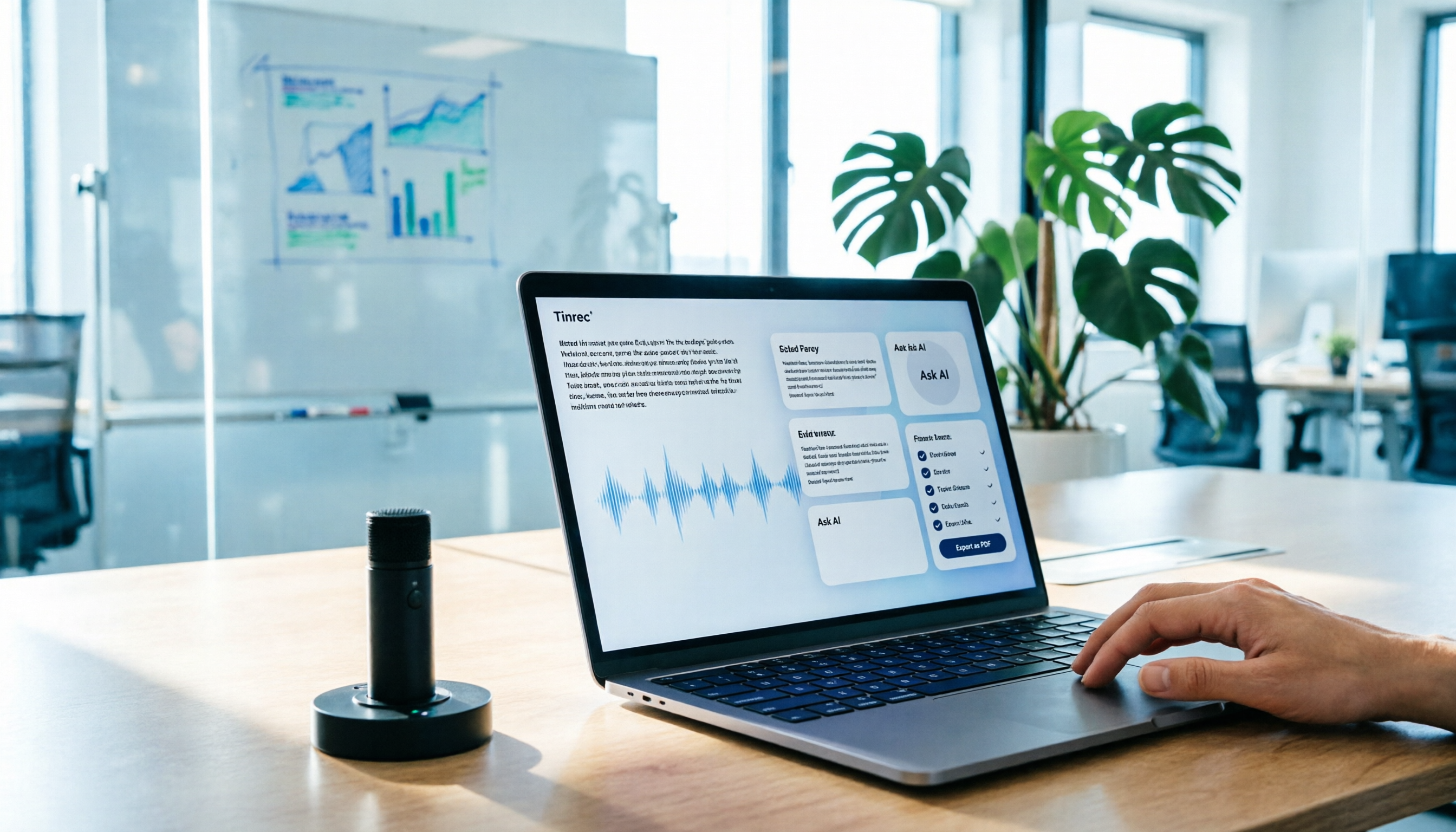
AI Meeting Notes in 2026: My Tinrec Workflow + Auto Summaries & Action Items
Meeting notes shouldn't mean replaying recordings and typing them up. This article breaks down AI meeting notes into five steps using my actual workflow: bot-free recording, live transcription, chapter summaries, AI follow-up questions, and action item export—with Tinrec as the example tool, plus a copy-paste follow-up checklist and buying considerations.

2026 AI Meeting Recorder Comparison: 5 Tools Tested for Chinese Transcripts and Post-Meeting Efficiency
Most people choose AI meeting recorder tools based only on free minutes, but still have to re-listen to recordings afterward. This article starts from real pain points, breaks down the core capabilities AI meeting recorder tools should have, 4 real use cases, and 5 purchase checkpoints. Using Tinrec as an example, it explains the complete workflow from bot-free recording, transcription, summaries, action items, AI Q&A, to team knowledge retention.

2026 AI Meeting Notes Free Plans Compared: Tinrec, Otter.ai, Notta, Granola Pricing at a Glance
Dcard discussions about AI meeting notes often focus on whether free versions are enough and how pricing works. This article compares Tinrec, Otter.ai, Notta, and Granola across four dimensions—free quota, per-upload limit, post-meeting output, and seat-based pricing—and highlights four common purchasing pitfalls to help you understand your meeting rhythm before spending money.

How to Take AI Meeting Notes in 2026: 5 Steps from Recording to Team Sharing
The three most common questions in Dcard discussions about "AI meeting notes" are: how accurate is Chinese transcription, is the free quota enough, and can it automatically generate summaries. This article breaks down the complete process from recording to team sharing in 5 steps, using Tinrec (Miao Ting Lu Yin) as a hands-on example to show you how to choose and use AI meeting notes.

Best Live Transcript Translation Tools in 2026: We Tested 6, and This One Is the Easiest for Cross-Language Meetings
The most common mistake with live transcript translation is to first convert speech to text with one tool and then paste it into a translation website after the meeting. Based on real meeting scenarios from a mid-level manager's perspective, this article reviews six tools that integrate transcription and translation into a single workflow, explaining each tool's positioning, pricing, and ideal users.

5 AI Meeting Note Tools Tested and Compared in 2026: Which Free Version Is Good Enough?
How to choose an AI meeting note tool? This article tests and compares Tinrec, Otter.ai, Notta, Granola, and TurboScribe from four angles: free quota, Chinese transcription, post-meeting organization, and team collaboration. It provides a ready-to-use meeting notes table format and key pitfalls to help you decide which tool truly fits your meeting scenario.

How to Choose AI Meeting Notes in 2026: 5 Steps for an Evidence-Based Evaluation
Most AI meeting notes reviews only check if the summary reads well, but they overlook how transcription errors cascade into decisions. This article uses 5 steps to guide you through designing an evaluation like writing a paper: define outputs, test with three real meetings, check transcripts, verify action item traceability, and clarify privacy and permissions. It also demonstrates how to compare using Tinrec and Notta as examples.