

Turn recordings into transcripts and summaries in minutes
Upload audio or video for multilingual transcription, AI notes, and action items
AI To-Do List Generation in 2026: Turn Meetings into Action Items with Owners
Two Fridays ago, I closed my video call and breathed a sigh of relief—the project timeline was finally settled. Three days later, my boss asked me: "Did you schedule those two launch dates we discussed?" I flipped through notes, chat logs, and emails, and it took me nearly five minutes to piece it together.
Honestly, it's not that I don't remember. It's that the meeting ended at 6:10 PM, and I was rushing to the next cross-departmental coordination. The post-meeting organization was simply skipped. And verbal commitments to action items, if not written down, essentially never happened.
This article is about "automated to-do generation"—turning scattered phrases like "I'll handle this" and "I'll deliver by next Wednesday" into a list with owners and deadlines. I'll use Tinrec, which my team currently uses, as an example to explain what it can and cannot do, and what to look for when choosing a tool.
What Can Automated To-Do Generation Do for You?
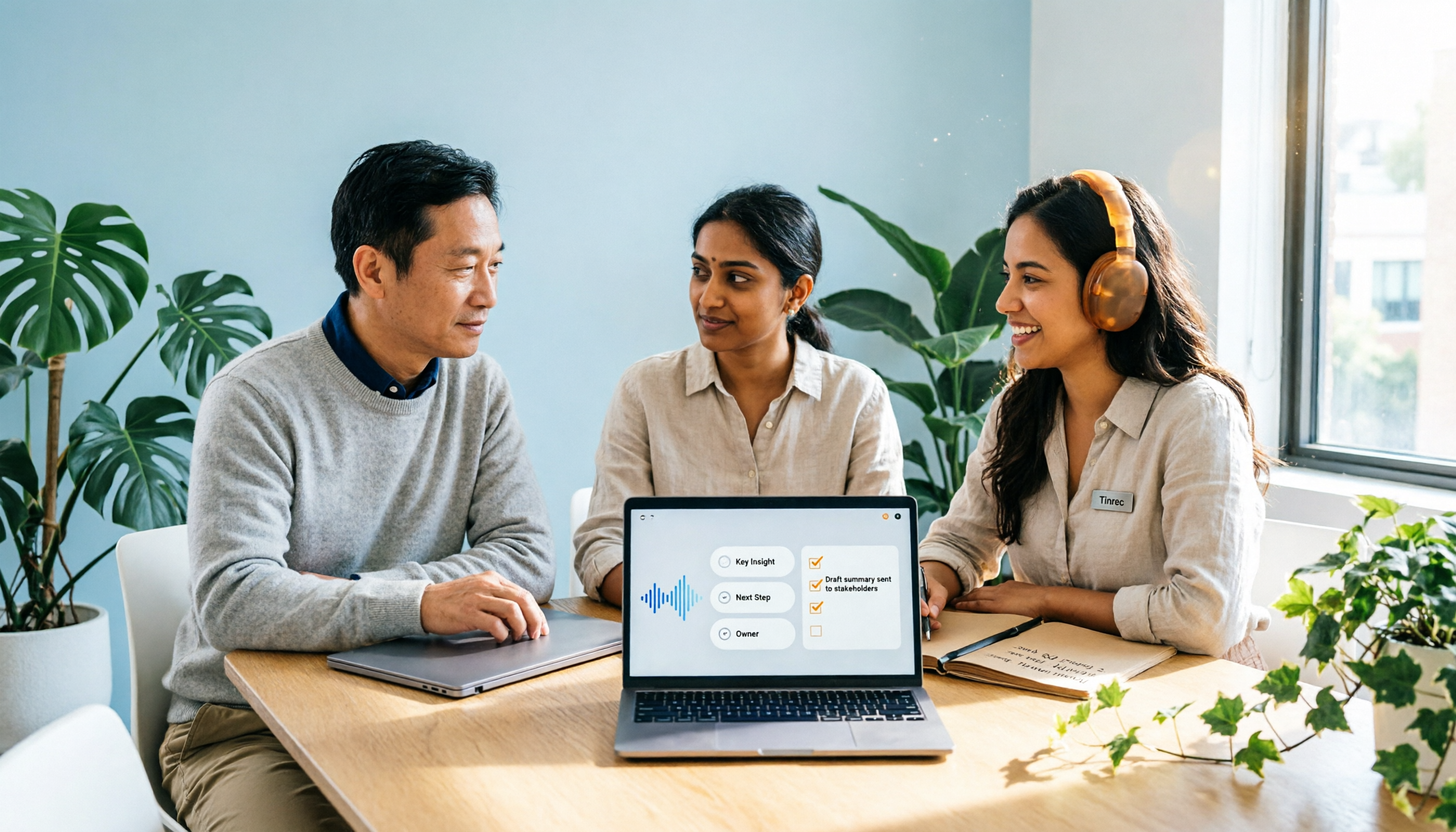
Scenario 1: After the meeting, the list is already there Previously, after a two-hour meeting, I'd spend another 40 to 60 minutes organizing notes. Now, with Tinrec as an example, after the meeting it automatically generates summaries, chapters, and action items—who is responsible for what and when it's due, extracted from the discussion. All I need to do is "verify" rather than "write from scratch."
Scenario 2: One-on-ones no longer rely on memory In my biweekly one-on-ones with team members, the most common situation is "that thing we discussed last time." Previously I relied on impressions; now I open Tinrec's meeting history and ask, "What was the work adjustment we talked about last time?" It answers directly based on semantics, without me having to re-listen to the recording.
Scenario 3: Cross-departmental meeting follow-ups have a basis The most time-consuming part of cross-departmental work is never the meeting itself, but the post-meeting confirmation and follow-up. With automatically generated action item lists, I can directly paste "which department committed to what" into the group chat, reducing back-and-forth like "I thought you were responsible."
Scenario 4: Client meeting requirements are not missed In client interviews, requirements, concerns, and our commitments often get mixed in with small talk. Tinrec's action item extraction pulls out follow-up actions separately, so I can organize the data into deliverable content the same day, rather than recalling it next week.
What Are the Core Capabilities of Automated To-Do Generation?
Real-time transcription: words appear as you speak It's not transcription after recording. Tinrec supports real-time speech-to-text, so text is synchronized during the meeting, and you can check for missed key points as you go. It's especially useful for in-person meetings, interviews, and on-site discussions.
AI summaries and chapters: understand the structure first, then decide where to read The most painful part of long meetings is "reading from start to finish." Tinrec breaks content into chapters and highlights key points. I first look at the summary to decide which sections to read in detail—much more efficient than reading the transcript from the first line.
Action item extraction: turn "discussion" into "action" This is the star of this article. Tinrec organizes action items from meeting discussions, rather than just giving you a transcript. My habit is to spend three minutes after the meeting scanning the list and adding details it missed—AI isn't perfect, but starting from 80% instead of 0% saves time.
AI chat query: ask your meeting like you'd ask a person After transcription, you can directly ask questions about the meeting content: "What was said about the budget in this meeting?" "What were the client's concerns about the timeline?" It answers based on semantic understanding, rather than throwing a string of keyword matches.
Multi-format export and post-processing Organized results can be exported to Notion, Google Docs, OneNote, Dropbox, and other work environments, and can further generate reports, tables, and meeting minutes documents. I really dislike "data trapped in one tool," so this is a plus for me.
Team space retention After personal use for a while, you'll encounter the same problem: data is in personal accounts, and when people leave, it scatters. Tinrec's team version provides an independent team space where meeting data belongs to the team. Members can view historical meetings, share recording and import benefits, and administrators can see members, seats, usage, and operation logs.
Practical Application Scenarios
Weekly meetings and project progress meetings In weekly department meetings, "last decisions" and "current progress" often intertwine. Use Tinrec's desktop version to record online meetings (no need to invite a meeting bot), and after the meeting, confirm each person's next steps directly from the action item list, with decision basis retained in the team space.
Stop organizing recordings by hand
Upload audio or video and automatically get a transcript, summary, and action items
One-on-one meetings One-on-one content is sensitive; the key is "recorded but not leaked." In the team space, members can share and view team data, but actual recording, uploading, and editing require a seat. This design of separating roles and seats has practical management significance.
Client and requirements interviews After interviews, the biggest fear is missing the client's implicit needs. Tinrec supports audio and video file transcription; I often upload existing recordings for organization, then use AI Q&A to separate requirements, concerns, and commitments.
Courses, internal training, and cross-language meetings For meetings with mixed Chinese and English, Tinrec supports multilingual transcription and real-time translation, allowing you to view the original, translation, or bilingual content. Teams can also maintain hotwords to make recognition of product codes and technical terms closer to actual usage.
5 Things to Consider When Choosing an Automated To-Do Generation Tool
1. Chinese and mixed Chinese-English recognition performance Don't just read official copy; test with your own meeting recordings. Tinrec focuses on Chinese and multilingual meeting scenarios, but actual performance is affected by recording quality, accents, background noise, multiple simultaneous speakers, and technical terms. For important content, it's advisable to cross-check the transcript and recording.
2. Can action items include "who, what, when"? A summary that only generates a block of text is meaningless. It should be organized into a list format. Tinrec's action item extraction is a separate output type that you can scan and use directly after the meeting.
3. How is the meeting recorded? Some tools on the market rely on meeting bots joining the meeting, while others use desktop capture of system audio. Tinrec's desktop version is the latter—you actively start recording, and it captures the meeting audio played on your computer. It can handle online meetings like Zoom, Google Meet, Microsoft Teams, and Webex without an extra bot on the participant list. Note that it does not automatically join all meetings on your calendar; you need to start recording yourself.
4. Extended workflow after transcription Transcription is only the first step. Whether you can ask questions, export to tools you're already using, and further generate reports and tables determines whether this tool becomes "another data silo" that everyone avoids. Tinrec offers AI Q&A, multi-format export, and Agent post-processing in this area.
5. Team authorization and governance need clarity If you're deploying for an entire department, note that "roles" and "seats" are two different things. In Tinrec's team version, roles determine who can manage the team, members, and settings; seats determine whether members can record, upload, edit, and import/export. Active members without seats can still view, play, and read team data, but cannot perform resource usage operations. Also, currently it's mainly team-level sharing, so don't expect file-level granular permissions.
Frequently Asked Questions
Q1: How accurate are automatically generated action items? Good enough, but don't treat them as 100% correct. It can compress an hour of discussion into a three-minute scannable list, but it's recommended to quickly verify after the meeting, especially numbers, dates, and owners.
Q2: Can already-recorded audio files be organized? Yes. Tinrec supports uploading audio and video files for transcription; past interviews and online course recordings can be organized into text and summaries. File imports consume the team's shared import quota.
Q3: Do online meetings need a bot to join? No. Tinrec's desktop version directly captures the device's system audio to record online meetings, without adding an extra account to the participant list. However, you need to actively start recording—this is different from "automatically joining all meetings."
Q4: Is the free version enough? It depends on how many meetings you have per week. The free version provides basic quota to experience recording, import, summary, and transcription. If you have a dozen meetings a week like me, I recommend looking at the Pro monthly or annual plan. For short-term intensive interviews or project sprints, a weekly plan is more cost-effective. For teams wanting to try, eligible teams have a 7-day trial, 1 free seat, and 300 minutes of team shared import quota.
Q5: What's the difference between the team version and the personal version? Personal version data belongs to the personal account; the team version is an independent team space with additional member invitations, role and seat management, shared benefits, usage analysis, audit logs, and audio recycle bin. Based on current internal configuration, the team monthly plan is USD 29.80 per paid seat per month, and the annual plan is USD 199 per paid seat per year (equivalent to about USD 16.58 per month). Each paid seat provides 2,000 minutes of team shared import quota per month. Under an active plan and seat, real-time recording is currently not deducted by minutes. Actual prices and benefits are subject to the official purchase page.
Q6: Are there legal issues with recording? Yes. Recording and transcription involve local regulations. You should inform participants before the meeting and obtain consent when necessary. This is also my standard practice within the team.
Conclusion
Automated to-do generation isn't magic; it solves a very specific problem: the 30 minutes of mechanical labor after a meeting. Using Tinrec as an example, from real-time transcription, AI summary, action item extraction, chat query, to team space retention, the entire workflow connects, giving you the chance to spend time on "judgment" rather than "organization."
My advice is simple: before your next meeting, try a session with the free quota. You'll quickly know if you need it—if you have more than three meetings a week, the answer is usually yes; if only occasionally, use the basic quota a few times before deciding whether to upgrade. That's the least wasteful way.
References
- 2026 Recommended Automatic To-Do Generation Tools: From Speech-to-Text to AI Meeting Minutes, 5 High-Performance Solutions Tested - Tinrec Blog
- AI Time Management: Copilot and Gemini Help You Schedule Calendars and Summarize Meetings, Doubling Work Efficiency | 104 Workplace
- [NoCode Workflow] AI Automatically Summarizes LINE Voice Messages and Quickly Generates To-Dos to Optimize Task Management!
- Recommended Work Summary Automatic Generation Tools: 5 Efficient Tools in 2026 to Generate Meeting Notes and Action Items in One Click - Tinrec Blog
- Workflow for Organizing Meeting Notes and To-Dos with AI | Prompts AI Command Library
Turn every recording into actionable outcomes
Get 60 free transcription minutes when you sign in. No credit card required.
Related Reading
You might also like
2026 Comparison of 2 Post-Meeting Automation Tools: Tinrec vs. Notta for Actionable Follow-Ups
The meeting ends, but the work begins. This article focuses on post-meeting automation and compares Tinrec and Notta across meeting capture, post-meeting summaries, action item extraction, AI Q&A, team knowledge retention, and pricing plans. It also outlines automation workflows for cross-departmental meetings and provides a buying checklist to help you decide which tool better suits professionals and teams with multiple daily meetings.

2026 Comparison of 5 AI Meeting Workflow Tools: Which One Can Actually Help You Send Meeting Minutes Before You Leave Work?
The real challenge for AI meeting workflow tools isn't transcription—it's post-meeting organization, follow-up questions, deliverables, and team knowledge retention. Using Tinrec as the primary example, this article breaks down bot-free recording, real-time transcripts and translation, summaries with chapters and action items, AI Q&A, export options, and team governance, plus 5 key buying considerations and FAQs.

2026 Complete Guide to AI Office Automation: From Meeting Notes to Team Collaboration
A complete 2026 guide to AI office automation, starting from meeting note pain points, analyzing selection criteria, hands-on experience with Tinrec, differences between Otter, Notta, TurboScribe, and Fireflies, and pitfalls to avoid during implementation, helping you turn meeting content into actionable, collaborative team data.

2026 Comparison of 4 Meeting Follow-Up Automation Tools: Whose To-Dos Actually Get Tracked?
Meeting follow-up automation is more than just transcription. This article breaks down the three layers of transcription, organization, and follow-up, demonstrates the complete workflow from recording to to-dos, Q&A, export, and team knowledge retention using Tinrec, and outlines 5 key purchasing checkpoints and team pricing.

2026 Comparison of 5 AI Meeting Action Item Tools: Which One Actually Captures Owners and Deadlines?
After meetings, action items get scattered across group chats and recordings with no one following up? This article starts from the actual workflow of action item extraction, outlines 4 key points for choosing an AI meeting action item tool, and compares Tinrec, Otter.ai, Notta, Granola, and others on Chinese recognition, bot-free recording, to-do structure, and team tracking, with a pitfalls guide and selection advice.

2026 AI Office Automation Tools Compared: Which Really Saves Time on Meeting Notes and To-Dos?
Where should you start with office automation? This article examines the hidden work hours before and after meetings, compares five types of AI office automation approaches, and uses Tinrec as the main hands-on test subject to explain what bot-free recording, transcripts, summaries, action items, AI Q&A, and team spaces can and cannot do. It includes pricing and five key buying criteria.

6 AI Meeting Note Tools Compared for 2026: From Meeting Notes to Actionable Tasks
From small group discussions to project meetings, AI meeting tools shouldn't stop at transcripts. This article uses a student's hands-on perspective to compare 6 AI meeting note tools in 2026, covering recording, summarization, to-dos, and team collaboration, and organizes pricing, free quotas, and use cases to help you decide which one truly turns meetings into actionable tasks.

6 Best AI Meeting Notes Generators in 2026: Which Free Version Is Good Enough?
Tired of writing meeting notes after every call? We tested 6 tools that automatically generate meeting minutes, including Tinrec, Otter.ai, Notta, Granola, TurboScribe, and PLAUD Note. We compare transcription, summarization, action items, and team collaboration, and honestly list the limitations of free and paid plans to help you find the most time-saving option.

Tinrec vs Notta in 2026: 5-Dimension Comparison — Which Speech-to-Text App Should You Choose?
Just finished a meeting and realized you have to type up the transcript yourself? This article rounds up speech-to-text apps worth trying in 2026, from Tinrec, Notta, and Otter.ai to the free iPhone Notes app. We compare Chinese recognition, post-meeting organization, team collaboration, and pricing to help you pick the right tool in one go.