

Turn recordings into transcripts and summaries in minutes
Upload audio or video for multilingual transcription, AI notes, and action items
2026 Comparison of 5 AI Meeting Workflow Tools: Which One Can Actually Help You Send Meeting Minutes Before You Leave Work?
A 10 a.m. meeting, a 2 p.m. meeting, and a 4:30 recap—that's the daily routine for many office workers. The meetings themselves aren't necessarily the most tiring part; it's what comes after: replaying recordings, typing up transcripts, chasing action items, and identifying owners. When you search for "AI meeting workflow," the real question isn't "Can it transcribe?" but "Can it help me deliver a send-ready set of minutes before I leave the office?"
Based on the tools I've actually used, the difference in transcription speed isn't as big as you'd think. What really sets them apart is the post-meeting phase: whether summaries are structured, whether action items have owners and deadlines, and whether team members can take over. Below, I'll use Tinrec as the primary example to break down a meeting workflow that actually works.
What Can AI Meeting Workflow Tools Do for You?
Scenario 1: The meeting ends, and the minutes are already taking shape
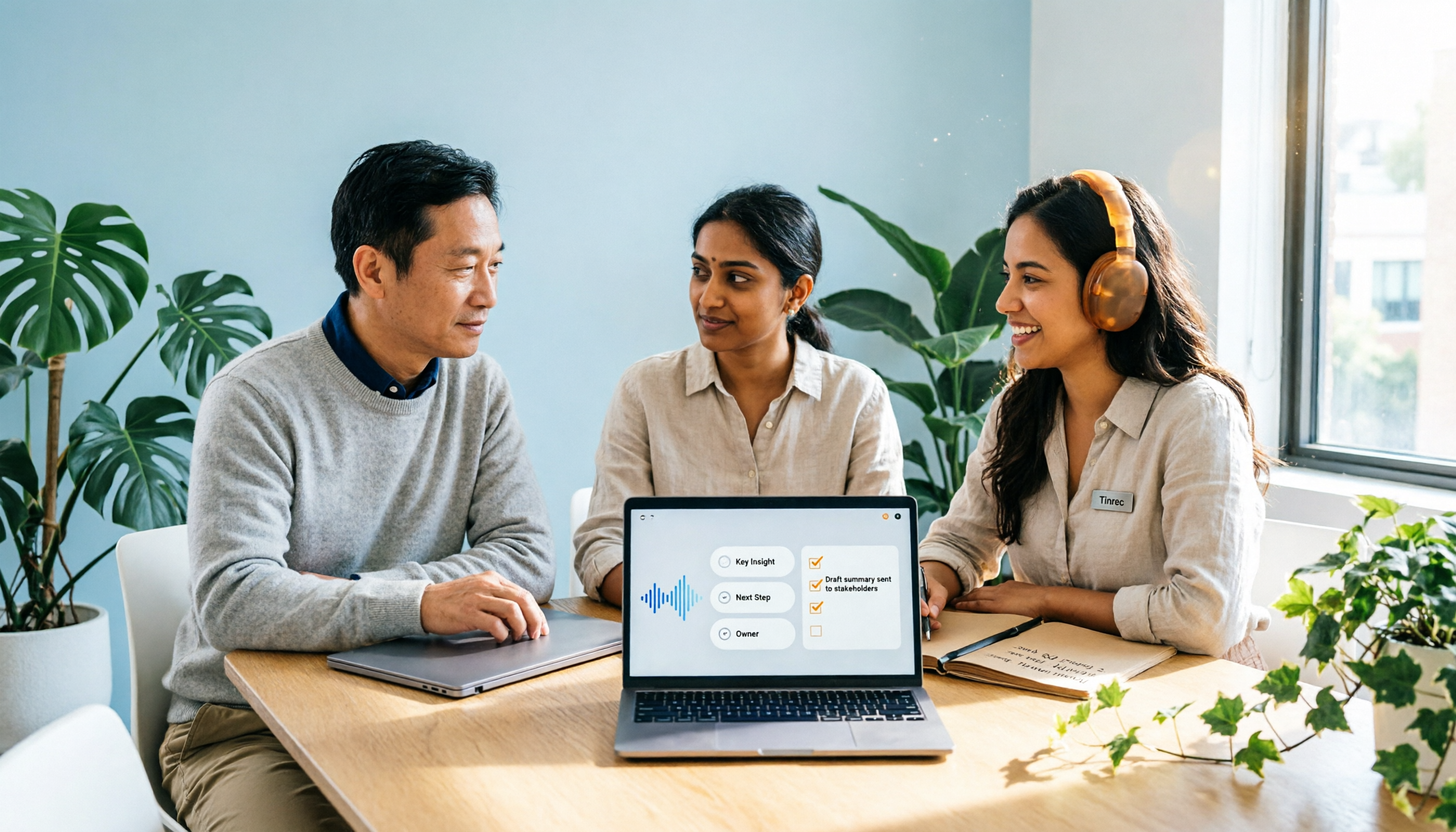
In the past, a two-hour meeting required another hour of organizing afterward. With Tinrec, for example, by the time the meeting ends, AI has already generated a summary, chapter highlights, and action items—clearly listing who is responsible for what and when it's due. Your job is to review, not start from scratch.
Scenario 2: Past meetings become a searchable database
How was a decision made three months ago? Instead of scrolling through chat history, just ask. Tinrec supports AI Q&A around meeting content—you can ask "What was the budget the client mentioned last time?" and it answers semantically, rather than just dumping a transcript on you.
Scenario 3: Cross-language meetings no longer rely on guesswork
For teams with meetings in Mandarin, English, or even a mix of both, Tinrec lets you view the original text, translation, or bilingual content while recording. Mixed-language discussions can also be organized into readable minutes.
Scenario 4: People leave, but the data stays
The biggest fear when a colleague resigns is that meeting data disappears with them. The team version stores recordings, transcripts, summaries, and action items centrally in a team space. Resources belong to the team and can be handed over when members change, rather than relying on individual accounts for record-keeping.
What Are the Core Capabilities of AI Meeting Workflow Tools?
1) Bot-free recording of online meetings
Some tools require a "meeting bot" to join the meeting as a participant. Tinrec's desktop version directly captures your computer's system audio, handling meetings on Zoom, Google Meet, Microsoft Teams, Webex, and others—without an extra bot appearing on the participant list. Note that this doesn't mean it automatically joins all calendar meetings; you still need to manually start recording. It also doesn't imply official partnerships with these platforms.
2) Real-time transcripts and live translation
Text appears as you record, so you can verify on the spot whether key points were missed. For cross-language meetings, you can switch between original text, translation, or bilingual view during recording.
3) AI summaries, chapters, and action items
Summaries aren't just transcripts compressed into a paragraph—they're layered by topic, conclusions, and action items. Long meetings can be skimmed by chapter. Action items are only useful if they have owners and deadlines—this step requires you to fill in and confirm after the meeting; don't let AI guess.
4) AI Q&A and post-meeting processing
After transcription, you can directly ask follow-up questions about the meeting content. You can also generate reports, tables, and documents based on the meeting, moving from "meeting ended" to "deliverable completed."
5) Multi-format export to fit your existing workflow
Results can be exported to common tools like Notion, Google Docs, OneNote, and Dropbox, so your data isn't trapped in one application.
6) Team space and governance
The team version provides an independent team space, member invitations, owner/admin/member roles, seat allocation, usage analytics, audit logs (queryable and exportable), an audio recycle bin (30-day retention, recoverable or permanently deleted), and team hotwords to improve recognition of technical terms.
Stop organizing recordings by hand
Upload audio or video and automatically get a transcript, summary, and action items
Practical Use Cases
Weekly and decision-making meetings
Start recording in Tinrec before the meeting, view the transcript in real time during the meeting to confirm "What you just said was...", review summaries and action items afterward, fill in owners and deadlines, and export to team documents. The entire process can be compressed to about ten minutes after the meeting.
Customer interviews and sales follow-up
Upload interview recordings or record live, then use AI Q&A to retrieve customer needs, objections, and commitments mentioned, and organize them into follow-up materials. To be clear: Tinrec does not automatically complete CRM processes, nor should it be described as automatically syncing with CRM.
Courses and lectures
In a 90-minute class, key points are scattered throughout. Tinrec's chapters and summaries can first outline the structure, and the transcript can be reviewed by timestamp—more practical than repeatedly dragging the progress bar.
Content creation and interviews
After transcribing interview recordings, use AI Q&A to extract quotable passages, then generate outlines or drafts. AI is a co-pilot; the viewpoints and judgment are still up to you.
5 Things to Consider When Choosing an AI Meeting Workflow Tool
1. Capture method: Does it require an extra bot in the meeting?
If extra participants are inconvenient in client meetings, confirm whether the tool supports bot-free capture. Tinrec's desktop version works via system audio, so no bot needs to join the participant list.
2. What comes after transcription?
A tool that only produces transcripts essentially hands the organizing work right back to you. When choosing, check for summaries, chapters, action items, and Q&A. Tinrec completes these in a single workflow, so you don't need to switch tools and redo work.
3. Real-world performance with Chinese and mixed languages
Not every tool is designed primarily for Chinese meetings. Tinrec covers Chinese, Traditional Chinese, and multilingual scenarios, but actual performance is affected by recording quality, ambient noise, accents, simultaneous speakers, and technical terminology. We don't recommend expecting a fixed accuracy rate.
4. Clear team permission structure
Distinguish between "roles" and "seats": roles determine who can manage the team and audit logs; seats determine whether one can record, upload, edit, and export. In Tinrec's team version, active members without a seat can still view, play, and read team materials, but cannot upload, edit, import, or export. Also, currently sharing is primarily at the team level, not file-level granular permissions—ask clearly before purchasing.
5. Data retention, handover, and cleanup
Ask three questions: Will recordings be retained? Can accidentally deleted files be recovered? Who owns the data when someone leaves? Tinrec provides an audio recycle bin and member resource handover mechanisms. Team resources belong to the team and don't lose ownership when individuals leave.
Frequently Asked Questions
Is the free version enough?
First consider your usage frequency. Tinrec's free version offers a basic quota, suitable for occasionally organizing one or two recordings. During busy meeting periods, consider a weekly pass; for long-term regular use, look at Pro. Teams can start with a 7-day trial (1 free seat, 300 minutes of shared team import quota).
Is accuracy guaranteed?
We don't recommend promising a fixed percentage. Transcription performance depends on recording quality, noise, accents, overlapping speech, and terminology. A practical approach is to treat AI output as a highly complete first draft, and verify important numbers, negative statements, and ownership by returning to the transcript timestamps.
Can members without a seat see the data?
They can view, play, and read team materials. However, recording, uploading, editing, and importing/exporting require an active seat.
Which meeting platforms are supported?
Tinrec's desktop version can capture audio from meetings played on your computer, such as Zoom, Google Meet, Microsoft Teams, and Webex. This is system audio capture; it doesn't imply official partnerships with the platforms, nor does it automatically join all meetings.
Do I need to notify participants about recording?
Yes. Recording and transcription involve local regulations and participant consent. Before formal meetings, explain the purpose, retention method, and access scope.
Conclusion
The value of AI meeting workflow tools isn't in "recording for you," but in connecting post-meeting organization, follow-up questions, deliverables, and team knowledge retention into one line. With Tinrec as an example, bot-free recording plus summaries, action items, Q&A, export, and team space can indeed compress "an hour after the meeting" into about ten minutes—provided you're willing to spend a few minutes reviewing.
If you have more than three meetings a week, this type of tool is worth a serious trial. If your entire department's meeting data is scattered across personal devices and chat histories, the team version's space, seats, and handover mechanisms will be more practical than the personal version. Start with the free version on a real meeting and see whether the minutes it produces can truly let you hit send before you leave work.
References
- How to Use AI for Meeting Minutes? How to Organize Meeting Transcripts? | AI Speech-to-Transcript Tutorial | 104 Career Power
- How to Do AI Meeting Notes? Tool Selection, Workflow, Format, and Privacy Reminders
- Business Weekly - 6-Step AI Meeting Minutes Organization: Use a Fixed Template to Turn Discussions into Clear Action Items - Business Weekly
- Workflow for Organizing Meeting Notes and Action Items with AI | Prompts AI Command Library
- The Most Recommended AI Meeting Notes Tool of 2026—Time-Saving Must-Have for Meetings!
Turn every recording into actionable outcomes
Get 60 free transcription minutes when you sign in. No credit card required.
Related Reading
You might also like

4 Meeting Minutes Automation Software Compared for 2026: From Transcripts to Summaries to Action Items
Starting from the most common pitfalls of meeting minutes automation, this comparison of Tinrec, Otter.ai, Notta, and Granola covers meeting capture, post-meeting output, Chinese language experience, and team governance to help mid-level managers choose a tool that truly reduces post-meeting cleanup time.

2026 AI Meeting SOP Tools Buying Guide: 2 Hands-On Tests and Recommendations
Starting from common pitfalls in building an AI meeting SOP, this guide explains how to turn meeting recordings, transcripts, summaries, action items, and team knowledge bases into a repeatable workflow. It compares Tinrec and Notta to help you choose the right tool.

7 AI Meeting Workflow Tools Tested and Compared for 2026: Which Free Version Is Actually Enough?
Still putting off meeting notes until after the meeting? This article starts with the most common misconception and breaks down a three-stage AI meeting workflow—before, during, and after the meeting. It also tests and compares 7 options: Tinrec, Otter, Fireflies, Notta, Granola, TurboScribe, and built-in platform transcription. Free quotas and paid prices are listed honestly to help you decide which fits your meeting style best.

2026 Comparison of 5 Meeting Notes Automation Tools: Tinrec vs. Notta — Which Should You Choose?
Starting from the pain point of still organizing meeting notes before leaving work on Friday, this comparison examines the differences between Tinrec and Notta in meeting capture, post-meeting organization, Chinese and multilingual support, team collaboration, and pricing, helping you decide which meeting notes automation tool is better suited for teams in Taiwan.

One-Click Meeting PPT Generators Compared: 2026 Test of 4 Tools — The Key Is Your Meeting Material
Still starting your meeting deck from scratch after the meeting ends? The problem usually isn't the layout tool—it's the meeting material you have on hand. This article starts with 'where does the material come from' and compares four approaches: Tinrec, GenApe, AI One-Click PPT, and ppt-master. It outlines 5 key buying factors and 4 common pitfalls to help you decide which part of your workflow to fix first.
2026 Comparison of 2 Post-Meeting Automation Tools: Tinrec vs. Notta for Actionable Follow-Ups
The meeting ends, but the work begins. This article focuses on post-meeting automation and compares Tinrec and Notta across meeting capture, post-meeting summaries, action item extraction, AI Q&A, team knowledge retention, and pricing plans. It also outlines automation workflows for cross-departmental meetings and provides a buying checklist to help you decide which tool better suits professionals and teams with multiple daily meetings.

2026 Complete Guide to AI Office Automation: From Meeting Notes to Team Collaboration
A complete 2026 guide to AI office automation, starting from meeting note pain points, analyzing selection criteria, hands-on experience with Tinrec, differences between Otter, Notta, TurboScribe, and Fireflies, and pitfalls to avoid during implementation, helping you turn meeting content into actionable, collaborative team data.

2026 Comparison of 4 Meeting Follow-Up Automation Tools: Whose To-Dos Actually Get Tracked?
Meeting follow-up automation is more than just transcription. This article breaks down the three layers of transcription, organization, and follow-up, demonstrates the complete workflow from recording to to-dos, Q&A, export, and team knowledge retention using Tinrec, and outlines 5 key purchasing checkpoints and team pricing.

2026 Comparison of 5 AI Meeting Action Item Tools: Which One Actually Captures Owners and Deadlines?
After meetings, action items get scattered across group chats and recordings with no one following up? This article starts from the actual workflow of action item extraction, outlines 4 key points for choosing an AI meeting action item tool, and compares Tinrec, Otter.ai, Notta, Granola, and others on Chinese recognition, bot-free recording, to-do structure, and team tracking, with a pitfalls guide and selection advice.