

Turn recordings into transcripts and summaries in minutes
Upload audio or video for multilingual transcription, AI notes, and action items
2026 AI Office Automation Tools Compared: Which Really Saves Time on Meeting Notes and To-Dos?
The truly difficult part of office automation has never been whether AI exists, but which part to automate first.
Most people first think of Excel formulas, reports, and sending emails. But if you carefully calculate your weekly time allocation, you'll find that the hidden work hours before and after meetings are often more alarming: finding materials before meetings, taking notes during meetings, and organizing them into emails or to-dos afterward. For a one-hour meeting, spending an extra 40 minutes before and after is normal.
So I focused my testing on the "meeting automation" segment. Below, I use Tinrec as the main hands-on test subject to explain what it can and cannot do in this segment, and what you should look for when choosing a tool.
What Can AI Office Automation Do for You?
Let me start with the conclusion: the meeting segment currently has the highest return on investment for AI office automation, because it involves recording, text, organization, and follow-up tracking—all of which can be handled by tools.
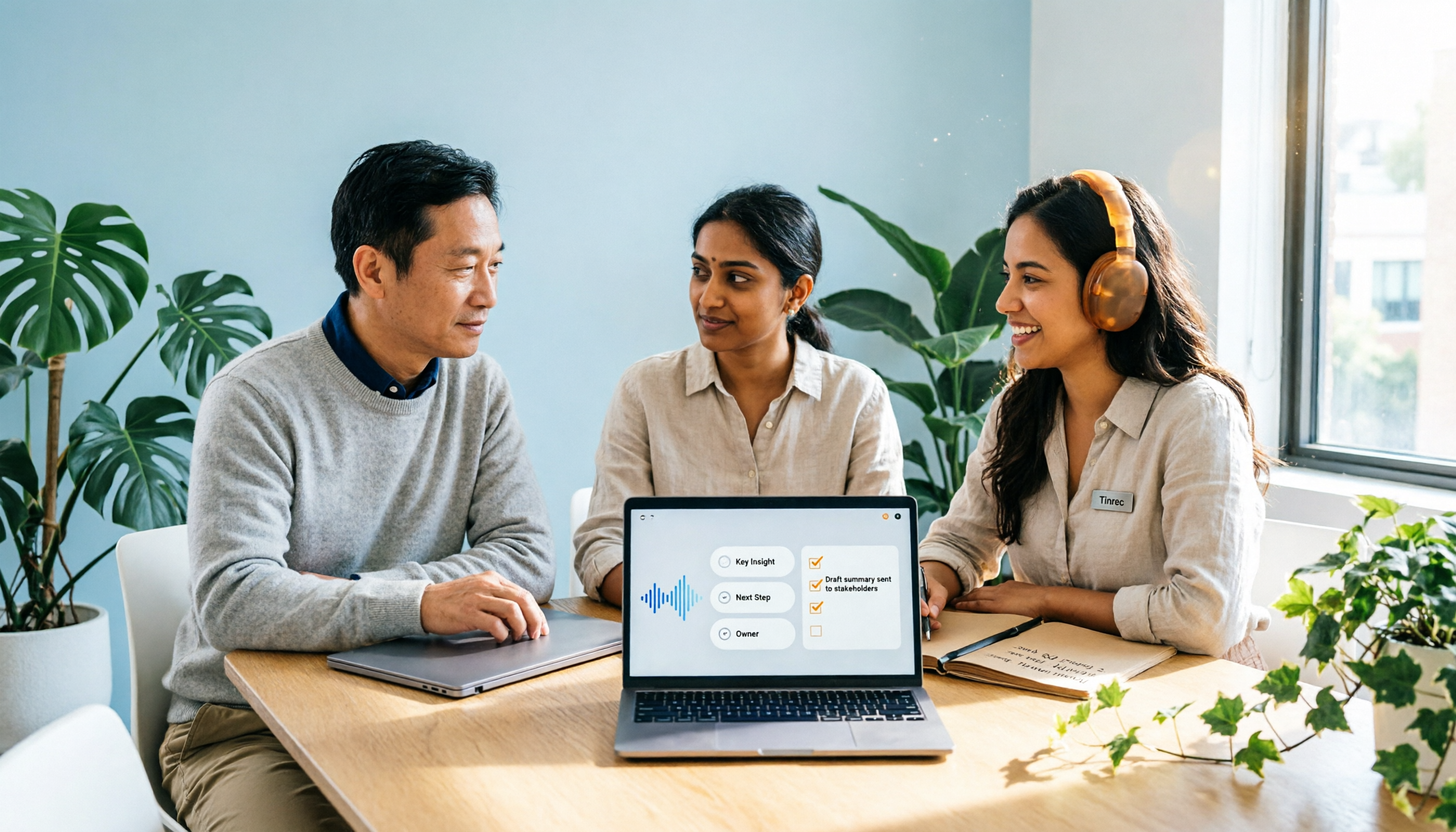
Scenario 1: No need to re-listen to recordings after meetings Previously, after a meeting ended, you either relied on memory or re-listened to an hour-long recording to find that one sentence. With Tinrec, for example, a transcript is generated while recording, so after the meeting you can directly read the text with timestamps and only replay that small segment when you need to verify.
Scenario 2: No need to write meeting minutes from scratch The most time-consuming part is actually "condensing the discussion into text others can understand." Tinrec automatically generates summaries, chapters, and key points, so your job shifts from "writing minutes" to "editing minutes."
Scenario 3: Action items are automatically extracted What's most often missed in meetings is "who will do what and by when." Tinrec organizes action items from the discussion content, which you can paste into your existing to-do list for continued tracking.
Scenario 4: Historical meetings become a searchable database This is the most overlooked point. Tinrec supports AI Q&A around meeting content, so you can directly ask "What was the budget cap the client mentioned last time?" without digging through three months of folders.
What Are the Core Capabilities of Meeting Automation?
Bot-free recording of online meetings This is the most practical differentiator of Tinrec's desktop version. It directly captures computer system audio, handling online meetings on Zoom, Google Meet, Microsoft Teams, and Webex without inviting a bot as a participant.
Note: this does not mean it "automatically joins all your calendar meetings." You need to open Tinrec yourself to start recording; the only difference is that no unfamiliar account appears in the meeting.
Real-time transcription while recording It doesn't wait until recording ends to transcribe. Text appears synchronously during the meeting, so you can check for missed key points as you go—very helpful for scenarios requiring real-time capture of numbers (quotes, deadlines, specifications).
AI summaries and chapters It doesn't just "condense the transcript into one paragraph"; it provides structured organization: topics, discussion flow, conclusions, and action items listed separately. Long meetings are divided into chapters for easy skimming.
Action item extraction and AI Q&A After the transcript is complete, you can ask questions directly about the content, and it answers based on semantics rather than rigid keyword search. This is especially useful for situations like "I only remember he said something like this."
Multi-format export and post-meeting processing Organized content can be taken to Notion, Google Docs, OneNote, Dropbox, and other tools for continued use, and can also be further generated into reports, tables, and documents.
Team spaces and governance The team version centralizes meeting data in a single space, adding members, roles, seats, usage analytics, audit logs, and an audio recycle bin. This is very relevant to the pain point of "when people leave, data disappears with them."
There Are Roughly 5 Types of Approaches on the Market
Before choosing a tool, first clarify which category you're comparing, otherwise you'll be comparing apples to oranges.
The first category is AI meeting assistants, emphasizing meeting automation and integration; the second is general transcription tools, strong in files, subtitles, and translation; the third is AI recording hardware, selling portable recording and hardware experience; the fourth is platform-built-in transcription, with the advantage of no additional installation; and the fifth is the approach like Tinrec that uses desktop bot-free recording and focuses on post-meeting organization and team knowledge retention.
These five categories have no absolute superiority or inferiority; the difference lies in "what your meetings look like."
Practical Application Scenarios
Project weekly meetings and cross-department meetings Weekly meetings are most prone to "forgetting what was said last time." After recording with Tinrec, decisions and action items become searchable text, so before the next meeting you can ask a question and pick up the progress.
Stop organizing recordings by hand
Upload audio or video and automatically get a transcript, summary, and action items
Client interviews and requirements communication Client requirements, objections, and commitments are most likely to lose focus after meetings. Tinrec retains transcripts and recordings, so you can replay and compare when you need to confirm the original words, and it's also convenient for organizing communication content into follow-up proposal materials.
Cross-language meetings Tinrec supports real-time translation, and during recording you can switch between original text, translation, or bilingual view. This is very practical for those who need to meet with overseas contacts and don't want to miss details.
Courses, lectures, and personal knowledge accumulation Not just meetings. Recordings of classes and lectures can also be converted into transcripts and summaries, accumulating into a personal database you can query anytime.
Team data handover When members leave or are transferred, team resources still belong to the team and can be handed over to other active members, rather than disappearing entirely when an individual account is deactivated.
How Are Costs and Plans Calculated?
I'll list this honestly because it directly affects whether you'll use it.
The personal version is divided into four types: the free version provides a basic quota to experience recording, import, summaries, and transcription; the weekly card is suitable for short-term sprints (e.g., a week of intensive interviews); the Pro monthly card is suitable for those with a steady volume of meetings every week; the Pro annual card has a lower monthly equivalent, suitable for long-term accumulation of recording data.
The team version is an independent space, not "multiple people sharing one personal account." The first eligible team trial is 7 days, 1 free seat, and 300 minutes of team shared import quota.
Paid portion: team monthly USD 29.80 per paid seat per month; team annual USD 199 per paid seat per year, equivalent to about USD 16.58 per month. Each paid seat provides 2,000 minutes of team shared import quota per month.
There's also an easily misunderstood point: under an active team plan and active seat, real-time recording currently does not deduct minutes; only file and web imports consume the team shared quota. Actual prices, currencies, and promotions are subject to the official purchase page.
5 Things to Note When Choosing AI Office Automation Tools
1. First confirm whether it can handle your actual meeting format If your meetings are all online, you need to ask "does it require pulling in an extra bot?" Tinrec uses desktop capture of system audio, so no extra account appears in the meeting.
2. Transcription is only the first step; post-meeting organization is key Tools that only give you a transcript are essentially returning the organization work to you unchanged. Tinrec's value is after the transcript: summaries, chapters, action items, Q&A, export.
3. Test Chinese and mixed Chinese-English performance yourself Don't just look at official numbers. Actual performance is affected by recording quality, noise, accents, overlapping speakers, and technical terminology. Tinrec supports Chinese, Traditional Chinese, and multilingual scenarios, and the team version can maintain hot words, which helps with industry terminology recognition.
4. Whether audio files are retained determines whether you can verify Some tools keep only text, not audio. Tinrec retains recordings, so you can replay and verify when necessary—important in situations requiring confirmation of original words.
5. Team version: distinguish between "roles" and "seats" Roles determine who can manage the team, members, and audits; seats determine whether one can record, upload, edit, and import/export. Active members without seats can view, play, and read team data but cannot perform resource usage operations. Currently it's team-level sharing, not file-level granular permissions—this should be clarified upfront.
Frequently Asked Questions
Q1: Can Tinrec automatically organize Excel or send emails for me? No, that's not its positioning. Tinrec handles the meeting content segment: recording, transcription, summaries, action items, Q&A, export. Spreadsheet calculations or email workflows should be handled by other tools. Think of it as an organization assistant before and after meetings, not a universal RPA—that's more accurate.
Q2: Is the free version enough? If you just want to confirm whether "AI organizing meetings" is useful for you, the free version provides a basic quota to run through a complete recording, transcription, and summary workflow. If you truly have a steady meeting volume, then consider the weekly card or Pro. Actual quotas are subject to official website announcements.
Q3: Do I need to invite a meeting bot into the meeting? No. Tinrec desktop version directly captures computer system audio and works with Zoom, Google Meet, Microsoft Teams, and Webex. However, you need to open Tinrec yourself to start recording; it won't automatically join all meetings on your calendar.
Q4: What's the difference between the team version and personal version? Mainly data ownership and governance. Personal version data belongs to the individual account; the team version is an independent space where data belongs to the team, with additional member invitations, role and seat allocation, shared quota, usage analytics, audit logs, and audio recycle bin (currently retained for 30 days, recoverable until permanent deletion).
Q5: Can members without seats see team data? Yes. Active members without seats can view, play, and read team data; only after obtaining a seat can they record, upload, edit, and import/export.
Q6: Do I need to inform participants before recording? It's recommended. Recording and transcription involve personal data; please comply with local regulations and company policies, and obtain participant consent when necessary.
Conclusion
AI office automation is not "install a tool and everything automates"; it's about first finding the most time-consuming, repetitive, and easily overlooked segment. For most office workers, that segment is meetings.
Tinrec's positioning is clear: no meeting bot, retain recordings, turn transcripts into summaries and action items, and finally settle into team-searchable data. It's not omnipotent, but if you have more than three meetings per week, the time saved in this segment will be significant.
To confirm whether it suits you, the most practical way is to use the free version for a real meeting and see if you can directly use the generated minutes. If it works, then discuss plans.
References
- Using AI to Build a Personalized Office Automation Assistant < New > - Course Information - China Productivity Center Taipei Chengde Education and Training Center
- AI Workflow Automation: 14 Tools That Boost Team Efficiency and Scale Faster | monday.com Blog
- 10/6 Disrupting the Workplace New Model | 2026 AI Practical Work Techniques (Additional Session)
- Office Automation Using AI Tools to Improve Efficiency: 5 Steps to Achieve Enterprise Cost Reduction - NSS CEO Academy
- AI Automation | Microsoft Copilot
Turn every recording into actionable outcomes
Get 60 free transcription minutes when you sign in. No credit card required.
Related Reading
You might also like
2026 Comparison of 2 Post-Meeting Automation Tools: Tinrec vs. Notta for Actionable Follow-Ups
The meeting ends, but the work begins. This article focuses on post-meeting automation and compares Tinrec and Notta across meeting capture, post-meeting summaries, action item extraction, AI Q&A, team knowledge retention, and pricing plans. It also outlines automation workflows for cross-departmental meetings and provides a buying checklist to help you decide which tool better suits professionals and teams with multiple daily meetings.

2026 Comparison of 5 AI Meeting Workflow Tools: Which One Can Actually Help You Send Meeting Minutes Before You Leave Work?
The real challenge for AI meeting workflow tools isn't transcription—it's post-meeting organization, follow-up questions, deliverables, and team knowledge retention. Using Tinrec as the primary example, this article breaks down bot-free recording, real-time transcripts and translation, summaries with chapters and action items, AI Q&A, export options, and team governance, plus 5 key buying considerations and FAQs.

2026 Complete Guide to AI Office Automation: From Meeting Notes to Team Collaboration
A complete 2026 guide to AI office automation, starting from meeting note pain points, analyzing selection criteria, hands-on experience with Tinrec, differences between Otter, Notta, TurboScribe, and Fireflies, and pitfalls to avoid during implementation, helping you turn meeting content into actionable, collaborative team data.

2026 Comparison of 4 Meeting Follow-Up Automation Tools: Whose To-Dos Actually Get Tracked?
Meeting follow-up automation is more than just transcription. This article breaks down the three layers of transcription, organization, and follow-up, demonstrates the complete workflow from recording to to-dos, Q&A, export, and team knowledge retention using Tinrec, and outlines 5 key purchasing checkpoints and team pricing.

2026 Comparison of 5 AI Meeting Action Item Tools: Which One Actually Captures Owners and Deadlines?
After meetings, action items get scattered across group chats and recordings with no one following up? This article starts from the actual workflow of action item extraction, outlines 4 key points for choosing an AI meeting action item tool, and compares Tinrec, Otter.ai, Notta, Granola, and others on Chinese recognition, bot-free recording, to-do structure, and team tracking, with a pitfalls guide and selection advice.

6 AI Meeting Note Tools Compared for 2026: From Meeting Notes to Actionable Tasks
From small group discussions to project meetings, AI meeting tools shouldn't stop at transcripts. This article uses a student's hands-on perspective to compare 6 AI meeting note tools in 2026, covering recording, summarization, to-dos, and team collaboration, and organizes pricing, free quotas, and use cases to help you decide which one truly turns meetings into actionable tasks.

AI To-Do List Generation in 2026: Turn Meetings into Action Items with Owners
Tired of spending hours after meetings organizing action items? This guide tackles the real pain points of mid-level managers, breaks down what automated to-do generation can and cannot do, and uses Tinrec as an example to demonstrate the complete workflow from recording and transcription to AI summaries, action item extraction, and team knowledge retention. Includes a buying checklist and FAQs.

6 Best AI Meeting Notes Generators in 2026: Which Free Version Is Good Enough?
Tired of writing meeting notes after every call? We tested 6 tools that automatically generate meeting minutes, including Tinrec, Otter.ai, Notta, Granola, TurboScribe, and PLAUD Note. We compare transcription, summarization, action items, and team collaboration, and honestly list the limitations of free and paid plans to help you find the most time-saving option.

Tinrec vs Notta in 2026: 5-Dimension Comparison — Which Speech-to-Text App Should You Choose?
Just finished a meeting and realized you have to type up the transcript yourself? This article rounds up speech-to-text apps worth trying in 2026, from Tinrec, Notta, and Otter.ai to the free iPhone Notes app. We compare Chinese recognition, post-meeting organization, team collaboration, and pricing to help you pick the right tool in one go.