

Turn recordings into transcripts and summaries in minutes
Upload audio or video for multilingual transcription, AI notes, and action items
First, ask yourself: Do you want 'a Word document' or 'a Word document you can deliver'?
Searching for 'AI Agent generate Word' now brings up two completely different things.
One is 'content generation': you give the AI a topic, it spits out an outline and paragraphs, and you figure out how to turn that into a .docx file.
The other is 'content organization': something has already happened—a meeting, an interview, a client call—and you need to turn those voices into a neatly formatted Word document you can send directly to your boss or client.
These two tasks require completely different tools. Choose the wrong one, and you'll be stuck in a loop of 'copy, paste, format.'
Your pain point isn't 'generation'—it's 'after the fact'
Most people first search this keyword because they have a document they can't finish.
The meeting ends, and the recording sits on your phone. You have to listen again, pick out key points, write meeting minutes, format them, and send them out. A two-hour meeting takes another two hours to organize.
Client interviews are even trickier: quotes need to be verified word by word, commitments can't be missed, and attachments must be included.
There's also the cross-language meeting scenario—with both Chinese and English spoken, you have to listen and translate simultaneously, then piece together a bilingual record.
If you're facing these situations, what you need isn't 'an AI that writes well,' but 'a tool that turns the meeting itself into a document.' The gap between the two is bigger than you think.
Before choosing such a tool, understand these 4 key points
1. Where does the content come from?
Is it generated from scratch, or based on a recording? The former is fast, but if something's wrong, you can't trace the source; the latter is slower but lets you verify every sentence. For documents going to clients or bosses, I usually choose the latter.
2. Will the audio file be kept?
Few people notice this. Some tools only give you text and don't keep the meeting audio, so later, when you want to confirm 'did he really say that?', you have nothing to check against.
3. Can the output file be used directly?
Does it have sections, headings, to-do lists? Can it be exported to Google Docs, Notion, or Word for further editing? If you still have to manually reformat, you haven't saved any time.
4. Who ultimately owns the document?
Is it stored in a personal account or a team space? This doesn't matter for individual use, but once departmental sharing and staff turnover are involved, the difference becomes clear.
Tinrec—Our top recommendation after testing
Tinrec is an AI meeting notes and collaboration tool for individuals and teams, available on web, desktop, and mobile. Its positioning isn't just converting voice to text, but turning meetings into documents that can be searched, queried, exported, and further processed.
No need to invite a bot to the meeting
The desktop version directly captures system audio, handling online meetings on Zoom, Google Meet, Microsoft Teams, Webex, etc., without needing an extra bot to join as a participant. This is especially useful for external client meetings—you don't want to explain 'this is our AI' in front of a client.
Note that this isn't 'automatically joining all calendar meetings'—you open Tinrec yourself to start recording. Make sure you understand this distinction.
After the meeting, it doesn't just give you a transcript
After recording, it generates summaries, chapters, key points, and to-dos. I tested it with an internal weekly meeting, and the most practical takeaway was: the to-do section directly maps to 'who is responsible for what,' much faster than recalling it myself.
Even better is the AI Q&A. You can directly ask 'Who mentioned the budget in the last meeting?' and it answers based on the content, rather than dumping a bunch of keywords for you to search through.
The step from meeting to Word
This is the biggest difference from ordinary transcription tools: built-in Agent post-processing can generate reports, tables, and documents based on meeting content. So after the meeting, you don't just get a transcript—you get a structured, editable draft.
It also supports multi-format export, so you can take the results to Notion, Google Docs, OneNote, Dropbox, etc., for further editing.
Limitations to be clear about
The free version offers a basic quota, suitable for trying out the workflow; heavy users should consider paid plans (weekly card, Pro monthly, Pro annual, depending on usage frequency).
The official documentation does not recommend promising a fixed accuracy rate; actual performance is affected by recording quality, noise, accents, multiple people talking over each other, and technical terminology. For important numbers, it's advisable to cross-check with the transcript timestamps and audio playback.
Stop organizing recordings by hand
Upload audio or video and automatically get a transcript, summary, and action items
Also, the team version currently focuses on team-level sharing, not a fine-grained file-level permission system—understand this clearly when evaluating.
Who is the team version for?
If meeting data needs to be shared across departments, the team version provides an independent team space where data belongs to the team rather than individuals. You can create multiple teams, invite members via link, and distinguish roles and seats: roles determine who can manage the team and audit, seats determine who can record, upload, edit, and export.
Members who are active but have no seat can still view, play, and read team data, but cannot perform uploads, edits, etc.
Admins can also see team usage trends, member rankings and details, and query and export audit logs. Audio moved to the recycle bin has a 30-day recovery period.
Currently, the team version offers a 7-day trial for first-time eligible users, 1 free seat, and 300 minutes of shared team import quota; monthly payment is USD 29.80 per paid seat per month, annual payment is USD 199 per paid seat per year (equivalent to about USD 16.58 per month), with each paid seat providing 2,000 minutes of shared team import quota per month. Under an active plan, live recording is currently not deducted by minutes; file and web imports use the shared team quota. Actual prices and benefits are subject to the official purchase page.
Who is it suitable for?
People who frequently hold online meetings, need to turn meeting content into deliverable documents, care about performance with Chinese and mixed Chinese-English content, or want to share meeting data with their team.
Besides Tinrec, what other options are there?
OfficeCLI
An open-source project focused on 'controlling Word, Excel, PPT with a single command,' supporting MCP and JSON output, real-time preview, and template batch generation. It's an Office operation layer designed for AI Agents. If you already have content and just want the Agent to produce files directly, its approach is right. However, it handles 'file operations'—the starting point is the text or data you have, not turning meeting audio into content, and it lacks governance capabilities like team spaces and auditing.
Kimi Agent (K2.5)
Its office capabilities are quite complete; official descriptions include smart Word formatting and revision review, PDF visual design, Excel analysis, and automatic PPT generation, and it can also upload existing documents for reading and summarization. Its strength is 'processing after you have a document.' But it mainly handles files and text you upload; the starting point isn't system audio from the meeting itself. If you want 'a draft right after the meeting,' you still need an extra export-upload step.
ChatGPT and Gemini export features
The most cost-effective approach: have the AI write the content, then use the 'Share & Export' button below Gemini's reply to output, or convert Markdown to Word yourself. Free, quick to learn, suitable for one-off, simple documents. The trade-off is you have to adjust formatting yourself, and it won't listen to meetings for you—audio transcription, word-by-word verification, and to-do tracking still need to be handled separately.
Pitfall guide: The 4 most common mistakes when using AI to generate Word
Pitfall 1: Thinking that outputting .docx means it's done
Correct format doesn't mean correct content. A beautifully formatted meeting record with misplaced key points is more dangerous than handwritten notes because it looks credible.
Pitfall 2: Submitting AI-generated documents as-is
AI may mishear or misinterpret tone. For information like contract amounts, dates, and responsible parties, it's advisable to verify against the recording or transcript timestamps. Treat it as 'an assistant who writes a draft for you,' not 'an assistant who stamps approval for you.'
Pitfall 3: Ignoring whether audio is retained
Some meeting note tools only keep text and don't save audio. When a client says 'that's not what I said,' you'll really need that recording.
Pitfall 4: Keeping team data in personal accounts
This doesn't feel like a problem normally, but it becomes obvious when staff changes. If data is in a personal account, when the person leaves, the meeting context is lost too. This is also why the team version exists—data belongs to the team, and when a member leaves, their resources can be handed over to others.
One final reminder: recording and transcription involve local regulations. Before a meeting, confirm whether you need to obtain participants' consent—this is more important than which tool you choose.
Conclusion: Which one should you choose?
To sum up in one sentence: if you want 'to turn what happened into a document you can deliver,' Tinrec is the most complete path among these four approaches.
Scenario-based recommendations:
- After a meeting, need to produce meeting minutes or client interview notes → Tinrec (recording, transcription, summary, to-dos, document generation all in one)
- After recording, want to directly ask 'What was the conclusion of this meeting?' → Tinrec (AI Q&A is its biggest difference from pure transcription tools)
- Cross-language meetings requiring bilingual records → Tinrec (real-time translation, can view original, translation, or bilingual)
- Already have a lot of text, just need to format into Office files → OfficeCLI or Kimi Agent
- Need to revise and review existing documents → Kimi Agent
- Team needs to share meeting data, manage seats and usage → Tinrec team version
- One-off documents, zero budget → ChatGPT or Gemini export
We recommend starting with the free version and running through the complete workflow with one of your own meeting recordings—from recording, generating a summary, to exporting as a document. After one run, you'll know whether you belong to the 'content generation' camp or the 'content organization' camp.
Don't forget to inform participants before recording—that's the most basic step.
References
Turn every recording into actionable outcomes
Get 60 free transcription minutes when you sign in. No credit card required.
Related Reading
You might also like

Tinrec vs Notta 2026: 5-Dimension Comparison — Which Handles End-to-End Meeting Processing Better?
The value of an AI Agent isn't just having an 'AI button' — it's whether it can take a meeting from recording to transcript, summary, and action items all the way to deliverable documents. This article compares Tinrec and Notta across 5 dimensions, breaking down processing chain completeness, follow-up Q&A and verification, team governance, language support, and actual cost to help you make a purchasing decision.

2026 AI Meeting Assistant Comparison: Why Tinrec May Fit Chinese Meetings Better Than Fireflies
Starting from the pain point of rushing to write meeting minutes after a meeting ends, this compares Tinrec and Fireflies on meeting capture, Chinese-language experience, post-meeting workflows, team governance, and pricing/quotas, and summarizes Tinrec's core features, real-world scenarios, and buying considerations.

2026 AI Meeting Recorder Showdown: Tinrec vs Granola — Which Is Better for Chinese-Speaking Teams?
This comparison of Tinrec and Granola, two bot-free AI meeting note tools, covers meeting capture, input sources, audio retention, Chinese-language experience, post-meeting outputs, and team management. It outlines each tool's ideal use cases and pricing to help you decide which fits your meeting workflow.

2026 AI Meeting Productivity Tools Buyer's Guide: 4 Hands-On Tests and Selection Advice
How do you choose an AI meeting tool? This guide examines four key criteria—meeting capture method, post-meeting outputs, Chinese-language experience, and team data governance—and hands-on tests Tinrec, Otter.ai, Notta, and Granola to compare their differences. It also includes a pitfalls guide and scenario-based selection advice to help you pick the one tool you'll actually use after meetings.

2026 Comparison of 4 AI Agent PPT Generators: Where the Content Comes From Is What Matters
The success of AI Agent PPT generation often depends less on layout and more on whether the input material is solid enough. This article compares Tinrec, PowerPoint AI Generator, MiniMax Agent, and MultiAgentPPT across four dimensions—content source, editability, outline structure, and team knowledge retention—to help you determine which workflow suits your presentation scenario.

2026 Meeting Efficiency Agents Compared: Tinrec vs. Notta — Which Turns Meetings into Action?
Meeting efficiency agents are about more than transcription accuracy. This comparison of Tinrec and Notta covers how online meetings are captured, post-meeting outputs, AI follow-up questions, team data governance, and pricing structure to help you decide which workflow fits your work style.

2026 AI Agent Excel Tools Tested: Which One Actually Saves Time on Post-Meeting Spreadsheets?
AI agents that generate Excel files sound amazing, but in practice you often get spreadsheets that look polished and are full of wrong numbers. Drawing on my own trial and error, this article breaks down the three most common pitfalls of AI-generated Excel and explains why the key isn't generation—it's what data you feed the AI. It also shows how Tinrec turns meeting recordings into structured input that can then produce action-item trackers, requirements summaries, and project status sheets.

2026 AI Meeting Notes Tools Compared: Context Understanding and Retention
AI Agents often fail not because of the model, but because of the context you feed them. This article starts with common misconceptions and reviews 6 solutions that can capture meeting content, structure it, and make it queryable, comparing their positioning, pricing, and ideal users.
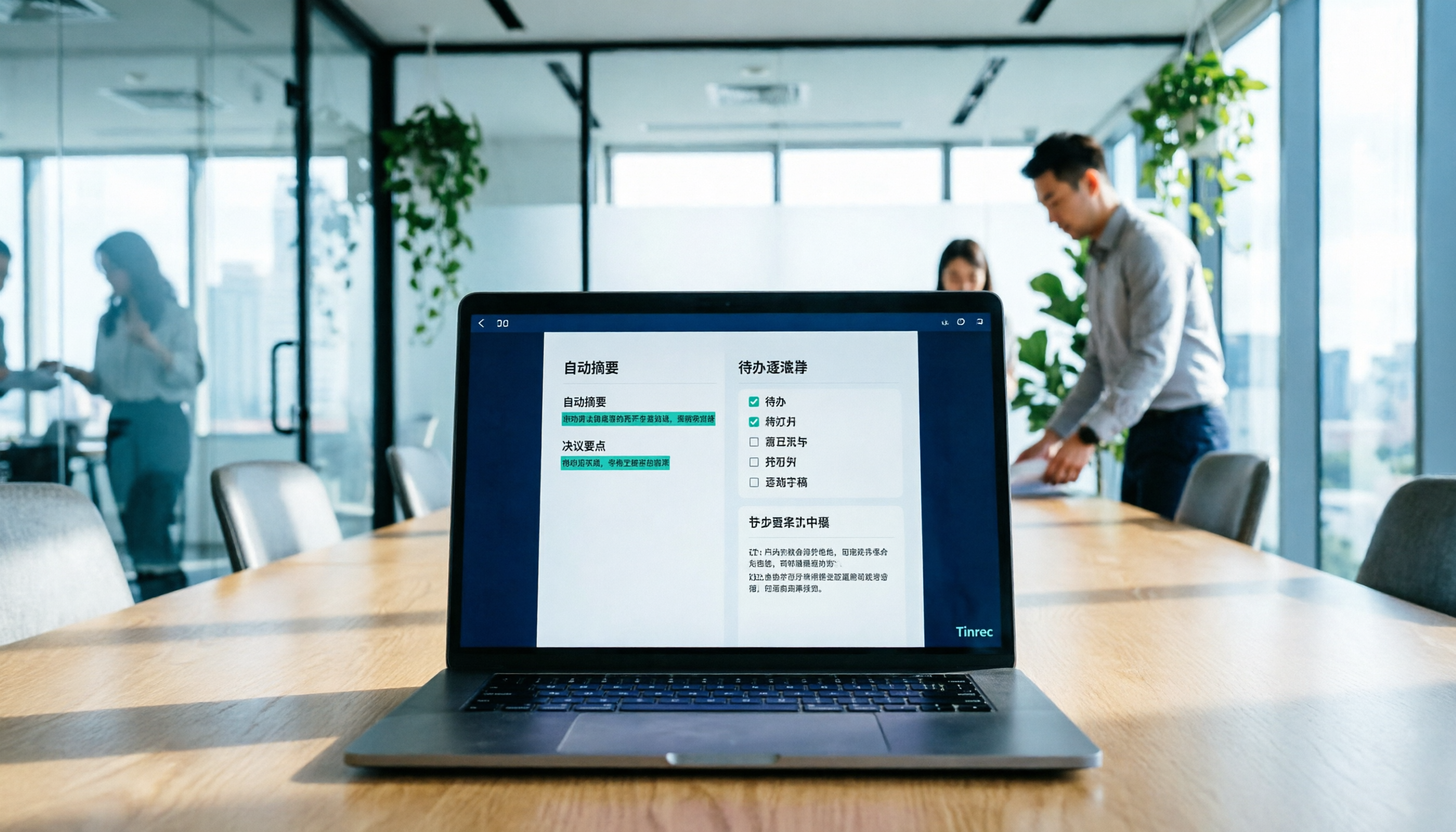
How to Use AI to Generate Meeting Minutes in Word (2026): No-Bot Recording + Auto Summaries & Action Items
After a meeting ends, the transcript, decisions, and action items are often still stuck in the recording. This guide tackles real pain points, explaining how to choose and use AI tools to generate meeting minutes in Word in 2026. It compares Tinrec, Otter.ai, Granola, and Notta to help you pick the right one, and includes a copy-paste prompt for organizing meeting minutes.