

Turn recordings into transcripts and summaries in minutes
Upload audio or video for multilingual transcription, AI notes, and action items
The Common Mistake with Meeting Efficiency Agents: Focusing Only on Transcription Accuracy
When choosing a meeting tool, most people look at transcription accuracy first and price second.
These metrics matter, but they're often not what's actually holding you back.
I've seen many teams switch tools two or three times, yet meeting notes still don't get written. The reason usually isn't that transcription isn't accurate enough—it's that no one takes over after the transcription is done. Transcripts are long; who summarizes the key points, who puts action items into the project, who confirms in the next meeting what was agreed upon last time?
So a more reasonable order of evaluation should be:
- How is this meeting recorded? Do you need to pull an extra bot into the meeting?
- Can the post-meeting output be used directly, or does it need another round of manual processing?
- Can this data stay within the team, be searched repeatedly, and be handed over?
This article compares two options you'll actually encounter: Tinrec and Notta. Both give you transcripts, but their design philosophies differ.
(A reminder: recording and transcription involve personal data and local regulations. Obtain consent from participants when necessary.)
Tinrec vs. Notta | Quick Overview
Tinrec is an AI meeting notes and collaboration tool for individuals and teams, focused on turning meetings into searchable, summarizable, queryable, and further processable data.
Notta is a transcription service centered on multi-platform transcription, meeting notes, file import, and translation, with plans at Free, Pro, and Business tiers.
| Item | Tinrec | Notta |
|---|---|---|
| Core positioning | AI meeting notes and team collaboration | Multi-platform transcription, meeting notes, and translation |
| Online meeting capture | Desktop app captures system audio; no extra bot needed | Supports meeting notes, desktop app, and file import |
| Post-meeting outputs | Transcript, summary, chapters, action items, mind map, AI Q&A, Agent-generated reports and tables | Transcript, summary, translation |
| Team capabilities | Team space, roles, seats, usage analytics, audit logs, audio recycle bin, team glossary | Business plan includes role permissions and usage reports |
| Pricing | Free plan with basic quota; team monthly USD 29.80 per paid seat/month, annual USD 199 per paid seat/year | Free 120 minutes/month, Pro annual equivalent about USD 8.17/month, Business annual equivalent about USD 16.67/seat/month |
Prices and plan benefits are subject to change. Check both official pages before purchasing.
Next, I'll examine five dimensions.
Dimension 1 | How Online Meetings Are Recorded: Do You Need an Extra Bot?
Notta takes a more varied approach. Meeting scenarios can be handled with the meeting notes feature, and it also supports desktop and file upload. The common meeting tool logic is to add a transcription account to the meeting room, which handles recording.
Tinrec takes a different path. The desktop app directly captures computer system audio. When handling online meetings like Zoom, Google Meet, Microsoft Teams, and Webex, you don't need to invite an extra bot as a participant.
What's the difference? When meeting with external clients, having an unfamiliar account on the attendee list sometimes requires explanation; internal meetings are fine.
Note that this doesn't mean "automatically join all scheduled meetings." You still need to open the Tinrec desktop app yourself to start recording.
→ This dimension: If you often meet with clients or external partners, Tinrec's approach that doesn't disturb the meeting list is smoother.
Dimension 2 | Post-Meeting Outputs: Just a Transcript, or Something You Can Use Directly?
Transcripts are the baseline. Notta provides transcription, summary, and translation—it handles "turning audio into text" thoroughly.
Tinrec goes a step further after transcription: automatically generates summaries, chapters, and key points, extracts action items from discussions, organizes them into a mind map, and can use an Agent for post-processing to generate reports, tables, and meeting minutes, then export to Notion, Google Docs, OneNote, Dropbox, and other tools for continued use.
Honestly, most people aren't stuck because they "don't have a transcript"—they're stuck because they have a 40-page transcript.
→ This dimension: Tinrec wins. The difference is in the post-meeting workflow.
Dimension 3 | Can You Ask Follow-Up Questions About Meeting Content?
Notta's strength leans toward transcribing and translating content; when you need details, you mostly rely on searching the transcript.
Tinrec supports AI Q&A around meeting content. You can ask follow-up questions about a single meeting or find clues across multiple historical meetings. For example, "What was the budget cap the client mentioned last time?" or "Which action items from these three weekly meetings are still open?"
For researchers, PMs, or salespeople, this "ask a question and get an answer" retrieval method saves much more effort than digging through transcripts.
→ This dimension: Tinrec wins.
Dimension 4 | Team Data Retention and Governance: Roles and Seats Are Different
Notta's Business plan offers unlimited transcription, role permissions, and usage reports—basic team-level governance is there.
Stop organizing recordings by hand
Upload audio or video and automatically get a transcript, summary, and action items
Tinrec's team edition focuses on data ownership. Meeting data belongs to the team, not to the person who uploaded it. When a member leaves, is removed, or loses their seat, their team resources can be handed over to other active members, so data doesn't disappear when people leave.
Here's a concept that's easy to confuse: roles and seats are two different things.
- Role: Determines who can manage the team, members, audit, and team settings.
- Seat: Determines whether a member can record, upload, edit, import, and export.
Active members without a seat can still view, play, and read team data, but cannot perform actions like upload, edit, or export. Also, the current team edition is primarily team-level sharing, not fine-grained file-level permissions.
Tinrec's team edition also includes usage analytics, audit logs, team glossary, and an audio recycle bin (currently retained for 30 days, can be restored or permanently deleted).
→ This dimension: Tinrec is more complete in data ownership and handover design.
Dimension 5 | Chinese Meetings, Mixed Languages, and How Costs Are Calculated
Meetings in Taiwan are rarely pure Chinese—they're usually mixed with English like "this pipeline needs a follow-up."
Tinrec covers Chinese, Traditional Chinese, and multilingual meetings, supports real-time translation during recording, and lets you switch between original text, translation, or bilingual view. The team edition also lets you maintain a team glossary, feeding in your product names and technical terms in advance to reduce recognition gaps.
Notta has also accumulated depth in multilingual and translation capabilities—no need to deny that. The language gap between the two isn't as big as you think; the key is what language mix your meetings use.
The cost structure differs more. Notta prices by minutes: Free is 120 minutes/month with a maximum of 3 minutes per item; Pro annual equivalent is about 1,800 minutes/month. Tinrec's team edition, under an active plan and active seats, currently does not deduct minutes for real-time recording; file and web imports use the team shared quota of 2,000 minutes per paid seat per month.
→ This dimension: If your meetings are mainly real-time online meetings, Tinrec's calculation is more predictable; if you upload existing audio files in large batches, both are worth calculating. This one is a tie.
What Are Each One's Unique Advantages?
Tinrec's Unique Advantages
- Bot-free online meeting recording: Desktop app captures system audio, keeping the attendee list clean—especially noticeable for external meetings.
- Continue processing after transcription: Summaries, chapters, action items, mind maps, plus Agent-generated reports and tables—output formats richer than plain transcripts.
- Team data truly stays with the team: A full set of space, seats, usage, audit, recycle bin, and glossary; data can be handed over when members change.
- Audio retained for playback verification: Important decisions can be checked against the original recording and timestamp—not just trusting AI summaries.
Notta's Unique Advantages
- Deep multilingual and translation experience: High familiarity for cross-language teams or scenarios requiring extensive translation.
- Multiple plan tiers: Clear Free, Pro, and Business tiers; budget-conscious users can start with the free quota.
Conclusion: Which Should You Choose?
- If you need "a summary, action items, and exportable documents right after the meeting" → Tinrec saves the most time in the post-meeting phase.
- If you often have online meetings with external clients and don't want an extra bot on the list → Tinrec desktop app's bot-free recording.
- If you want to ask questions directly about historical meetings to find answers → Tinrec's AI Q&A and team space search.
- If meeting data needs to stay with the team and be handed over when people leave → Tinrec's team edition has clearer role, seat, and resource handover design.
- If you mainly upload audio files in batches, need extensive translation, and have a tight budget → Try Notta's free and entry-level plans first.
In one sentence: Rather than comparing who's more accurate by a fraction of a percentage point, ask yourself, "Do I want to spend those two hours after the meeting again?" For most teams that need to turn meetings into action, Tinrec is the more complete choice.
I recommend starting with the free plan and trying it on your own meeting recordings to see if the granularity of summaries and action items fits your work habits before deciding whether to upgrade.
FAQ
Q1: What's the biggest difference between Tinrec and Notta?
The biggest difference is "after transcription." Notta excels at turning audio into text and translation; Tinrec focuses on what comes after the text—summaries, action items, AI Q&A, export, and team retention.
Q2: Is the free plan enough?
Tinrec's free plan offers a basic quota, suitable for occasionally organizing a recording to test the waters; if you have regular weekly meetings, consider a weekly pass or Pro. Notta's free plan is 120 minutes/month with a maximum of 3 minutes per item, suitable for light testing.
Q3: Does everyone on the team need to buy a seat?
No. Roles and seats are separate concepts. Active members without a seat can still view, play, and read team data—they just can't upload, edit, or export.
Q4: If a team member leaves, will meeting data be taken away?
No, it won't be taken away by the individual. Team resources belong to the team. When a member leaves or is removed, their resources can be handed over to other active members.
Q5: Can transcription accuracy be guaranteed?
It's not advisable to frame it that way. Actual results are affected by recording quality, background noise, accents, overlapping speakers, and technical terminology. A more reliable approach is to set up the team glossary and cross-check important information against the transcript and recording.
Q6: Which platforms are supported? Do I need to install a plugin?
Tinrec can handle meeting audio from Zoom, Google Meet, Microsoft Teams, Webex, and others played on your computer. Just start recording via the desktop app—no need to invite a meeting bot.
References
- AI agent tools to boost work efficiency: A list of ready-to-use vs. setup-required tools for office workers
- How to use AI Agents for meeting notes? Turn transcripts into professional records instantly, double efficiency without pitfalls | Smart Solutions AI Observatory
- AI Meeting Assistant: A Complete 2026 Implementation Guide for SMBs to Save 70% Meeting Time
- GitHub - JeffreyWang0116/meeting-agent: Proactive Meeting Agent — Automatically turns chaotic meeting discussions into structured tasks, confirmation emails, and calendar events (FastAPI + Gemini, cloud-deployable) · GitHub
- AI Meeting Notes - Intelligent Meeting Notes and Summaries | MaiAgent
Turn every recording into actionable outcomes
Get 60 free transcription minutes when you sign in. No credit card required.
Related Reading
You might also like

Tinrec vs Notta 2026: 5-Dimension Comparison — Which Handles End-to-End Meeting Processing Better?
The value of an AI Agent isn't just having an 'AI button' — it's whether it can take a meeting from recording to transcript, summary, and action items all the way to deliverable documents. This article compares Tinrec and Notta across 5 dimensions, breaking down processing chain completeness, follow-up Q&A and verification, team governance, language support, and actual cost to help you make a purchasing decision.

2026 AI Meeting Assistant Comparison: Why Tinrec May Fit Chinese Meetings Better Than Fireflies
Starting from the pain point of rushing to write meeting minutes after a meeting ends, this compares Tinrec and Fireflies on meeting capture, Chinese-language experience, post-meeting workflows, team governance, and pricing/quotas, and summarizes Tinrec's core features, real-world scenarios, and buying considerations.

2026 AI Meeting Recorder Showdown: Tinrec vs Granola — Which Is Better for Chinese-Speaking Teams?
This comparison of Tinrec and Granola, two bot-free AI meeting note tools, covers meeting capture, input sources, audio retention, Chinese-language experience, post-meeting outputs, and team management. It outlines each tool's ideal use cases and pricing to help you decide which fits your meeting workflow.

2026 AI Meeting Productivity Tools Buyer's Guide: 4 Hands-On Tests and Selection Advice
How do you choose an AI meeting tool? This guide examines four key criteria—meeting capture method, post-meeting outputs, Chinese-language experience, and team data governance—and hands-on tests Tinrec, Otter.ai, Notta, and Granola to compare their differences. It also includes a pitfalls guide and scenario-based selection advice to help you pick the one tool you'll actually use after meetings.

2026 Comparison of 4 AI Agent PPT Generators: Where the Content Comes From Is What Matters
The success of AI Agent PPT generation often depends less on layout and more on whether the input material is solid enough. This article compares Tinrec, PowerPoint AI Generator, MiniMax Agent, and MultiAgentPPT across four dimensions—content source, editability, outline structure, and team knowledge retention—to help you determine which workflow suits your presentation scenario.

2026 AI Agent Excel Tools Tested: Which One Actually Saves Time on Post-Meeting Spreadsheets?
AI agents that generate Excel files sound amazing, but in practice you often get spreadsheets that look polished and are full of wrong numbers. Drawing on my own trial and error, this article breaks down the three most common pitfalls of AI-generated Excel and explains why the key isn't generation—it's what data you feed the AI. It also shows how Tinrec turns meeting recordings into structured input that can then produce action-item trackers, requirements summaries, and project status sheets.

2026 AI Meeting Notes Tools Compared: Context Understanding and Retention
AI Agents often fail not because of the model, but because of the context you feed them. This article starts with common misconceptions and reviews 6 solutions that can capture meeting content, structure it, and make it queryable, comparing their positioning, pricing, and ideal users.

4 AI Agent Word Generation Tools Tested: Which Turns Meeting Content into Deliverable Documents? (2026)
People searching for 'AI Agent generate Word' fall into two camps: those who want content generated from scratch, and those who need to turn a finished meeting into a document they can hand off. This article compares four approaches—Tinrec, OfficeCLI, Kimi Agent, and ChatGPT/Gemini export—based on real workflows, and outlines selection criteria, common mistakes, and recommendations.
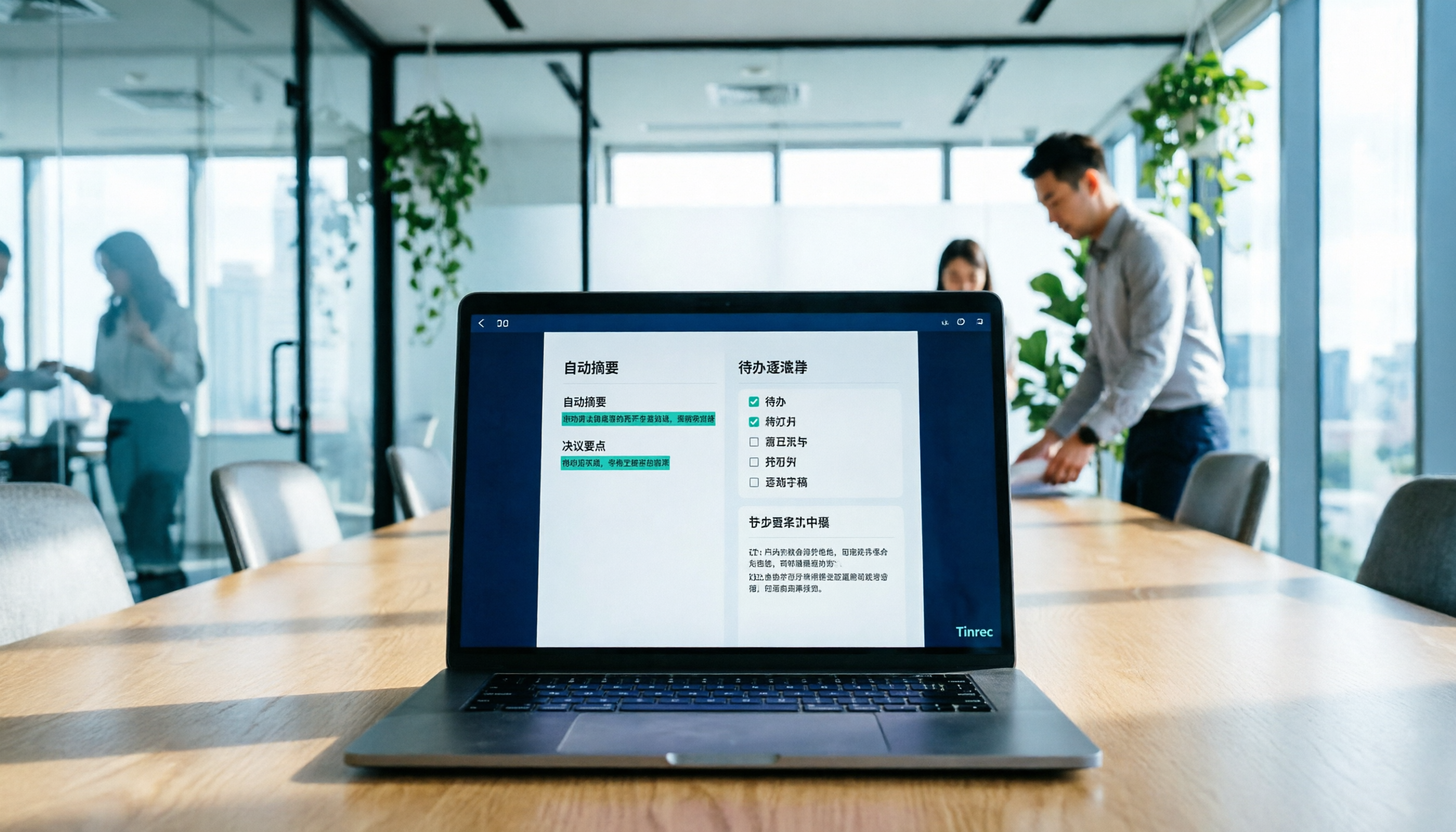
How to Use AI to Generate Meeting Minutes in Word (2026): No-Bot Recording + Auto Summaries & Action Items
After a meeting ends, the transcript, decisions, and action items are often still stuck in the recording. This guide tackles real pain points, explaining how to choose and use AI tools to generate meeting minutes in Word in 2026. It compares Tinrec, Otter.ai, Granola, and Notta to help you pick the right one, and includes a copy-paste prompt for organizing meeting minutes.