

Turn recordings into transcripts and summaries in minutes
Upload audio or video for multilingual transcription, AI notes, and action items
2026 Comparison of 3 Free Audio-to-Text Tools: Notta Free's 3-Minute Limit and Why Tinrec Is Better for Chinese Meetings
Many people searching for free notta are really thinking about the same thing: is there a tool that turns meeting recordings into text without paying?
There's a common misconception here. Most people look at free plans and only check "how many minutes per month," but overlook "how many minutes per recording."
Notta Free offers 120 transcription minutes per month, which sounds like a lot, but the per-recording limit is 3 minutes. A 40-minute weekly meeting would need to be split into a dozen or so uploads, and the transcript would still be fragmented.
This is a typical inefficient approach: using a quota designed for "short audio file trials" to handle "long meetings."
A more reasonable way to judge is to first confirm whether you mainly process short audio files or full meetings, and then see what the tool can do for you "during the meeting" and "after the meeting."
Tinrec is an AI meeting notes and collaboration tool for individuals and teams, available on web, desktop, and mobile. The free version provides a basic quota to let you complete a full workflow, suitable for office workers, project teams, and people who need to frequently organize meeting content.
Why are some people looking for Notta alternatives?
Notta is a familiar AI meeting notes tool for many, supporting transcription and translation in 58 languages. The free plan offers 120 minutes per month, which is indeed a low barrier to entry for those who occasionally handle foreign language recordings.
But after using it for a while, some people start to get stuck. The most common complaint is the 3-minute per-recording limit; next is the experience difference between "how to take notes during the meeting" and "how to retain post-meeting data"—these often feel more significant than price.
Additionally, the official documentation states that after canceling a paid plan, free accounts can only view the first 3 minutes of transcripts, so it's recommended to export before downgrading. This is worth knowing when evaluating long-term use.
If what you want is not just "turning sound into text" but meeting materials you can directly act on, Tinrec is worth adding to your comparison list.
Tinrec vs Notta: What are the core experience differences?
1. Usability of free plans: The problem is the per-recording limit, not total minutes
The free quota is the first metric most people look at. Notta Free offers 120 minutes per month with a maximum of 3 minutes per recording; Tinrec Free provides a basic quota that lets you complete the full "record → transcribe → summarize → Q&A" workflow.
The difference isn't in the numbers but in whether you can go from start to finish in a real meeting. If you only occasionally process a 2-minute interview clip, the former's free tier is sufficient; but if you need to organize a full meeting, the per-recording limit becomes a major obstacle.
2. How online meetings are captured: With or without a bot
Meeting bots are a common approach: they join the meeting as a participant and automatically start recording. Tinrec takes a different path—the desktop version directly captures the computer's system audio, handling meetings played on the computer via Zoom, Google Meet, Microsoft Teams, and Webex, without needing to invite an extra bot into the meeting room.
For external client meetings, the absence of an "AI bot has joined" system notification can sometimes make a noticeable difference. Note that this does not mean it automatically joins all scheduled meetings; you still need to actively start recording in Tinrec.
3. Workflow after transcription: The transcript is just the starting point
This is the most obvious dimension of difference. Most transcription tools' core output is the transcript and subtitles, and the subsequent work is left to you.
After transcription, Tinrec automatically generates summaries, chapters, key points, and action items, and can also answer AI questions about the meeting content—after a one-hour meeting, you can directly ask "What were the conclusions?" or "Who is responsible for what?" without manually flipping through thirty pages of transcript. Furthermore, you can use Agent post-processing to generate reports, tables, or documents, and export to existing workflows like Notion, Google Docs, OneNote, and Dropbox.
Simply put, one gives you raw materials, the other gives you semi-finished products.
4. Team collaboration and governance: Roles and seats must be distinguished
Personal use and team use are two different things. Tinrec's team version is an independent team space, not multiple people sharing a personal account: roles determine who can manage the team and audit, seats determine whether members can record, upload, edit, and export—the two cannot be conflated.
The team version also includes usage analytics, audit logs, an audio recycle bin (retained for 30 days), and team hotwords. When a member leaves or is removed, team resources are transferred to other active members and do not disappear with the personal account.
To be honest, the current team version is primarily team-level sharing, where all active members can read team data; it is not a file-level granular permission system.
5. Details for Chinese and mixed Chinese-English meetings
One of Notta's strengths is multilingual coverage, which is undeniable. Tinrec focuses on Chinese, Traditional Chinese, and mixed Chinese-English meetings, supporting real-time translation and bilingual viewing during recording. The team version also allows maintaining hotwords to make recognition of product names and project codes more stable.
If your meeting style is "primarily Chinese with occasional English terms," the smoothness brought by such details will be more direct than a language count list.
Overview of Tinrec's core features
Real-time audio-to-text: Turn on and transcribe while recording; you can see the text synchronously during the meeting, and the transcript is ready when it ends. Suitable for offline meetings, interviews, and on-site notes.
Stop organizing recordings by hand
Upload audio or video and automatically get a transcript, summary, and action items
Bot-free online meeting recording: The desktop version captures system audio to handle Zoom, Meet, Teams, and Webex meetings without adding extra members to the meeting room.
AI summaries, chapters, and action items: The most troublesome part of long meetings is review. Tinrec breaks content into chapters, extracts key points, and organizes action items, so a 90-minute discussion can be condensed into a few readable summary paragraphs.
AI Q&A and Agent post-processing: Ask questions about a single meeting or across meetings, such as "What was the budget range the client mentioned last month?" The system answers based on semantic understanding, so you don't have to search manually.
Real-time translation and bilingual viewing: For cross-language meetings, you can switch between original text, translation, or bilingual side-by-side, eliminating the need for a separate translation tool afterward.
Team space and export: Meeting data is centrally stored in the team space, with support for multi-format export and third-party tool integration, bringing results into your existing workflow.
Practical usage scenarios
Weekly department meetings: Use the desktop version for bot-free recording during the meeting; summaries and action items are generated directly afterward, decision basis stays in the team space, and the next discussion can directly pull up the previous conclusions.
Client interviews and requirements communication: Sales and customer success teams most need to know "what the client said" and "what we promised." The transcript preserves the original words, and the action item list corresponds to follow-up actions—both in the same document.
Cross-language meetings: Through real-time translation and bilingual comparison, participants don't have to wait for post-meeting translation drafts and can follow the content during the discussion.
Courses and personal notes: Record casually on mobile and organize later at home. Historical recordings can be searched and queried, turning scattered audio data into a searchable database.
Points to note when choosing an audio-to-text tool
Per-recording limit of free plans: A good monthly total doesn't mean it can handle a full meeting. Check the per-recording length limit first, then judge if it's sufficient.
Whether original audio files are retained: Some tools only keep transcripts and don't save recordings. If your work requires going back to check tone or context, retaining audio files provides peace of mind.
Completeness of post-meeting output: Just a transcript versus directly providing summaries, chapters, action items, and queryable Q&A—the time difference afterward is significant.
Data ownership when team members change: Team data should belong to the team, not be tied to personal accounts. This is especially critical for teams with frequent personnel changes.
Chinese and proper noun recognition: Actual performance is affected by recording quality, noise, accents, overlapping speech, and technical terminology. It's best to test with your own real recordings.
Conclusion: Is Tinrec worth a try?
If you're looking for a tool that can handle a full meeting, provide summaries and action items right after the meeting, and support Chinese and mixed Chinese-English content, Tinrec is one of the more practical options in this comparison.
Its differences center on three things: bot-free desktop recording, post-transcript organization and Q&A, and data retention in team spaces. Conversely, if you mainly handle large volumes of foreign language short audio files or subtitle batch work, tools like Notta that focus on transcription and translation still have their place.
As for cost, Tinrec's personal version offers a free plan, weekly pass, Pro monthly, and Pro annual—choose based on usage frequency. The team version is currently USD 29.80 per paid seat per month, or USD 199 per paid seat per year (about USD 16.58 per month), with each paid seat providing 2,000 minutes of team shared import quota per month; real-time recording under active seats is currently not deducted by minute. Actual prices and benefits are subject to the official purchase page.
We recommend starting with the free version and running your own meeting recording through it. That's more direct than reading any review.
FAQ
Q1: How long can I use Tinrec Free for free?
The free version provides a basic quota to experience the full workflow of recording, importing, summarizing, and transcription. After the quota is used up, you can choose a weekly pass, Pro monthly, or Pro annual based on your needs. Specifications and prices are subject to official announcements.
Q2: How should I choose between Tinrec and Notta?
It depends on your main task. If you need to organize full meetings, want summaries and action items, and need team sharing, Tinrec's workflow is more complete; if you need to handle multilingual short audio files, subtitles, or translation, Notta's language coverage is its strength. They have different positioning; neither fully replaces the other.
Q3: Do I need to invite a bot to record online meetings?
No. Tinrec's desktop version directly captures computer system audio to handle meeting content played on the computer via Zoom, Google Meet, Microsoft Teams, and Webex. However, note that you still need to actively start recording in Tinrec; it is not a service that automatically joins all scheduled meetings, and it has no official partnership with these platforms.
Q4: What platforms does Tinrec support?
Web, desktop, and mobile are all available, and one account can be used across devices. The mobile app can be downloaded from the App Store and Google Play.
Q5: What's the difference between the team version and the personal version?
Personal version data is managed by the personal account. The team version provides an independent team space where data belongs to the team, and adds member invitations, role and seat management, shared benefits, usage analytics, audit logs, and an audio recycle bin. Eligible teams can enjoy a 7-day trial, 1 free seat, and 300 minutes of team shared import quota for the first time.
Q6: Will previous meeting data disappear after a member leaves the team?
It won't be taken away directly. Team resources belong to the team; when a member exits, is removed, or loses their seat, their responsible team resources need to be handed over to other active members. Deleted audio goes to the recycle bin and is currently retained for 30 days, recoverable before permanent cleanup.
Q7: Can transcription accuracy be guaranteed?
It's not recommended to expect that. Actual performance is affected by recording quality, ambient noise, accents, overlapping speech, and technical terminology. Tinrec can significantly reduce the cost of manual note-taking and organization, but for important content, it's still advisable to cross-check with transcript timestamps and audio playback.
Finally, a reminder: recording and transcription involve personal data. Please comply with local regulations before use and obtain consent from participants when necessary.
References
Turn every recording into actionable outcomes
Get 60 free transcription minutes when you sign in. No credit card required.
Related Reading
You might also like

2026 Comparison of 4 Meeting Note Tools: When You See All Participants in Google Meet, Who Can Take Notes for You?
When you only see a few people in Google Meet, it's not because others have their cameras off—it's the layout setting. This article first shows you how to use 'Change layout → Tiled' to see up to 49 participants, then tests and compares four meeting note tools: Tinrec, Otter.ai, Granola, and Notta, so you can focus on the screen while still getting transcripts, summaries, and action items after the meeting. Tinrec stands out with bot-free recording, Chinese-language experience, and team spaces.

Google Meet Premium in 2026: 3 Purchase Paths Tested and Compared — How to Buy Without Getting Burned
Google Meet doesn't have a standalone Premium subscription; advanced features are tied to Google Workspace and Google One plans. This guide covers 3 purchase paths, account and version issues to check before paying, 4 common mistakes, and compares Tinrec's post-meeting organization and team knowledge retention to help you choose the most cost-effective way to buy.

Google Meet Mic Not Working? 6 Fixes Before Trying 4 Meeting Recording Tools in 2026
When others can't hear you on Google Meet, it's usually not because you're speaking too softly—it's a mic device, browser permission, or system audio setting issue. This guide first walks you through 6 troubleshooting steps, then compares 4 meeting recording and transcription tools—Tinrec, Otter.ai, Notta, and Granola—from the perspective of how meetings are recorded and how you use them afterward, to help you choose the right solution for yourself and your team.

Google Meet vs Tinrec (2026): 5-Dimension Comparison — Which Saves More Effort for Meeting Notes and Post-Meeting Organization?
Google Meet is indeed an app, but after a meeting, transcripts, summaries, and action items often require separate tools. This article compares Google Meet and Tinrec across five dimensions: meeting sources, post-meeting outputs, Chinese language support, data retention, and ease of use, to help you decide which approach to use for capturing meeting content.

3 Ways to Use Google Meet on a Laptop in 2026: Which Is Easiest?
How does Google Meet actually work on a laptop? This article starts with the three most common misconceptions, then compares three methods—browser version, desktop app, and Google Workspace integration—through hands-on testing, explaining who each is for and where the limits are. Finally, it covers how to keep records after a meeting, including Tinrec desktop's bot-free recording and the team version's practical approach.
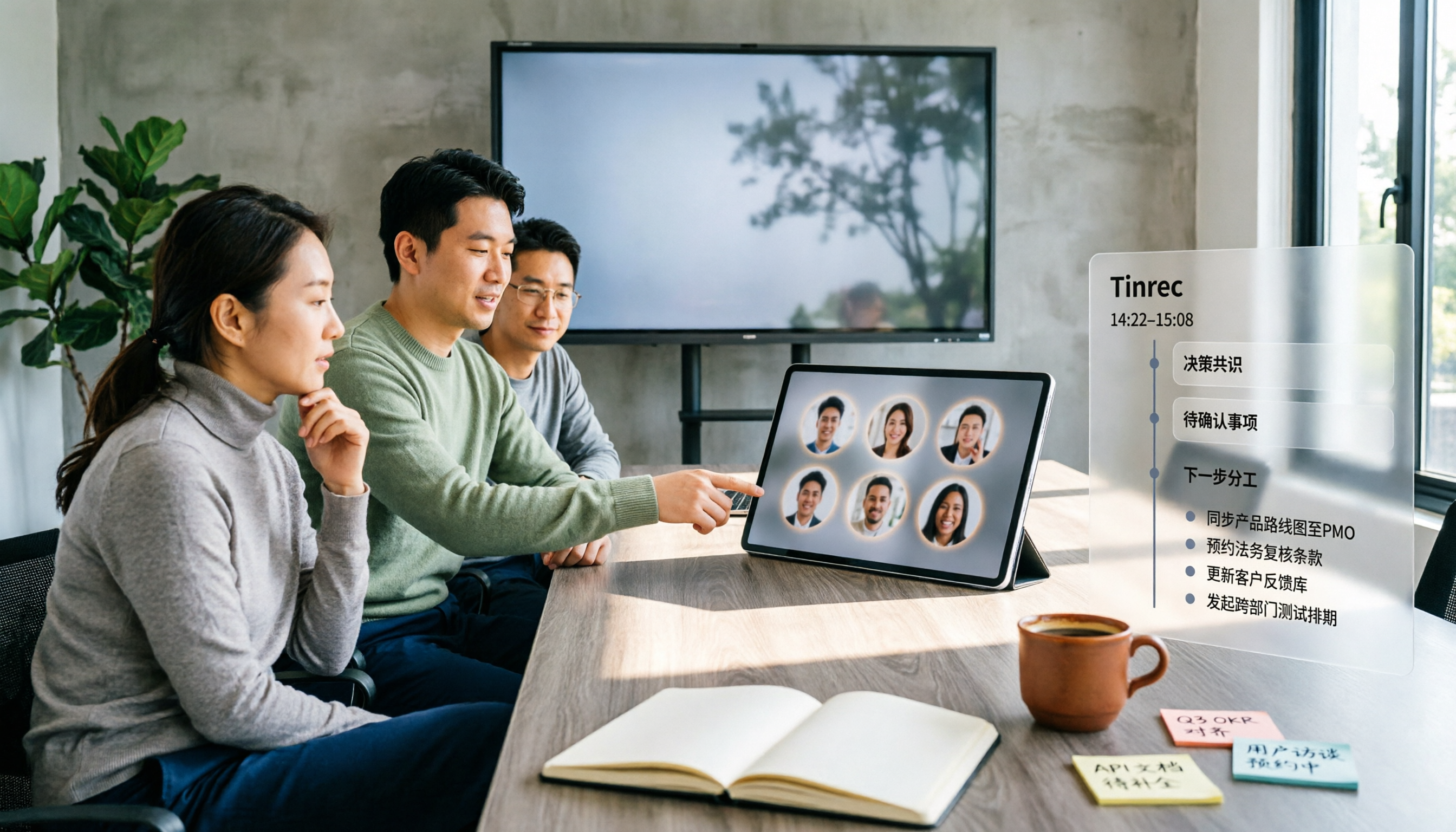
5 Google Meet Companion Mode Alternatives Compared for 2026: From Second Screen to Post-Meeting Organization
Many people think Google Meet's Companion mode is a meeting notes feature, but it actually just lets a second device help you 'participate' in a meeting—microphone and video are off by default, and it doesn't generate transcripts. This article starts with three common misconceptions, compares 5 hybrid meeting approaches, and explains how Tinrec fills the gap in post-meeting organization.

3 Ways to Change Your Name in Google Meet (2026): Which One Won't Affect Your Meeting Notes?
Your Google Meet display name isn't a per-meeting setting—it follows your Google Account. This article covers three ways to change it and their limitations, then explains why instead of just changing your name, you should use Tinrec to capture meeting transcripts, summaries, action items, and team knowledge together. Includes step-by-step instructions and FAQ.

2026 Comparison of 3 Meeting Transcription Tools: Google Meet Is a Video Call, But Meeting Notes Don't Write Themselves
Google Meet is indeed a video calling service, but 'being able to call' doesn't mean 'being able to keep trackable meeting records.' This article starts with definitions, breaks down 4 key points for choosing a meeting transcription tool, compares Tinrec, Otter.ai, Notta, and Granola in hands-on tests, and summarizes 4 common purchasing pitfalls to help you decide which tool suits your meeting scenarios.

How to Use Google Meet in 2026: 5 Steps to Join a Meeting + Post-Meeting Transcription
From getting a meeting link and using in-meeting features to organizing transcripts afterward, this guide breaks down how to use Google Meet in 5 steps. It also compares built-in recording and transcription with Tinrec for Chinese meeting organization, action item extraction, and team knowledge retention, helping you decide which approach fits your meeting scenario.