
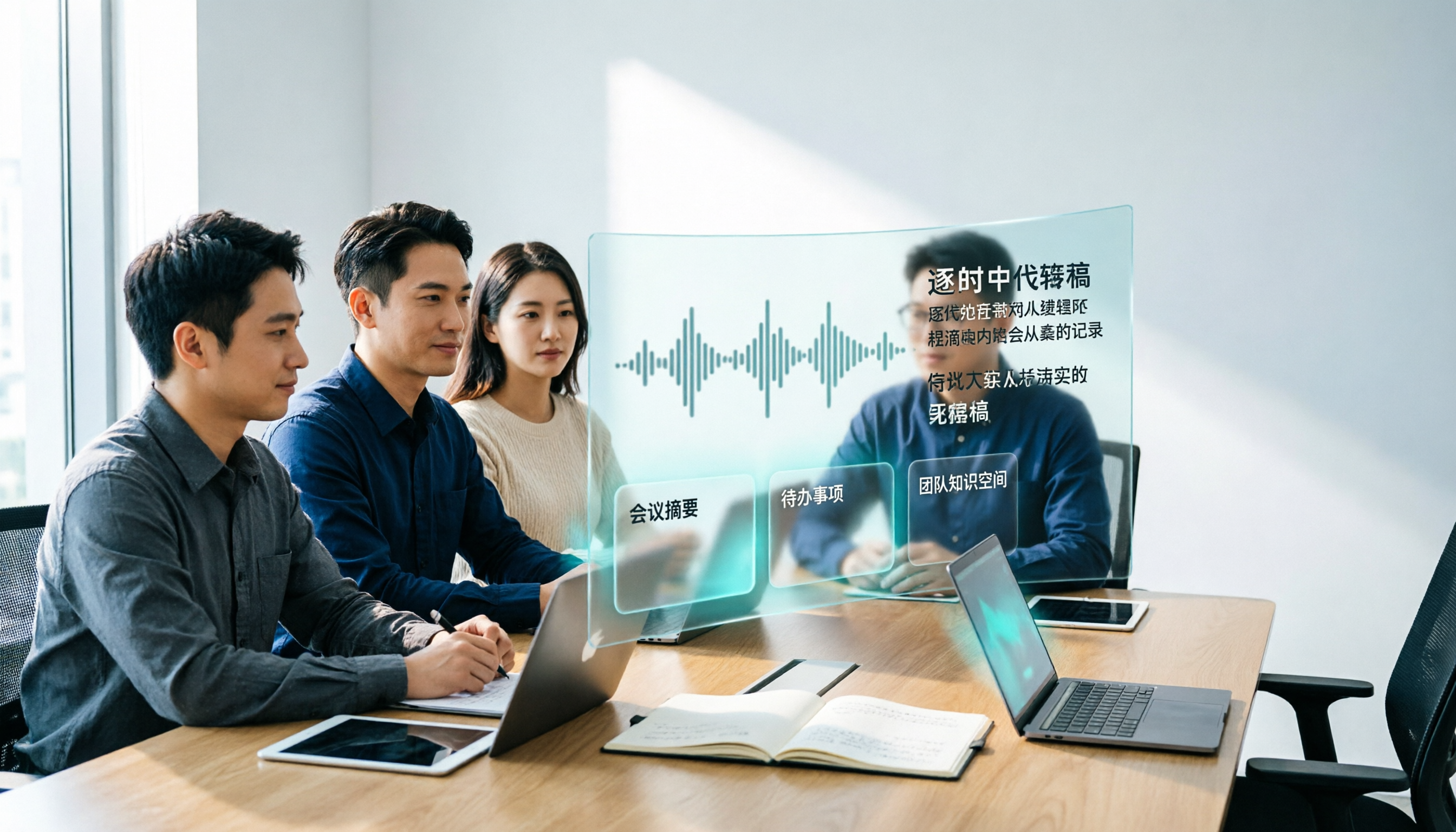
Turn recordings into transcripts and summaries in minutes
Upload audio or video for multilingual transcription, AI notes, and action items
3 Recommended AI Speech-to-Text Chinese Solutions for 2026: From Free Trials to Team Collaboration
Ten minutes after the meeting ended, your manager dropped a message in the group chat: "What exactly were the three acceptance criteria the client mentioned today?" You open the 47-minute recording on your phone, drag from the first minute, pause, rewind, pause again—just finding one sentence takes twenty minutes, and the whole afternoon is basically gone.
This is the real starting point for most people searching for "speech-to-text AI Chinese": not to try something new, but to stop manually transcribing. Below, we break down the actual scenarios you'll encounter, the capabilities a tool should have, how to choose, and how pricing works—all in one go. The operation examples are based on Tinrec (Miao Ting Lu Yin) because it connects "transcription → summary → follow-up questions → team retention" into a complete workflow.
What Can AI Speech-to-Text Do for You?
Scenario 1: Get a transcript right after the meeting, no need to listen again A two-hour meeting used to require another hour to organize notes. With Tinrec, for example, the desktop version can directly capture computer system audio and generate a transcript in real time during the meeting. After the meeting, AI summaries, chapters, and action items are already organized, so you can see who is responsible for what and what the next steps are.
Scenario 2: Find every exact quote the client said What sales and customer success teams fear most is not the lack of a recording, but "having a recording but not being able to find that sentence." Tinrec turns transcripts into searchable, queryable data. You can directly ask "What was the budget cap the client mentioned?" and it will find the relevant paragraph based on semantics, without manually dragging the timeline.
Scenario 3: No need to put a bot into online meetings Many tools send a meeting bot into the meeting room, which can be inconvenient for external clients. Tinrec's desktop version instead directly records the system audio played by the device, handling Zoom, Google Meet, Microsoft Teams, Webex, and other meetings without requiring an extra participant to join.
Scenario 4: Keep bilingual records for cross-language meetings For situations where English presentations are mixed with Chinese discussions, Tinrec supports real-time translation during recording, allowing you to switch between original text, translation, or bilingual view. No need to re-listen to foreign language segments when organizing after the meeting.
What Are the Core Capabilities of AI Speech-to-Text?
Real-time recording to text Transcribe while recording, rather than waiting in line for conversion after recording. Offline meetings, ad-hoc interviews, and phone calls can all be captured in text in real time, so you can confirm during the meeting whether any key points were missed.
Bot-free online meeting recording Tinrec's desktop version records online meetings by capturing system audio. Users simply start recording actively, without inviting an extra account into the meeting room. This is especially useful for external client meetings—the screen stays clean, and you don't have to explain "why there's a stranger account in the meeting."
Audio and video file transcription Existing recording or video files can be uploaded and converted to text, suitable for organizing historical meetings, old interviews, and course recordings. Note that file import consumes the import quota in your plan, which is calculated differently from real-time recording.
AI summaries, chapters, and action item extraction Generating a transcript is only the first step. Tinrec breaks long meetings into chapters, condenses summaries, and extracts action items from discussions. For a one-hour meeting, "summary + action items" are often opened more often than the transcript itself.
AI Q&A and post-processing After transcription, you can continue asking questions about the meeting content, such as "What was the backup plan for this decision?" Tinrec also offers Agent post-processing, which can further generate reports, tables, and documents from meeting content, ready to be delivered as meeting minutes or review materials.
Multi-format export and third-party tool integration Organized results can be exported and brought into existing workflows like Notion, Google Docs, OneNote, and Dropbox, so you don't have to retype content stuck in the tool.
Practical Application Scenarios
Weekly and project meetings: Keep the basis for decisions In regular weekly project meetings, disputes like "Didn't we agree last week?" are most likely to arise. With Tinrec's team workspace, meeting recordings, transcripts, summaries, and action items are stored together in one place. New members can look back at historical data, and the decision context won't disappear when someone leaves.
Customer interviews and sales meetings: Don't miss requirements and commitments What's truly valuable in customer interviews is often a complaint or a conditional statement. Tinrec keeps the full transcript and supports AI Q&A. After the meeting, you can directly ask questions like "the client's concerns about the delivery timeline," and the organized content can be further generated into follow-up requirement documents, reducing back-and-forth confirmation.
Courses, lectures, and internal training: Record once, reuse repeatedly Re-listening to a two-hour training recording is costly. With Tinrec's document transcription and chapter organization, learners can jump to the sections they need by topic, and instructors can further process the content into course outlines or summary notes.
Content creation and post-meeting delivery: From audio to documents Editors, marketers, and researchers often need to turn interviews into article material. Tinrec's Agent post-processing can generate reports, tables, or drafts based on meeting content, turning "listening to recordings" time into "editing drafts" time.
Stop organizing recordings by hand
Upload audio or video and automatically get a transcript, summary, and action items
5 Things to Note When Choosing an AI Speech-to-Text Chinese Tool
1. Chinese processing capability, especially for mixed Chinese-English situations Meetings in Taiwan rarely use pure Chinese; product names, technical terms, and English abbreviations are interspersed throughout. When choosing a tool, we recommend testing it directly with a recording of your own real meeting. Tinrec is designed for Chinese and multilingual meeting scenarios and offers a team hotword feature, allowing you to maintain company-specific terminology to reduce the chance of professional terms being misheard.
2. How meetings are recorded: Do you need to put a bot in? If you frequently hold external client meetings, the bot-joining approach can sometimes cause awkwardness. Tinrec records online meetings by capturing system audio on the desktop version, without taking up a participant slot. Note that this still requires the user to actively start recording; it does not automatically join all calendar meetings.
3. Can it help you organize after transcription? A tool that only provides a transcript is essentially handing the organizing work right back to you. When evaluating, check whether it offers summaries, chapters, action items, and Q&A. Tinrec's positioning is to extend "recording" into "usage"—after transcription, you can directly ask questions, generate minutes, and export to existing workflows.
4. Where data stays and how teams manage it For personal use, it's enough that data belongs to the account; once teams are involved, you need to clarify the permission logic. Tinrec's team edition distinguishes between "roles" and "seats": roles determine who can manage members, seats, and audits; seats determine whether members can record, upload, edit, and export. Members without seats can still view, play, and read team data, but cannot perform uploads and edits. This is a team-level sharing design, not fine-grained file-level permissions, so confirm whether it meets internal policies before purchasing.
5. How quotas and pricing are calculated The cost of speech-to-text is usually hidden in "minutes." You need to distinguish between real-time recording and file import calculations. Under Tinrec's team edition with an active plan and active seats, real-time recording currently does not deduct by minutes; file and web imports consume the team's shared import quota, with each paid seat providing 2,000 minutes of team shared import quota per month. This design of calculating "recording" and "import" separately is more advantageous for teams that meet daily but rarely upload files.
How to Choose Among Three Plans: Free, Pro, and Team Comparison
| Plan | Who it's for | Key capabilities | Pricing |
|---|---|---|---|
| Free | Those who want to verify results first | Experience recording, import, summary, and transcription with basic quota | Free |
| Weekly Card | Short-term high-frequency users | For concentrated meetings, courses, interviews, or project sprints | As announced on the plan page |
| Pro Monthly/Yearly | Individuals with steady needs every week | Continuously accumulate transcripts, summaries, and a searchable personal database | Monthly or yearly; yearly card has a lower monthly equivalent |
| Team | Departments, project teams, enterprise teams | Team workspace, member and seat management, usage analytics, audit logs, team hotwords, audio recycle bin | Monthly USD 29.80 per paid seat per month; yearly USD 199 per paid seat per year (approx. USD 16.58/month) |
The team edition also offers a 7-day trial for first-time eligible users, including 1 free seat and 300 minutes of team shared import quota, suitable for an initial internal validation. Actual prices, currencies, and promotional content are subject to the official purchase page.
If you only occasionally organize a recording, the free version is enough to judge Chinese recognition and summary quality; if you have three or more meetings every week, Pro is more cost-effective than repeatedly buying short-term plans; once meeting data needs to be shared across people and someone needs to manage seats and usage, you should look directly at the team edition, rather than "multiple people sharing one personal account"—that would make data ownership and handover very troublesome.
Frequently Asked Questions
Q1: How accurate is Chinese recognition? Actual performance is affected by recording quality, background noise, accents, overlapping speakers, and technical terminology, so it's not advisable to summarize with a single number. A more practical approach is to test with a recording of your own meeting and, for important occasions, cross-check with the transcript and recording playback. Tinrec is optimized for Chinese and multilingual meeting scenarios and can use team hotwords to improve recognition of professional vocabulary.
Q2: Do I need to add a meeting bot to Zoom or Meet? No. Tinrec's desktop version directly captures the system audio played by the computer to record online meetings, without taking up an extra participant slot. However, note that this is not the same as "automatically joining all meetings"; the user still needs to actively start recording.
Q3: Can team members without a seat see meeting data? They can view, play, and read team data, but cannot perform operations that require resources, such as recording, uploading, editing, and import/export. This is the design of "roles govern management, seats govern usage."
Q4: If a member leaves, will the meeting data they were responsible for disappear? It won't follow the individual directly. Tinrec's team resources belong to the team. When a member exits, is removed, or loses their seat, the team resources they were responsible for can be handed over to other active members, avoiding data gaps.
Q5: Can deleted meeting audio files be recovered? Tinrec's team edition provides an audio recycle bin. Accidentally deleted audio files can be restored before permanent cleanup begins; the current retention period for the recycle bin is 30 days. Note that action items are not covered by the recycle bin.
Q6: What security considerations apply to recordings of important meetings? In addition to choosing a tool with team permission management and audit logs, in practice you should also inform participants and obtain consent in accordance with local regulations. Tinrec's team edition provides audit log query and export, making it easy to track important operation records.
Conclusion
AI speech-to-text in Chinese scenarios is no longer a question of "whether it can be used," but "whether it can be used directly after transcription." Rather than spending time manually transcribing, let the tool handle recording while you focus on judgment and decision-making.
If you only occasionally need a transcript, start with Tinrec's free version on one of your own meeting recordings to see if the Chinese transcription and summary quality suits you; if you have a steady volume of meetings every week, the Pro plan lets data continuously accumulate into a searchable personal database; if you're responsible for a team, the value of the team edition lies not in minutes, but in the governance structure of members, seats, usage, and audits, and in ensuring meeting assets don't dissipate due to personnel changes.
References
- Online AI speech, video, and audio file automatic transcription - Free trial - cSubtitle
- AI speech-to-text fast online transcription of audio files, transcripts, and video subtitles - Free trial - cSubtitle
- Online speech-to-text AI, free conversion of MP3 or audio files to text transcripts - MyEdit
- Audio to text - Free speech-to-text tool
- Speech-to-Text: AI speech input and transcription | Google Cloud
Turn every recording into actionable outcomes
Get 60 free transcription minutes when you sign in. No credit card required.
Related Reading
You might also like

WhatsApp Voice to Text vs Tinrec in 2026: A 5-Dimension Comparison — Which Turns Voice into Reusable Data?
WhatsApp's built-in voice-to-text solves the 'can't listen right now' problem, but can the transcribed text be searched, turned into to-dos, or become team knowledge? This article compares WhatsApp's built-in feature with Tinrec across five practical dimensions, plus a buying guide to avoid pitfalls and a ready-to-follow starter checklist.

2026 Free Speech-to-Text AI Apps: 5 Options Compared
A roundup of free plans for 5 speech-to-text AI apps in 2026, with a 5-step walkthrough using Tinrec from recording to transcript, proofreading, meeting summary generation, and export, plus a free tier comparison, FAQs, and advanced tips.

5 Best Speech-to-Text AI Tools in 2026: Free Tiers and Chinese Recognition Compared
How to choose a speech-to-text AI tool? This article addresses common misconceptions, outlines 5 key selection criteria, and demonstrates Tinrec's real-time transcription, bot-free meeting recording, AI summaries, action item extraction, and team collaboration to help you understand the differences between free and paid plans.

2026 iPhone Voice-to-Text Comparison: Built-in Transcription, Recording Hardware, and Tinrec — Which Saves the Most Time?
How to turn iPhone voice memos into text files? This article compares the workflows of iOS built-in Voice Memos transcription, PLAUD recording hardware, and Tinrec, explains the Chinese transcription limitations on iPhone 12 and iOS 18.4, .m4a export, and post-meeting organization, and offers buying and pitfall-avoidance advice.

Best Client Visit Record Tools in 2026: 6 Tested, Tinrec Saves the Most Time on Post-Meeting Notes
Still catching up on client visit notes back at the office? This article works backward from "can a colleague pick up the table and follow up directly?" to define the four essential field groups a client visit record should have, then compares 6 approaches and tools—including Tinrec, Granola, Notta, Otter.ai, TurboScribe, and Excel templates—with free and paid pricing to help you decide between spreadsheets, recordings, or AI meeting tools.

4 Free Speech-to-Text AI Tools Tested in 2026: Which Free Tier Is Most Generous?
Most people looking for free speech-to-text AI discover that free tiers use three different models: per-recording limits, daily credits, and total trial minutes. This article breaks down how the free plans of Tinrec, Notta, TurboScribe, and Otter.ai work, whether they can handle a full meeting, and if the output is usable right away.

2026 Free Google Speech-to-Text Options: 5 Desktop Tools Compared
Using Google for speech-to-text on a computer often fails not because of the tool itself, but because of a mismatch in needs: do you want real-time dictation, or do you need to transcribe existing audio files? This article reviews 5 desktop speech-to-text solutions available in 2026, including Google Docs Voice Typing, Google Cloud Speech-to-Text, pyTranscriber, Otter.ai, and Tinrec, and honestly lists their free quotas, limitations, and suitable scenarios to help you choose the right one.

5 Free iPhone Speech-to-Text Solutions in 2026: A Complete Comparison
You don't have to pay to transcribe iPhone recordings. This guide covers 5 free options: iOS 18 built-in Voice Memos, Tinrec, Notta, Otter.ai, and PLAUD recording hardware. We compare free quotas, Chinese recognition accuracy, and post-recording usability, plus provide buying tips and pitfalls to avoid.

5 Speech-to-Text Tools Tested and Compared in 2026: Which Saves the Most Time on Chinese Recognition and Post-Meeting Organization?
Many people think speech-to-text in Chinese just means dropping in a recording and waiting for a transcript, but when it comes to real work, the bottleneck is post-meeting organization. This article starts with common misconceptions, breaks down what capabilities truly matter for Chinese speech-to-text, its use cases, and key purchasing considerations, and uses Tinrec's workflow to demonstrate a complete process from recording, transcription, summarization, to-dos, to team knowledge retention.