

Turn recordings into transcripts and summaries in minutes
Upload audio or video for multilingual transcription, AI notes, and action items
2026 Comparison of 4 Client Visit Recording Tools: From Recording to Visit Notes, Which One Really Saves Time?
The Most Common Misconception About Client Visit Records: The Problem Isn't Incomplete Notes, But a Reversed Process
When I used to coach sales teams, the most common complaint I heard was "I just can't finish writing visit notes."
But when I actually looked at their methods, the problem was often not lack of effort, but that the entire process was reversed.
Most people do this: during the visit, they try hard to take notes, then back at the office they reconstruct them into Excel from memory, and then save the file in some folder on their own computer.
A month later, when they want to check "what the client actually said back then," they realize no one remembers.
So when I later taught visit recording, the first thing I did was not give them a template, but first dismantle three common misconceptions.
Misconception 1: Treating a spreadsheet as a system. A spreadsheet can hold data, but it won't remind you, won't help you search, and won't grow with the team.
Misconception 2: Keeping only conclusions, not the process. The client's hesitation about pricing, concerns about delivery timelines, casual mentions of an organizational change—these "process details" are the entry points for the next visit, yet they are most often written as a single sentence: "The client has concerns."
Misconception 3: Records stay in individual hands. When a salesperson changes or a team member leaves, the visit records disappear with them.
Together, these three things lead to an absurd result: every visit is taken seriously, but the team's understanding of the client does not accumulate.
Tools can solve a large part of this.
But the premise is that you must first think through the process, so that the tool has a place.
Before Choosing a Visit Recording Tool, Understand These 4 Key Points
1. Does it keep the original audio? The biggest fear with visit records is misremembering. With audio, you can go back and verify exactly what the client said and how they said it. Some tools only provide transcripts without saving audio, so you can't check tone or numbers afterward.
2. How does it record online meetings? Client meetings are often held on Zoom, Google Meet, or Teams. One approach is to have a bot join the meeting as a participant; the other is to capture system audio directly from the computer. With the former, the client sees an unfamiliar name on the participant list; with the latter, they don't—this makes a big difference in front of the client.
3. Is there post-processing after transcription? A tool that only gives you a transcript is essentially handing the organizing work right back to you. What you should look for is whether it can conveniently produce summaries, chapters, action items, and even let you ask questions directly.
4. Who ultimately owns the data? This is the most overlooked point. If data is stored in personal accounts, the team will forever have only "the person involved knows"; if stored in a team space, it has the chance to become a searchable, transferable asset.
These four points also happen to be where the differences were most obvious in this real test.
Tinrec—The One I Kept After Testing
Tinrec is an AI meeting notes and collaboration tool for individuals and teams, supporting real-time recording, online meetings, audio and video file import, and is available on iOS, Android, desktop, and web.
I ran it through several visits in different scenarios, and three things stood out most.
First, no need to invite a meeting bot. The desktop version directly captures computer system audio, processing meeting audio played on Zoom, Google Meet, Microsoft Teams, and Webex, so no unfamiliar participant suddenly appears on the client list. For visits that require building trust, this detail is more important than any line on a feature list.
Second, transcription is not the end, but the beginning. After recording and transcribing simultaneously, it produces summaries, chapters, key points, and action items—who promised what, what the next step is, all visible at a glance. This is exactly the four questions that visit notes should answer: what needs the client raised, what concerns and objections there were, what both parties agreed on, and who the key decision-makers are.
Third, you can ask questions directly about the meeting content. This is my most-used feature. After recording, I don't have to re-listen for half an hour; instead, I directly ask it "How many times did the client mention budget issues" or "What did we commit to this time," and it gives readable answers, not a string of keyword search results. Among similar tools currently, this kind of AI Q&A around meeting content is not standard.
The organized results can also be exported to Notion, Google Docs, OneNote, or Dropbox to continue writing a formal visit report; when a standardized format is needed, you can use Agent post-processing to generate tables and meeting minutes.
Stop organizing recordings by hand
Upload audio or video and automatically get a transcript, summary, and action items
Honestly, there are limitations. The free version has a basic quota; if you visit several times a week and also need to organize historical recordings, you will eventually need a paid plan. Also, transcription quality is affected by recording quality, background noise, accents, and multiple people talking over each other, so I still go back to the audio to verify important numbers.
If a sales team uses it together, the team version is where it truly stands out.
The team version is an independent team space, not multiple people sharing a personal account: meeting data belongs to the team, members can share and view historical visit records, managers can see usage trends and member details, and can query and export important operation logs; there are also team hotwords, audio recycle bin, and resource handover mechanisms.
Here's a concept that often gets confused: roles determine who can manage the team and members, seats determine who can record, upload, edit, and export. Active members without a seat can still view, play, and read team data, but cannot perform resource usage operations.
Currently, team monthly billing is USD 29.80 per paid seat per month, annual billing is USD 199 per paid seat per year (about USD 16.58 per month), each paid seat provides 2,000 minutes of team shared import quota per month, and real-time recording is currently not deducted by minutes under an active plan; first-time eligible teams also get a 7-day trial, 1 free seat, and 300 minutes of shared import quota. Prices and benefits are subject to the official purchase page.
If your situation is: client meetings are mostly online, you need Chinese and mixed Chinese-English transcripts, you want to use AI to find key points directly after visits, and you want data to stay with the team rather than personal accounts—then Tinrec is currently the closest choice to this process.
Besides Tinrec, What Other Options Are There?
Otter.ai: A mature English meeting assistant, Basic free plan offers 300 minutes per month, Pro annual billing is about USD 8.49 per user per month. If most of your clients speak English, it's a reasonable choice. But for Chinese meeting transcripts and Chinese notes experience, as well as post-meeting team data accumulation, Tinrec is still closer to the needs.
Notta: The competitor with the highest overlap with Tinrec, offering multi-platform transcription, file import, translation, and team plans. Free version offers 120 minutes per month, with a single content limit of 3 minutes; Pro annual billing is about USD 8.17 per month. Its transcription is stable, but bot-free recording of online meetings, AI Q&A around meetings, and Agent post-processing are areas where Tinrec performs better.
Granola: Also a bot-free desktop meeting notes tool, Basic is free, Business is USD 14 per user per month. It emphasizes "handwritten notes plus AI enhancement." However, it has two hard limitations: it does not save meeting audio files, and it does not support uploading existing recordings. For scenarios where visit records most need to go back and verify original audio, Tinrec is more suitable.
Pitfall Guide: The 3 Most Common Mistakes When Choosing a Visit Recording Tool
Pitfall 1: Only looking at transcription accuracy, not what comes after. Using a tool only as "speech-to-text" means you're only using one-third of its capabilities. What really makes a difference is the summary, action items, Q&A, and export.
Pitfall 2: Letting the tool disturb the meeting. A visit is an occasion for building trust; when an unfamiliar bot name suddenly appears on the meeting list, the client will have questions. If you can use system audio capture, prioritize that.
Pitfall 3: Managing team client data with personal accounts. This is the most expensive pitfall. When someone leaves or handover is needed, you'll realize all visit records are tied to one person's account. When choosing a tool, ask first: does the data belong to the person or the team?
Conclusion: Which One Should You Choose?
In one sentence: the point of visit records is not "recording," but "making the next visit go better."
Scenario breakdown for your reference:
- Client meetings are mostly online, and you don't want a bot to join the meeting → Tinrec (desktop version captures system audio)
- You need Chinese, mixed Chinese-English transcripts and Chinese notes → Tinrec (also offers real-time translation and bilingual viewing)
- After the visit, you want to directly ask "What does the client care about, what did we commit to" → Tinrec (AI Q&A)
- Sales team needs to share historical visit records, manage seats and usage → Tinrec team version
- Clients almost all speak English, budget is zero → Otter.ai free version (the only exception in this article)
As for how to start, I suggest not changing the entire process at once, but starting with the smallest step:
- Pick a client meeting next week, record it once with the desktop version, and feel the difference of not using a bot.
- After the meeting, don't re-listen; directly ask questions about the content to test whether it captures the key points.
- Use the AI-generated notes as a draft, and manually add three blocks: client profile, deal concerns, and next steps.
- Complete the structured notes within 24 hours, while memory is still fresh.
- Export to a team-shared document or Notion, don't leave it on your own computer.
- Look back a week later: did this note help you ask three fewer questions in the next visit?
Tools solve consistency and efficiency; judging clients and deciding tactics still depend on you.
Start testing with one meeting, and you will gradually find the visit rhythm that suits your team.
References
- 2026 Client Visit Recording Tool Free Plan Summary: 4 Tools at a Glance - Tinrec Blog
- Which Client Visit Recording Platform Is Better? 2025 Latest Client Visit Management System Selection and Practical Evaluation Guide | No-Code Enterprise Digital Knowledge Station
- Client Visit Records Scattered in Personal Phones? A Comparative Test of 6 Enterprise-Level Client Visit Accumulation Tools - AI Pai - Enterprise Blog
- Client Visit Records Scattered, Messy, Lost? 2026 Comparative Test of 6 Client Visit Accumulation Tools: How to Connect from On-Site Recording to Enterprise Knowledge Base - AI Pai - Enterprise Blog
- Client Visit Record and Plan Excel Template | XLS Free Professional Template Download - Pikbest
Turn every recording into actionable outcomes
Get 60 free transcription minutes when you sign in. No credit card required.
Related Reading
You might also like

2026 Customer Visit Notes: 4 Free Solutions Compared
Can't remember the details after a client visit? This guide reviews 4 free customer visit note solutions available in 2026—from AI recording and transcription with summaries and action items, to recording hardware and Excel templates. We cover each option's free tier limits, restrictions, and ideal use cases, plus 4 common pitfalls to avoid, so you can find the one that fits your visit workflow.

2026 Comparison of 3 Client Visit Recording Tools: Which Is Easy to Write and Won't Miss Client Commitments?
Client visit notes are hard to write, usually not because of writing skills, but because you can't remember exactly what the client said afterward. This article starts from four key points: 'whether audio is retained, whether a draft is generated for you, whether you can ask follow-up questions directly, and who ultimately owns the data,' and compares Tinrec, Notta, Otter.ai, and PLAUD in client visit scenarios, with pricing, limitations, and pitfalls to avoid.

2026 Comparison of 4 Customer Visit Recording Tools: Which One Turns Visit Notes into Records You Can Query?
Poor customer visit records are usually not due to slow typing, but because tools fail to connect recording, transcription, organization, and handoff. This article starts from three common inefficient practices, breaks down 4 key selection criteria, and compares Tinrec, Notta, Otter.ai, and PLAUD in real tests on differences in Chinese visits, bot-free recording, post-meeting output, and team data retention.

6 Best Whisper Speech-to-Text Tools in 2026: Local, Online, and AI Meeting Assistants Compared
Whisper is free, open-source, and runs offline, but many people get stuck on setup, model selection, and discontinued software. This guide covers 6 Whisper speech-to-text tools in 2026, from command-line open-source versions and Windows desktop apps to browser-based online tools and AI meeting note solutions that don't require touching models. Includes model selection tips and common pitfalls.

3 Google Speech-to-Text Methods Tested: Which Free Option Is Enough in 2026?
Google Docs voice typing, Google Cloud Speech-to-Text, and Android Live Transcribe—how do these three online speech-to-text methods differ? Starting with the most common misconception, this article tests each option and summarizes suitable scenarios, free limitations, and step-by-step instructions. It also covers a more time-efficient workflow for turning meeting recordings into transcripts and organizing them afterward.
4 Best Speech-to-Text Online Tools Tested for Chinese Transcripts in 2026: Which Saves the Most Time?
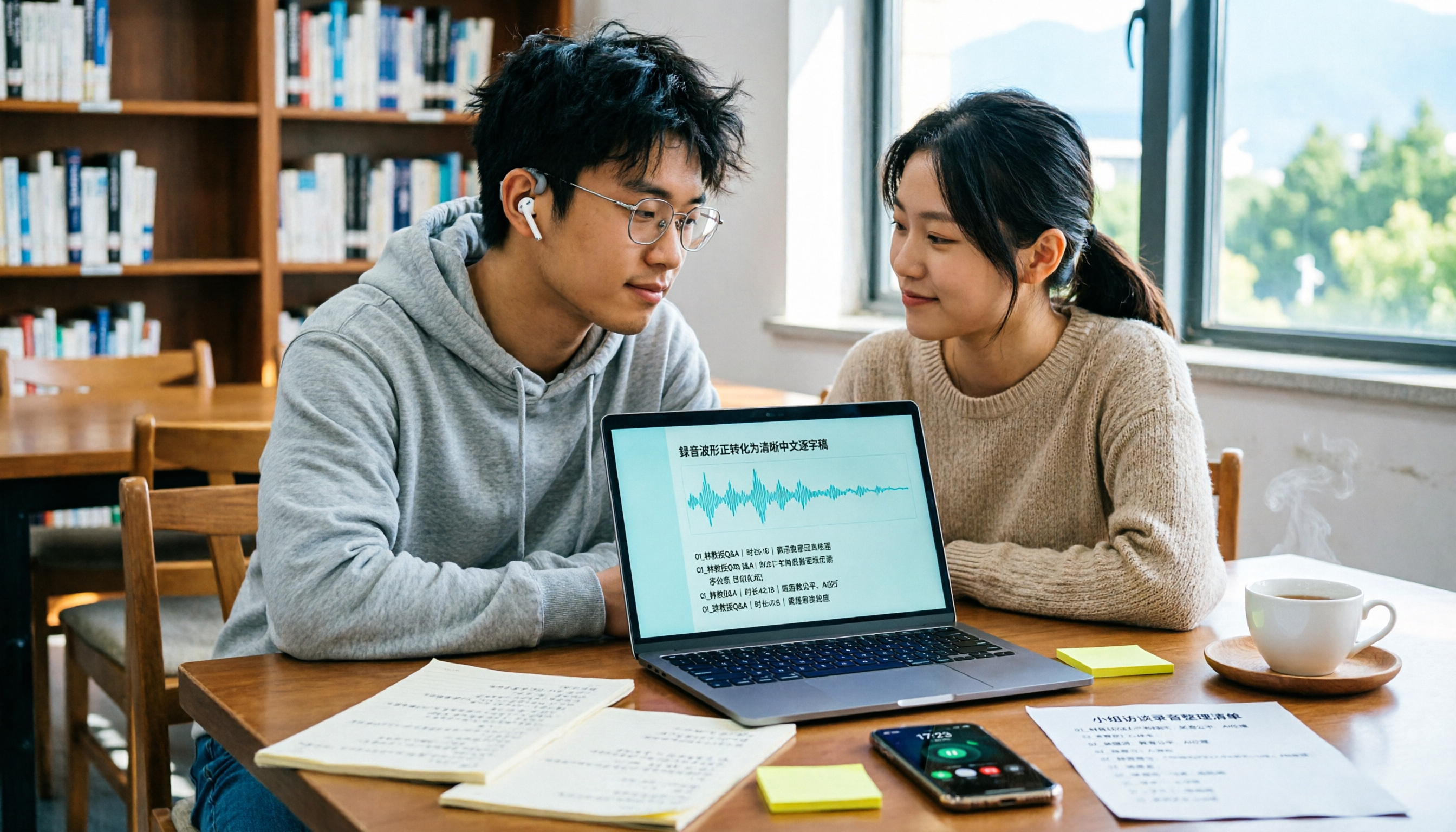
Discovering a semester's worth of unnamed recordings the week before finals? This guide takes a student's perspective to outline 4 key factors for choosing a Chinese speech-to-text online tool. We tested Tinrec, Otter.ai, Notta, and TurboScribe on Chinese transcription, meeting recording, post-meeting organization, and free tiers to help you find the most time-saving option.

MyEdit Speech-to-Text 2026: 9 Languages, No Install, 3 Steps
How to use MyEdit's speech-to-text tool? This guide answers three key questions: Is it free? Does it support Chinese? Is it good enough? It covers MyEdit's 9-language support, free credit system, and 3-step process, and compares Tinrec, Notta, TurboScribe, and Otter.ai for meeting notes and team collaboration to help you choose the right tool for your needs.

4 Speech-to-Text AI Tools Tested: Which Dcard-Favorite Actually Saves You Time?
Two-hour meeting, another two hours typing up the transcript? This article breaks down 4 key factors for choosing a speech-to-text AI from real-world use cases, compares Tinrec, MyEdit, Yating Transcript, and OpenAI Whisper, and highlights the 3 most common pitfalls Dcard users encounter—so you can pick the right tool in one go.

4 LINE Voice-to-Text Tools Tested in 2026: Which Method Actually Converts Voice Messages to Text Files?
We break down common misconceptions about converting LINE voice messages to text files and compare 4 approaches, with a step-by-step Tinrec demo covering audio extraction, upload transcription, proofreading, AI summarization, and export.