

Turn recordings into transcripts and summaries in minutes
Upload audio or video for multilingual transcription, AI notes, and action items
2026 Comparison of 4 Audio Transcription Tools: The Real Limits of ChatGPT Transcription
Two-hour group discussion, but the transcript gets stuck at "file too large"
Last week we talked for two hours in a library discussion room about the interview structure for our graduation project. Back in the dorm, I thought: just throw the recording into ChatGPT.
But I got stuck there for almost 40 minutes. The first upload failed outright. After splitting it into three parts and uploading, it gave me a summary—not the word-for-word transcript I wanted. In the end, I put on headphones and typed out that interview transcript sentence by sentence myself.
If you're now staring at that recording on your phone, wondering whether it's worth trying ChatGPT, this article is for you. I've put together the 4 tools I've used this past year: which scenarios ChatGPT is actually good enough for, and which scenarios will leave you panicking the night before a deadline like I did.
First, answering your question: Can ChatGPT transcribe audio files?
Yes, but you have to get past 4 hurdles. That's why many people give up after trying.
Hurdle 1: Plan. ChatGPT's free version only supports "real-time voice dictation"—you speak into the microphone and it converts to text in real time. But if you want to process an already-recorded file, you need a paid plan like Plus, Pro, or Enterprise.
Hurdle 2: Entry point. ChatGPT Record is a macOS desktop feature, and its approach is to "open the app, press record, and play the audio file next to the microphone," outputting a summary to Canvas, not a full transcript. It only takes real-time microphone input and can't read files directly.
Hurdle 3: File size. If you want an accurate transcript, you have to use the Whisper API: apply for an API key, upload the audio file to the transcription endpoint, and receive the returned transcript. The single-file limit is 25MB. A 60-minute MP3 at 128 kbps is about 57.6MB—more than twice the limit—so you have to split the file first.
Hurdle 4: Format. The Whisper API only accepts audio formats like MP3, M4A, WAV, and FLAC. Video files like MP4 and MOV won't work; you can't just give it a YouTube URL either—you have to extract the audio track yourself first.
One more note: attaching an audio file to a conversation and asking it to transcribe depends on whether the current model and tools support it. OpenAI's official documentation also states clearly: "Tasks" and Codex currently do not support transcribing uploaded audio; long recordings may be split into shorter segments for processing, and the system will do its best but doesn't guarantee success. When transcription fails, the official recommendation is to convert to WAV and re-upload.
So the accurate statement is: ChatGPT can do it, but you need a paid plan, you need to know how to split files, and you need to accept that it gives you a summary or a "conditional" transcript. For an occasional 10-minute interview, it's great; but if you record lectures every week and have group discussions to organize, you'll spend too much time moving files around.
Before choosing an audio transcription tool, understand these 4 key points
At first I only looked at "can it transcribe," but later I realized that's not the point at all. Here are 4 things I learned after hitting pitfalls.
1. Where does your recording come from? If it's a lecture recording casually made on your phone, you need the ability to "upload existing files"; if it's an online group meeting, you need a tool that can handle computer playback audio. These are two completely different things, and many tools are only good at one of them.
2. What do you want after transcription? Do you just want a transcript, or do you want key points you can review? The week before finals, you can't re-listen to 12 hours of recordings; you need summaries, chapters, and to-dos. A tool that only gives you a transcript is essentially trading "listening to recordings" for "reading 30 pages of text."
3. Can it handle Chinese and mixed Chinese-English? Our department's classes often have sentences like "how should we design the measurement for this KPI." Tools that are primarily English-focused struggle here, especially with technical terms, names, and product names.
4. Is the free quota enough for students? This is the most realistic point. Rather than looking at how cheap the annual plan is, first check whether the free version lets you complete a full workflow—upload, transcribe, summarize, export. A free version that can't do that is as good as none.
Tinrec—the one I used for a semester and kept on my phone
In one sentence: Tinrec is an AI meeting notes and collaboration tool for individuals and teams, supporting iOS, Android, and web, with a desktop version that can directly record online meetings.
I switched initially because I "didn't want to split files anymore," but what really kept me was what it does after transcription.
Lectures and in-person interviews: transcribe while recording. When the professor speaks fast and flips slides even faster, I just start real-time recording and get a transcript as I record. By the time I walk out of the classroom, the text is already there—no waiting for downloads or uploads.
Online group meetings: no bot to invite. Our project group meets on Google Meet. Tinrec's desktop version directly captures the computer's system audio to record, so you don't need to add a meeting bot to the room—this is a big deal for group presentations; no need to explain to teammates "who that account is."
Stop organizing recordings by hand
Upload audio or video and automatically get a transcript, summary, and action items
Transcription isn't the end—you can keep asking questions. This is what I find most useful. Last semester I had a 40-minute industry-academia interview that I didn't want to re-listen to, so I directly asked in Tinrec: "What are the three implementation barriers the interviewee mentioned?" It answered based on semantics, not by throwing keyword search results at me. It also automatically generates summaries, chapters, and to-dos, and keeps the original audio for playback and verification.
The export part is also key. I'm used to putting key points into Notion for exam review, and Tinrec can export directly to Notion, Google Docs, OneNote—places I already use—so no more copy-pasting.
My actual experience: I tested it with the same discussion recording that had group members talking over each other and air conditioning noise in the background. The transcript had a few spots that needed manual correction, but overall it was readable and paragraphs were distinguishable; what really saved time was that it also gave me summaries, chapters, and to-dos at the same time. The time I spent fixing words was far less than the time I saved on organizing.
Advantages (three reasons I'd recommend it to classmates):
- One tool covers "record → transcript → summary/to-dos → export," so you don't move files between four apps.
- Desktop version records online meetings without a bot, works across phone and computer, especially convenient for group presentations.
- You can ask questions directly about the meeting content, so you don't have to listen from the beginning when reviewing.
Limitations to be clear about: The free version provides a "basic quota" that lets you fully experience recording, import, summary, and transcription, but if you record every class like me, you'll definitely want to upgrade (weekly card is good for intensive interviews before winter/summer break, Pro monthly card for the semester, annual card for long-term data accumulation). Also, transcription quality is still affected by the recording environment—sitting too far, air conditioning too loud, multiple people talking at once will increase error rates, so for important content, it's best to check against the audio file.
Who it's for: Students who have regular weekly lectures to record, group discussions to organize, and want to get key points and to-dos immediately after recording. If your project group needs to share data, the team version offers an independent team space where data belongs to the team, members can share and view, and only members with seats can record, upload, and edit—so data won't leave when teammates graduate.
Besides Tinrec, what other options are there?
ChatGPT If you already have a Plus plan and just occasionally want to turn a 10-minute recording into text, ChatGPT is enough. But its conversations are piecemeal; audio files don't accumulate into a searchable meeting database, and there's no team space for group members to share. Suitable for "temporary, short audio, no translation needed" situations.
Otter.ai A veteran tool for English meetings, with a Basic free version offering 300 minutes per month, quite friendly for students in all-English classes. But its focus is on English business scenarios; Chinese and mixed Chinese-English are not its strengths, and it lacks Tinrec's team hotwords and bilingual comparison organization. If your textbooks and discussions are all in English, you can try it; if it's half Chinese and half technical English, it'll be tougher.
Notta Multilingual transcription and translation are done well, with a free version offering 120 minutes per month, but each session is limited to 3 minutes—this limit is quite tight for lecture recordings, meaning you have to split every 3 minutes. Tinrec puts real-time recording, file import, and post-meeting Q&A into one workflow, which is smoother for students who "need to organize into a report after recording."
Pitfall guide: The 3 most common mistakes when choosing an audio transcription tool
Pitfall 1: Only looking at "can it transcribe," not "can you use the result." Many people end up comparing only which formats are supported. But the situation you'll actually face is: the week before finals, you open that 40-page transcript and can't find the key points. Whether there are summaries, chapters, and to-dos is what determines whether you'll open it again.
Pitfall 2: Ignoring file size and format limits. This is the wall I hit with ChatGPT. A 60-minute MP3 is 57.6MB, over the 25MB limit; video files and YouTube links don't work. Before choosing a tool, test with your longest recording—don't discover you need to split files the night before a deadline.
Pitfall 3: Treating a transcript as meeting notes. A transcript is just raw material. If a tool only gives you text, you still have to read it all and extract key points yourself. With Tinrec's AI Q&A, you can directly ask "What was the conclusion of this discussion?" or "Who is responsible for the next progress update?"—much faster than manually Ctrl+F. This is also the main reason I was willing to pay later.
Conclusion: Which one should you choose?
To sum up in one sentence: ChatGPT can transcribe audio files, but it's more like a "Swiss Army knife for occasional use," not a daily chef's knife.
- Regular weekly lecture recordings, need Chinese transcripts plus key points → Tinrec (real-time recording plus summary, chapters, and to-dos all in one)
- Want to ask follow-up questions after recording, don't want to re-listen → Tinrec (can ask questions directly about meeting content)
- Record on phone, organize on computer, need both → Tinrec (iOS, Android, web, and desktop)
- Group project needs shared data, members come and go → Tinrec team version (team space, member and seat management)
- Already have Plus, just occasionally transcribe a short recording → ChatGPT works, but remember to confirm the file is under 25MB
- All-English classes, zero budget → Otter.ai free version offers 300 minutes per month, the only exception recommendation in this article
I suggest you first run your own recording through the free version—upload, transcribe, view summary, export—complete one round before deciding whether to upgrade. Students' money isn't easy to earn; first confirm it really saves you time, then talk about paying.
One last reminder: before recording, remember to inform your group members, and for important content, still check against the original audio file. AI organizing doesn't mean you can completely let go.
References
- Audio to text: did you choose the right tool? | Jun's Salon
- Is ChatGPT speech-to-text feasible? 3 methods and real limitations (2026)
- ChatGPT Record | OpenAI Help Center
- Uploading files and audio to ChatGPT | OpenAI Help Center
- Audio transcription often fails? Throw the audio file into ChatGPT, get transcript and to-dos in one go | Manager Today
Turn every recording into actionable outcomes
Get 60 free transcription minutes when you sign in. No credit card required.
Related Reading
You might also like

Gemini Free vs Paid in 2026: 3 Key Limits and How Tinrec Handles Meeting Notes
Gemini offers a free tier but with usage limits. This article answers whether Gemini is free, outlines paid and student plans, then compares Tinrec for meeting notes—covering bot-free recording, post-meeting organization, and team collaboration—to help you decide if the free tier is enough.

2026 Comparison of 3 Speech-to-Text Tools: Is Yating Transcription Really Free?
Yating Transcription's live recording is currently free to use, but uploading existing audio files is limited to a trial quota; once used up, you need to purchase hours. This article breaks down its free scope and the inconsistent trial quotas reported by various sources, and compares Tinrec, Otter.ai, and Notta in meeting notes, post-meeting summaries, and team collaboration to help you decide if the free version is enough and where to spend your money.

How Much Does a Transcript Cost in 2026? Price per Word + Money-Saving Tips
How much does a transcript cost per word? In Taiwan, transcription services almost never charge by the word—they charge by audio length. This article covers 2026 rates, per-word equivalents, and 4 factors that affect quotes. It also compares Tinrec, Notta, TurboScribe, and Granola, showing how to cut both cost and time with AI-generated drafts plus human proofreading.

How Long Does It Take to Speak 1,000 Words in 2026? Speech Rate Formula and Recording Organization Tool Comparison
There's no single answer to how long 1,000 words takes to speak: business conversation is about 5 minutes, formal speeches about 6 to 7 minutes, and reading aloud about 3 to 4 minutes. This article uses a speech rate formula to break down differences by occasion and compares audio-to-text and meeting organization tools, explaining how Tinrec helps you time practice speeches, follow up after meetings, and retain team knowledge.
2026 Audio-to-Text Tools Compared: ChatGPT Has Limits, Tinrec Better for Meeting Notes?
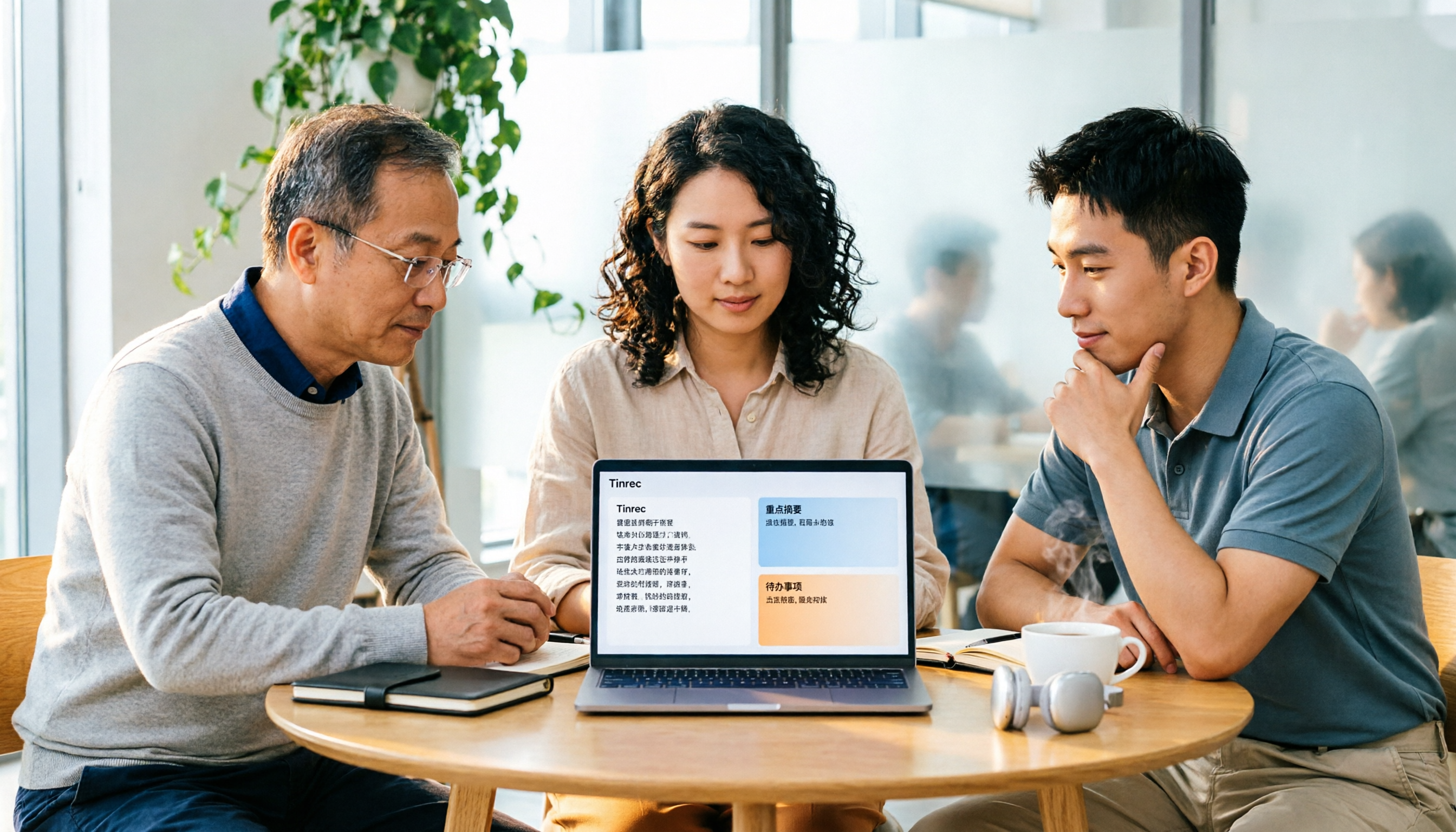
Can ChatGPT transcribe audio? Yes, with conditions. This article compares four audio-to-text tools—ChatGPT, Tinrec, Granola, and TurboScribe—covering the 25MB limit, plan and device differences, multi-speaker transcripts, and post-meeting organization capabilities to help you choose the right solution for Chinese meetings and team collaboration.

4 Best Transcription Tools in 2026: Yating, Tinrec Features & Free Tier Comparison
What is Yating Transcription? This article first explains its features, free quota, and pricing, then compares it with Tinrec, Otter.ai, and Notta. From recognition scenarios to post-meeting organization and team data ownership, it helps you decide which tool suits your meetings and workflow.

Tinrec vs Notta 2026: 5-Dimension Comparison — Which Audio-to-Text Tool Is Worth It for Students?
From university lectures and group discussions to final exam review, we tested and compared audio-to-text tools like Tinrec and Notta, covering five key buying factors: free quota, Chinese recognition, post-meeting summaries, AI Q&A, and team collaboration, to help students choose a truly usable transcription tool.

2026 Comparison of 5 Audio Transcription Tools: Free to Paid at a Glance
Starting from real decision points, this comparison covers Tinrec, Notta, Otter.ai, Granola, and TurboScribe's audio transcription capabilities, including live recording, file import, AI summaries and Q&A, team collaboration, and pricing plans—helping you choose the right tool instead of downloading another one.

AI Meeting Notes in 2026: Gemini Upload vs. Google Meet Built-in vs. Tinrec — Which One Is Enough?
Can Gemini take meeting notes? Yes, but it only handles transcription. This article breaks down the three most common mistakes when using Gemini for meeting notes, explains the version and language limitations of Google Meet's "Take notes for me," and demonstrates Tinrec's complete workflow — from bot-free recording and AI summaries to action item extraction and team knowledge retention — plus five key buying criteria and an FAQ.